
As networks grow more distributed and interconnected, keeping digital operations reliable has become increasingly difficult . CIOs face mounting pressure to reduce outages, protect revenue, and scale digital initiatives without introducing risk. At the same time, network administrators are expected to resolve issues faster than ever often while juggling fragmented tools, alert overload, and limited context.
The challenge is not a lack of data, but a lack of clarity and alignment.
Many explanations of network management focus on either high-level strategy or day-to-day operations. In reality, effective network management depends on how well these two perspectives work together. When business priorities and operational execution align, networks become predictable instead of reactive.
Modern networks extend far beyond a single data center. They span on-prem infrastructure, cloud platforms, SaaS applications, branch offices, remote users, service providers, and edge environments. In this reality, network management is no longer about keeping devices online; it is about ensuring applications perform consistently and users stay productive, no matter where the network operates.
What is network management in today’s IT environments?
Network management is the discipline of ensuring consistent, reliable network performance in environments that are continuously evolving. It focuses on maintaining stability as networks expand across on-prem infrastructure, cloud platforms, and distributed users.
For network administrators: This means having real-time visibility into devices, connections, traffic patterns, and dependencies so potential issues can be detected and resolved before they impact users.
For CIOs and business leaders : It provides confidence that the network can support growth, digital transformation, and customer experience without introducing operational risk.
Modern network management integrates monitoring, analytics, correlation, and automation. Rather than reacting to outages, teams proactively understand how the network behaves under real operating conditions and how that behavior affects applications, users, and business outcomes.
Key functions of network management (FCAPS Explained for modern networks)
The FCAPS model (Fault, Configuration, Accounting, Performance, and Security) defines the core functions of network management. While the framework remains relevant, its role has expanded. Each function now supports not only technical operations but also business reliability, scalability, and risk management in modern IT environments.
In practice, FCAPS helps network teams maintain stable infrastructure while enabling leaders to make informed decisions based on performance, usage, and security insights; not just device status.

1. Fault Management
- Detects issues such as device failures, link outages, packet loss, and unreachable services.
- Triggers alerts through email, SMS, or ITSM integrations so teams can respond quickly.
- Helps admins move beyond guesswork by narrowing down probable root causes early in an incident.
2. Configuration Management
- Tracks configuration changes across devices over time.
- Enables backup and restore , reducing risk during updates or migrations.
- Minimizes human error by providing visibility into what changed, when, and by whom.
3. Accounting and Usage Monitoring
- Measures bandwidth and resource usage by device, application, or user.
- Supports capacity planning , cost optimization, and network investment decisions.
- Enables chargeback or showback models in large or shared environments.
4. Performance Management
- Monitors latency , jitter, packet loss, throughput, and error rates.
- Identifies degradation before users raise complaints.
- Helps teams validate SLAs and benchmark performance over time.
5. Security and Compliance Monitoring
- Flags unusual traffic patterns , rogue devices, or policy violations.
- Supports compliance through logs, audits, and reporting.
- Complements firewalls and SIEM tools by adding network-level visibility.
How network management has evolved: From device health to user experience
Traditional network management operated on a simple assumption: if devices were up, users were satisfied. That assumption no longer holds.
Today, network admins often face situations where infrastructure appears healthy, yet users experience slow SaaS performance, poor video quality, or intermittent access. Modern network management focuses on paths, dependencies, and external factors such as ISPs and cloud providers that influence real user experience.
For CIOs, this shift is significant. It positions network management as an experience assurance function rather than a back-office IT task, directly tied to productivity and customer satisfaction.
Core components of a modern Network Management System (NMS)
An effective Network Management System (NMS) must support both operational depth and executive clarity.
Discovery and topology mapping: Gives admins a real-time view of how devices, links, and services connect, while also providing leadership with architectural visibility during audits or incidents.
Data collection engines: Gather metrics through SNMP, flow protocols, APIs, and agents. Analytics and correlation layers then turn this data into insights that reduce troubleshooting time and improve decision-making.
Alerting, reporting, and automation: Bridge the gap between insight and action. Well-designed systems reduce alert fatigue for admins and provide leadership with clear, outcome-focused reporting.
Network monitoring vs. Network management vs. Observability
These terms are often used interchangeably, but they serve distinct purposes, and understanding the difference helps teams choose the right approach.
- Network monitoring focuses on metrics and alerts from devices and links. It answers whether something is up or down, making it essential but largely reactive.
- Network management builds on monitoring by adding context, correlation, and control. It connects health data with topology, configurations, changes, and trends to assess operational risk.
- Network observability provides deep, real-time insight into complex systems using telemetry, logs, and analytics, but often lacks the breadth and control required for enterprise network operations.
High-performing teams treat monitoring as the foundation, network management as the operational backbone, and observability as a complementary layer for advanced scenarios.
| Aspect | Network Monitoring | Network Management | Network Observability |
|---|---|---|---|
| Primary focus | Device and link status | Service reliability and business impact | Deep system behavior and real-time insights |
| Core question answered | Is the device or link up? | Which services, users, or locations are at risk? | Why is the system behaving this way right now? |
| Data used | Metrics and threshold-based alerts | Metrics, topology, configs, changes, trends | Telemetry, logs, traces, advanced analytics |
| Troubleshooting approach | Alert-driven, manual correlation | Context-aware, topology and change-driven | Pattern-based, analytics-led investigation |
| Value to network admins | Basic visibility and alerts | Faster root-cause analysis and operational control | Advanced diagnostics for complex environments |
| Value to CIOs and IT leaders | Confirms availability | Reduces risk and improves operational predictability | Improves resilience in large, distributed systems |
| Best suited for | Small or static environments | Enterprise and hybrid IT operations | Cloud-native, highly distributed architectures |
High-performing teams treat monitoring as the foundation, network management as the operational backbone, and observability as a complementary layer for advanced scenarios.
Advanced network management capabilities that improve reliability
- Dependency awareness: Helps network admins understand how failures cascade across devices, applications, and services, reducing guesswork and trial-and-error troubleshooting during incidents.
- Time-based correlation: Allows teams to accurately reconstruct incidents by linking configuration changes, traffic patterns, and alerts in the correct sequence, making root-cause analysis faster and more reliable.
- Noise reduction and alert prioritization: Filters out non-actionable alerts so teams can focus on issues that actually impact users or business services, improving response times and reducing operational burnout.
- Actionable intelligence over raw data: Mature network management strategies emphasize clear, contextual insights rather than large volumes of metrics, benefiting both frontline admins and executive stakeholders.
What devices and environments can network management systems control?
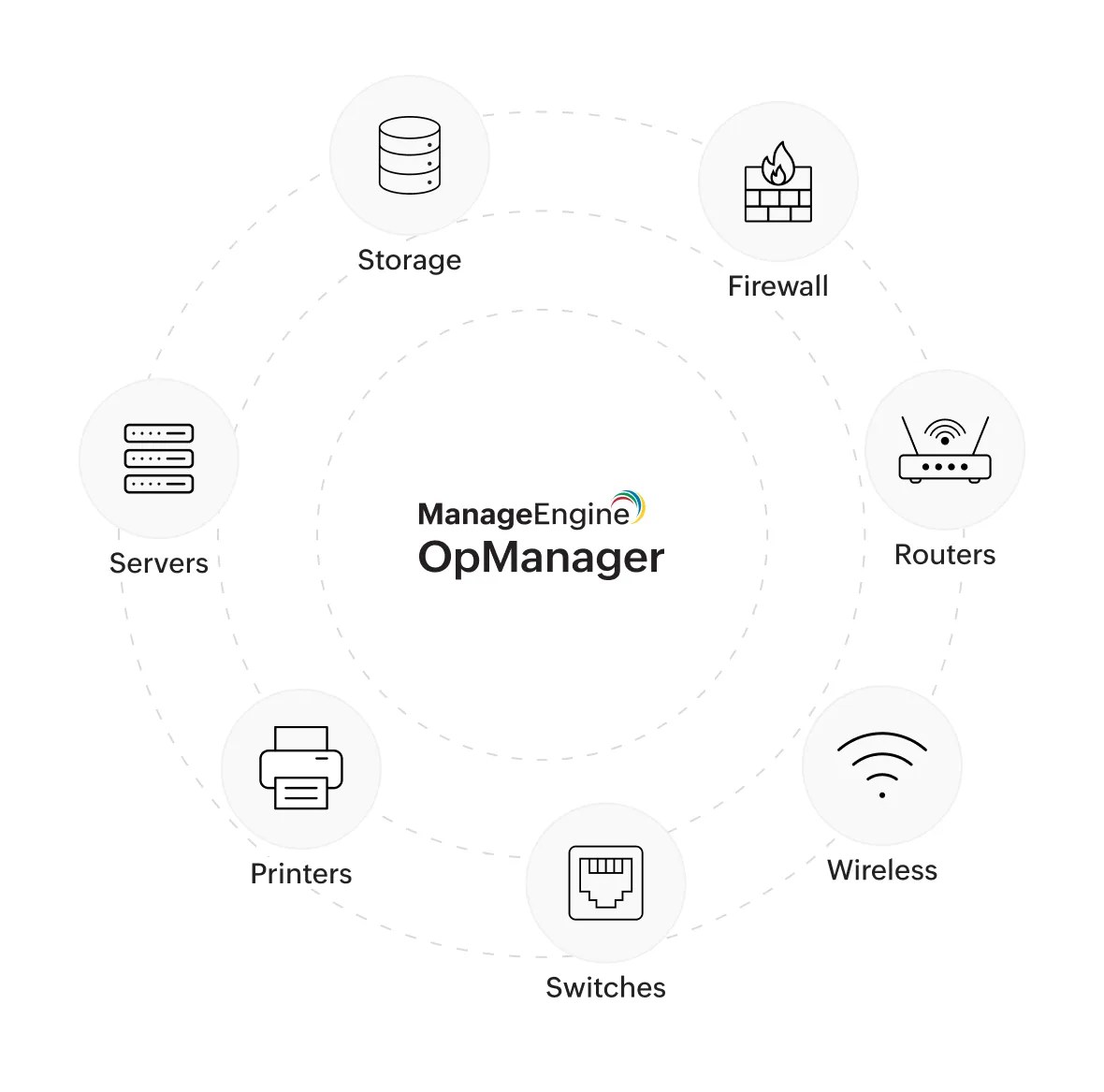
A modern NMS supports a wide range of infrastructure components:
- Routers and switches (core, distribution, access)
- Firewalls and security appliances
- Wireless controllers and access points
- Servers (physical and virtual)
- Storage systems
- WAN links and SD-WAN devices
- Cloud resources (IaaS, PaaS components)
- VoIP systems and IP cameras
- IoT and edge devices (in advanced setups)
This broad coverage is essential for hybrid and multi-vendor environments.
How network management systems are deployed: On-prem, cloud, and hybrid
On-premises NMS
- Installed within the organization’s data center
- Offers full control over data and customization
- Preferred by regulated industries with strict compliance needs
Cloud-based NMS (SaaS)
- Hosted and managed by the vendor
- Faster deployment and lower upfront costs
- Ideal for distributed teams and cloud-first businesses
Hybrid Deployment
- Combines on-prem monitoring with cloud analytics
- Useful for organizations transitioning to cloud or managing hybrid IT
The right deployment depends on security requirements, scalability needs, and operational complexity. On‑prem deployments provide control and compliance, while cloud-based platforms offer scalability and faster onboarding. Many teams combine both approaches, prioritizing correlation and insight over where the software runs.
Common network management challenges in modern IT
Despite better tools, network management remains challenging due to:
- Fragmented visibility: Network admins often manage on-prem, cloud, and SaaS environments using separate tools, creating blind spots.
- Tool sprawl: Multiple overlapping monitoring tools increase overhead, make correlation harder, and reduce overall efficiency.
- Manual troubleshooting: Without context-aware insights, admins rely on manual log analysis and tribal knowledge, which slows resolution.
- Alert fatigue: Excessive, low-value alerts make it difficult to identify what is truly critical, leading to delayed responses.
- Dependence on individual expertise: When knowledge resides with a few key individuals, teams face higher risk during incidents or attrition.
- Translating issues to business impact: Technical metrics often fail to explain how incidents affect users, revenue, or strategic objectives to leadership.
Why network management is important for businesses and IT teams
For network admins, effective network management means:
- Fewer outages and faster resolution times
- Better control over complex infrastructuresFor business owners, it translates to:
- Reduced downtime and revenue loss
- Improved employee productivity
- Better customer experience
- Stronger security and compliance postureSimply put, a well-managed network is the backbone of digital business operations.
Benefits of network management for performance, scale, and stability
- Higher network availability: Proactive detection and faster root-cause analysis reduce downtime and prevent minor issues from escalating into major outages.
- Improved application and service performance: Context-aware insights help teams identify performance bottlenecks affecting users, SaaS applications, and business-critical services.
- More accurate capacity planning: Historical trends and usage analysis enable teams to plan upgrades confidently and avoid over-provisioning or unexpected congestion.
- Reduced operational stress: Clear visibility and noise reduction lower firefighting, helping network admins focus on optimization rather than constant incident response.
- Stronger collaboration between IT and leadership: Service-level reporting bridges the gap between technical metrics and business impact, improving alignment and trust.
- Greater confidence in digital transformation: Predictable network behavior allows organizations to scale cloud, remote work, and new applications with lower risk.
Network management tools landscape: Platforms, approaches, and trade-offs
Modern network management tools fall into four broad categories, each shaped by different operational priorities and trade-offs.
Common tool approaches in the market
- Legacy enterprise platforms: Offer deep functionality and long-term stability but are often complex, expensive to scale, and slow to adapt to cloud-first or hybrid environments.
- Cloud-native monitoring tools: Provide quick deployment and ease of use, but may lack deep network context or struggle with on-prem and multi-vendor infrastructure.
- Vendor-specific tools: Integrate tightly within a single ecosystem but create blind spots in heterogeneous environments, which is common in real-world enterprises.
- Open-source solutions: Deliver flexibility and cost advantages, but rely heavily on in-house expertise for maintenance, scaling, and reliability.
For network admins, this diversity often results in tool sprawl and fragmented workflows. For IT leaders, it leads to higher operational cost and limited risk visibility, prompting a shift toward consolidation.
Choosing a network management platform: Where unified tools fit
As networks expand across data centers, cloud platforms, branch offices, and remote users, managing them through isolated tools becomes increasingly difficult. Many organizations reach a point where adding another monitoring solution only adds more noise and complexity.
This is where unified network management platforms fit in. Instead of replacing every specialized tool, they act as a central operational layer : bringing clarity, correlation, and shared visibility across teams.
Why organizations move toward unified platforms
Organizations typically consolidate toward unified network management when they encounter operational friction that tools alone cannot solve:
- Reduced tool sprawl: Fewer overlapping dashboards and less manual correlation across systems
- Stronger cross-domain visibility: Clear connections between network, server, and application behavior
- Shared operational context: A common view of network health for admins and leadership
- Scalable operations: Ability to grow infrastructure without linear increases in headcount
Rather than focusing on raw data collection, unified platforms emphasize understanding impact, which improves response speed and decision-making.
What teams typically look for in unified network management tools
When evaluating platforms, both network administrators and IT leaders tend to prioritize practical capabilities over feature volume.
| Capability | Why it matters |
|---|---|
| Multi-vendor visibility | Prevents blind spots in heterogeneous, real-world environments |
| Topology-aware context | Accelerates root-cause analysis during incidents |
| Cross-domain correlation | Links network issues with server or application impact |
| Actionable alerting | Reduces noise and admin fatigue by prioritizing real issues |
| Business-level reporting | Helps leaders understand risk, reliability, and service health |
Platforms such as ManageEngine OpManager are often evaluated at this stage because they align with these expectations. By combining unified visibility, intelligent correlation, and context-aware alerting, OpManager help network admins troubleshoot faster while giving CIOs a clearer, more consistent view of operational risk.
The future of network management: Trends CIOs and admins should watch
Network management is evolving from reactive oversight to predictive and outcome-focused operations .
Key trends shaping the future
- Predictive analytics: Using historical baselines and behavior patterns to detect issues before users are impacted.
- Automation and guided remediation: Reducing manual intervention for repetitive or well-understood incidents.
- Experience-centric monitoring: Measuring performance from the user and application perspective, not just device health.
- Executive-friendly reporting: Translating technical metrics into service impact, risk exposure, and readiness indicators.
For network admins, these trends mean less firefighting and more proactive control. For CIOs, they enable quieter infrastructure that supports growth without constant escalations.
Final takeaway: Network management as a strategic capability
Network management is most effective when operational execution and strategic intent align. When admins have the right visibility and leaders have clear insight into risk and service health, organizations operate with confidence, scale responsibly, and stay resilient. Done right, network management transforms technical awareness into lasting business advantage.

By Monicaa,
Product Marketer, ManageEngine