
A wireless LAN controller (WLC) is a network component that manages wireless network access points and allows wireless devices to connect to the network. It offers central control over network elements, increases network visibility, and greatly simplifies individual component monitoring. WLCs (Cisco WLC) are commonly used to gain control over your routers, switches, firewalls, gateways and other devices. Monitoring Cisco WLC helps you determine the performance and efficiency of every device and its associated peripherals discovered in OpManager.
Learn more about wireless monitoring in OpManager
Wireless LAN Controller Monitoring in OpManager
OpManager's multi-vendor WLC monitoring module allows you to keep your network intact by providing in-depth visibility of your wireless LAN controller (WLC), its associated service set identifiers (SSIDs) and access points (APs). Cisco's WLC monitoring tool in OpManager allows direct discovery of Cisco WLC and their associated SSIDs, APs and helps you monitor the overall performance of your wireless network with the help of Cisco WLC monitor.
The WLC snapshot page provides inventory information, the device availability status, and other similar information. In addition, knowing the top five access points based on usage tells you who the top talkers are in your WLC environment, and custom dials display information on various parameters, including CPU and memory usage.
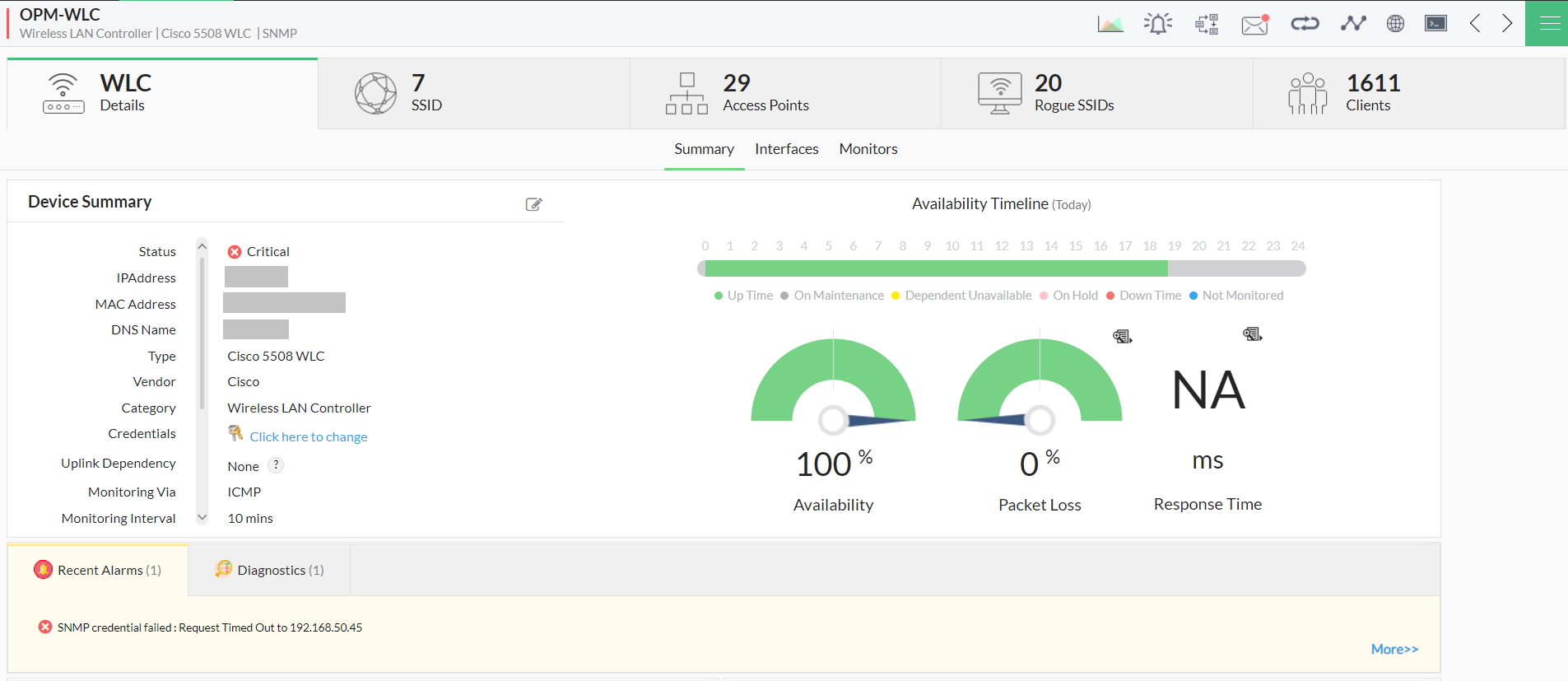
High availability monitoring of WLCs
High availability is a characteristic of a system that guarantees a high level of dependability so as to keep a network infrastructure running without downtime. OpManager's newest support of high availability monitoring for wireless LAN controllers signifies an increase in network efficiency by ensuring that you can configure and monitor your WLCs using HA configuration. As with conventional high availability clusters, you can set up your WLCs using either the active-active configuration, or the active-passive configuration. An active-active setup uses two active WLCs running simultaneously, one as a primary device and the other as a secondary device. Supposing that the primary WLC goes down, the configured secondary WLC takes over and continues monitoring the access points of the primary WLC. An active-passive setup uses one active WLC as a primary device and a virtual IP address as a secondary backup. In the event that the primary device is unreachable, the secondary device (in this case, the virtual IP) is contacted and monitored for availability, performance, and other metrics. The WLC snapshot page gives you more insights into the configuration of the devices, and their role in the high availability setup.
The redundancy made possible by the use of HA configuration makes sure that the WLCs are monitored for availability without interruptions arising from occasional failures or downtime. Learn more about high availability configuration and monitoring for wireless LAN controllers here.
Advanced monitoring of Cisco WLC access points
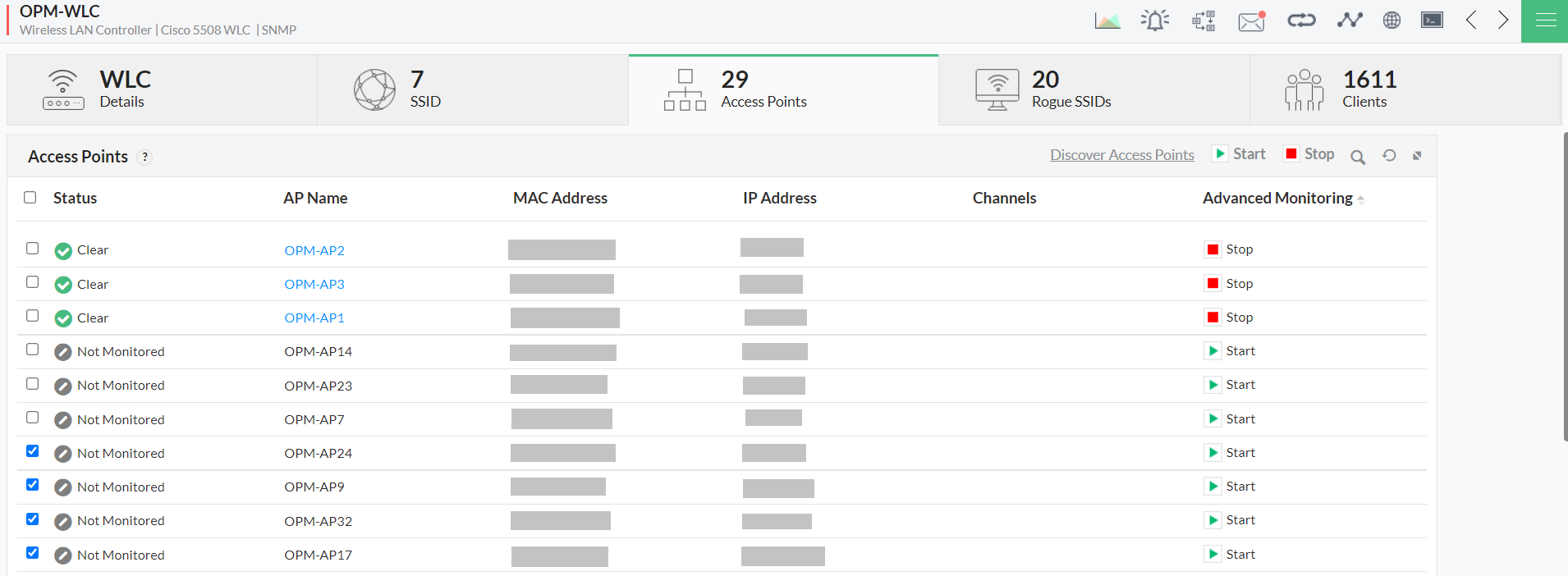
Adding more APs is an easy way to increase the reach of your company's wireless network. A WLC monitoring tool can simplify the tracking of all the access points in your network. OpManager automatically identifies the APs associated to the discovered WLC upon configuration and lists them under the dedicated Access Points tab.
You can also enable advanced monitoring of your access points by discovering them in OpManager. The discovered access points will be monitored for availability and performance, just like any other device in OpManager, and the user will have complete control over it.
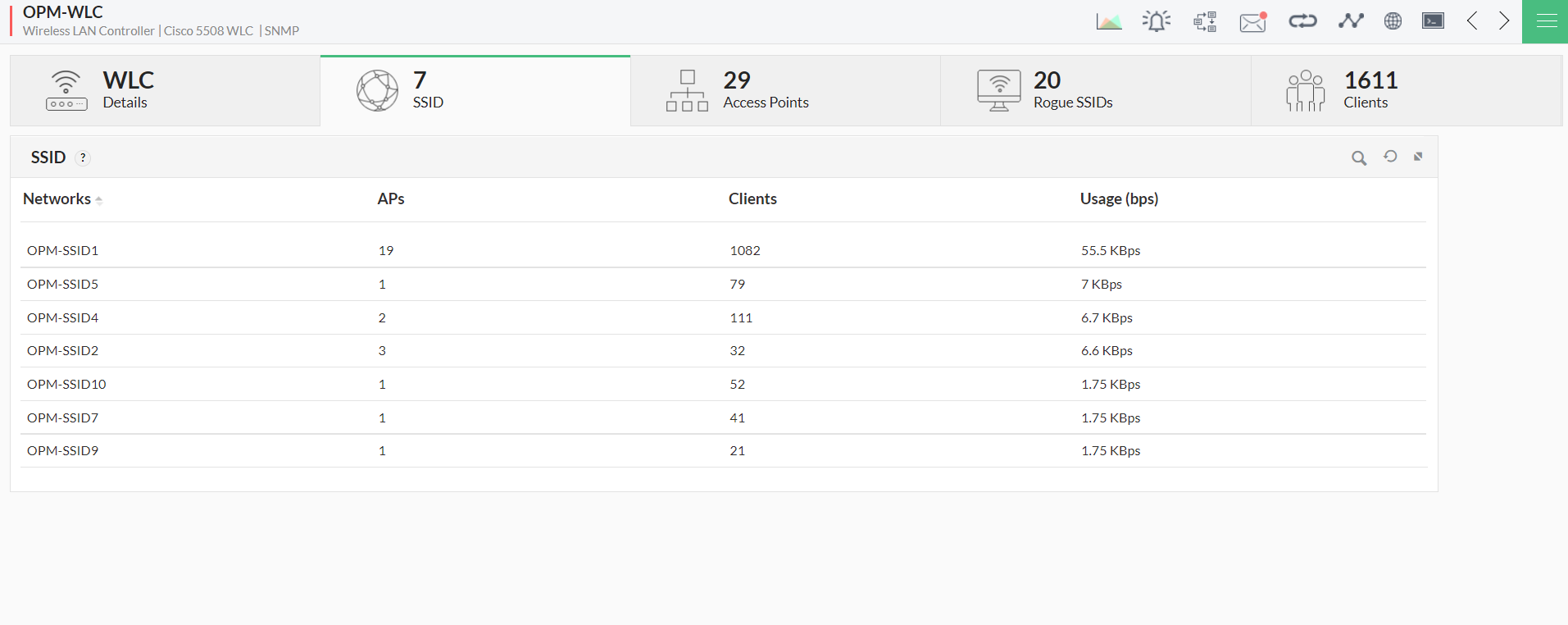
Monitor WLC SSIDs, rogue SSIDs, and clients
An unmonitored network is a major threat to a company. It allows hackers and unauthorized users with malicious intent to gain access to the network more easily. The Cisco WLC monitor tool in OpManager categorizes all the SSIDs and rogue SSIDs (hot spots and adhoc) in your network, and lists them under the dedicated SSID and Rogue SSIDs tabs respectively. If necessary, these rogue SSIDs can be discovered in OpManager and monitored individually.
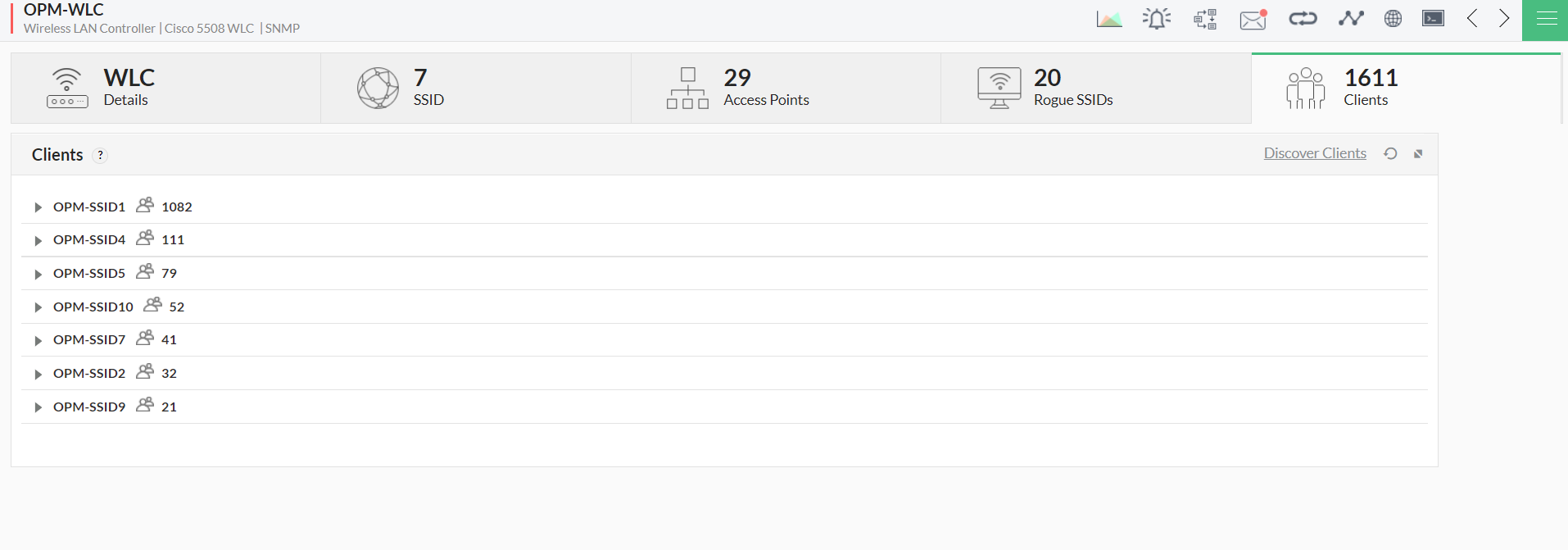
To leverage your network bandwidth effectively, you can view the number of employee devices connected to your network in the Clients tab. This helps in analyzing network usage and in capacity planning. You can also keep an eye on the real-time client count and network traffic using Discover Clients.
Cisco WLC reports and dashboard views
Reports: With OpManager's WLC monitor, availability and health reports such as CPU Usage and Interface Traffic reports can be generated for the discovered WLC devices. Additionally, the access points that are discovered in OpManager (advanced monitoring enabled) will have full access to all types of reports based on the type of device.
Dashboard views: The following dashboard views are currently available for the Cisco WLCs discovered in OpManager.
- Top N SSID Client Count
- SSID AP Count
- AP Traffic Usage
- Top N AP Client Count
- WLC Summary widget
List of wireless LAN controller models supported in OpManager
| Model Name | Properties | Metrics |
| Aruba controllers (Aruba A7280, Aruba 7010 or Aruba7010-US, Aruba 3400, Aruba 7210, Aruba 7205, Aruba 7220, Aruba 7030) | Controller Properties | Controller Name |
| Model | ||
| Mac Address | ||
| Controller Name | ||
| Software Version | ||
| Serial Number | ||
| Access Point Properties | AP IPAddress | |
| AP Name | ||
| AP Group Name | ||
| Serial Number | ||
| Number of radios | ||
| Model Name | ||
| Hardware Version | ||
| Software Version | ||
| Master controller | ||
| Standby controller | ||
| Controller Monitors | No. of Clients Connected | |
| Number of AP | ||
| Access Point Monitors | BSSID Client Count | |
| BSSID Received Bytes | ||
| BSSID Transmitted Bytes | ||
| BSSID Signal to noise ration | ||
| AP Status |
| Huawei Controllers (Huawei-ACU2, Huawei AC6605, Huawei AC6508, Huawei AC6805, Huawei AC6005) | Controller Properties | Controller Name |
| Model | ||
| Mac Address | ||
| Hardware Version | ||
| Software Version | ||
| Software Name | ||
| Serial Number | ||
| AP Name | ||
| Max AP Limit | ||
| Max User Limit | ||
| Access Point Properties | AP IPAddress | |
| AP Name | ||
| Serial Number | ||
| AP MacAddress | ||
| Controller Monitors | No. Of Active Users | |
| No. Of Aps connected | ||
| 2.4 Ghz User count | ||
| 5 Ghz User Count | ||
| Access Point Monitors | AP CPU Usage Rate | |
| AP Memory Usage Rate | ||
| AP Online User count | ||
| AP Temperature |
| Hongxin-AC2400 | Controller Properties | Controller Name |
| Model | ||
| Mac Address | ||
| Hardware Version | ||
| Software Version | ||
| Software Name | ||
| Serial Number | ||
| Max AP Limit | ||
| Max User Limit | ||
| Access Point Properties | AP IPAddress | |
| AP Name | ||
| Serial Number | ||
| AP MacAddress | ||
| Controller Monitors | CPU Utilization | |
| Master controller | ||
| Memory Utilization | ||
| DHCP IP Pool Usage | ||
| No. Of Active Users | ||
| Access Point Monitors | AP Status | |
| AP connected User count | ||
| BSSID Transmitted Bytes | ||
| AP Active User count |
| Autelan-AX7605 | Controller Properties | Controller Name |
| Model | ||
| Mac Address | ||
| Hardware Version | ||
| Software Version | ||
| Software Name | ||
| Serial Number | ||
| Max AP Limit | ||
| Max User Limit | ||
| Access Point Properties | AP IPAddress | |
| AP Name | ||
| Serial Number | ||
| AP MacAddress | ||
| Controller Monitors | CPU Utilization | |
| Memory Utilization | ||
| DHCP IP Pool Usage | ||
| AP count | ||
| Active AP Count | ||
| Access Point Monitors | AP Status | |
| AP connected User count | ||
| AP Active User count |
| Cisco controllers (Cisco 2504 or Cisco AIR-CT2504-L9, Cisco 3504 or Cisco AIR-CT3504-K9, Cisco 8540 or Cisco AIR-CT8540-K9, Cisco 5508, Cisco 8510, Cisco 5760, Cisco 5520, Cisco 9800, Cisco 9800-L, Cisco Catalyst 9800) | Access Point Monitors | AP CPU Usage Avg |
| AP Memory Usage Avg | ||
| AP Active User count | ||
| ESSID Admin Status | ||
| AP Status | ||
| AP IPAddress |
| H3C Controllers (H3C WX3520H, H3C WX5540H, H3C WX2560H) | Controller Properties | Controller Name |
| Model | ||
| Mac Address | ||
| Hardware Version | ||
| Software Version | ||
| Serial Number | ||
| Access Point Properties | AP IPAddress | |
| AP Name | ||
| AP Channel | ||
| MacAddress | ||
| Controller Monitors | CPU Utilization | |
| Memory Utilization | ||
| Online AP count | ||
| Online User Count | ||
| Temperature | ||
| UpStream Traffic | ||
| Access Point Monitors | AP SSID User Count | |
| AP CPU Usage | ||
| AP Average Signal-to-Noise ratio | ||
| AP SSID transmitted bytes | ||
| AP SSID received bytes | ||
| AP Status |
Effectively monitor your wireless network with OpManager WLC monitoring module. Also,
- Keep track of the number of access points and users in your network.
- Monitor critical metrics of individual access points
- Segregate and inspect rogue SSIDs and be informed about access point signal strength.
- Generate reports and configure dashboards for your preference.
Download a 30-day free trial of OpManager, or register for a free personalized demo.