Configure pfSense Firewalls
Firewall Analyzer supports pfSense firewal versions 2.2, 2.3, 2.4 or higher
Configure pfSense Firewalls
Configure pfSense device to forward syslog data to Firewall Analyzer.
- Log into the pfsense Web Interface.
- Navigate to Status > System Logs > Settings.
Note: Select 'BSD (RFC 3164, default)' under Log Message Format.
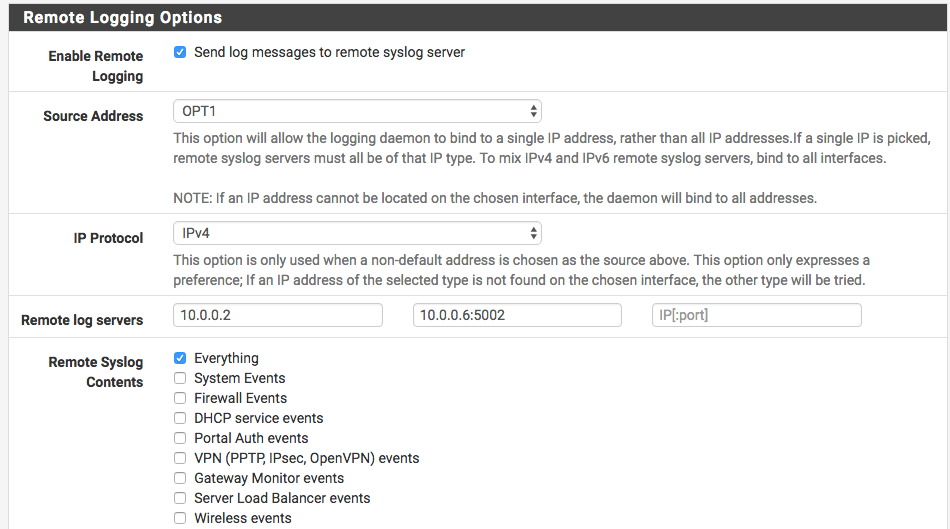
- Check Enable Remote Logging.
- Enter the IP address and syslog UDP port of Firewall Analyzer in the Remote log servers field.
- Click Save.
You need to enable 'Default Allow Logging'.
- To enable logging of allowed packets from the default allow rule, go to to Status > System Logs > Settings tab, then check Log packets allowed by the default rule.
- Click Save to apply the changes.
