Assets
Introduction
The Asset module represents your organization’s inventory, consisting of both physical and virtual assets. The module houses information regarding the assets’ specifications and the finances involved in their procurement and maintenance
It is also possible to set up and track an asset’s entire lifetime in the organization through the Asset module, by configuring Asset Lifecyles and Workflows.
Guidelines
Screenshot of New Product Type
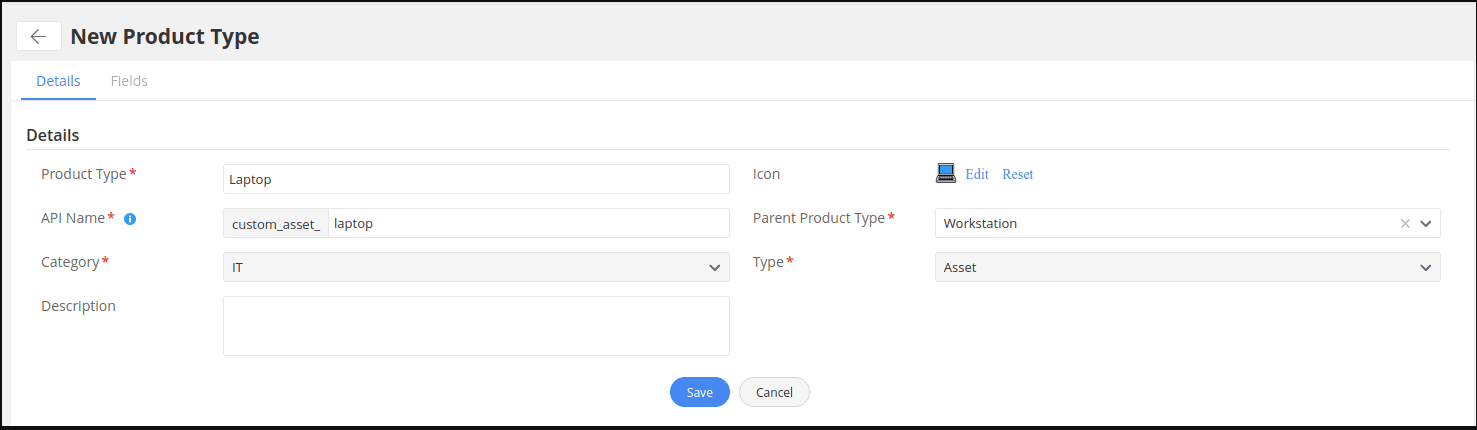
- Please create product types based on your requirements (Setup -> Customization -> Asset Management -> Product Type).
- You can also create product types as children to an existing product type. Creating a product type as a child product type means that it inherits all the fields which are present in its parent product type. By default, all product types are children of the All Assets product type.
- Modify the product type template to create product type specific fields that would be limited only to a product type and its child types.
- After a product type has been created, create a product for the newly created product type (or) ensure that a product exists for either the parent product type or one of the fellow sibling product types.
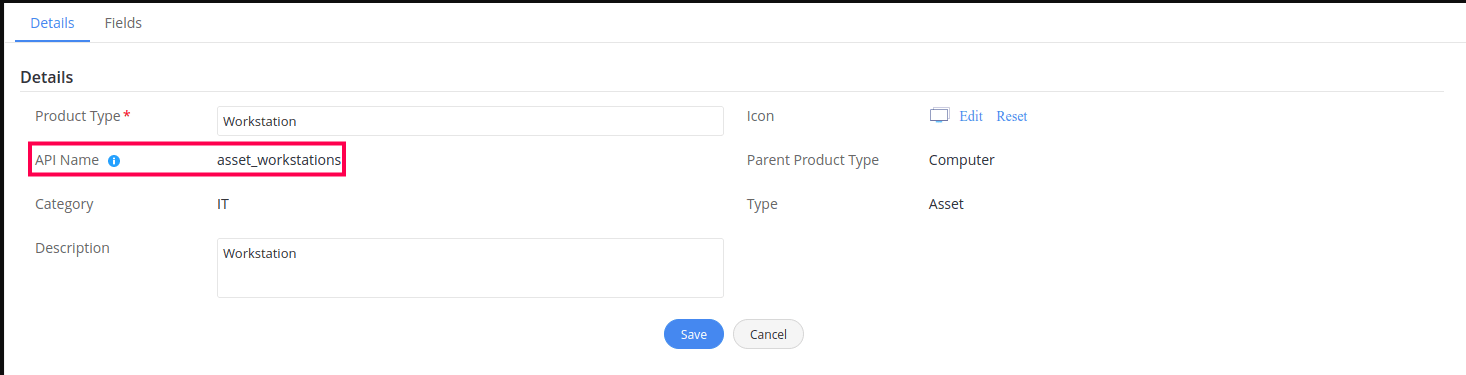
- The API name, which is displayed in the product type creation page, serves as the API endpoint for that product type to make API calls for the required operations such as GET, ADD, EDIT, DELETE, and GET LIST. Example : API Name for the default product type “Workstation” is “asset_workstations”. The API URL will be “/api/v3/asset_workstations”.
Screenshot of Exiting Product Type API Name
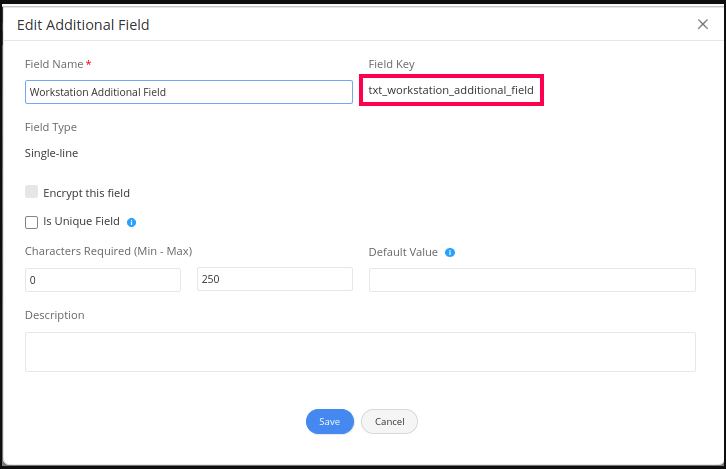
- Similarly, each field in the Fields view has a field key that will be used in the API payload JSON.
Screenshot of Field Key
|
FORMAT
EXAMPLE
/api/v3/<API Name of CI Type>
/api/v3/custom_asset_laptop
|