How an AI assistant and MCP server deliver real-time cloud cost insights
Cloud costs don’t grow quietly. They spike, drift, and surprise teams at the worst possible moments, usually when someone finally opens a dashboard. While cloud cost management tools are powerful, getting quick answers often still means navigating multiple views, applying filters, exporting reports, and looping in the right people.
But what if cloud cost analysis worked more like a conversation?
With CloudSpend's AI assistant integration through Zoho MCP, teams can ask cloud cost questions in plain language and get clear, data-backed answers, right from the tools they already use.
Why dashboards aren’t always enough
Dashboards are great for structured analysis, but most cloud cost questions aren’t structured. They’re spontaneous. Questions are usually like:
- Why did our cloud bill jump yesterday?
- Which account is driving most of our compute costs?
- Are there any unusual spending patterns this week?
Answering these questions usually means time-consuming navigation and context switching. For fast-moving teams, that delay translates directly into wasted spend and slower decisions.
This is where conversational cloud cost analysis changes the game.
Ask CloudSpend questions about your cloud costs in natural language
By connecting CloudSpend to AI assistants like Claude, Cursor, Windsurf, and VS Code via Zoho MCP, teams can explore cloud cost data without opening dashboards or writing queries.
Instead of searching for reports, users simply ask questions. The AI assistant retrieves accurate CloudSpend data and presents it in an easy-to-understand summary. The result is less time spent finding information and more time acting on it.
Solving everyday cloud cost questions with AI
Cloud cost challenges are rarely complex. They are just time-consuming. From understanding sudden cost spikes to getting a consolidated view across accounts, teams often spend more time searching for answers than acting on them. These use cases show how CloudSpend’s AI assistant helps teams get clear, reliable cost insights quickly, without jumping between dashboards or relying on manual reports.
Use case 1: Investigating sudden cost spikes without the guesswork
The problem:
Yesterday’s cloud costs spiked unexpectedly. Finance wants answers. Engineering wants context. Everyone wants it fast.
The traditional approach:
Manually compare dates, services, and accounts across dashboards. Correlate numbers. Hope nothing is missed.
The solution with CloudSpend AI queries:
Ask questions like:
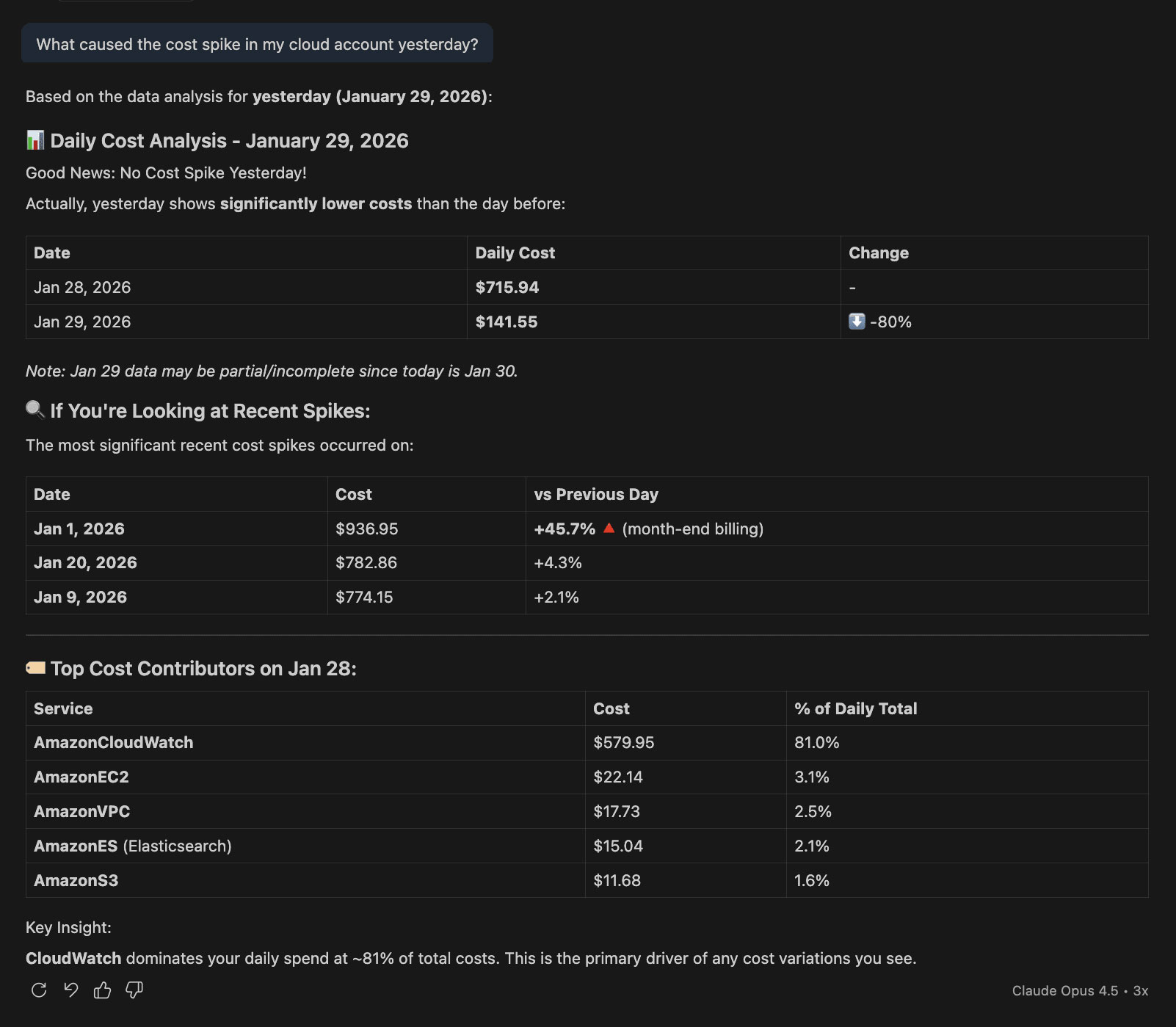
“What caused the cost spike in my cloud account yesterday?”
The response highlights:
- Which services contributed to the spike
- The affected resources
- The financial impact, explained clearly
The benefit:
Faster root cause analysis, less firefighting, and quicker corrective action, before costs spiral further.
Use case 2: Getting a unified view of compute costs across accounts
The problem:
Compute spend is spread across multiple cloud accounts. Getting a consolidated view takes time and manual effort.
The old way:
Export account-level reports, merge them manually, and double-check totals.
The solution with CloudSpend AI:
Ask questions like:
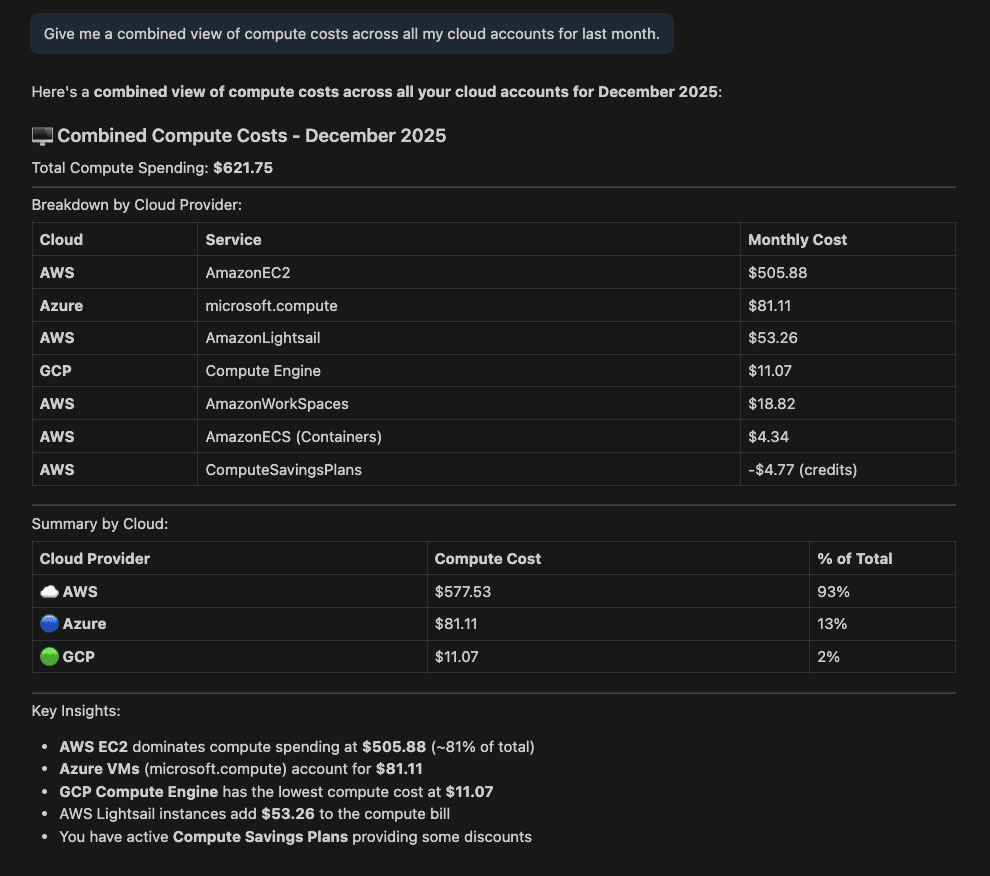
“Give me a combined view of compute costs across all my cloud accounts for last month.”
The result is a single, clear summary showing:
- Total compute spend
- Account-wise contributions
- Service-level breakdowns
The benefit:
Better visibility, easier cost optimization, and fewer reporting cycles.
Use case 3: Making cloud cost data accessible to finance teams
The problem:
Finance teams often depend on engineers to pull cloud cost reports. Even simple questions can take days to resolve.
The solution with conversational cost analysis:
Finance users can directly ask:
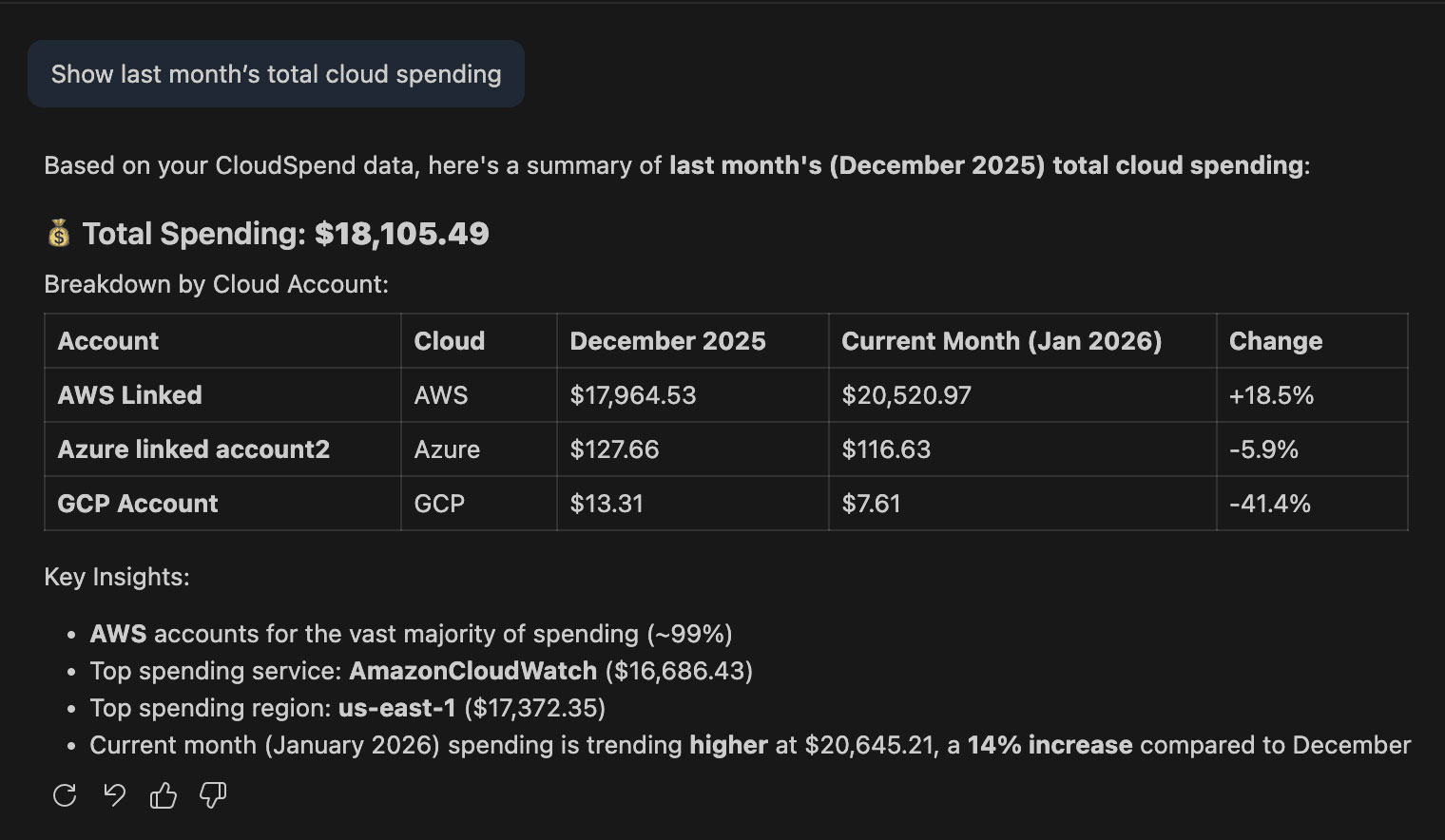
- “Show last month’s cloud spending.”
- “Which accounts exceeded budget?”
They get accurate answers without needing technical expertise or access to complex dashboards.
The benefit:
Faster reviews, fewer handoffs, and improved accountability across teams.
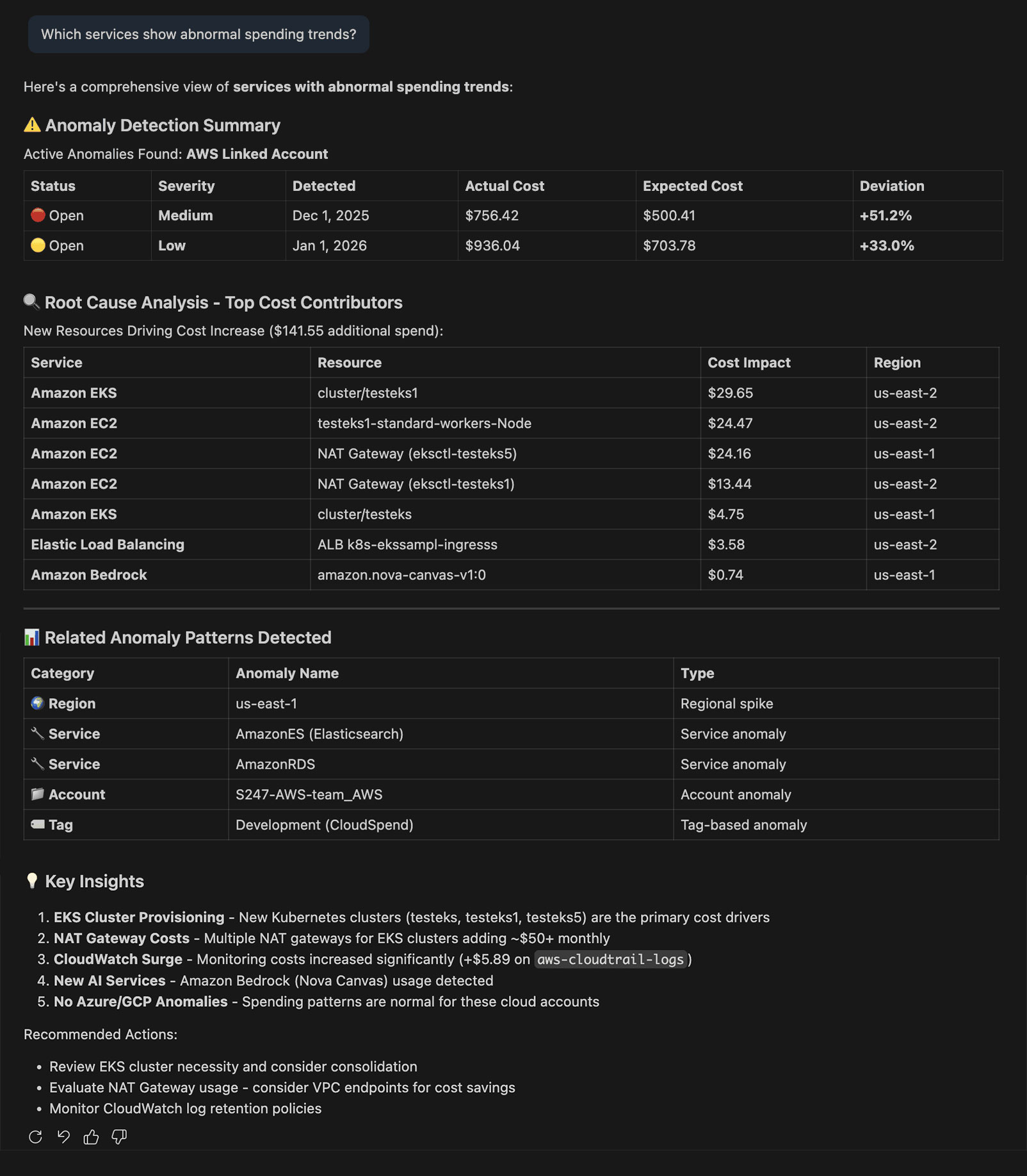
Use case 4: Catching cost anomalies before they become surprises
The problem:
Cost anomalies often surface only after bills arrive when it’s too late to prevent them.
The solution with CloudSpend's AI assistant:
Users ask:
- “Are there any unusual cost patterns this week?”
- “Which services show abnormal spending trends?”
Instead of scanning charts, teams get focused insights that highlight what needs attention.
The benefit:
Earlier detection, proactive action, and fewer end-of-month shocks.
Use case 5: Working with cloud cost data inside daily tools
The situation:
Switching tools breaks focus. Insights get delayed or ignored.
With CloudSpend's integration with AI assistants via popular AI tools:
- Engineers explore costs inside their IDE.
- Ops teams review spend while troubleshooting issues.
- Leaders get quick summaries without logging into another console.
The benefit:
Fewer context switches, faster decisions, and better adoption of cost management practices.
Cloud cost management is becoming a conversation
Dashboards still matter, but they’re no longer the starting point. The real shift is from navigating data to understanding it.
By enabling natural language cloud cost queries through AI assistants, CloudSpend helps teams save time, reduce waste, and make better cost decisions faster.
Cloud cost management is no longer just about charts and reports. It’s about asking the right questions, and getting answers instantly.
Explore how CloudSpend's AI changes the way teams understand and manage cloud costs.