- Help documents
- Collaterals
- E-books & whitepapers
- Knowledge base
- Blogs
- Video zone
- Success stories
- Getting started
- Security guides
Admin guide
Helps admins configure RecoveryManager Plus and manage backups and restorations across environments.
Architecture guide
Explains the components of RecoveryManager Plus and how it backs up and restores your data.
Quick start guide
Walks you through installing RecoveryManager Plus and completing the initial setup quickly.
System requirements guide
Lists the hardware, software, browser, and port requirements to run RecoveryManager Plus.
Security hardening guide
Recommends settings to strengthen the security of your RecoveryManager Plus installation.
Securing installation folder
Describes how to restrict access to the installation directory to harden product security.
SSL guide
Shows how to enable SSL and secure connections to the RecoveryManager Plus web console.
- Brochure
- Datasheet
RecoveryManager Plus datasheet
Summarizes RecoveryManager Plus’ features, supported platforms, benefits, and licensing details.

Active Directory backup datasheet
Details how RecoveryManager Plus backs up and restores Active Directory objects and attributes.

Microsoft Entra ID backup datasheet
Details how RecoveryManager Plus backs up Microsoft Entra ID and restores objects and attributes.
Microsoft 365 backup datasheet
Details how RecoveryManager Plus backs up Exchange Online, SharePoint Online, OneDrive, and Teams.
Exchange backup datasheet
Details how RecoveryManager Plus backs up Exchange mailboxes and restores them at the item level.


- E-books
- Solution briefs
How to streamline your disaster recovery plan
Explains how to build and streamline an effective disaster recovery plan for your business.
9 reasons why you need to back up your Office 365 data
Presents nine reasons why native Office 365 protection isn't enough and backups are essential.
A 3-step guide to fortifying critical electronic health records
A three-step guide to protecting critical electronic health records from loss and breaches.
How good is your AD backup and recovery solution?
Helps you evaluate your AD backup and recovery solution against key enterprise requirements.
Performing domain controller restoration
Explains how to restore failed domain controllers quickly with RecoveryManager Plus.
Restoring AD objects granularly
Shows how to restore specific AD objects and attributes without a full directory restore.
Recovering deleted Active Directory objects
Explains how to recover deleted Active Directory objects with all their attributes intact.
Performing item-level restorations in Exchange mailboxes
Shows how to restore individual emails and mailbox items in your Exchange environments.
Performing item-level restorations in SharePoint Online sites
Shows how to restore individual documents, lists, and items in SharePoint Online sites.
- Technical walkthroughs
- Workshop videos
- Webinar videos

Active Directory Attribute Change Management: Backup and Restore
Learn how to back up and restore Active Directory attribute changes with RecoveryManager Plus.
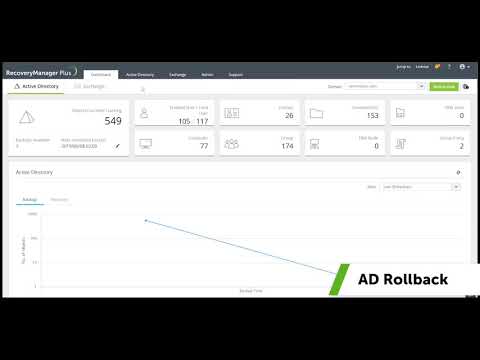
Granular rollback of modified AD objects
See how to granularly roll back unwanted modifications made to Active Directory objects.

Recovering deleted AD objects with all their attributes intact
Watch how to recover deleted AD objects with all their attributes intact.

Active Directory Backup and Restore
A hands-on workshop covering Active Directory backup and restoration from start to finish.

Overcoming Native Active Directory Recycle Bin's Limitations
Learn how to overcome the limitations of the native Active Directory Recycle Bin.