Creating your Access Key and Secret Access Key in Backblaze

  1. Log in to your Backblaze account.
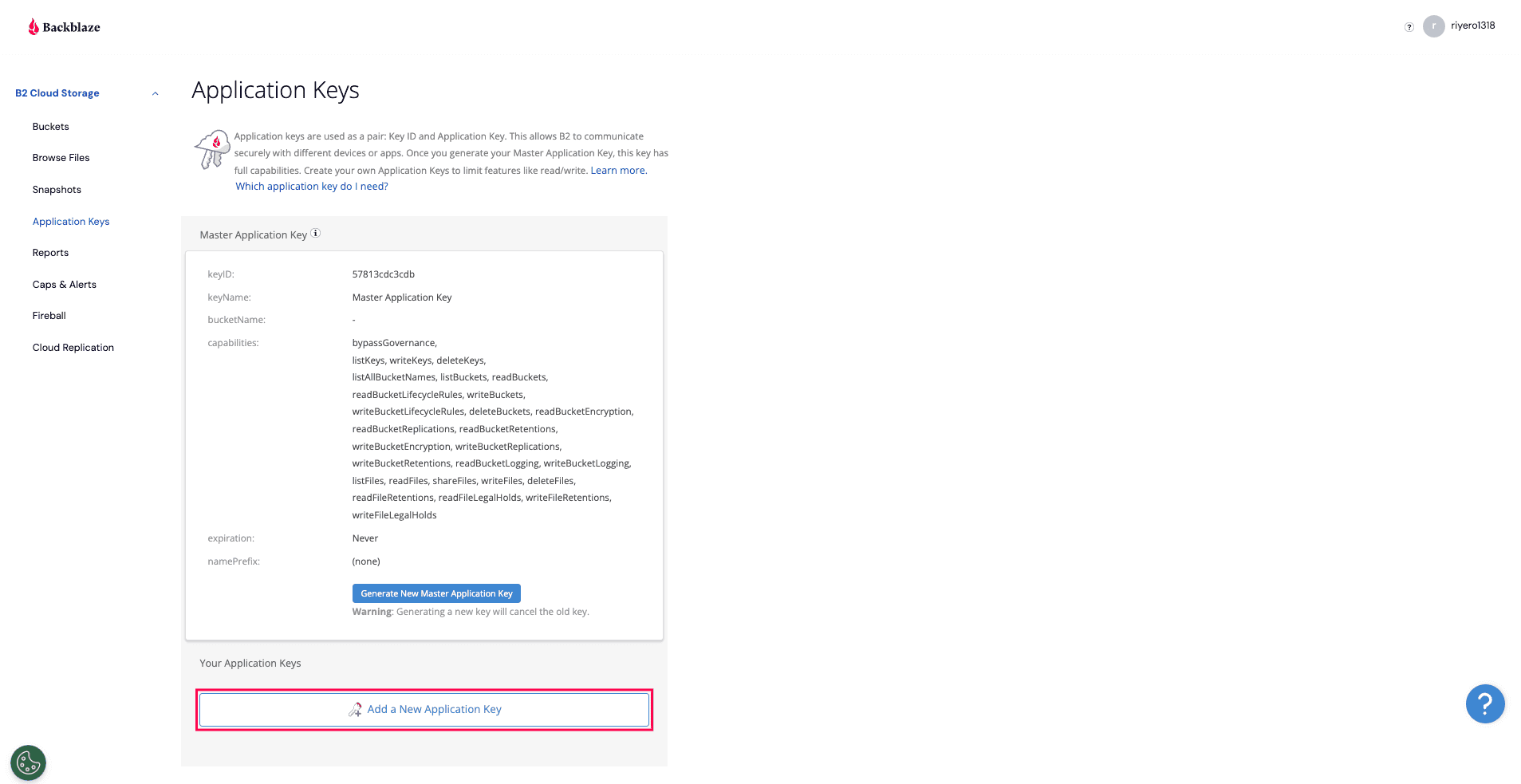
  2. From the left pane, select Application Keys and click Add a New Application Key.
  3. Creating access keys in Backblaze

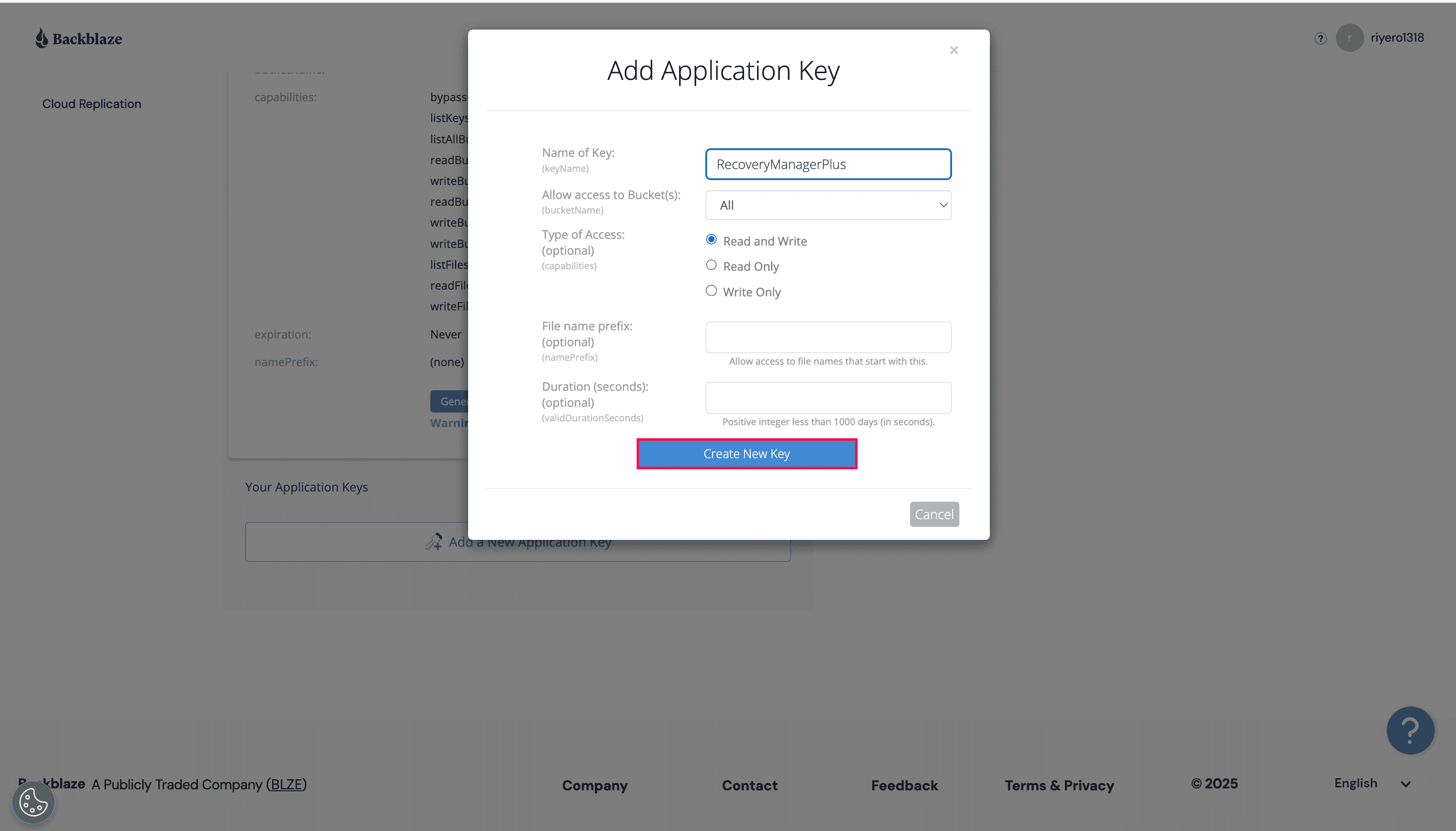
  4. In the pop-up that appears:
    • Enter a name for the access key in the Name of Key field.
    • Choose all buckets or specific buckets in the Allow access to Bucket(s) drop-down menu.
    • Select Read and Write in the Type of Access field.
    • Enter a prefix to restrict the access key to files that start with the specified prefix value in the File name prefix field.
    • Specify the validity period of the access key in the Duration (seconds) field.
    • Review the details and click Create New Key.
    • Backblaze access key configuration console

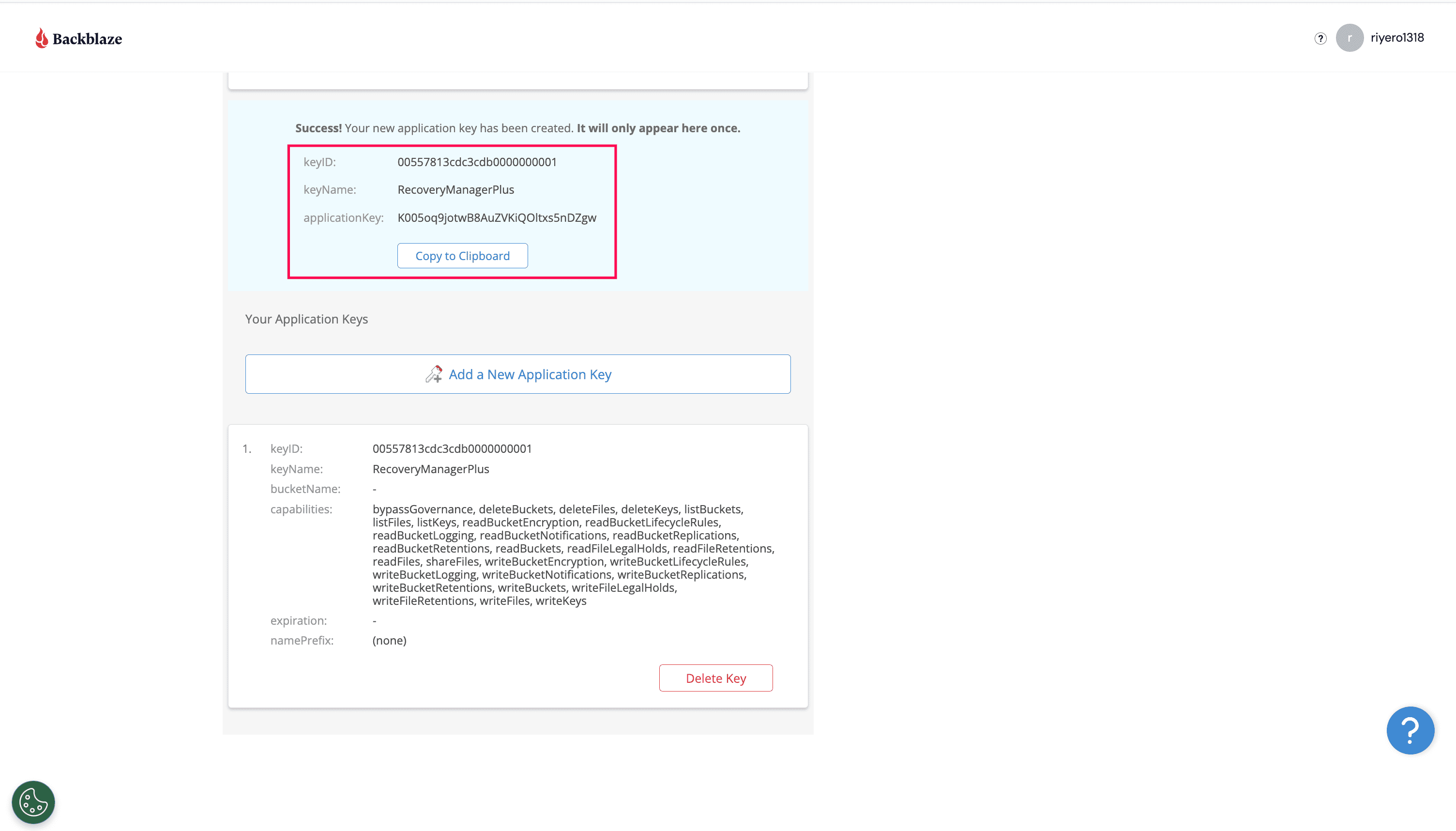
  5. Copy the keyID and applicationKey to set up your Backblaze storage account in RecoveryManager Plus.
  6. Backblaze access key details screen

Copyright © 2023, ZOHO Corp. All Rights Reserved.