Billing
Billing is a critical function for Managed Service Providers (MSPs), directly driving the financial stability and operational efficiency. Timely and accurate billing ensures consistent cash flow, supports profitability, and reduces administrative overhead. Clear invoicing enhances customer transparency and fosters stronger business relationships. Endpoint Central MSP offers a comprehensive billing module that enables service plan customization, device-based billing, and automated invoicing, allowing MSPs to manage billing across multiple clients effectively.
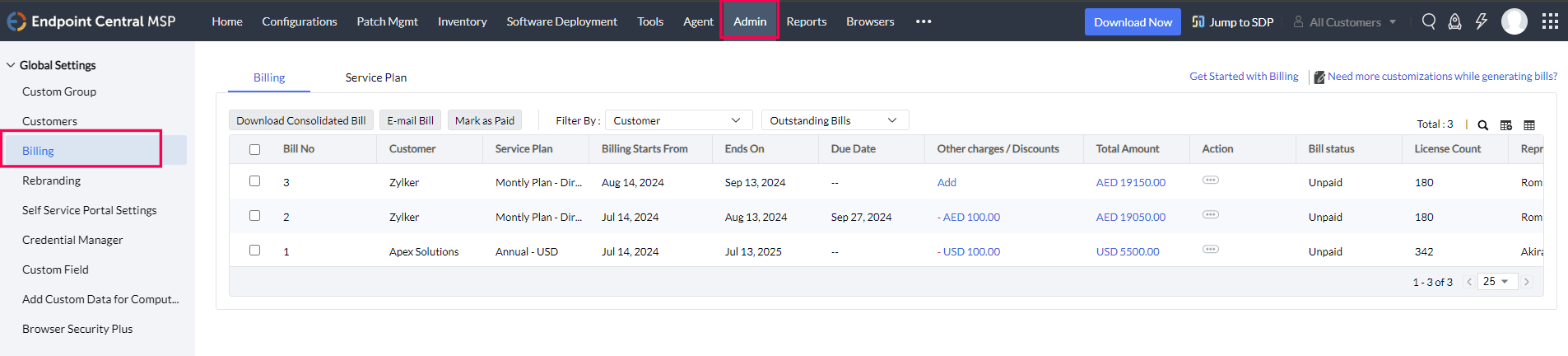
Table of contents
- Billing Model
- Service Plan Configuration
- Associating Service Plans
- Billing Customisation
- Invoice Management
Billing Model
MSPs can implement billing based on the devices managed, including computers, mobile devices, and servers. This model allows for precise cost factoring and accommodates clients with varied IT infrastructures. The platform also supports automated processes such as invoice generation, invoice management, and email reminders for upcoming due dates, minimizing manual intervention and reducing the likelihood of errors.
Service Plan Configuration
Service plans define the cost structure for each device type and are customizable per customer. Multiple service plans can be created with different currencies and values based on business needs.
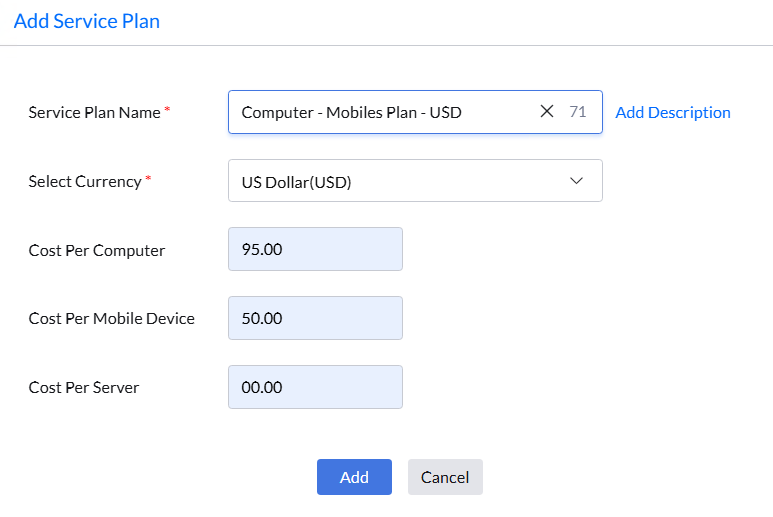
To add a service plan:
- Navigate to Admin > Billing > Service Plan.
- Select Add Service Plan.
- Provide a name and description for the plan.
- Select the currency.
- Enter the price that would be charged from Customers for computers, mobile devices, and servers.
- Click Save.
Associating Service Plans
To enable billing for a customer, an existing service plan must be associated with their account.
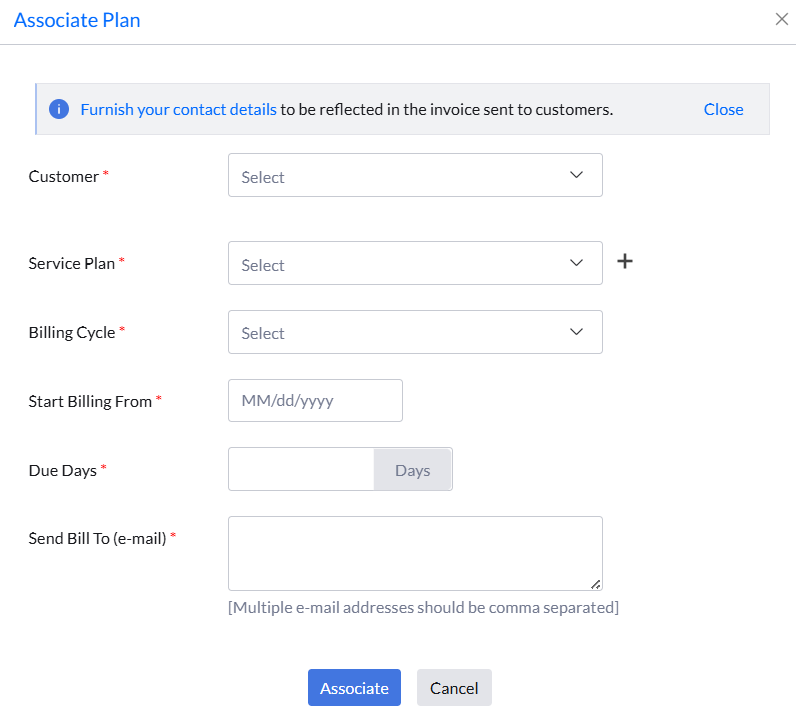
To associate a service plan:
- Navigate to Admin > Billing > Service Plan > Associate Service Plan
- Select the customer from the drop down.
- Choose the appropriate service plan.
- Specify the billing cycle.
- Set the billing start date.
- Enter the number of due days.
- Provide the billing contact email address.
Billing Customization
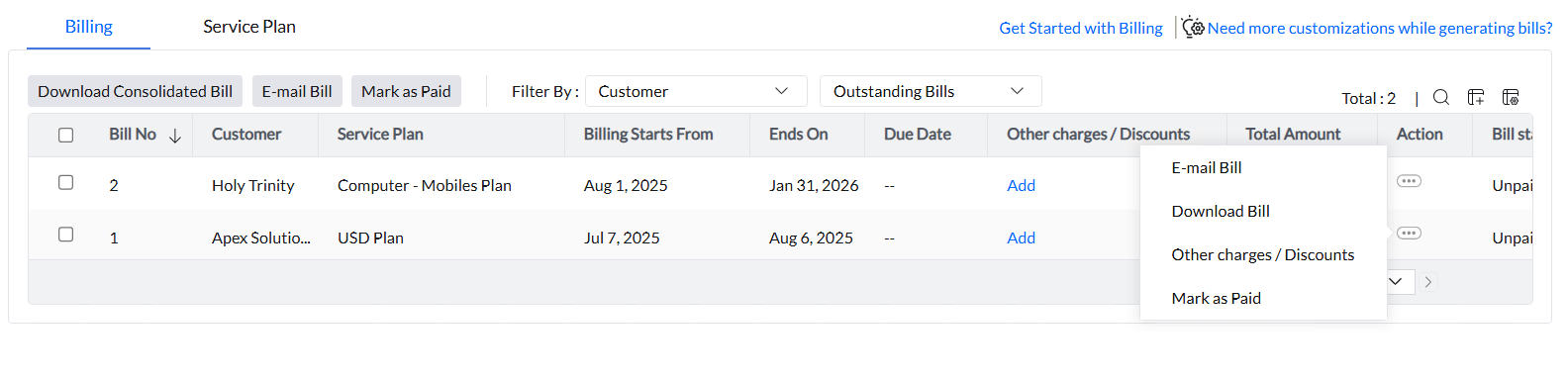
Endpoint Central MSP supports the addition of other charges or discounts to any invoice, offering flexibility in billing management.
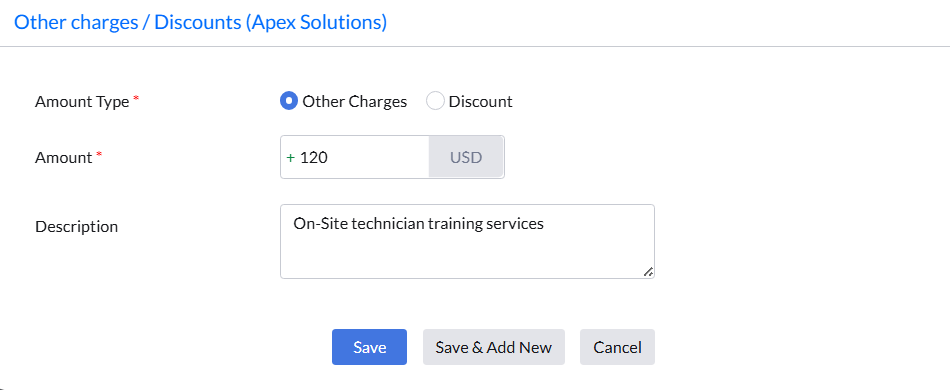
To add other charges or discounts:
- Navigate to Admin > Billing.
- Locate the billing entry to modify.
- Click Other Charges / Discount or use the corresponding Add button.
- Select the amount type (other charges or discount).
- Enter the amount and reason. The justification will appear on the invoice.
Invoice Management
Invoices can be downloaded from the billing console. A copy can also be emailed directly to the customer from within the console.