Zombies, sprawl & sustainability | Datacenter energy management in 2025
Published on: Oct 6, 2025
6 mins read
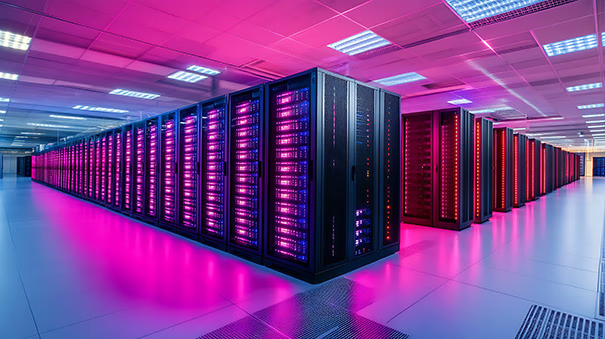
Data centers are at the heart of modern IT, powering everything from cloud computing to AI. But this immense computational power demands a great deal of the global energy resources. As the demand for data-intensive services continues to increase, so does the energy consumption of these facilities. This raises important questions about the efficiency of datacenter operations, their environmental impact, and sustainability.
In this blog, we explore datacenter energy management and the often overlooked effects of zombie servers and resource sprawl. We'll also explore how monitoring datacenter IT infrastructure pays dividends in improving energy efficiency and IT performance.
Energy consumption in datacenters
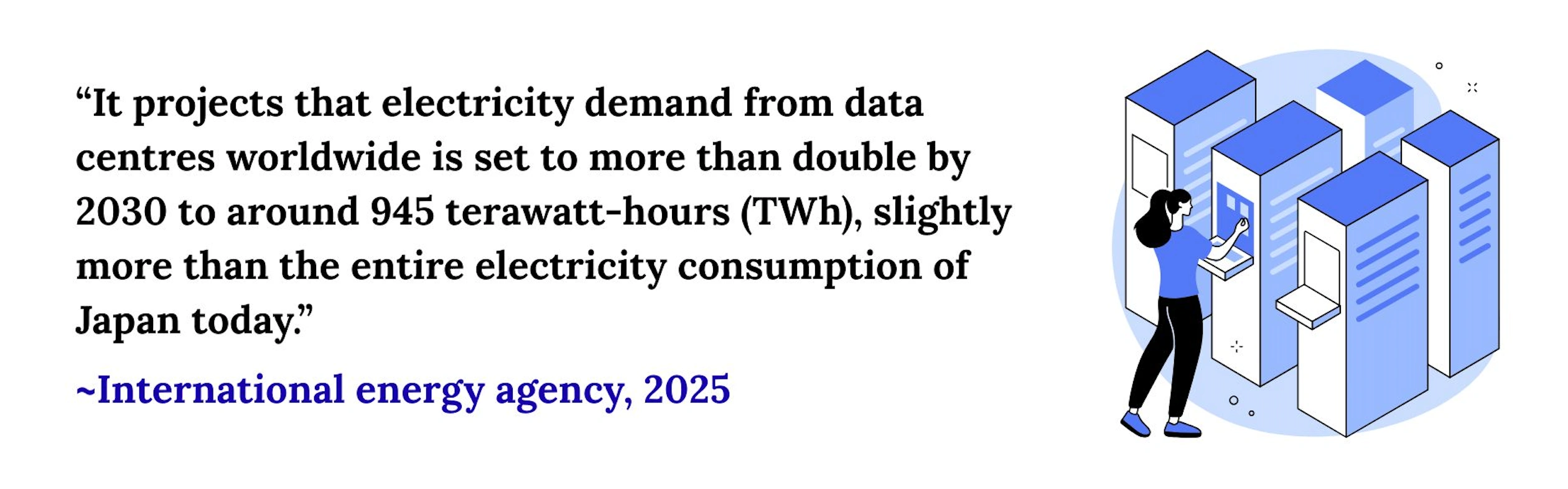
Datacenters consume as much energy as a medium sized town at peak operating capacities. To put it to scale, the International Energy Agency (IEA) estimated that datacenters consumed approximately 415 terrawatt-hours worth of electricity in 2024, which racks up to 1.5% of global energy usage. This estimate is expected to increase to about 1000 TWh by 2030.
Let's see what datacenter components consume the most energy. Broadly speaking, there are two types of systems that consume energy in datacenters:
IT equipment
- Servers (For compute)
- Storage disks (For data storage)
- Network hardware (For layer 2 and layer 3 communication)
Non-IT equipment
- Cooling systems
- Power infrastructure
- Power backups (UPS)
- Lighting, operations, and utility systems
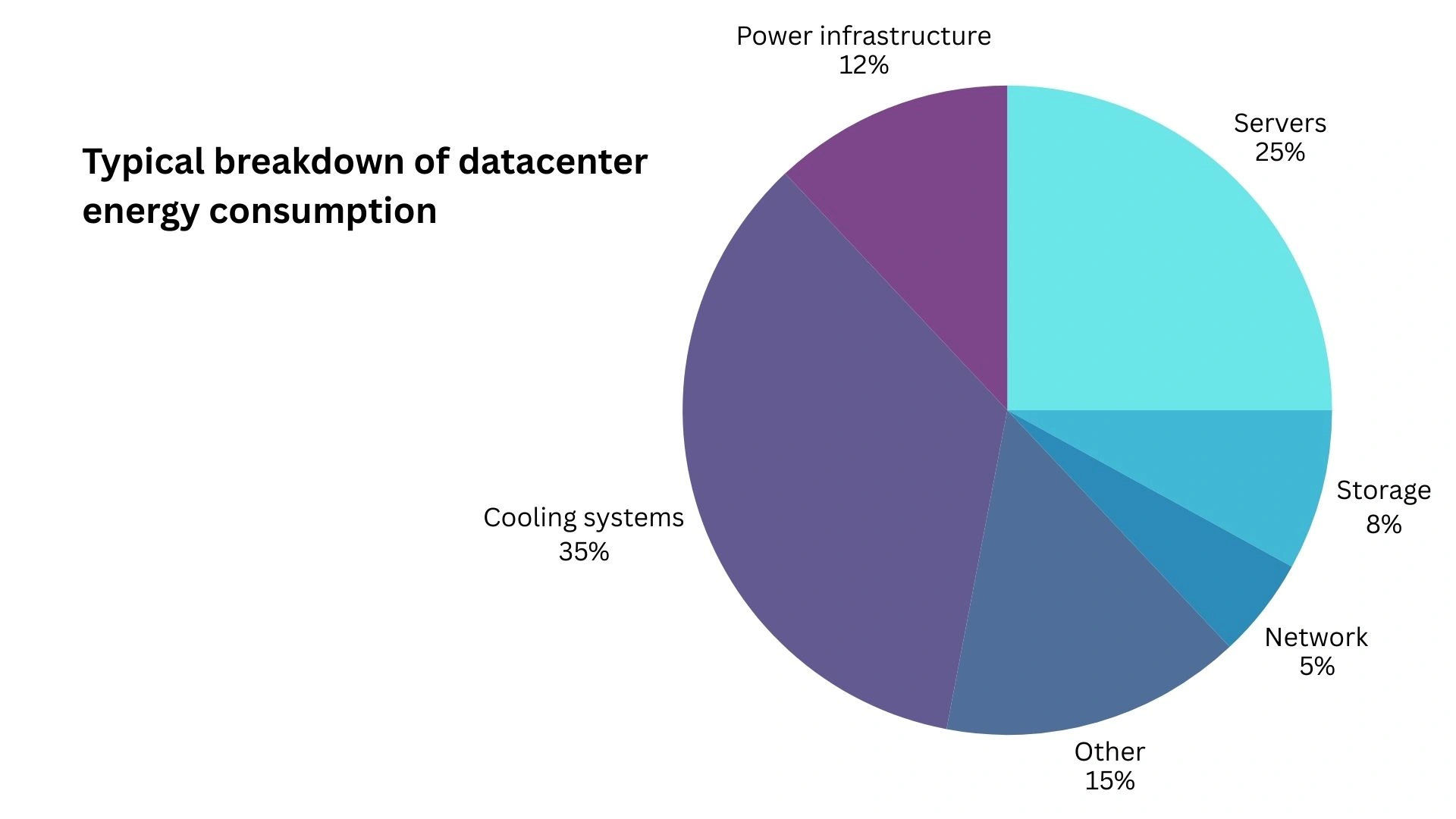
As you can see from this breakdown, the non-IT equipment that help operate datacenter facilities consume nearly half of the energy as that of the IT equipment. Out of the IT systems, servers demand the lion's share of energy. Servers also generate massive amounts of heat that necessitate dedicated cooling.
Sustainability goals for datacenters
Global standards and organizations like ISO 50001, ASHRAE 90.4, the Green Grid establish frameworks and requirements to ensure that the growing datacenter energy consumption is sustainable.
Sustainability goals for data centers are a set of targets designed to mitigate their significant environmental impact and ensure their long-term viability. These goals go beyond simply being "green" and encompass a holistic approach to energy, water, waste, and community impact. Here are some of the key sustainability goals for data centers:
- Achieving carbon neutrality and adopting renewable energy sources
- Lowering PUE (Power Usage Efficiency). The Green Grid, a global consortium that has been instrumental in creating the language and metrics used to discuss data center efficiency, measures datacenter efficiency with power usage efficiency (PUE). PUE calculates the energy consumed by non-IT components for every Watt of energy consumed by IT components.
- Reducing WUE (Water Usage Effectiveness). Datacenters have significant environmental impact. Cooling systems require large amounts of water to dissipate the heat generated by server racks. Since datacenters are often located in water-stressed areas, this is a concern. The Green Grid measures WUE as the amount of water used for cooling per kilowatt-hour of IT energy.
- Increasing datacenter efficiency. The Green Grid defines Datacenter efficiency as the inverse of PUE, which means that it calculates the percentage of energy consumed by the IT systems.
All of the sustainability goals except the last one focuses on the non-IT components in a datacenter. While improving the efficiency of non-IT components is undeniably important, we shouldn't overlook the IT components in the process. IT equipment, especially servers, account for the majority of datacenter energy consumption. Servers energy usage also influences the energy required by cooling systems. Therefore, optimizing server performance can have twofold benefits.
How to optimize server performance?
Servers run compute operations and generate heat. When you're running server systems, you have to provide the energy required to run compute and to cool it down. Servers become inefficient when the compute they perform doesn't justify the energy you're supplying. This can give rise to zombie servers and resource sprawl in datacenters.
Unmanaged servers (The zombies)
When projects end or services are retired, the associated servers are often left running instead of being properly shut down and removed. This can often lead to an increase in the number of unmanaged servers. They are plugged into the rack and consume electricity. However, they remain idle for long periods of time without any active workloads and do not contribute any useful compute.
These servers are also known as 'zombie servers' or 'comatose servers' or 'ghost servers', all fitting names. The best way to improve the energy efficiency of datacenter servers is to identify unmanaged servers and to decommission them.
Resource sprawl
Resource sprawl refers to the uncontrolled and unmanaged growth of computing resources for server devices. Resource sprawl is a common issue in both on-premises datacenters and cloud computing environments.
While zombie servers are a symptom, resource sprawl is a broader condition. It's an accumulation of unmanaged and unnecessary IT assets, both physical and virtual.
VM sprawl: Modern virtualization and cloud technologies make it easy to spin up new VMs. This can often lead to a proliferation of unmanaged VMs consuming host server resources and starving mission critical servers of resources.
Optimizing datacenter efficiency with OpManager
ManageEngine OpManager is a network monitoring and datacenter infrastructure management (DCIM) software that gives you visibility into datacenter IT systems. You can leverage the following features to optimize datacenter efficiency with OpManager:
Detecting unmanaged servers with automated network discovery and mapping
OpManager scans, discovers, and maps all the IT systems connected to your datacenters. This includes core network devices, physical servers, the VMs hosted in them, and dedicated storage devices like RAIDs and tape libraries.
You can schedule discovery scans and discovery rules to ensure that all connected servers are discovered and accounted for.
Hunting down zombie servers with KPIs and reports
OpManager uses agent-less and agent-based mechanisms to monitor key performance indicators (KPIs) from the devices it scans. For instance, if you've discovered a VMware ESXi server with OpManager, you can monitor the uptime and performance of the host and all the VMs and datastores running in it.
This KPIs are collected from CPU, memory, disk, PDU systems and more. You can set up alarm thresholds for each KPI to get alerted about any abnormal developments. You can also create IT infrastructure reports to identify potential zombie servers.
The telltale signs of a zombie server include:
- Unusually low CPU utilization
- Minimal memory utilization
- Steady and low power intake
- Minimal fan speed
- Limited inbound/outbound network traffic
- Limited disk activity
You can leverage OpManager's 100+ report templates or its custom report builder to compare and correlate these metrics for all the servers in your datacenter. This will help you identify and eliminate zombie servers.
Preventing resource sprawl with IT visibility
OpManager gives you visibility into all the network components, storage disks, servers, and VMs in your datacenter. And for each of these devices, you can drill down to measure uptime statistics, performance indicators, and hardware health.
You can leverage this visibility to identify and prevent resource sprawl in your servers:
- Dependency mapping: Using automated topology maps and organization maps to visualize IT dependencies, from the core network to the servers, VMs, databases, and applications
- Capacity planning reports: Gives you a complete overview of over-utilized and under-utilized interfaces (For instance, it can tell you if your interfaces have lower than usual utilization for a certain percentage of its total uptime.)
- Forecast reports: Use OpManager's in-built ML engine to predict the growth and demand of IT resources like CPU, memory, and storage. This helps you identify demand earlier and eliminate resource congestion.
- Virtual server reports: Prevent VM sprawls by tracking idle, over-utilized, and under-utilized VMs
Why choose OpManager over dedicated DCIM software?
OpManager offers the added advantage of being an all-in-one monitoring console which can monitor anything connected to a network. This means OpManager can monitor IT systems like routers, switches, firewalls, servers, storage devices, as well as non IT systems like rack chassis, cooling systems, and power distribution systems.
OpManager goes in-depth with its monitoring and delivers historical, real-time, and predictive insights for the IT systems. Whether it's the latency or packet loss across networks, the health of hardware components, or processor performance. Combined, you get a single pane of glass to manage your datacenters.
You can read more about OpManager's capabilities here. Or try it for yourself with a free 30-day free trial.