Install APM Insight Node.js Agent
For seamless onboarding, you can use the APM Insight AutoProfiler to automatically discover and instrument Node.js applications running on your server.
- APM Insight Node.js agent version 4.0.0 and above
- APM Insight Node.js agent versions above 1.7.2 and below 4.0.0
- APM Insight Node.js agent versions 1.7.2 and below
APM insight Node.js agent version 4.0.0 and above
Prerequisite: Prerequisite: Ensure that your Node.js application is running version v18 or later, before proceeding to install APM Insight Node.js Agent.
To add a new Node.js Agent monitor in Applications Manager, go to the APM tab → Add New Monitor → Node.js
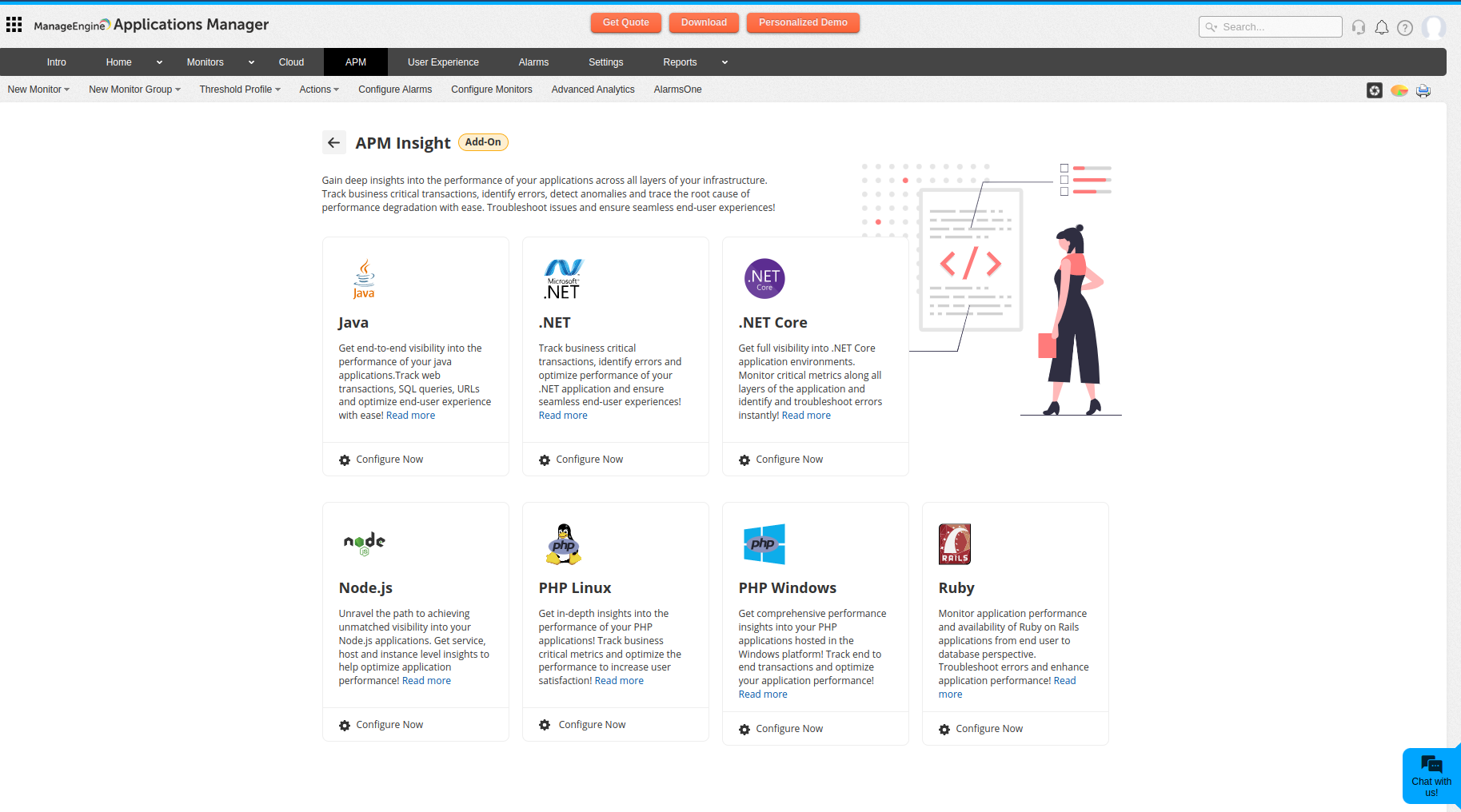
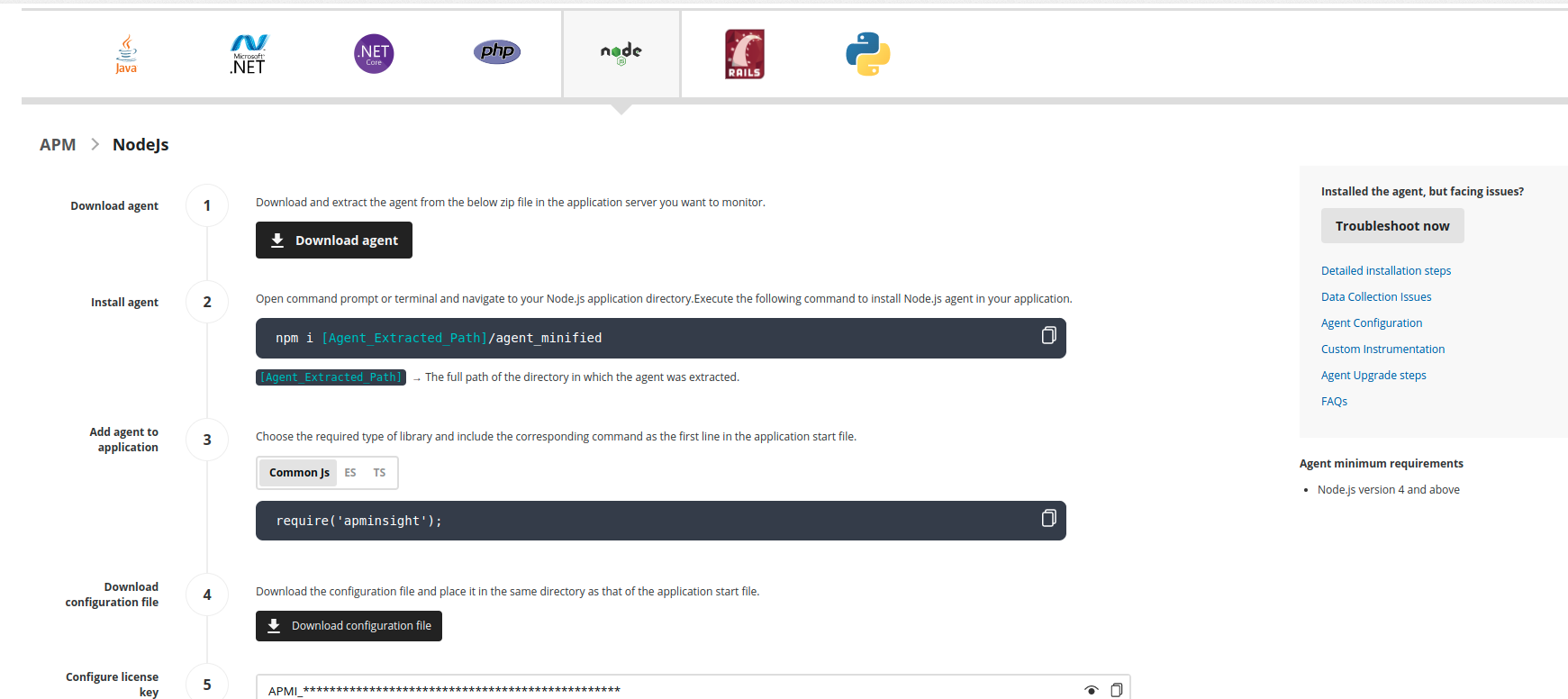
- Download the APM Insight Node.js Agent (apm_insight_agent_nodejs.zip) file and extract it in the Node.js server.
Use the following command to install an APM Insight Node.js agent from agent directory.
npm install <Node.js-Agent-unzipped-path>/agent_minifiedExample:
npm install /users/joe/agent_minifiedIf you want to deploy APM Insight agent to all the Node.js applications on the computer, use the global option via -g flag.
npm install -g <Node.js-Agent-unzipped-path>/agent_minifiedExample:
npm install -g /users/joe/agent_minifiedThis will create an APM Insight directory under node_modules.
Use the following command to install an APM Insight Node.js agent from application-installed directory.
npm install <Node.js-Agent-unzipped-path>/agent_minifiedExample:
npm install /users/joe/agent_minified- You can either create a file and add the configuration values to it or you can set the configuration values as environment variables.
Create a file and add configuration values
Create a new file named apminsightnode.json and place it in the directory where you run the application. Add the below code snippet to the file:
{"licenseKey": "[LICENSE-KEY]","appName": "[APPLICATION-NAME]","port": "[APPLICATION-PORT]","apmHost": "[APM-HOST-NAME]","apmPort": "[APM-SSL-PORT]"}Example:
{"licenseKey" : "APMI_ee42094f83dd841d16b9c56796c22b63bef00ac6918f547280947d1f6c2be1ea","appName" : "APMInsight_NodeJSapp","port" : "3000","apmHost": "localhost","apmPort": "8443"}If you are using proxy, add the below code snippet:
{"licenseKey": "[LICENSE-KEY]","appName": "[APPLICATION-NAME]","port": "[APPLICATION-PORT]","apmHost": "[APM-HOST-NAME]","apmPort": "[APM-SSL-PORT]""proxyServerHost": "[PROXY-SERVER]","proxyServerPort": "[PROXY-PORT]","proxyAuthUser" : "[PROXY-USERNAME]","proxyAuthPassword" : "[PROXY-PASSWORD]"}Note: If Applications Manager is configured with failover support, add multiple hosts in the apmHost column using the full URL.
For example:https://apm-prod-1:8443,https://apm-prod-2:8443
(Only HTTPS URLs are supported, and this feature is available from agent version 4.4.1.)Set configuration values as environmental variables
You can set configuration values as environment variables using the following keys:
licenseKey - APMINSIGHT_LICENSE_KEY
appName - APMINSIGHT_APP_NAME
port - APMINSIGHT_APP_PORT
proxyServerHost - APMINSIGHT_PROXYSERVER_HOST
proxyServerPort - APMINSIGHT_PROXYSERVER_PORT
proxyAuthUser - APMINSIGHT_PROXYAUTH_USER
proxyAuthPassword - APMINSIGHT_PROXYAUTH_PASSWORD
apm hostname - APMINSIGHT_APM_HOST
apm port - APMINSIGHT_APM_PORT
Include the given code in the first line of your Node.js application start file, before any other require statements.
JavaScript Code snippet Common JS require('apminsight'); ECMAScript import apminsight from 'apminsight'; TypeScript import AgentAPI from apminsight';
AgentAPI.config();Alternatively, you can follow either of the methods given below, which are common across all JavaScript types.
- Using environmental variable:
export NODE_OPTIONS="-r apminsight" - Include the require statement in the start script or when you start your application:
node -r apminsight my-start-file.js
Note: -r is used to pre-load the specified module (apminsight module here) at startup.Only CommonJS modules support -r. Use --import to pre-load a TypeScript or ECMAScript module.
- Using environmental variable:
Optional: You can install Applications Manager Data Exporter on both Windows and Linux. You can set it up in either of these ways:
- Enable the Data Exporter using:
- apminsightnode.json file:
dataExporterEnabled-true - Environment variable:
APMINSIGHT_DATA_EXPORTER_ENABLED-true
- apminsightnode.json file:
- Setting custom Data Exporter configurations for the host, status, and data port in:
- apminsightnode.json file:
dataExporterHostString dataExporterDataPortInt dataExporterStatusPortInt - Environment variables:
APMINSIGHT_DATA_EXPORTER_HOSTString APM_EXPORTER_DATA_PORTInt APM_EXPORTER_STATUS_PORTInt
- apminsightnode.json file:
Below are the default configurations:
Variable Default value Host localhost DataPort 20022 StatusPort 20021 Example:
{..."dataExporterHost": "localhost","dataExporterStatusPort": "20021","dataExporterDataPort": "20022"...}Note: Applications Manager Data Exporter is supported from the agent version 5.4.1.
- Enable the Data Exporter using:
- Lastly, restart the application and carry out a few transactions to see data in the web client.
APM Insight Node.js agent versions above 1.7.2 and below 4.0.0
Note: We highly recommend downloading the latest version of the APM Insight Node.js agent. However, if you need to download agent versions below 4.0.0 for any specific reason, please refer to the steps provided below.
To install APM Insight Node.js agent versions 1.7.2 to versons below 4.0.0, follow the instructions given below:
To add a new Node.js Agent monitor in Applications Manager, go to the APM tab → Add New Monitor → Node.js
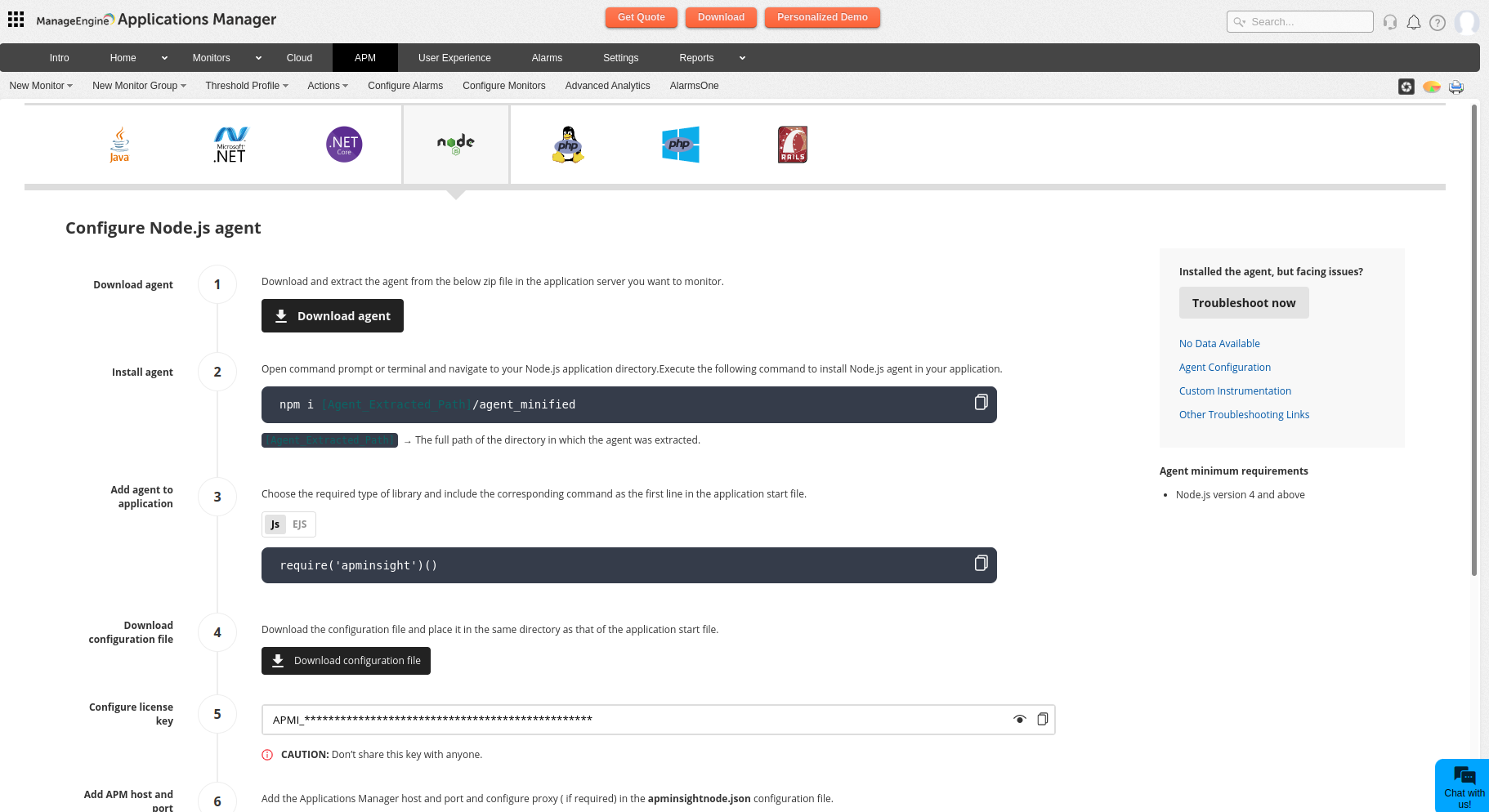
- Download the APM Insight Node.js Agent file (apm_insight_agent_nodejs.zip) from the download page and extract it in the Node.js server.
Use the following command to install an APM Insight Node.js agent from NPM.
npm install <Node.js-Agent-unzipped-path>/agent_minifiedExample:
npm install /users/joe/agent_minifiedIf you want to deploy APM Insight agent to all the Node.js applications on the computer, use the global option via -g flag.
npm install -g <Node.js-Agent-unzipped-path>/agent_minifiedExample:
npm install -g /users/joe/agent_minifiedThis will create an APM Insight directory under node_modules.
Create a new file named apminsightnode.json in the same directory as your application start file. Add the below code snippet in the file:
{"licenseKey" : "[LICENSE-KEY]","appName" : "[APPLICATION-NAME]","port" : "[APPLICATION-PORT]","apmHost": "[APM-HOST-NAME]","apmPort": "[APM-SSL-PORT]"}Example:
{"licenseKey" : "APMI_ee42094f83dd841d16b9c56796c22b63bef00ac6918f547280947d1f6c2be1ea","appName" : "APMInsight_NodeJSapp","port" : "3000","apmHost": "localhost","apmPort": "8443"}If you use proxy connections, enter this code instead:
{"licenseKey" : "[LICENSE-KEY]","appName" : "[APPLICATION-NAME]","port" : "[APPLICATION-PORT]","apmHost": "[APM-HOST-NAME]","apmPort": "[APM-SSL-PORT]""proxyServerHost" : "[PROXY-SERVER]","proxyServerPort" : "[PROXY-PORT]","proxyAuthUser" : "[PROXY-USERNAME]","proxyAuthPassword" : "[PROXY-PASSWORD]"}Include the following code in the first line of your Node.js application start file.
If using Common JS:require('apminsight')()If using ES:import apminsight from 'apminsight';apminsight.config()- Save the file and restart your application.
Note:
- The APM Insight Nodejs Agent is incompatible with other profiling tools, such as running the node process with the debugger mode (--inspect switch).
- If your application uses the cluster module, place the require statement in both the master and worker processes.
If you are unable to add application port in apminsightnode.jsonfile, you can add it in your application start file as mentioned below:
require(‘apminsight’)({port:<application port>})However other parameters like license key and app name should be added only in apminsightnode.json file.
- You can also set configuration values like license key, app name, and port as environment variables using the following license keys:
- License key - APMINSIGHT_LICENSE_KEY
- App Name - APMINSIGHT_APP_NAME
- Port - APMINSIGHT_APP_PORT
- APM Host - APMINSIGHT_APM_HOST
- APM Port - APMINSIGHT_APM_PORT
APM insight Node.js agent version 1.7.2 and below
Note: We highly recommend downloading the latest version of the APM Insight Node.js agent. However, if you need to download agent versions below 1.7.2 for any specific reason, please refer to the steps provided below.
- To add a new Node.js Agent monitor in Applications Manager, go to the APM tab → Add New Monitor → Node.js
- Download the APM Insight Node.js Agent file (apm_insight_agent_nodejs.zip) from the download page and extract it in the Node.js server.
- Open your Node.js application.
- Access the node packet manager (NPM).
Use the following command to install an APM Insight Node.js agent from NPM.
npm install <Node.js-Agent-unzipped-path>/agent_minifiedExample:
npm install /users/joe/agent_minifiedIf you want to deploy APM Insight agent to all the Node.js applications on the computer, use the global option via -g flag.
npm install -g <Node.js-Agent-unzipped-path>/agent_minifiedExample:
npm install -g /users/joe/agent_minifiedThis will create an APM Insight directory under node_modules.
Include the following code in the first line of your Node.js application source code, before any other require statement. Replace the variables with the values for your setup.
require('apminsight')({licenseKey : '[LICENSE-KEY]',appName : '[APPLICATION-NAME]',port : [APPLICATION-PORT],apmHost: '[APM-HOST-NAME]',apmPort: [APM-SSL-PORT]})Example:
require('apminsight')({licenseKey : 'APMI_ee42094f83dd841d16b9c56796c22b63bef00ac6918f547280947d1f6c2be1ea',appName : 'Insight_NodeJS',port : 3000,apmHost: 'localhost',apmPort: 8443})If you use proxy connections, enter this code instead:
require('apminsight')({licenseKey : '[LICENSE-KEY]',appName : '[APPLICATION-NAME]',port : [APPLICATION-PORT],apmHost: '[APM-HOST-NAME]',apmPort: [APM-SSL-PORT]proxyServerHost : '[PROXY-SERVER]',proxyServerPort : [PROXY-PORT],proxyAuthUser : '[PROXY-USERNAME]',proxyAuthPassword : '[PROXY-PASSWORD]'})- Save the file and restart your application.

