The California Consumer Privacy Act (CCPA) is designed to give California residents more control over their personal information and to hold businesses accountable for protecting that information. CCPA applies to for-profit businesses in California. It also requires that businesses implement security measures to protect against unauthorized access, exfiltration, theft, or disclosure of consumer's personal data. CCPA applies to all for-profit businesses that operates in California.
Log360 can help businesses manage their CCPA compliance by providing real-time visibility into personal information usage, automating compliance processes, and generating reports and audit trails to demonstrate compliance to regulatory agencies.
Discover how Log360 streamlines the process of CCPA compliance
Web server auditing
File integrity monitoring (FIM)
Removable disk auditing
Database auditing
Web server auditing
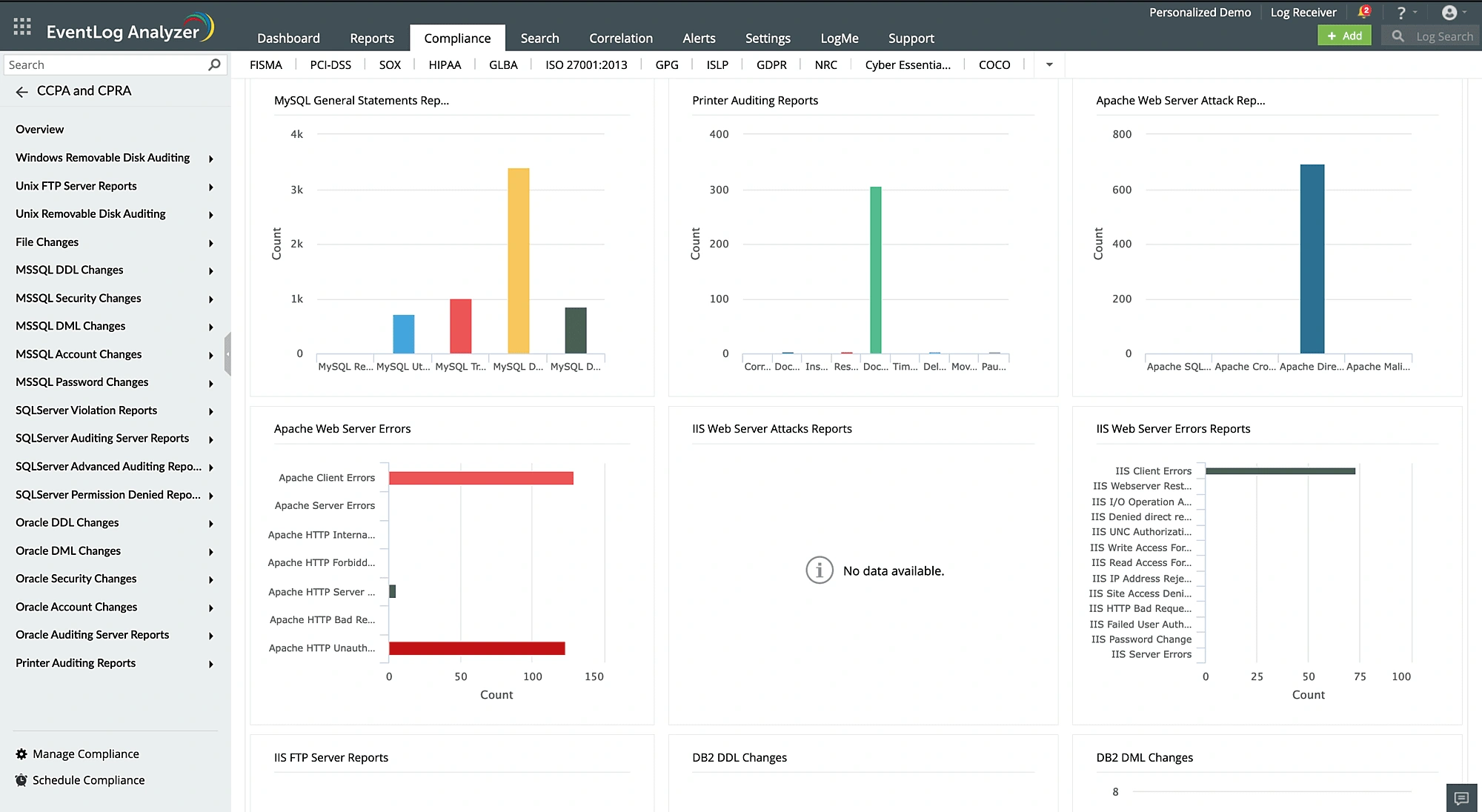
Seamlessly collect and analyze log data from various web servers, like Microsoft IIS and Apache. Log360 ensures the confidentiality and integrity of personal information stored on your web servers. The logging tool sends automated alerts when suspicious activity is detected, such as insider threats, account compromise, data exfiltration attempts, or unauthorized access. It also provides actionable insights and intuitive reports on web server errors—such as HTTP 502 bad gateway, HTTP forbidden, and HTTP unauthorized—to help you quickly troubleshoot server issues.
File integrity monitoring (FIM)
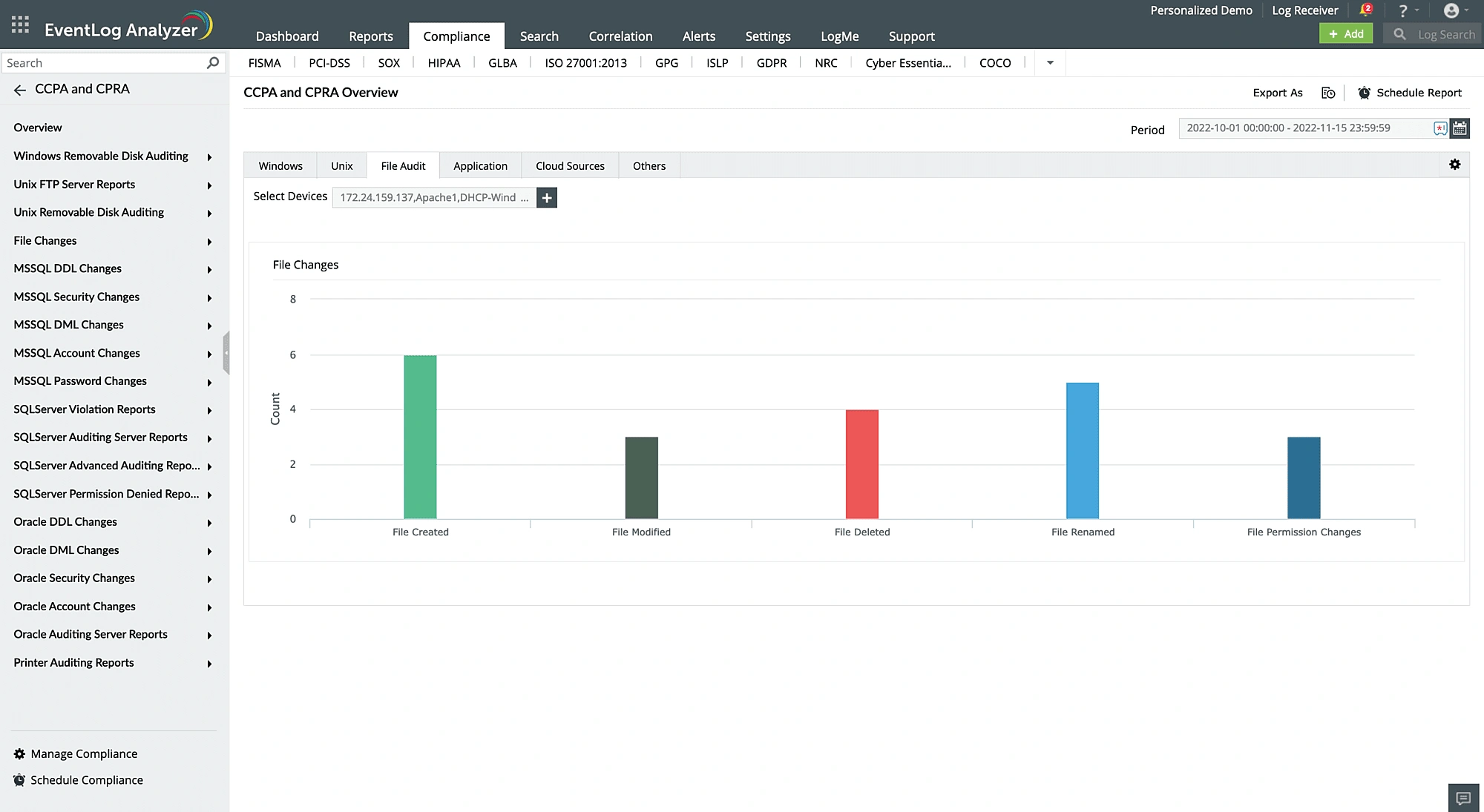
Log360's FIM feature examines logs, creates an audit trail that records all actions made to files containing personal information, and sends out insert alerts (on modifications, renames, creations, and deletions) to help you meet CCPA requirements. You can view detailed information on who made the change, what was changed, when, and from where. You can also audit permission changes and failed attempts associated with any file actions.
Removable disk auditing
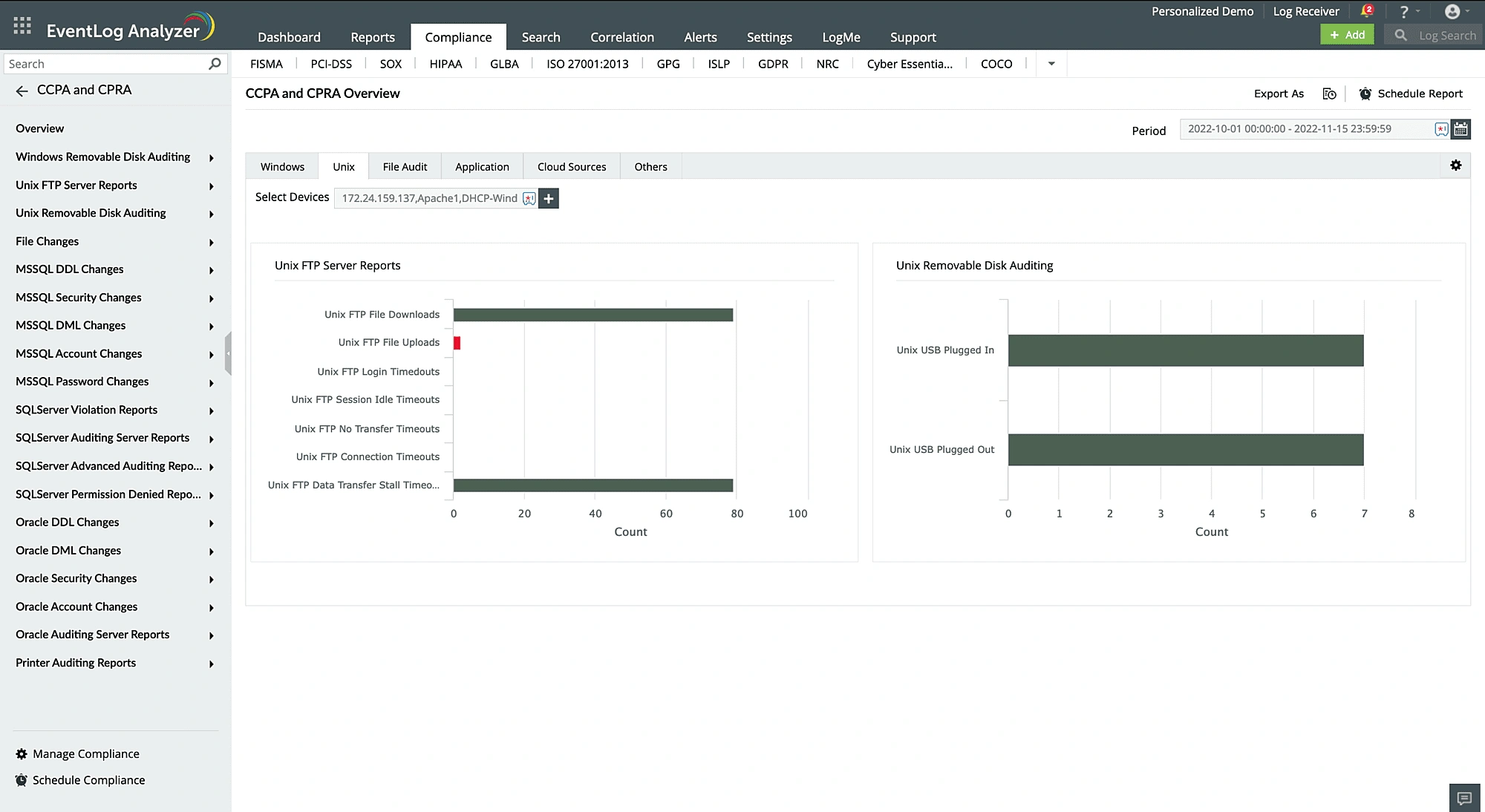
Log360 audits USB device activities through Windows event logs and offers a thorough audit trail of all removable disk activity, including when disks are inserted or removed, when files are copied, and when disk properties are modified. This enables you to track and investigate suspicious or unauthorized removable disk activity. When removable devices, such as USB devices, are plugged into or taken out of the network, real-time notifications can be configured to notify the administrator immediately. The solution also has a predefined report that displays all USB and removable disk activities and detects data theft to prevent confidential data leaks.
Database auditing
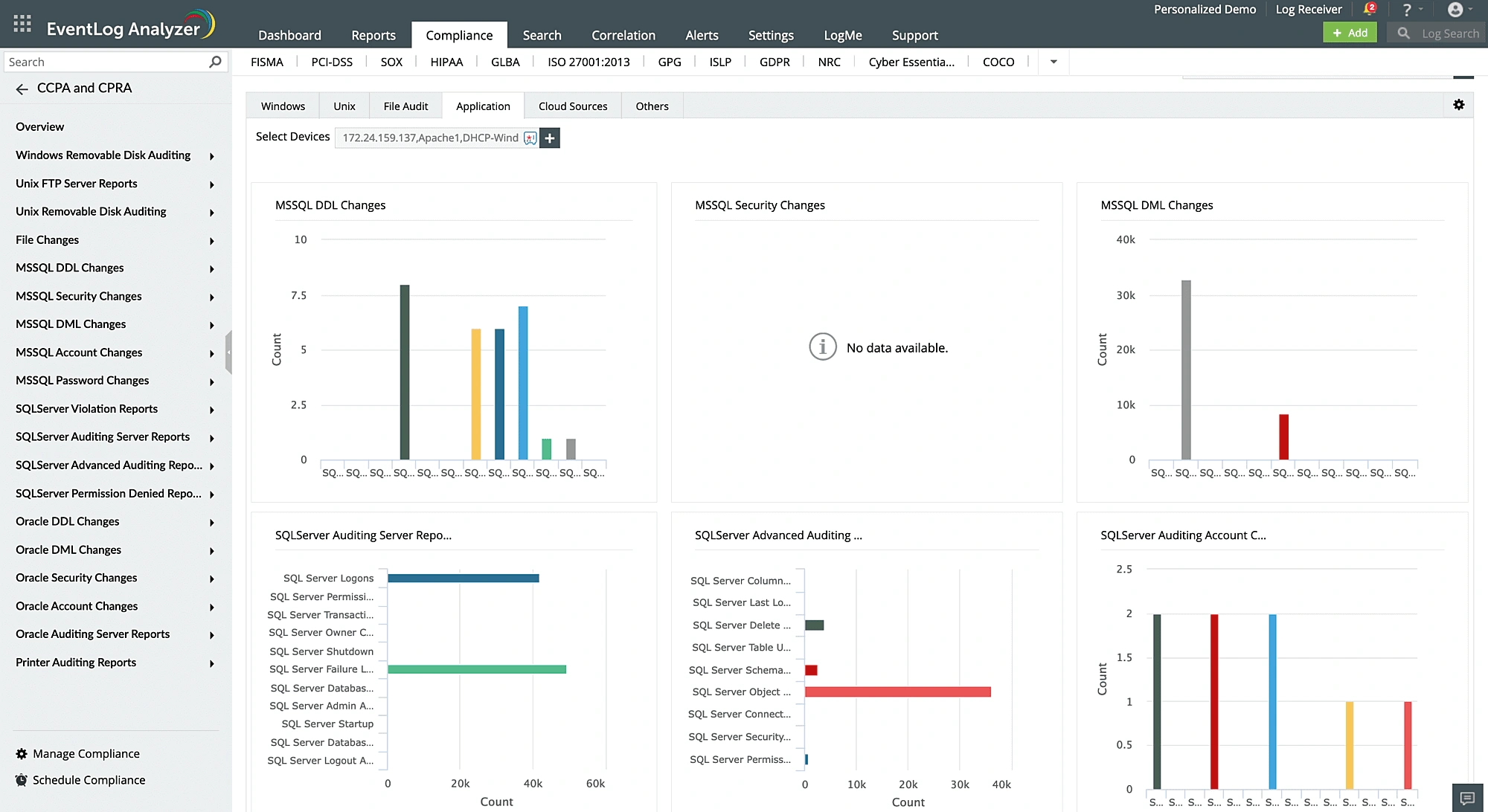
To ensure CCPA compliance, data security administrators must continuously monitor network activity and extract data access information. You can meet this requirement by automatically collecting and analyzing logs from database servers such as Microsoft SQL, Oracle, and MySQL with Log360. If any suspicious activity occurs in your database servers—such as unauthorized logons, DDL or DML queries executed on the database, password changes, permission changes, privilege escalation, or role changes—you will be notified immediately. The solution also helps identify various cyberattacks, like SQL injection attacks, ransomware attacks, denial-of-service attacks, and brute-force attacks.
How does Log360 meet CCPA requirements?
CCPA requirements
Reports by Log360
Section 1798.150.(a)
"Any consumer whose nonencrypted and nonredacted personal information, as defined in subparagraph (A) of paragraph (1) of subdivision (d) of Section 1798.81.5, or whose email address in combination with a password or security question and answer that would permit access to the account is subject to an unauthorized access and exfiltration, theft, or disclosure as a result of the business’s violation of the duty to implement and maintain reasonable security procedures and practices appropriate to the nature of the information to protect the personal information may institute a civil action."
SQL Server DDL Auditing
SQL Server DML Auditing
SQL Server Account Management
SQL Server Auditing
SQL Server Security
SQL Server Violation
SQL Server Advanced Auditing
SQL Server Permission Denied
Oracle DDL Changes
Oracle DML Changes
Oracle Account Management
Oracle Server Auditing
Oracle Security
MySQL Logon Events
MySQL General Statements
Printer Auditing
Windows Removable Disk Auditing
Unix Removable Disk Auditing
IIS Web Server Error
IIS Web Server Attack
Apache Web Server Error
Apache Web Server Attack
File Integrity Monitoring
Symantec DLP
Unix FTP Server
IIS FTP Server
What else does Log360 offer?
Centralized log management
Collect, store, and analyze logs from perimeter devices, network devices, endpoint security solutions, web servers, database platforms, and applications from a centralized dashboard.
Learn more
Log visualization
Visualize log data collected from multiple sources and gain valuable insights into important network security events.
Learn more
Privileged user monitoring
Log360 constantly monitors privileged user activities and alerts you when suspicious activity is detected.
Learn more
Forensic log analysis
Perform in-depth forensic log analysis to trace back attacks and determine the root cause of incidents.
CCPA applies to for-profit businesses in California that meet at least one of these criteria:
Annual revenue exceeding $25 million.
Handling personal information of 100,000 or more California residents or households.
Generating 50% or more of their annual revenue from selling California residents' personal information.
Both the General Data Protection Regulation (GDPR) and the CCPA are data privacy laws that have some similarities and differences. The GDPR applies to businesses that operate within the European Union (EU) or process the personal data of EU residents, while the CCPA applies to businesses that operate in California or process the personal data of California residents. The CCPA defines "consumer" as a California resident, and "personal information" as information that identifies, relates to, or describes a particular consumer or household. Unlike the CCPA, the GDPR imposes hefty fines for non-compliance.
The CCPA provides several important rights to California consumers, including:
Right to know: California residents have the right to know what personal information is being collected about them, how it's being used, and who it's being shared with.
Right to deletion: The right to request that their personal information be deleted from a business's records.
Right to opt-out: The right to opt-out of the sale of their personal information to third parties.
Right to non-discrimination: The right to not be discriminated against for exercising their CCPA rights.
Right to access: The right to access the personal information that a business has collected about them in the past 12 months.
Right to data portability: The right to receive personal information in a readily usable format that allows them to transfer it to another entity.
Right to opt-in: Businesses must obtain affirmative consent from minors under the age of 16 to sell their personal information.
The California Privacy Rights Act (CPRA) is a privacy law that builds upon the existing CCPA in California. Having taken full effect on January 1, 2023, it expands and strengthens the privacy rights of California residents by adding new provisions, such as the right to limit the use of sensitive personal information and the right to correct inaccurate personal information, additionaly it increases penalties for violations. The CRPA also created a new regulatory agency, the California Privacy Protection Agency, to enforce the law.
Resources you might be interested in
EBOOK
Achieve PCI DSS v4.0 compliance with SIEM
Download now
CHECKLIST
PCI DSS compliance checklist
Access the checklist
VIDEO
Six crucial SIEM functions for complying with the PCI DSS
Watch now
EBOOK
PCI DSS Resource Kit for security monitoring
Explore now
Compliance ManageEngine adheres to
Our solutions undergo rigorous third-party audits to ensure compliance with the same global security and privacy standards we help you achieve.
Maintain CCPA compliance with confidence using Log360.