
Bring alerts from across your
IT environment into ServiceDesk Plus

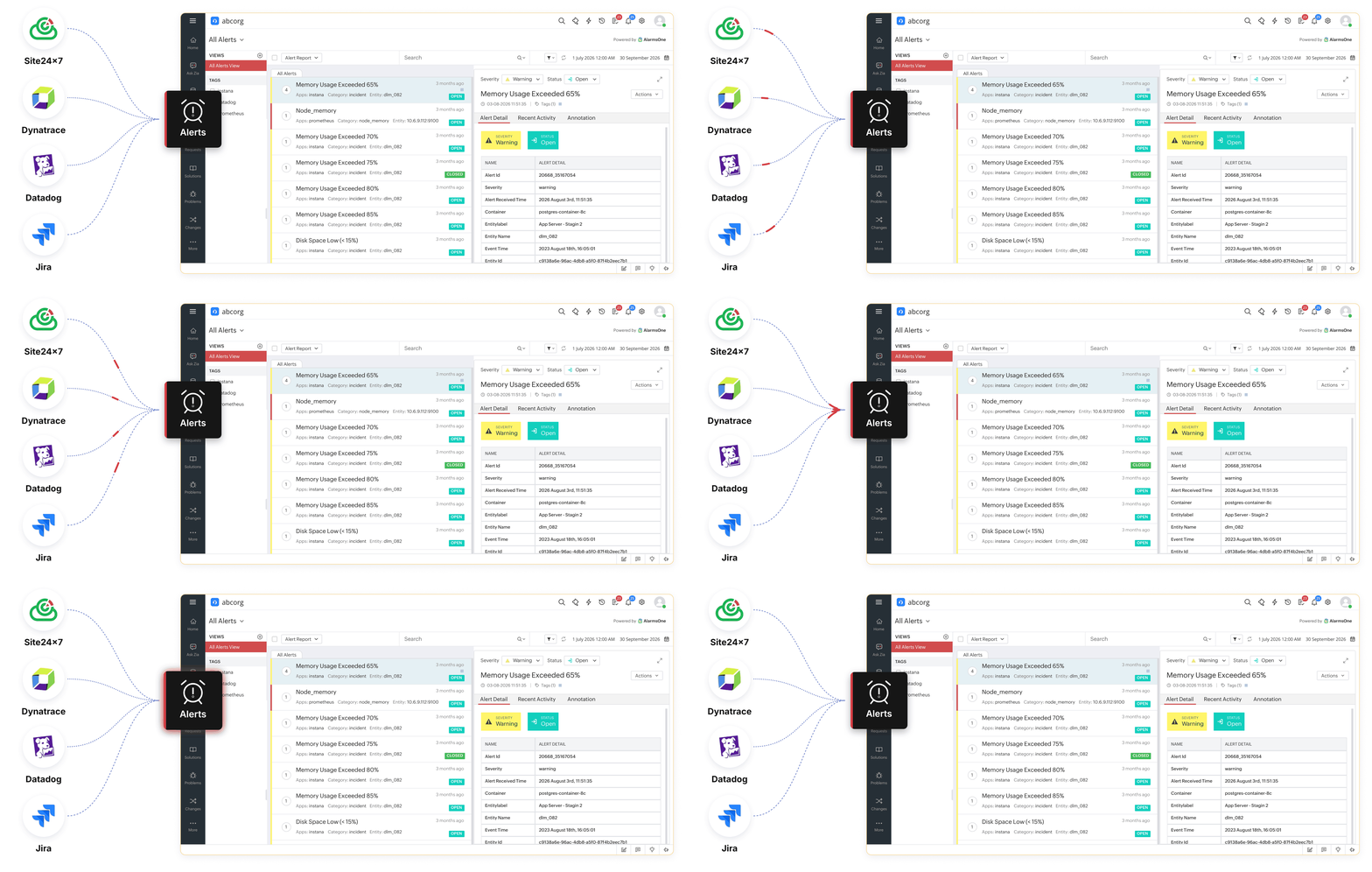
Whether your IT team relies on monitoring tools such as Site24x7, Dynatrace, Datadog, and Zabbix or uses email and custom API integrations, ServiceDesk Plus brings alerts from diverse sources into one central Alerts module. Technicians can use criteria-based views and tags to organize incoming alerts and focus on those relevant to their responsibilities.

Alerts module listing monitoring alerts from Site24x7, Dynatrace, Datadog, and Jira

Reduce interruptions from repetitive and maintenance alerts

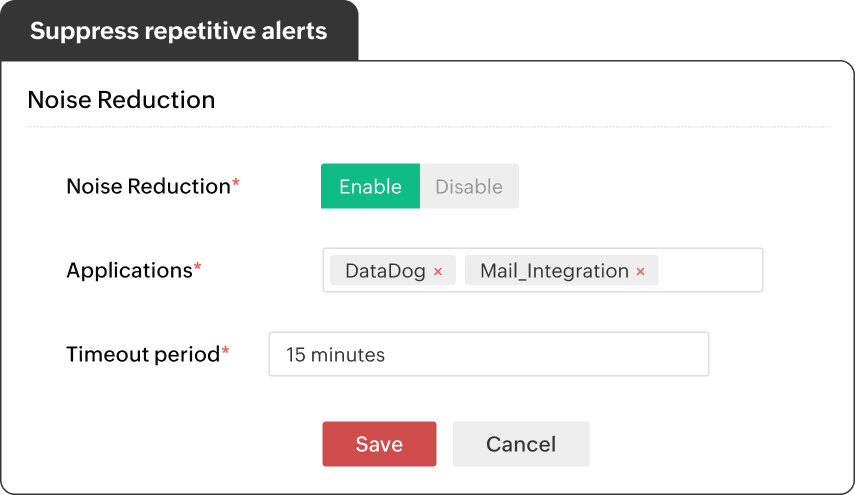
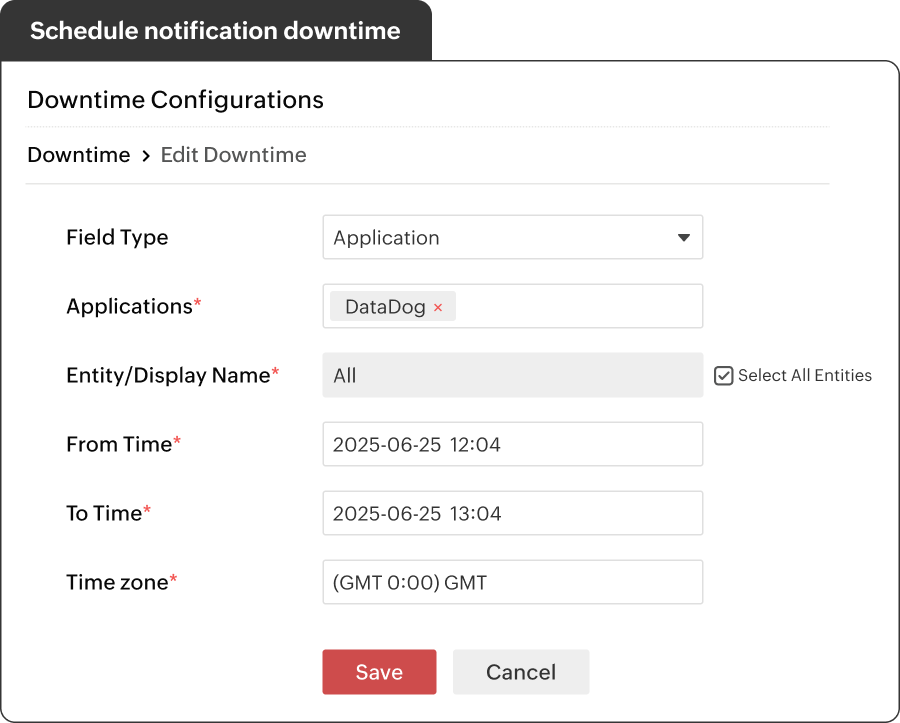
Repeated alerts for the same issue and notifications during planned maintenance can distract technicians from the work that needs their attention. Suppress repetitive alerts for the same event within a defined time window and schedule downtime to mute notifications during planned maintenance, both without blocking incoming alarms.

Noise reduction settings with DataDog and Mail_Integration selected and a 15 minute timeout
Downtime configuration form for the DataDog application with from and to times set

Standardize alert attributes across monitoring tools

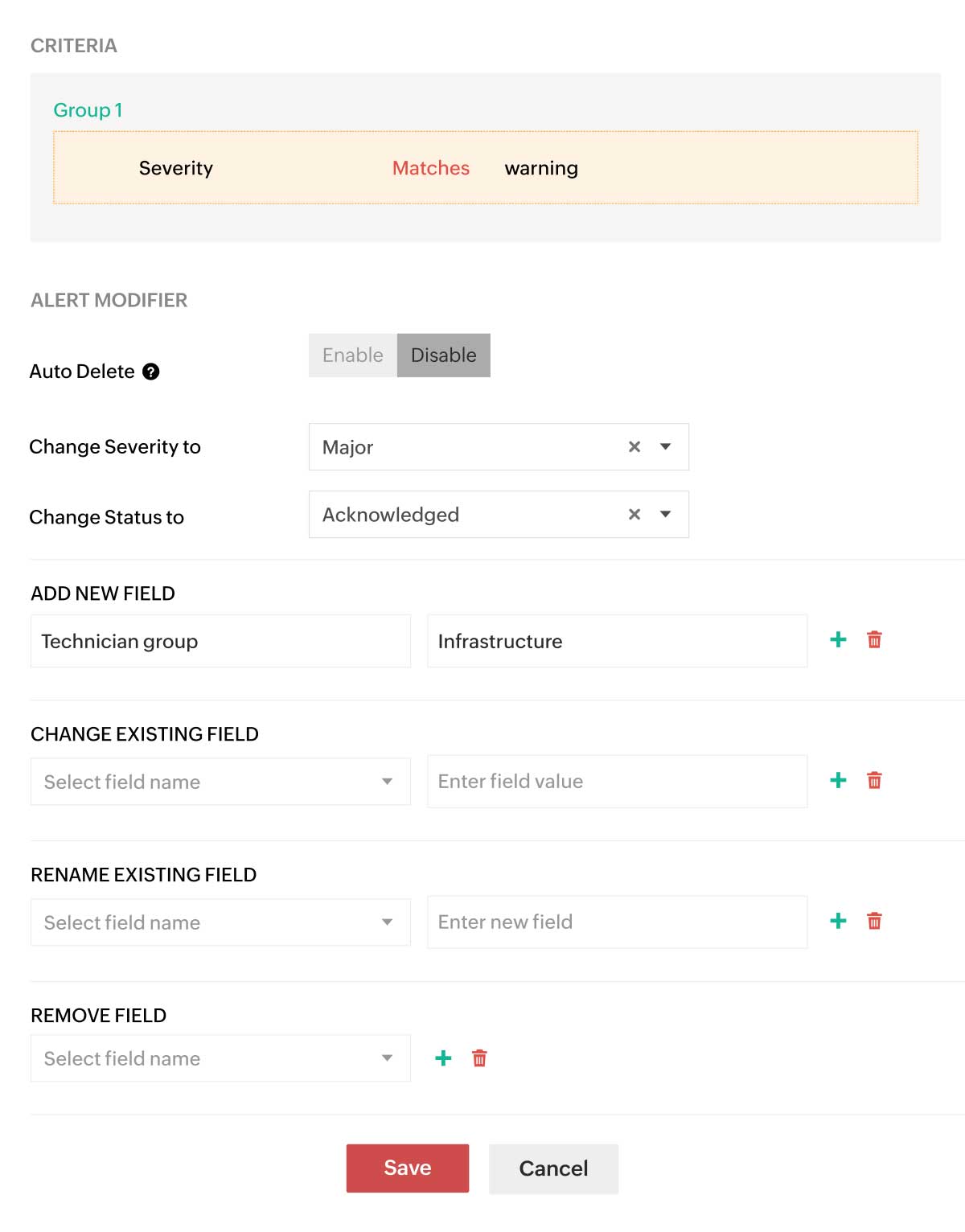
Different monitoring tools may classify similar issues differently, making it harder to assess severity consistently. Use alert modifiers to automatically adjust severity levels, change alert statuses, and update fields based on your criteria, helping technicians classify incoming alerts and prioritize their response.

Alert modifier settings that change severity to Major and status to Acknowledged

Keep alerts on track from detection to closure

Automatically create incident tickets

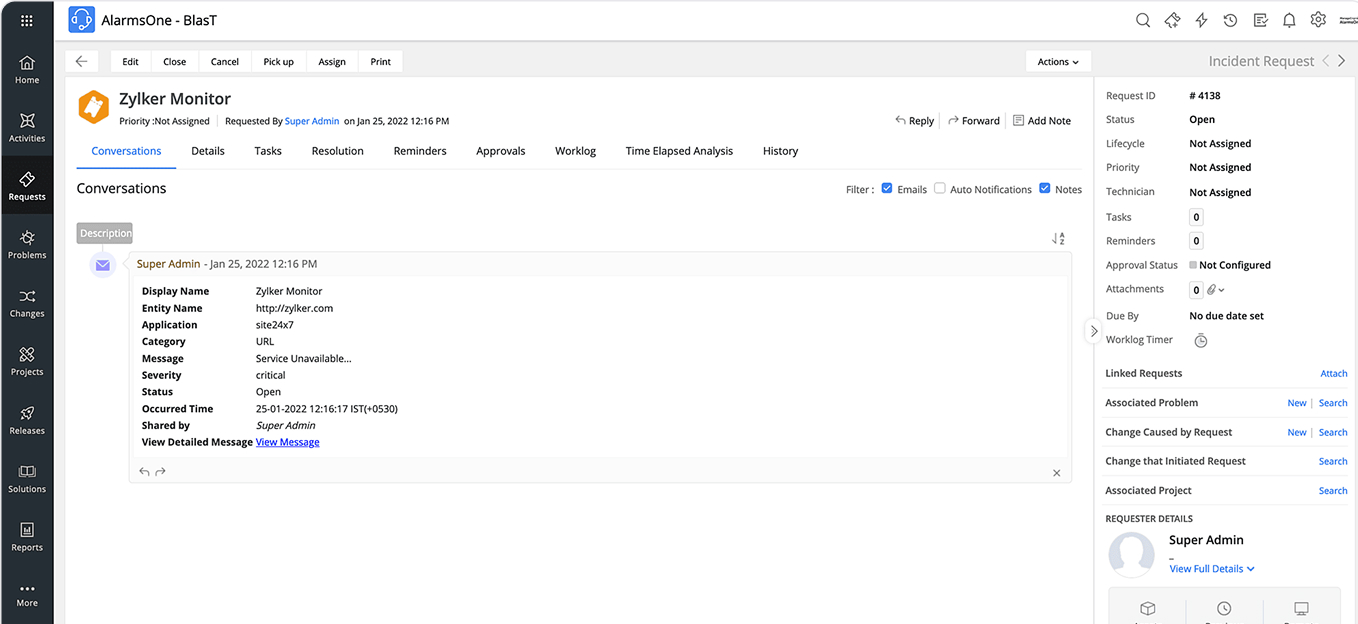
Convert unattended alerts into incident tickets, bringing them into your incident management workflow. When an alert or its associated ticket is closed, the other closes automatically too, keeping both records in sync without manual updates.

Incident request created from a Site24x7 alert with severity, status, and message details

Escalate unattended alerts through defined levels

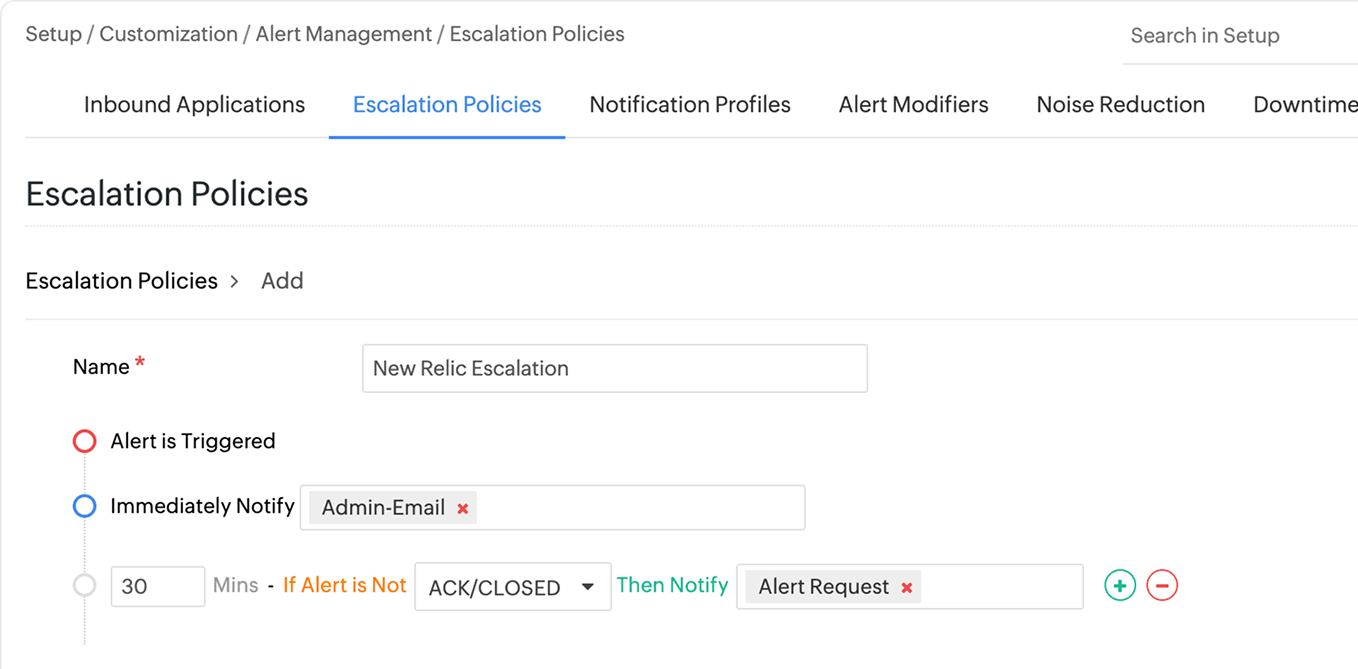
Set up escalation policies with up to five levels of responders to ensure unattended alerts reach the right people at the right time.

Escalation policy that notifies Admin-Email, then Alert Request after 30 minutes

Gain visibility into alert trends and performance

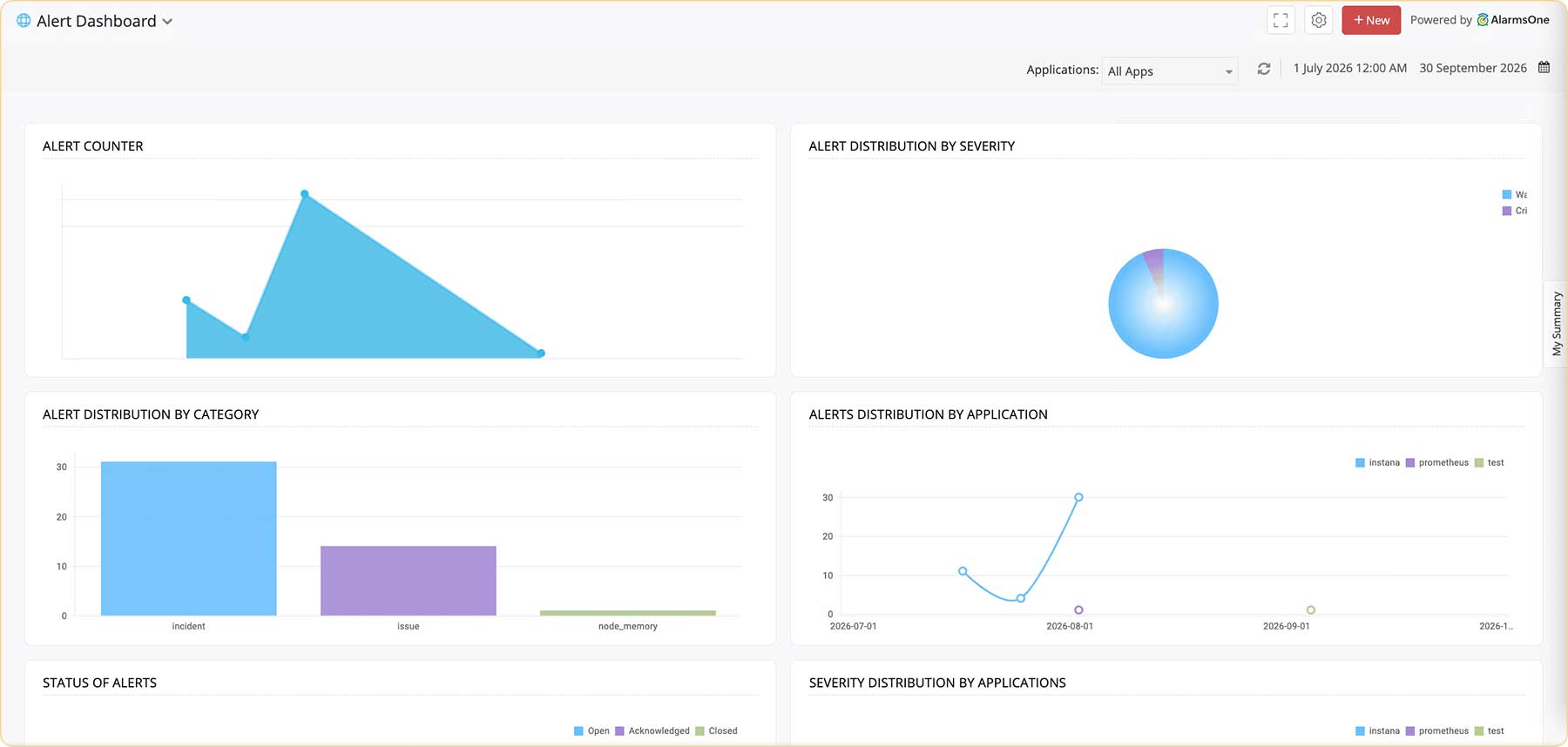
Get a consolidated view of alert activity with dashboards that bring hourly trends, severity levels, categories, application-wise distribution, and alert statuses into focus. Dive deeper by generating detailed reports based on application, category, severity, status, and resolution time, then export them in CSV or PDF formats for further analysis.

Alert dashboard with charts for alert counter and distribution by severity, category, and app

Frequently asked questions

Expand all

1. What is IT alert management?

IT alert management is the process of collecting, organizing, filtering, and acting on alerts generated by monitoring tools. It helps IT teams identify important events, reduce repetitive notifications, and ensure that alerts requiring attention reach the right responders.

2. Why is alert management important?

3. How does ServiceDesk Plus help manage IT alerts?

4. Is alert management included in ServiceDesk Plus pricing?

Let's support faster, easier, and together