Steps to configure SAML SSO for Amazon Web Services
About Amazon Web Services
Amazon Web Services (AWS) stands as a leading cloud computing platform, offering a comprehensive suite of services that cater to diverse business needs. Renowned for its scalability, security, and reliability, AWS empowers organizations to innovate and scale rapidly without the constraints of traditional IT infrastructure.
The following steps will help you enable single sign-on (SSO) for AWS from Identity360.
Prerequisites
- The MFA and SSO license for Identity360 is required to enable SSO for enterprise applications.
- Log in to Identity360 as an Admin, Super Admin, or Technician with a role that has Application Integration and Single Sign-on permissions.
- Navigate to Applications > Application Integration > Create New Application and select Amazon Web Services from the applications displayed.
Note: You can also find Amazon Web Services using the search bar located at the top.
- Under the General Settings tab, enter the Application Name and Description.
- Under the Choose Capabilities section, select SSO and click Continue.
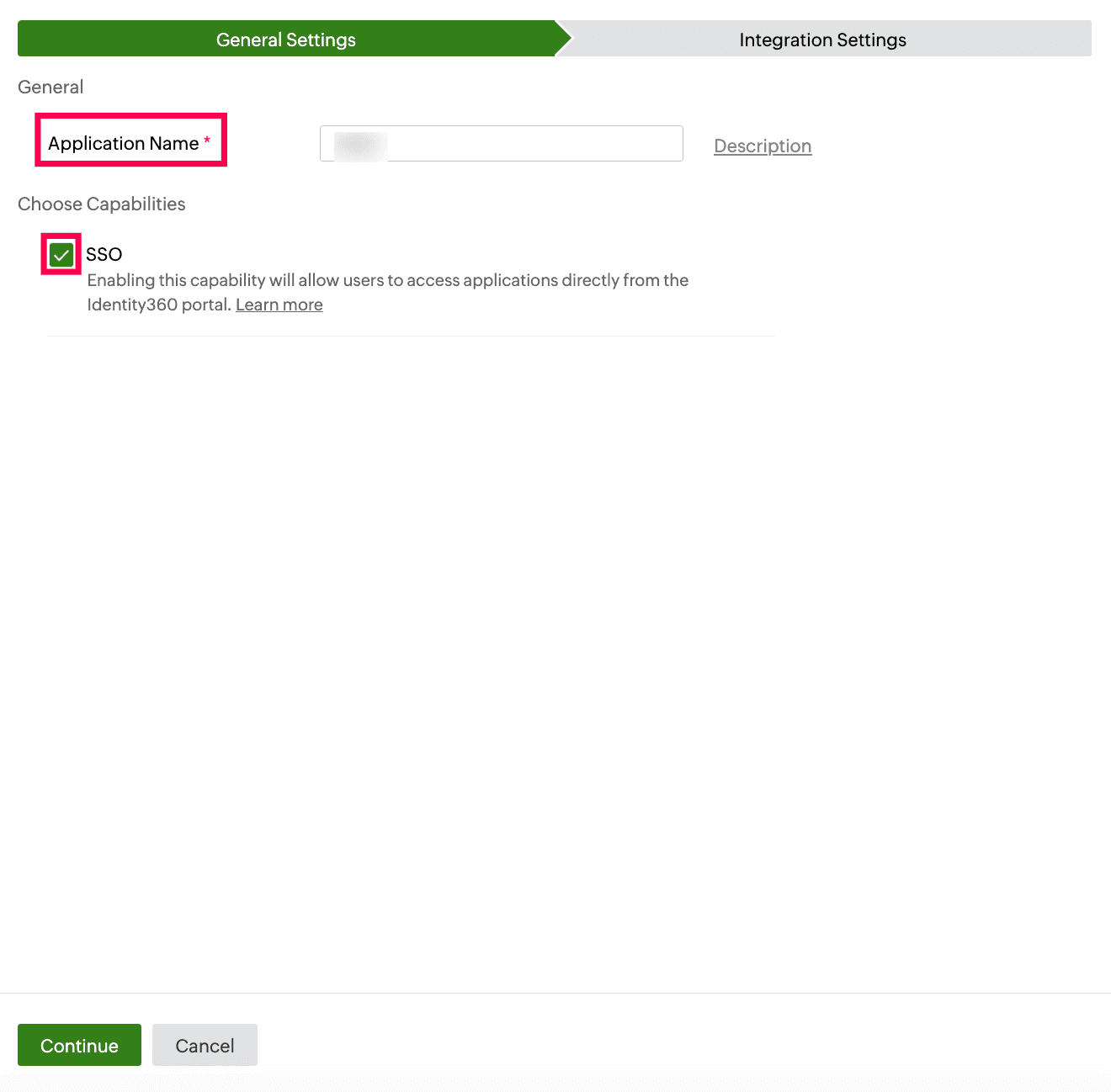 General Settings of SSO configuration for AWS
- Under Integration Settings, navigate to the Single Sign On tab and click Metadata Details. Obtain the metadata by clicking Download in the Metadata field. This will be used later during the configuration of AWS.
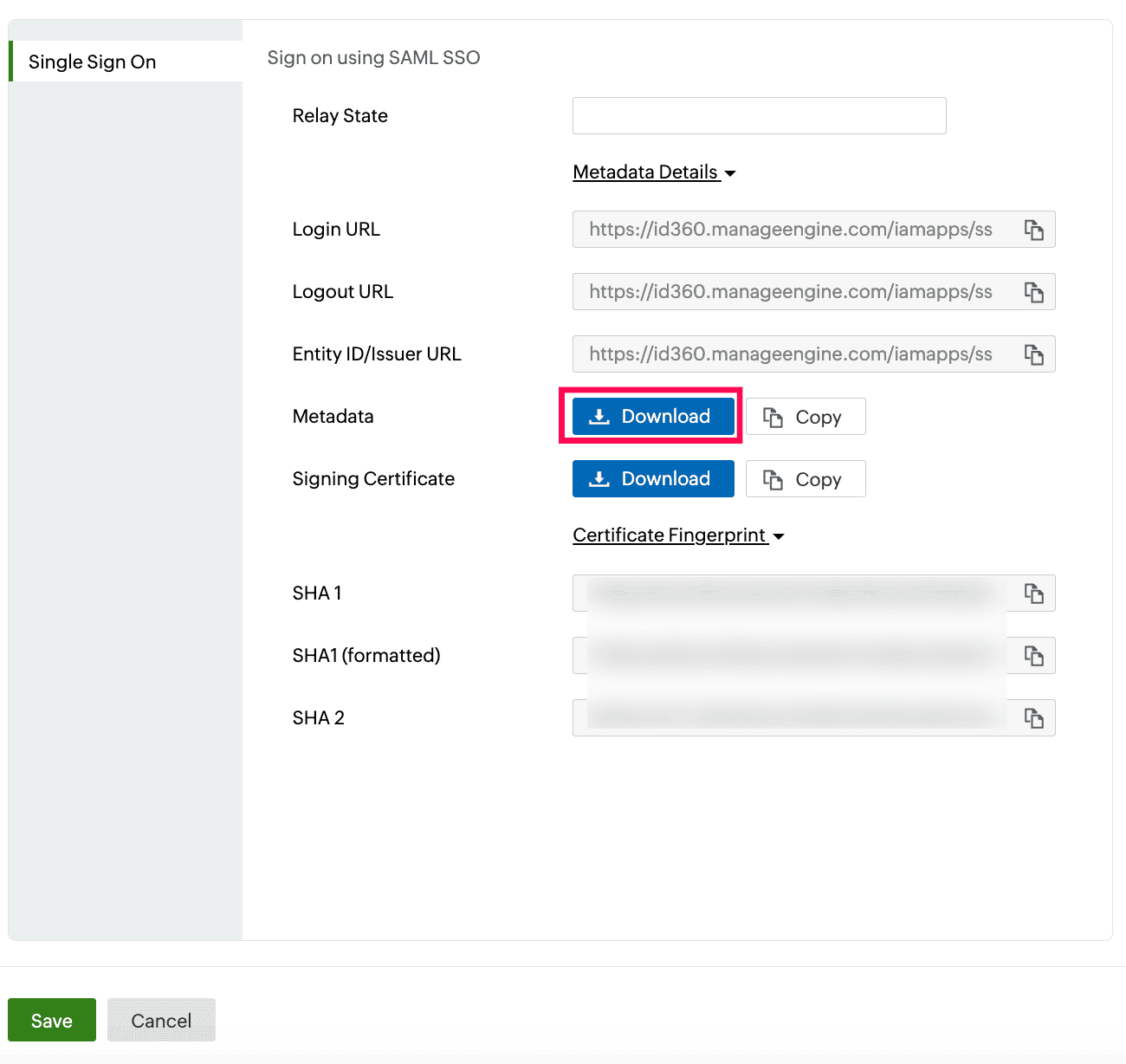 Integration Settings of SSO configuration for AWS
AWS (service provider) configuration steps
- Sign in to your AWS IAM Identity Center company site as an administrator.
Note: This integration works only with AWS IAM Identity Center. It does not support AWS IAM.
- On the left navigation pane, select Settings.
- On the Settings page, navigate to Identity source > Actions and select Change identity source.
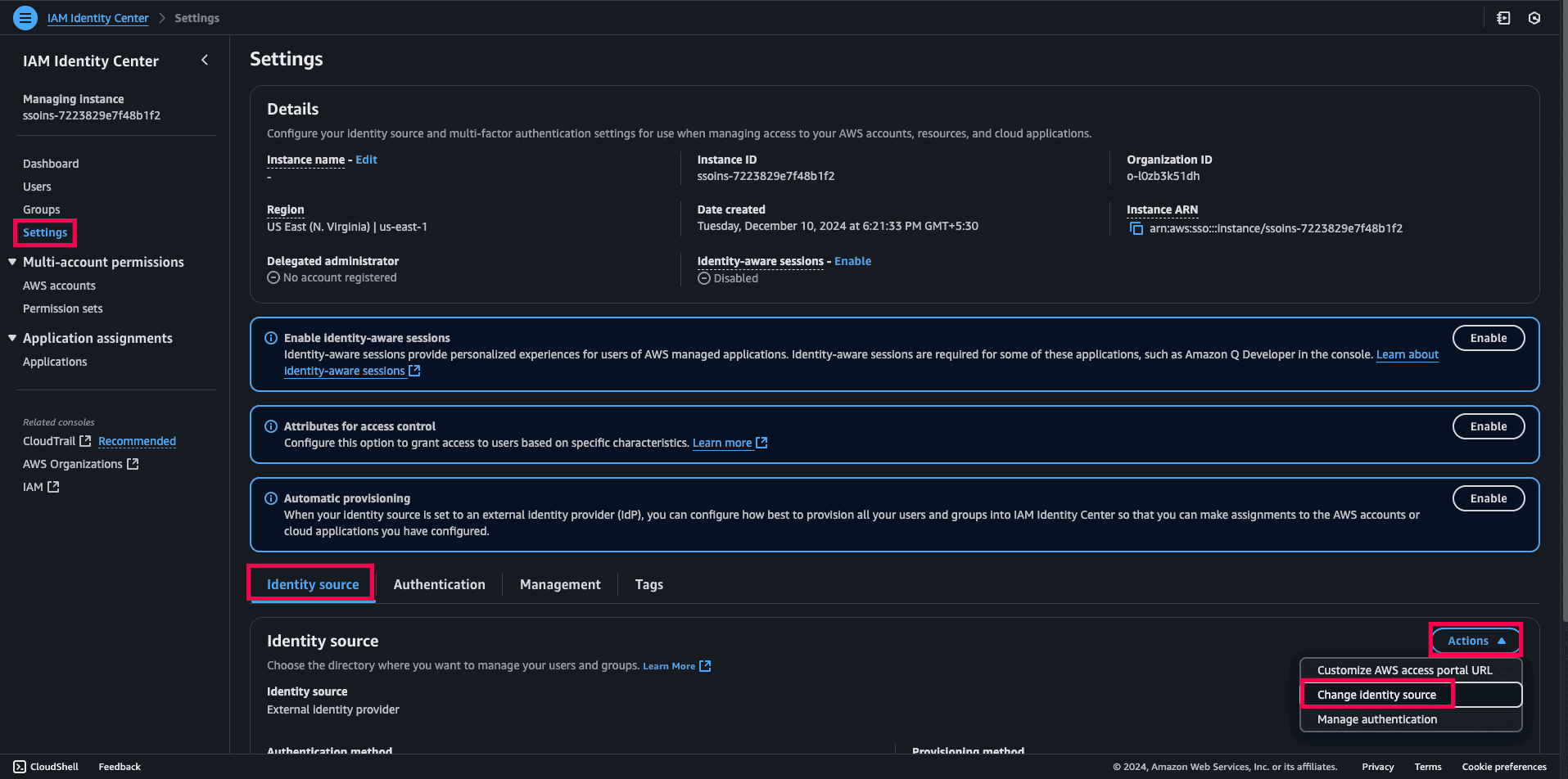 An AWS IAM Identity Center portal view
- On the Change identity source page, select External identity provider. Click Next.
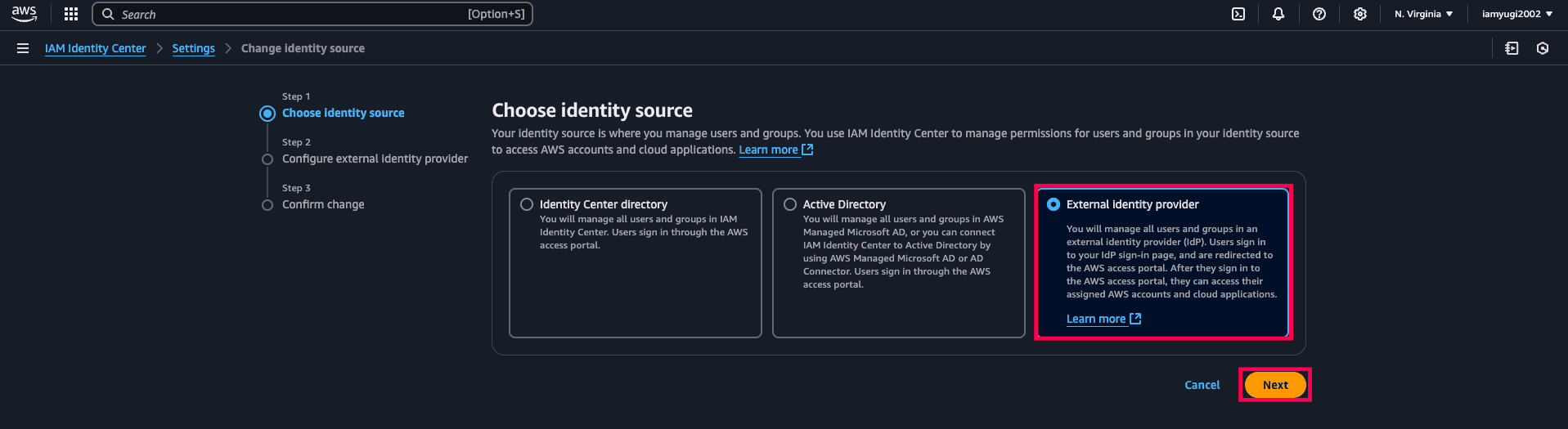 Choosing an external IdP in AWS IAM Identity Center
- Under Identity provider metadata in the Configure external identity provider section, click Choose file under IdP SAML metadata to upload the metadata file that you downloaded in step 6 of the prerequisites.
- Click Next.
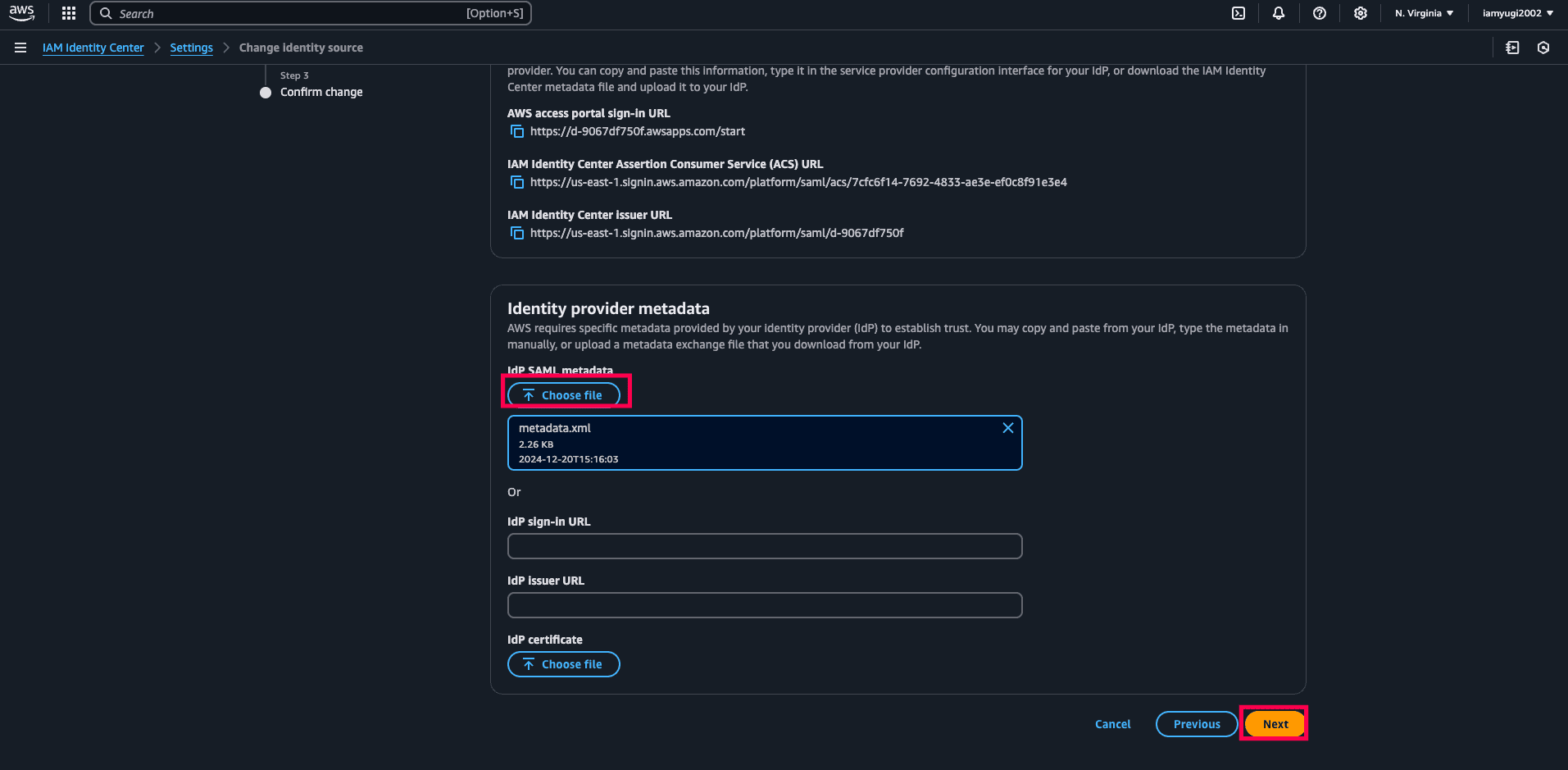 A metadata upload in AWS IAM Identity Center
- In the text box, type ACCEPT to change the identity source.
- Click Change identity source.
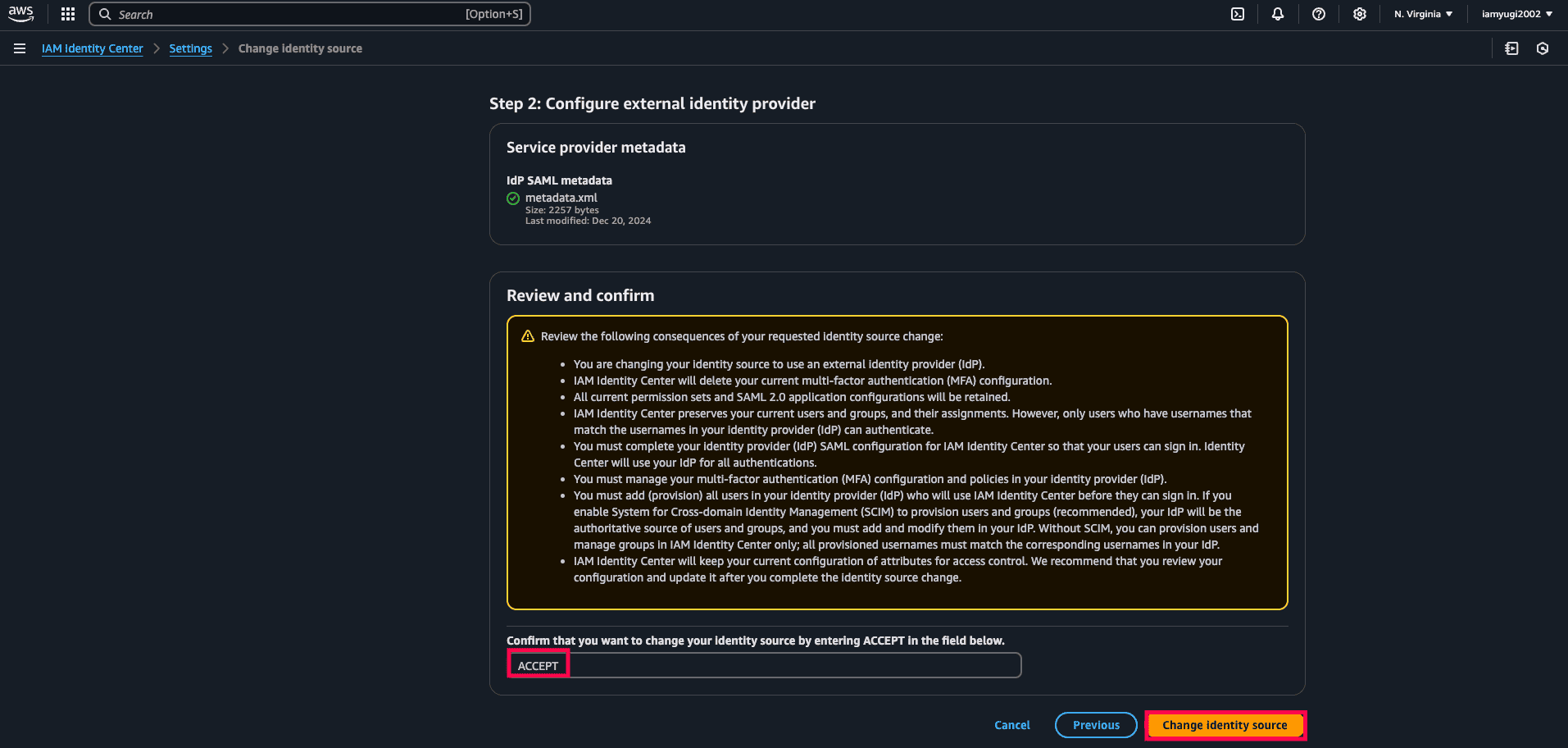 Changing the identity source in AWS IAM Identity Center
Identity360 (IdP) configuration steps
- Switch to the Single Sign On tab on Identity360's application configuration page.
- Enter the Relay State parameter, if necessary.
Note: The Relay State is an optional parameter used with a SAML message to remember where you were or to direct you to a specific page after logging in.
- Click Save.
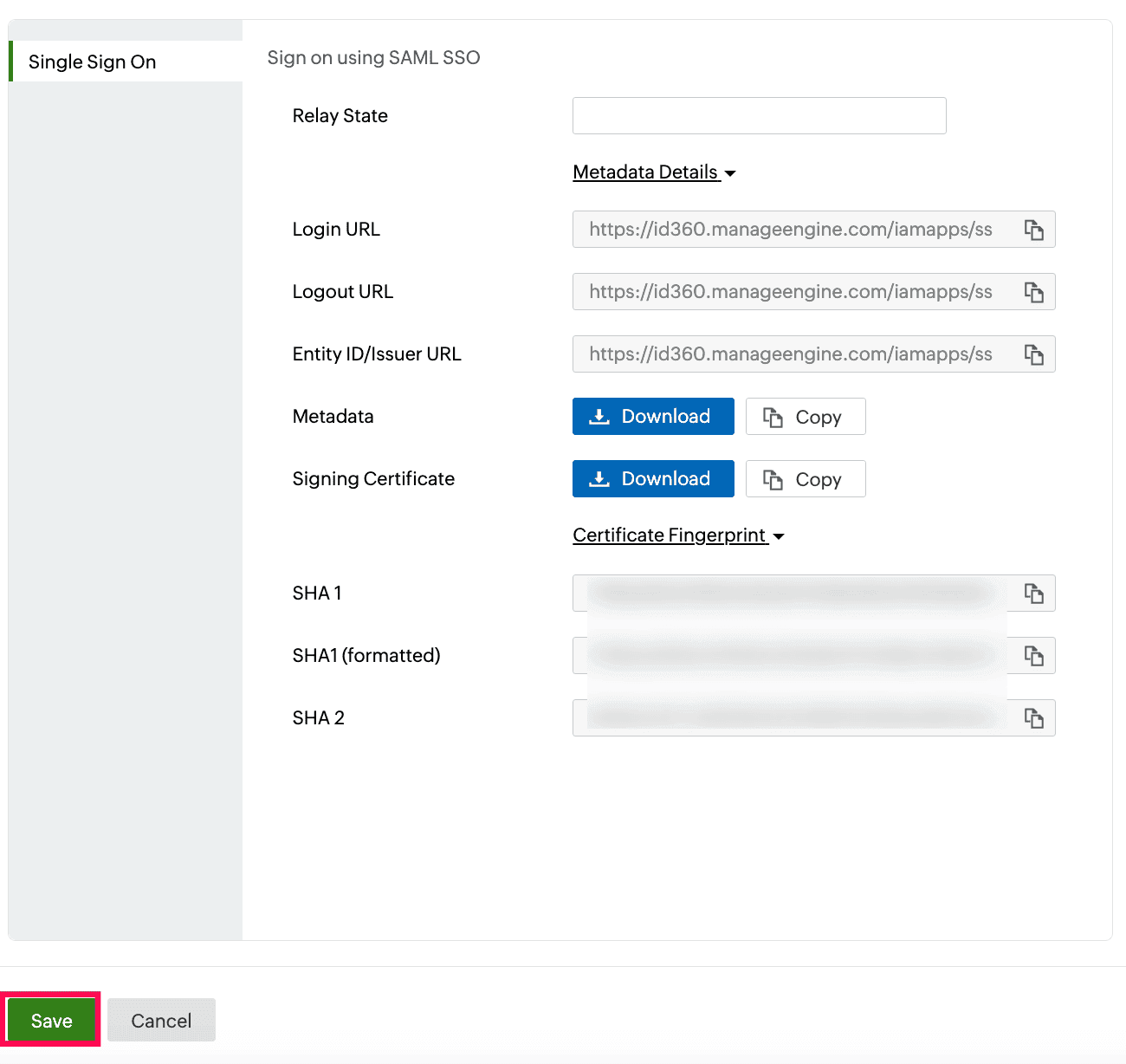 Integration Settings of SSO configuration for AWS
- To learn how to assign users or groups to one or more applications, refer to this page.
Your users will now be able to sign in to AWS through the Identity360 portal.
Note: For AWS, both service-provider-initiated and IdP-initiated flows are supported.
Steps to enable MFA for AWS
Setting up MFA for AWS using Identity360 involves the following steps:
- Set up one or more authenticators for identity verification when users attempt to log in to AWS. Identity360 supports various authenticators, including Google Authenticator, Zoho OneAuth, and email-based verification codes. Click here for steps to set up the different authenticators.
- Integrate AWS with Identity360 by configuring SSO using the steps listed here.
- Now, activate MFA for AWS by following the steps mentioned here.
How does MFA for applications work in Identity360?