
Microsoft Entra ID, previously known as Azure Active Directory (Azure AD), is a cloud-based IAM solution that enables organizations to manage user identities and access permissions securely. Microsoft Entra ID provides users with a range of functionalities for efficient and secure access to organizational resources.
By integrating Microsoft Entra ID with ManageEngine Identity360, you can enable the following life cycle management capabilities:
Import and synchronize user accounts from Microsoft Entra ID into Identity360, manage their identities in Universal Directory, and sync them to other directories and applications. This enables admins to oversee all user-related actions from a single console.
Provision and modify users' access and account attributes across enterprise applications based on their role changes in Microsoft Entra ID. Provisioning and orchestration eases onboarding and life cycle management, boosting productivity and efficiency.
The following steps will help you configure the supported life cycle management capabilities for Microsoft Entra ID from Identity360.
Setting up your Microsoft Entra tenant can be done through one of two methods: automatic configuration or manual configuration. You can opt for either approach depending on your requirements.
You can enable automatic Microsoft Entra tenant configuration through the following steps:
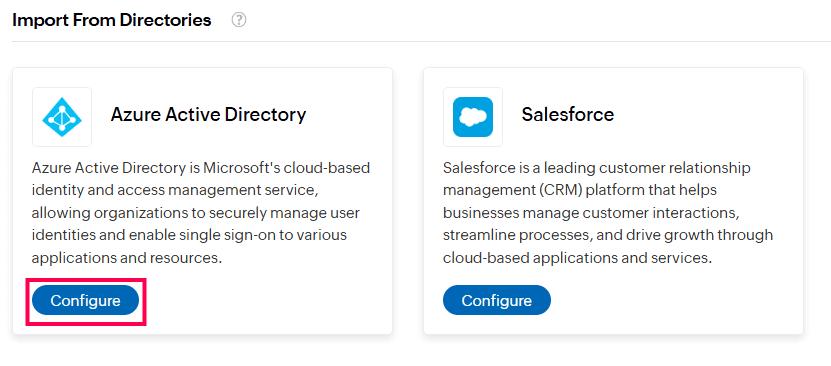 Configuring Azure Active Directory in Identity360
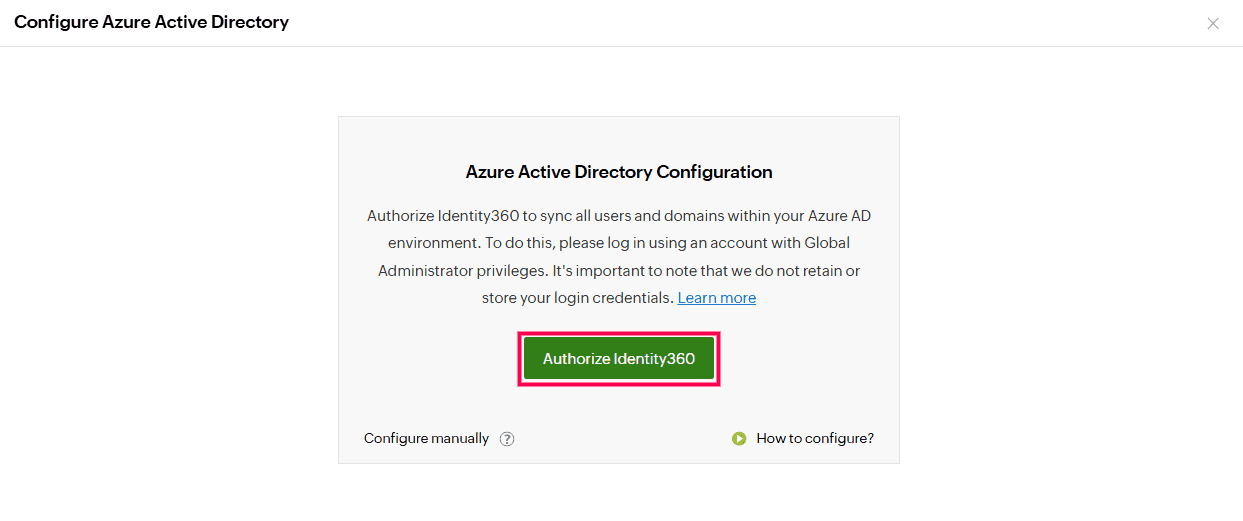 Automatic tenant configuration in Identity360 portal.
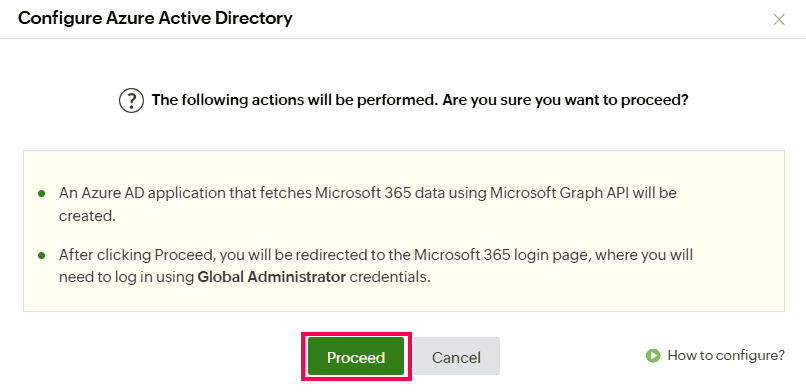 Integrating Azure Active Directory with Identity360.
Manual tenant configuration involves the following two steps:
Steps to create a Microsoft Entra application
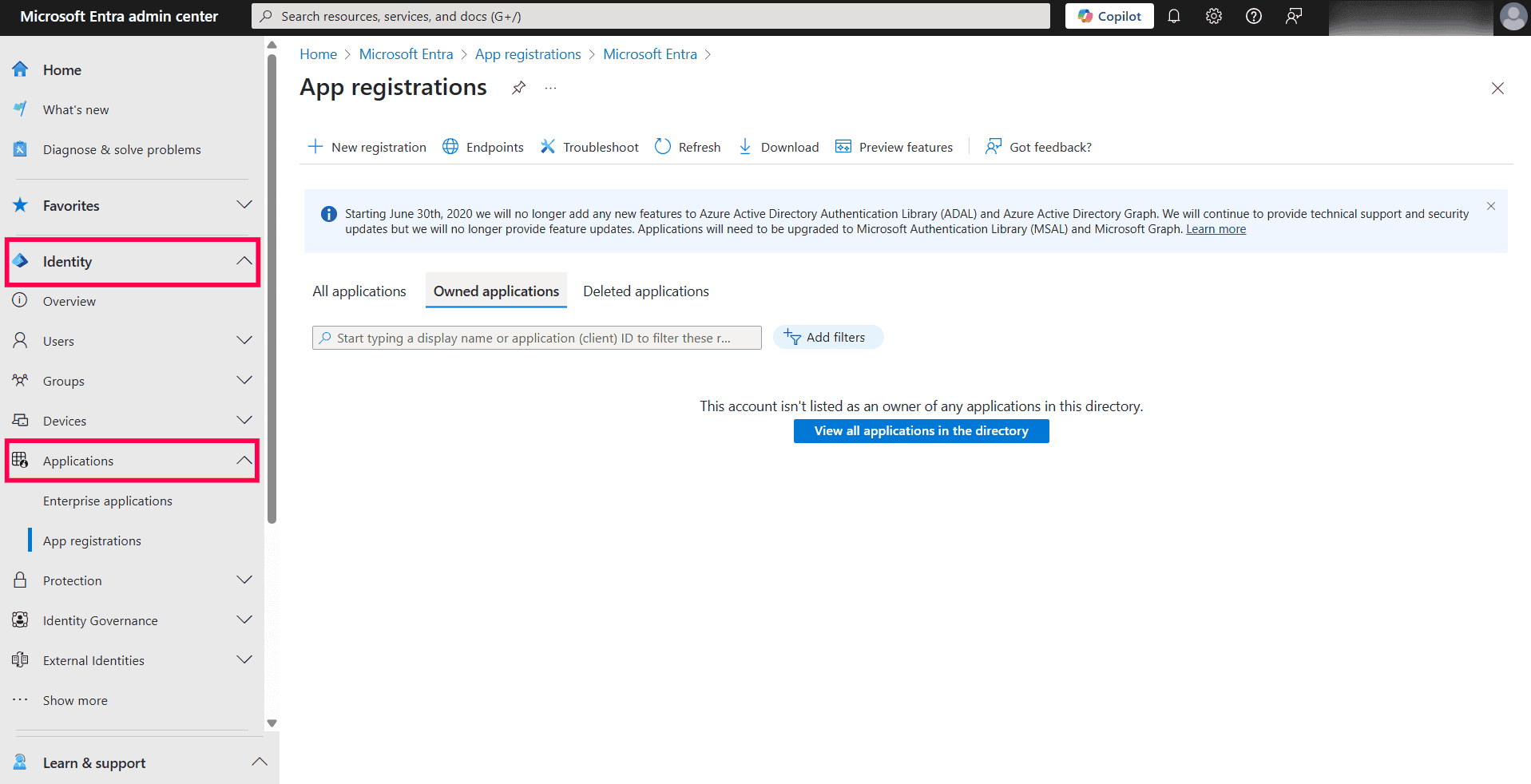 Applications dashboard in Microsoft Entra admin center.
 Registering a new application in Microsoft Entra admin center.
 Registering Identity360 application in Microsoft Entra admin center.
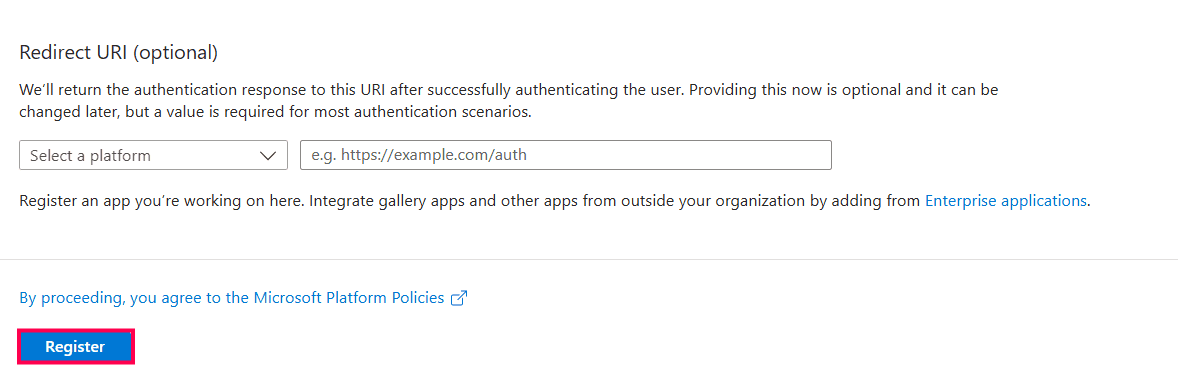 Completing Identity360 app registration in Microsoft Entra ID.
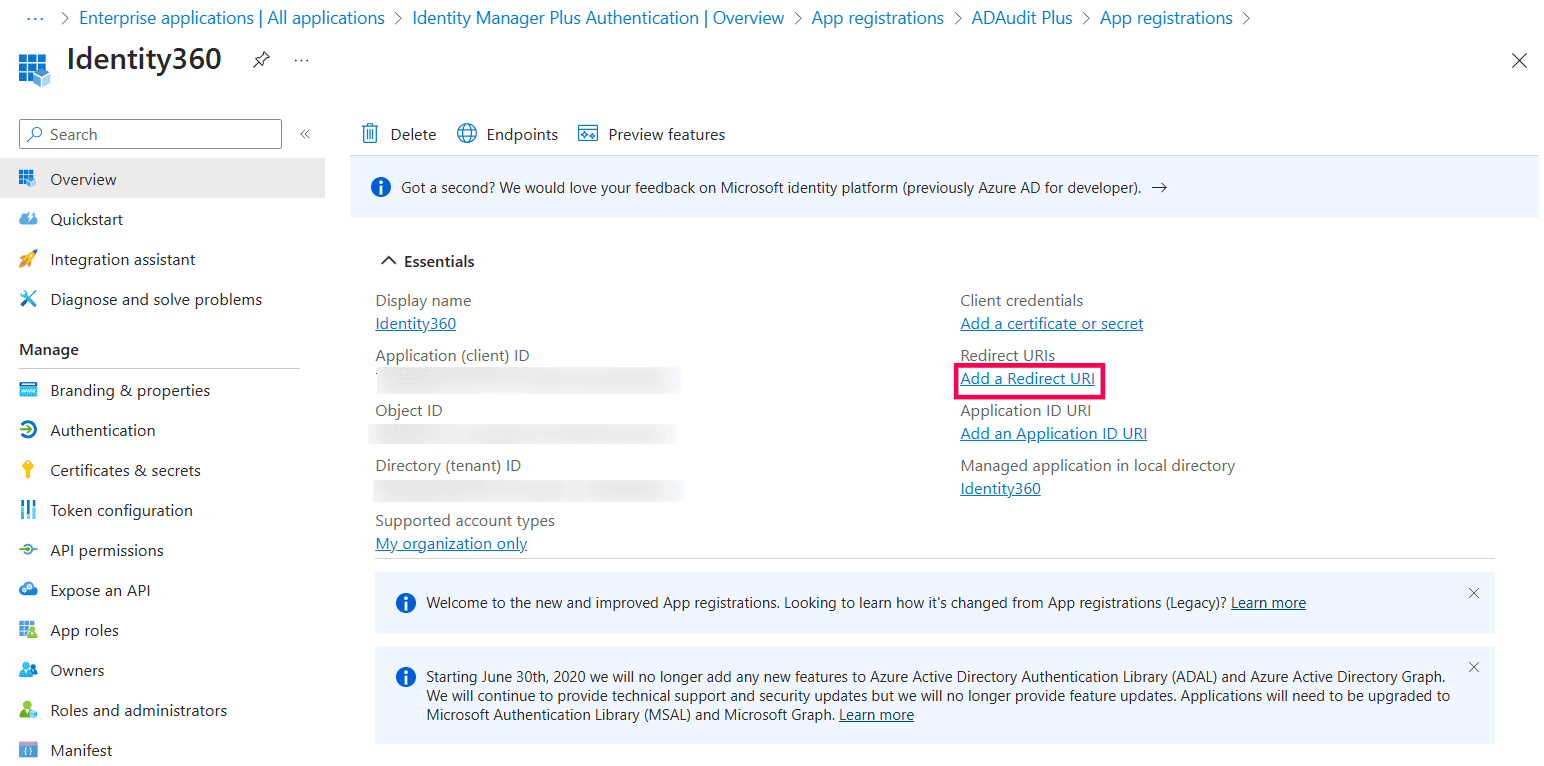 Identity360 application overview page in Microsoft Entra ID.
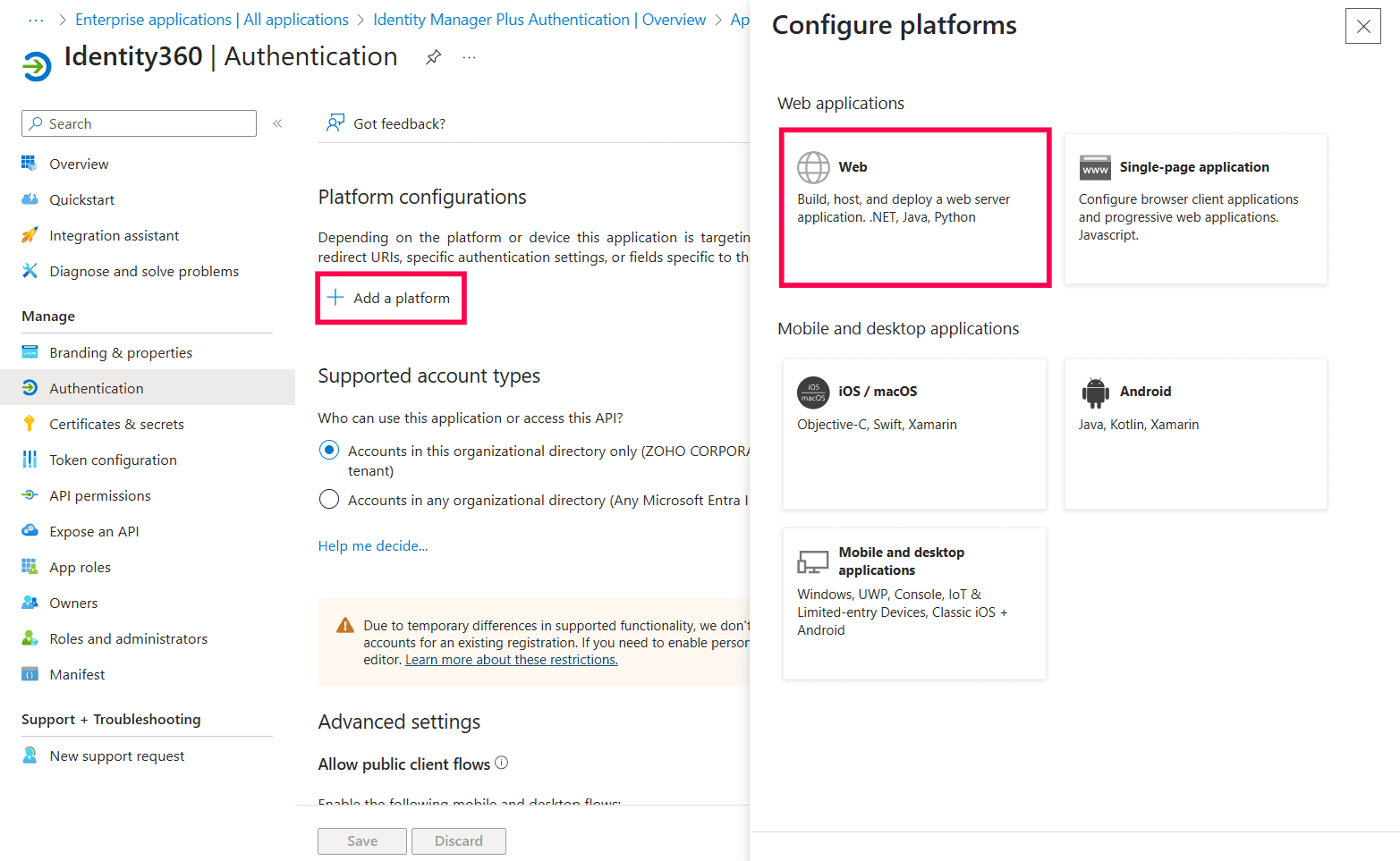 Configuring platforms in Microsoft Entra ID.
 Configuring Redirect URI in Microsoft Entra ID.
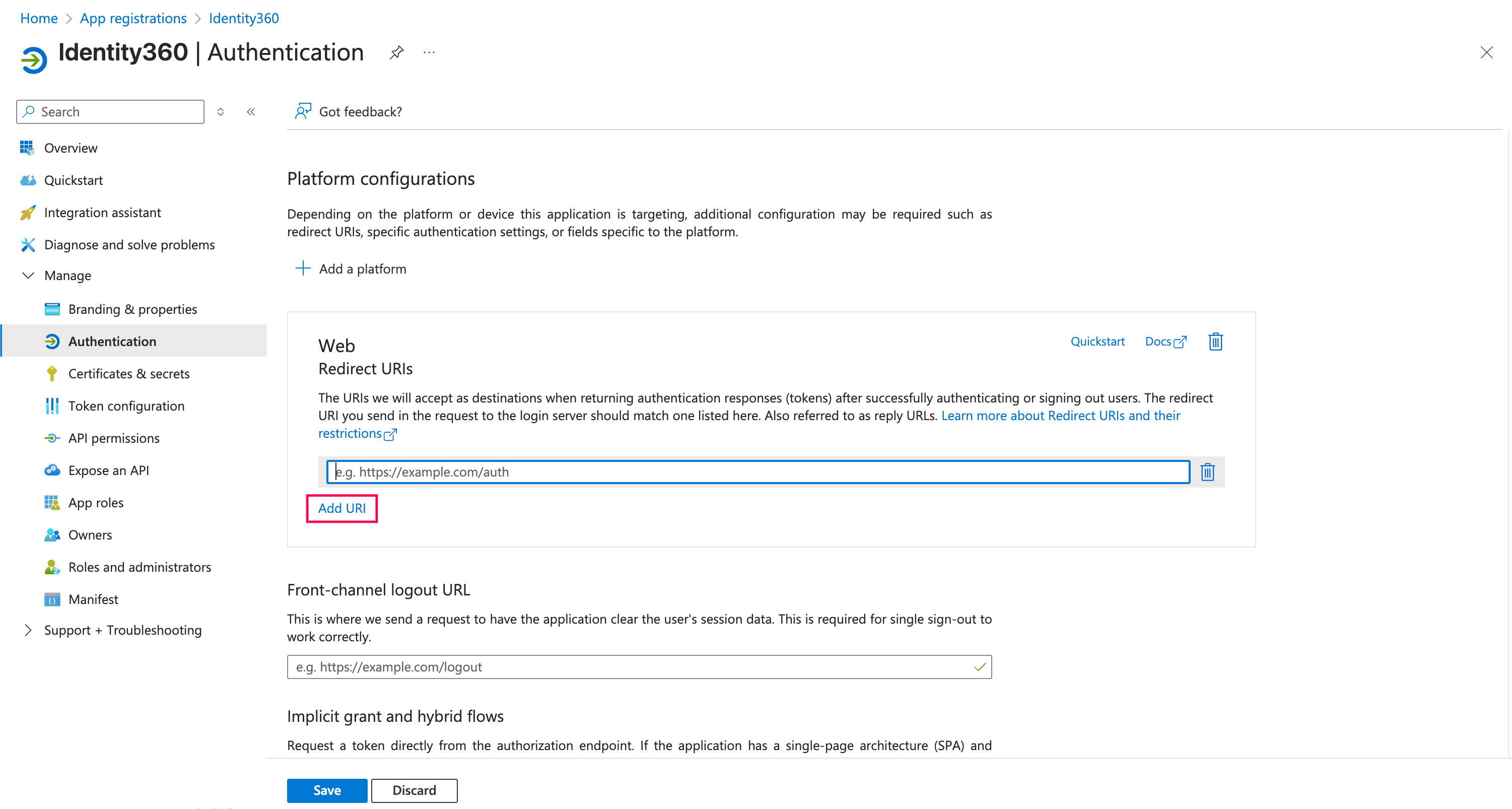 Configuring authentication settings of Identity360 in Entra ID.
For example, if your data center is in the US, your login URL will be id360.manageengine.com.
If your data center is in India, your login URL will be id360.manageengine.in.
If your data center is in the EU, your login URL will be id360.manageengine.eu.
If your data center is in the UK, your login URL will be id360.manageengine.co.uk.
If your data center is in Australia, your login URL will be id360.manageengine.com.au.
Application scopes mentioned in the file:
Microsoft Graph scopes
Office 365 Exchange Online
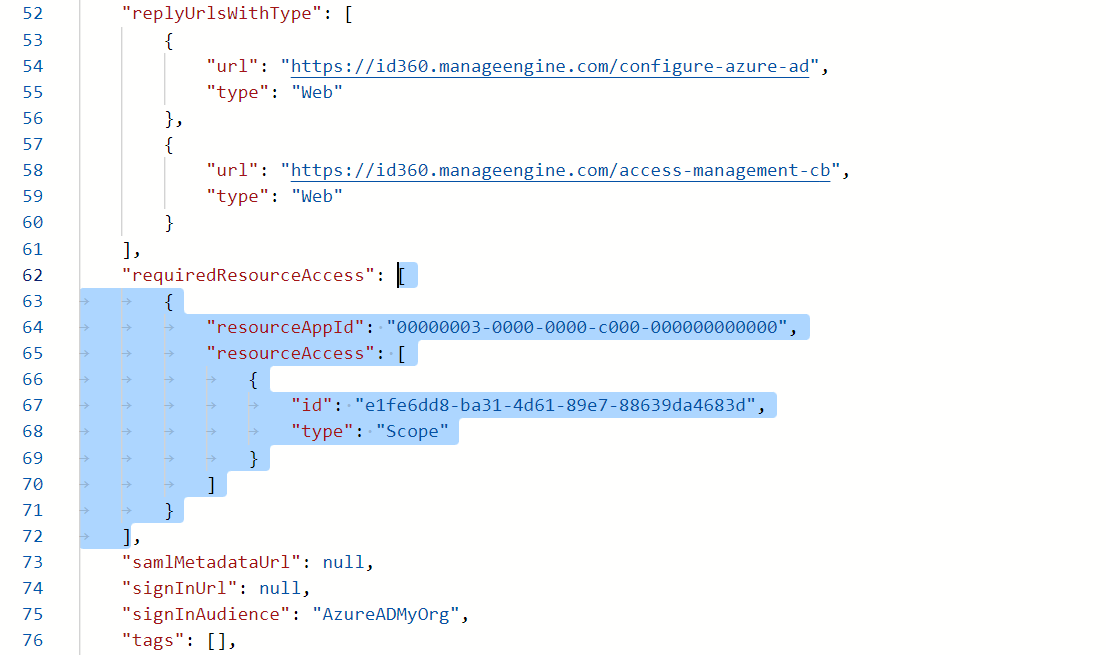 Configuring manifest settings of Identity360 in Entra ID.
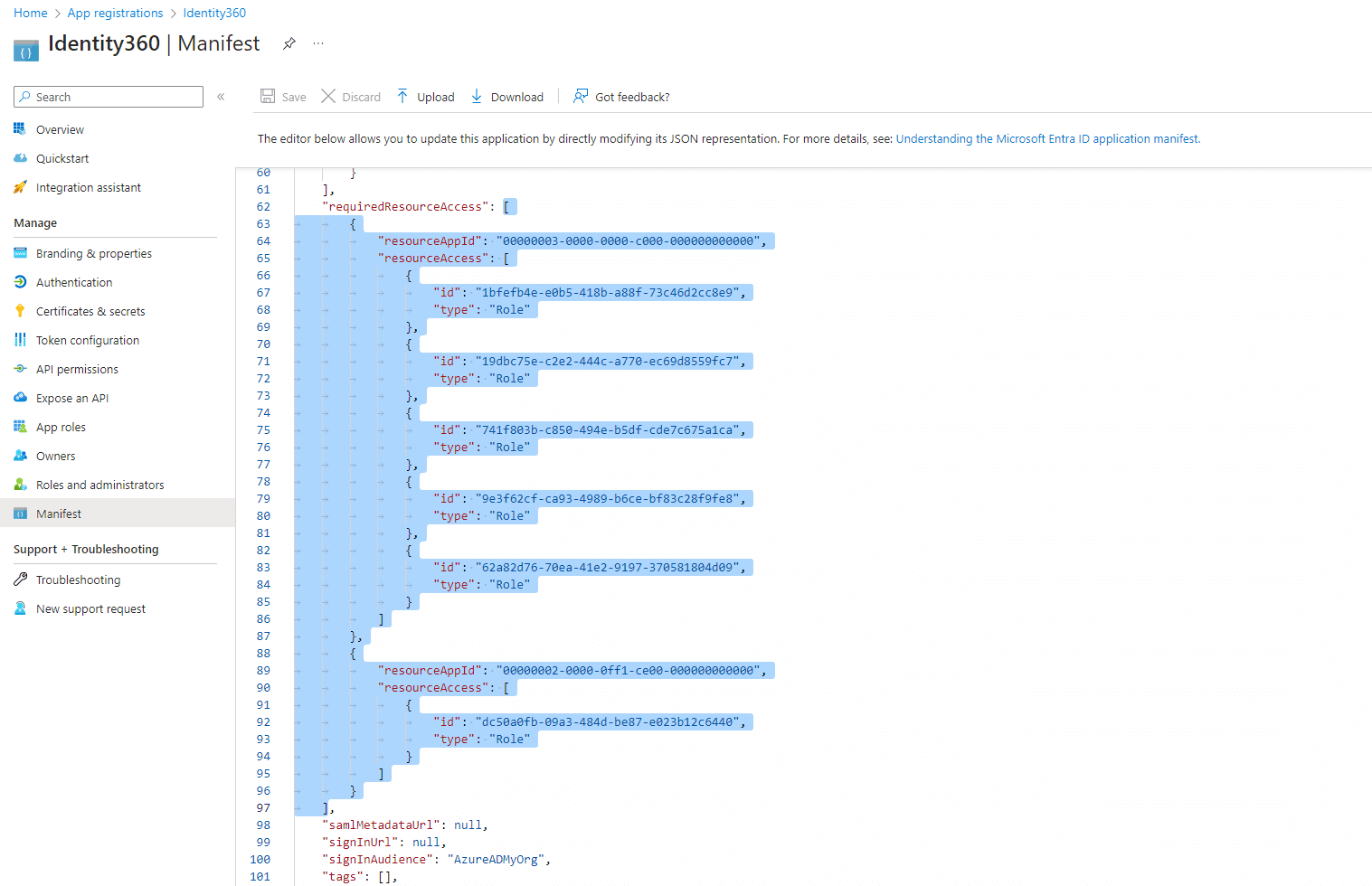 Completing the manifest configuration of Identity360 in Entra ID.
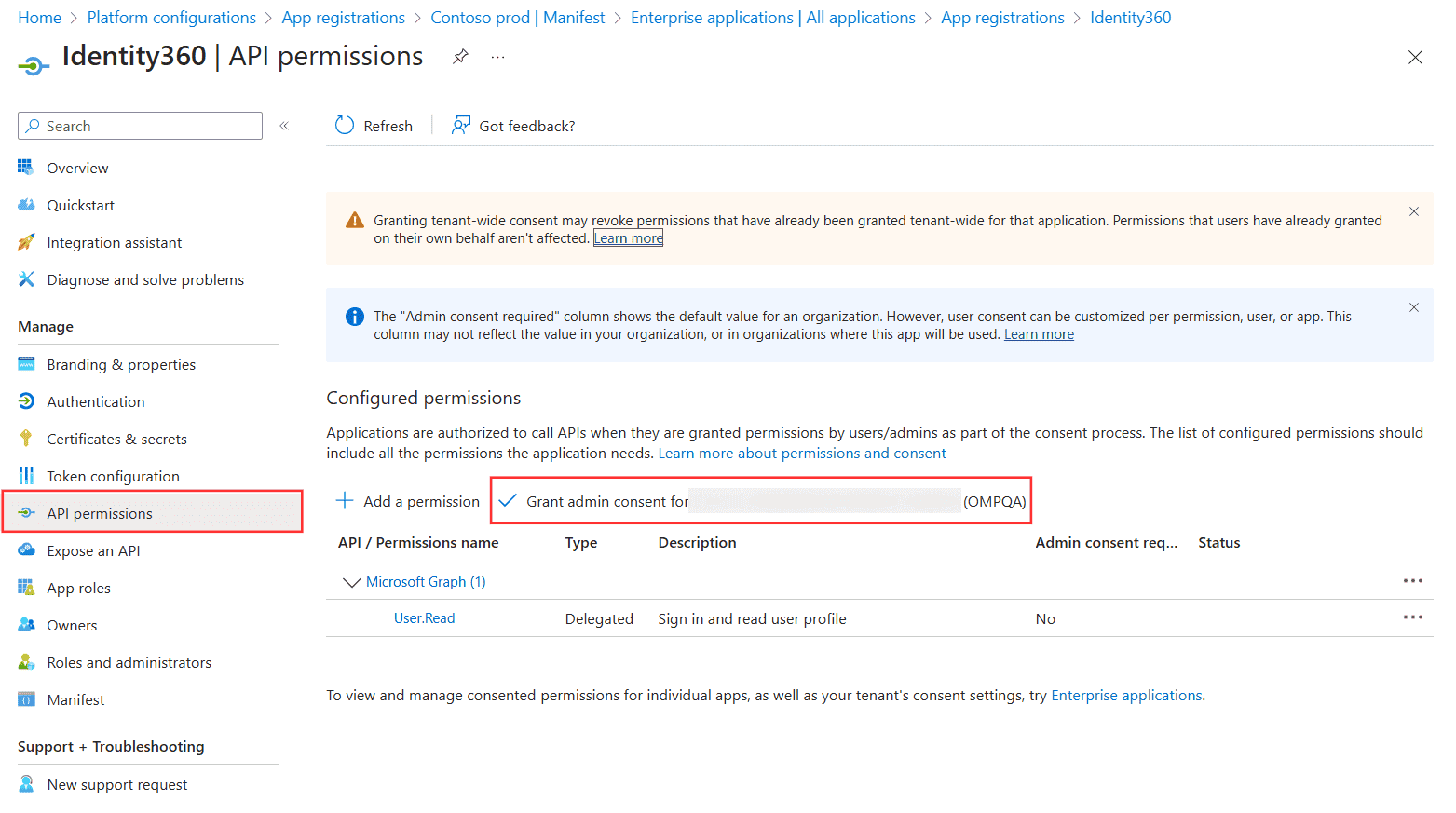 Configuring API permissions of Identity360 in Entra ID.
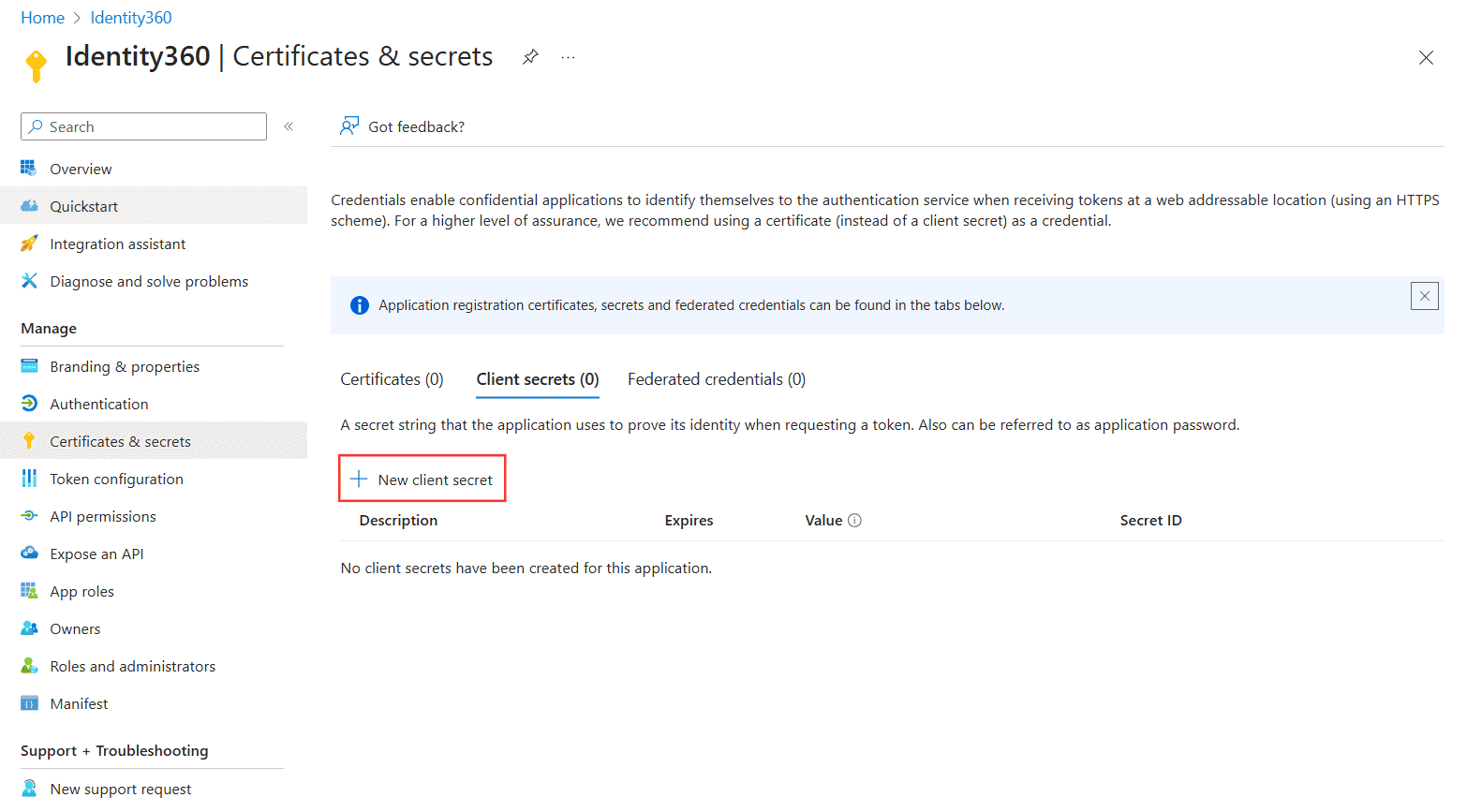 Configuring certificates and secrets settings of Identity360 in Entra ID.
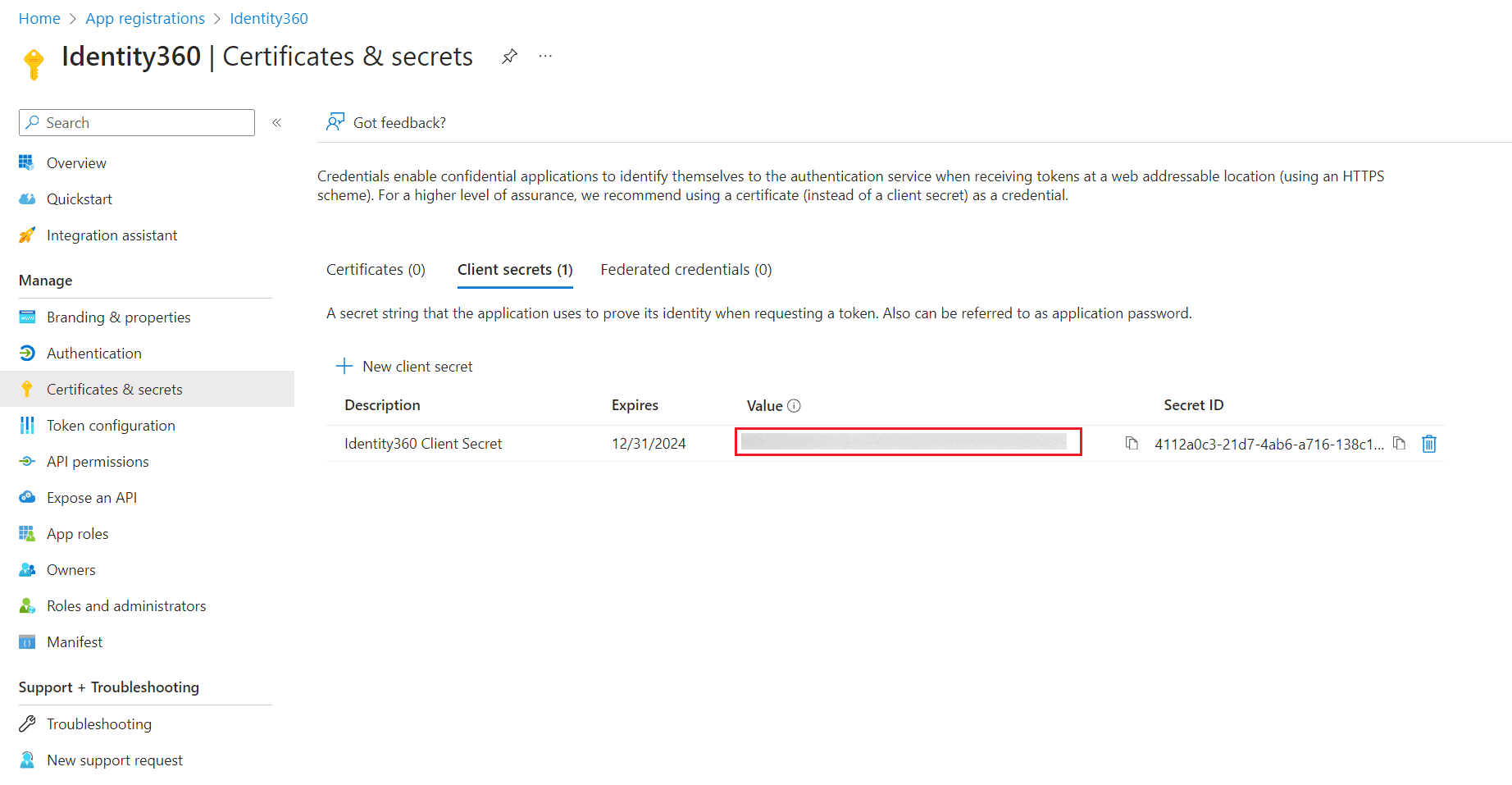 Generating the Client Secret of Identity360 in Entra ID.
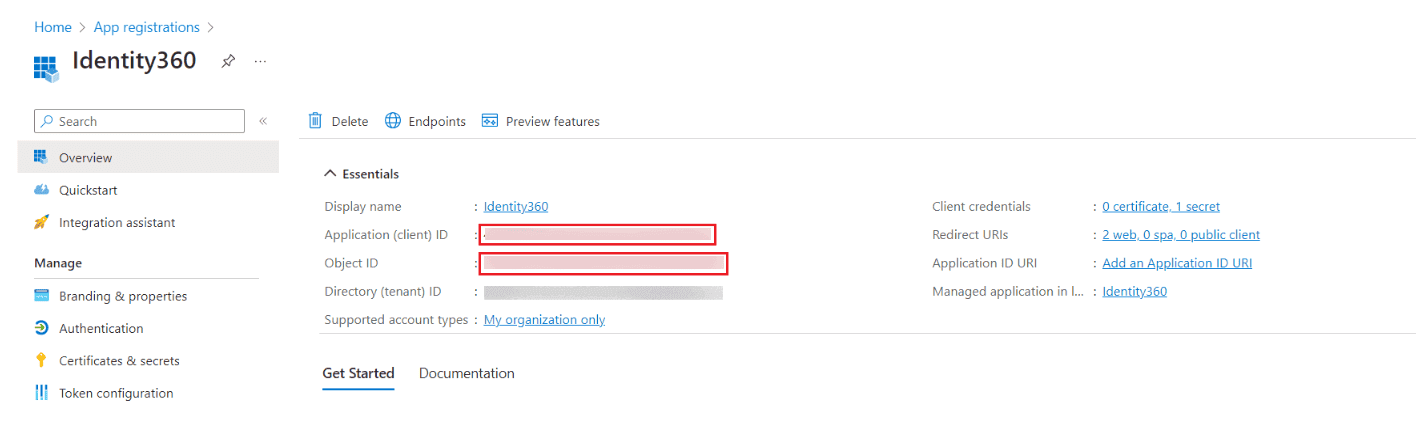 Copying the Application ID and Object ID of Identity360 in Entra ID.
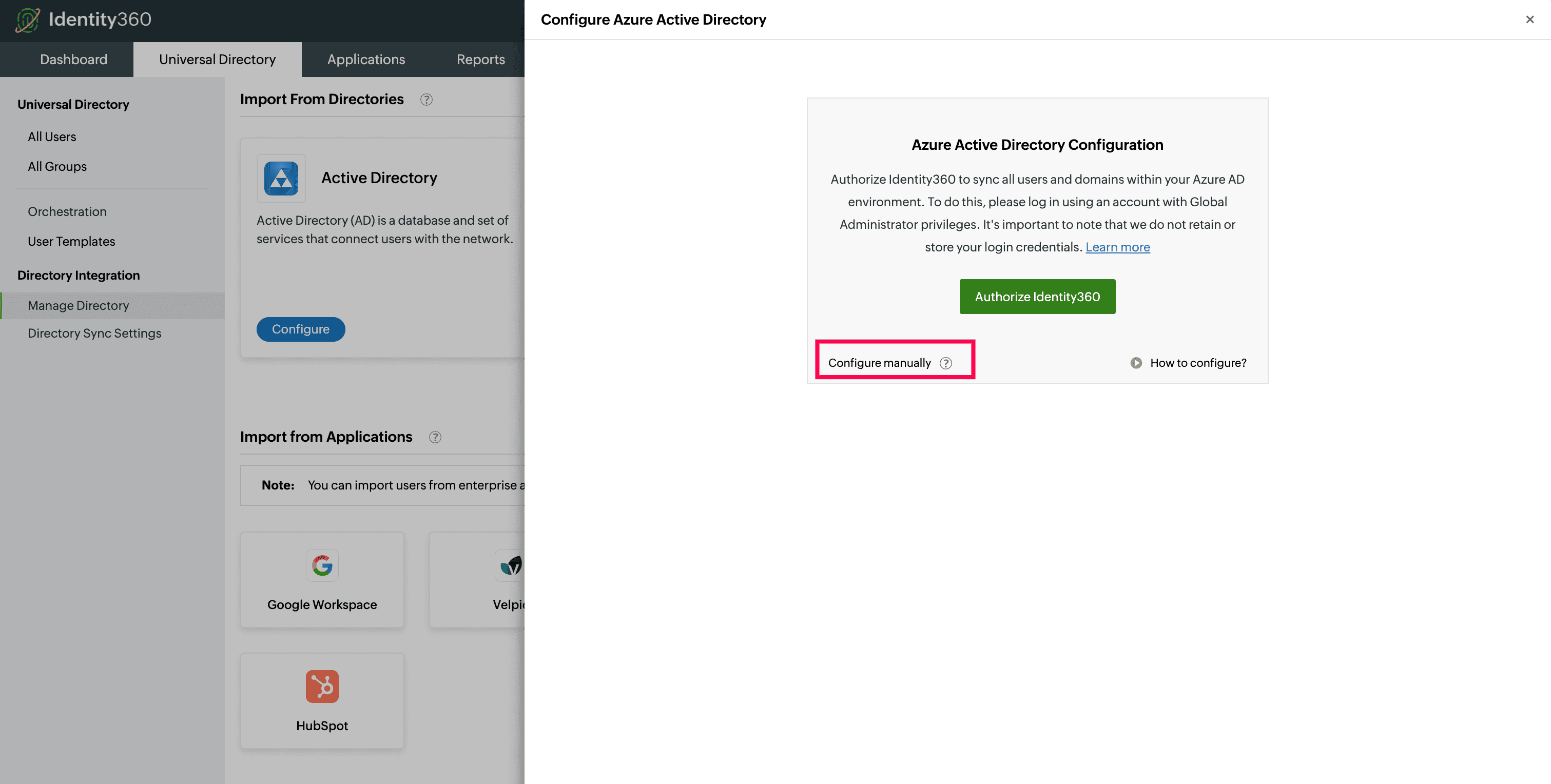 Manual tenant configuration in Identity360 portal.
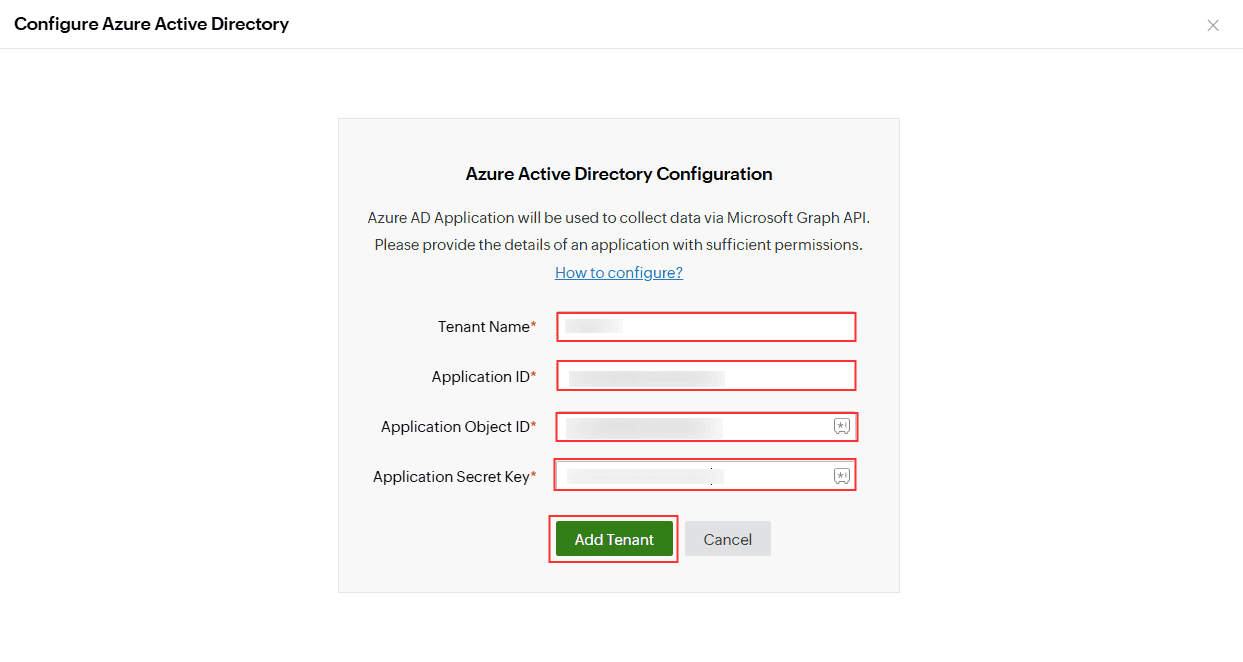 Completing manual tenant configuration in Identity360 portal.
To manage the users in your Microsoft Entra tenant from Identity360, use the All Users option.
You've now configured a Microsoft Entra application with Identity360.
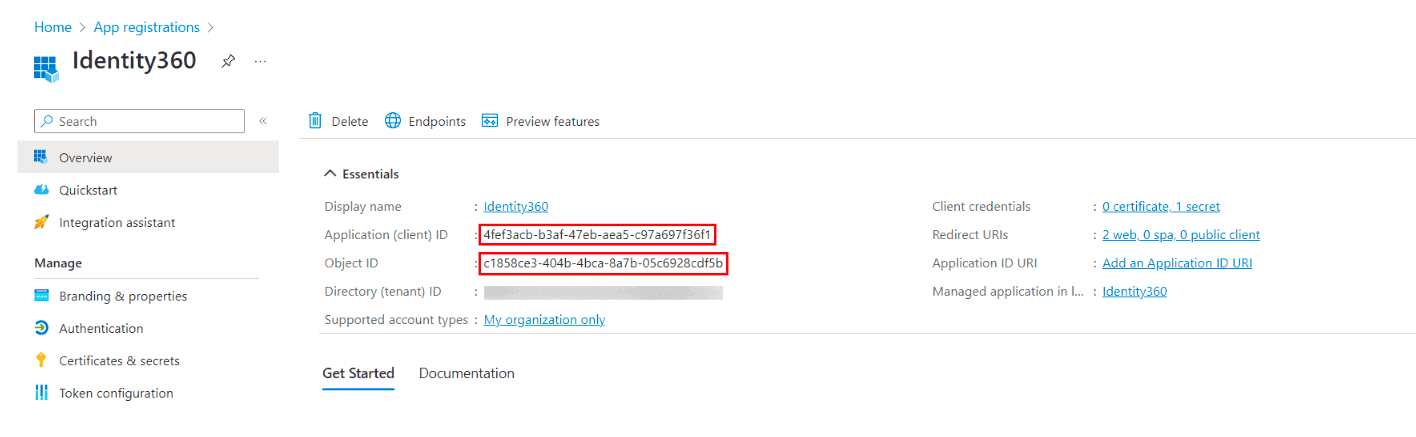 Copying the updated Application ID and Object ID of Identity360 in Entra ID.
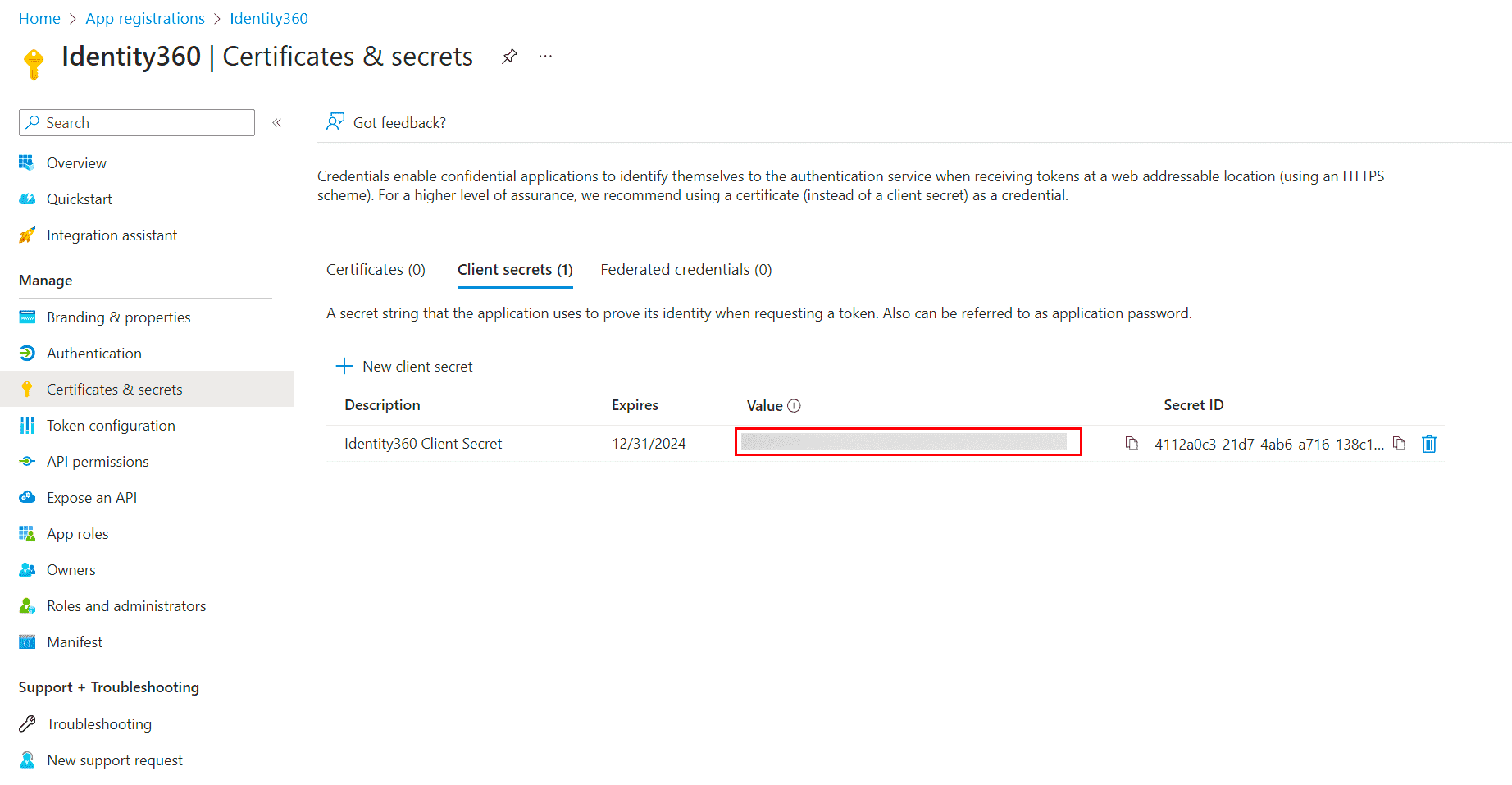 Regenerating the Client Secret of Identity360 in Entra ID.