- Quick Links
- Highlights
- MFA
- SSO
- Adaptive authentication
- Related Products
- ADManager Plus Active Directory Management & Reporting
- ADAudit Plus Real-time Active Directory Auditing and UBA
- ADSelfService Plus Identity security with adaptive MFA, SSPR, and SSO
- Exchange Reporter Plus Exchange Server Auditing & Reporting
- EventLog Analyzer Real-time Log Analysis & Reporting
- M365 Manager Plus Microsoft 365 Management & Reporting Tool
- DataSecurity Plus File server auditing & data discovery
- RecoveryManager Plus Enterprise backup and recovery tool
- SharePoint Manager Plus SharePoint Reporting and Auditing
- Identity360 A cloud-native identity platform for workforce IAM
- AD360 Integrated Identity & Access Management
- Log360 (On-Premise | Cloud) Comprehensive SIEM and UEBA
- AD Free Tools Active Directory FREE Tools
The problem with passwords
Passwords have anchored digital security for decades, but they remain one of the most frequently targeted parts of the authentication process. Complex password requirements can contribute to password fatigue, leading users to choose predictable patterns, reuse credentials, or store passwords insecurely.
These behaviors increase exposure to credential stuffing, password spraying, and brute-force attacks across applications. Passwords can also affect the employee experience. A 1Password study found that 44% of employees said logging in and out at work harmed their mood or productivity, while 41% said remembering multiple logins increased stress.
Passwordless authentication addresses these challenges by replacing traditional passwords with stronger methods such as passkeys, security keys, biometrics, and certificates. This reduces reliance on reusable secrets while creating a simpler and more secured sign-in experience.
What is passwordless authentication?
Passwordless authentication verifies users through device-bound credentials, security keys, biometrics, certificates, or other approved methods instead of passwords. With FIDO2 passkeys, the private key stays on the user’s device while the service stores only the public key, eliminating the need to remember, reset, or rotate passwords.
Protection varies by method. Passkeys and security keys resist phishing and credential replay, while email links and one-time codes can still be intercepted or socially engineered.
Identity Access enables organizations to use supported passkeys, biometric-backed credentials, hardware authenticators, certificates, and other passwordless methods across applications, endpoints, and remote access workflows.
Passwordless authentication vs. MFA—what's the difference?
Passwordless authentication and multi-factor authentication (MFA) describe different properties of a sign-in process.
- Passwordless authentication means the user signs in without entering a traditional password.
- MFA means the user proves identity with factors from at least two independent categories.
A passwordless sign-in may use one strong authenticator or multiple factors. An MFA flow may include a password, or it may be completely passwordless.
| Basis | Passwordless authentication | Multi-factor authentication |
|---|---|---|
| Definition | Authenticates the user without a traditional password | Requires factors from at least two independent categories |
| Main goal | Remove reliance on passwords | Add independent layers of identity verification |
| Common methods | Passkeys, security keys, certificates, biometric-backed credentials | Password plus TOTP, passkey plus biometric verification, smart card plus PIN |
| User experience | Reduces password entry and password reset burden | May add one or more verification steps |
| Security | Varies by method; FIDO2 offers strong phishing resistance | Varies by factor combination and implementation |
| Relationship | Can be single-factor or multi-factor | Can be password-based or passwordless |
The two are complementary, not competing. Identity Access lets a phishing-resistant passwordless method be the login and layers adaptive MFA on top when a session's risk warrants extra proof.
How passwordless authentication works in Identity Access
- The user requests access: The user opens an application, endpoint, VPN, or SSO portal.
- The user identifies themselves: They enter a username, email address, or select an account.
- Policy is evaluated: The system determines which passwordless methods and access requirements apply.
- The user completes passwordless verification: They use a passkey, security key, biometric-backed credential, certificate, or another configured method.
- The authenticator proves possession: The device or authenticator signs or completes the required challenge.
- Access is granted: The application or endpoint validates the response and creates the session.
No traditional account password is entered during this flow. Depending on the policy, the user may still complete local verification with a biometric or device PIN.
How FIDO2 passwordless authentication works
FIDO2 provides the foundation for phishing-resistant passwordless authentication. It uses public-key cryptography. A private key remains securely on the user’s device or hardware security key, while the service stores only the corresponding public key. During authentication, the service sends a unique challenge, which the authenticator signs with the private key. The service then verifies the signed response using the stored public key.
The authentication response is bound to the legitimate service origin. A credential registered for one website cannot be used to authenticate to a fraudulent domain. Because the private key is never entered into a webpage or shared with the service, conventional phishing pages cannot capture and replay it in the same way as a password or one-time code.
Supported passwordless methods and authenticators
Identity Access supports a range of authentication methods so organizations can select an appropriate option for each user, application, or access scenario.
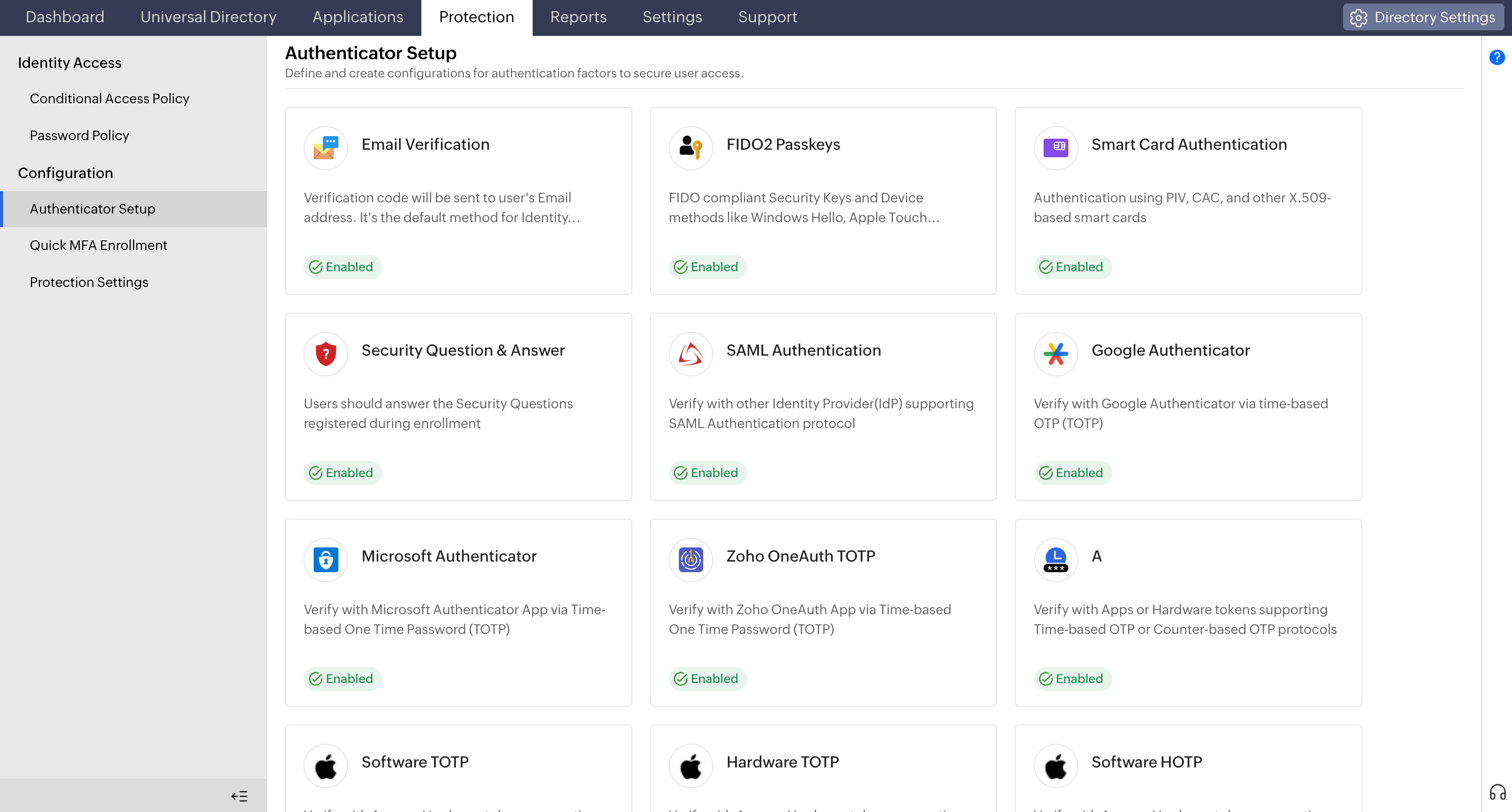
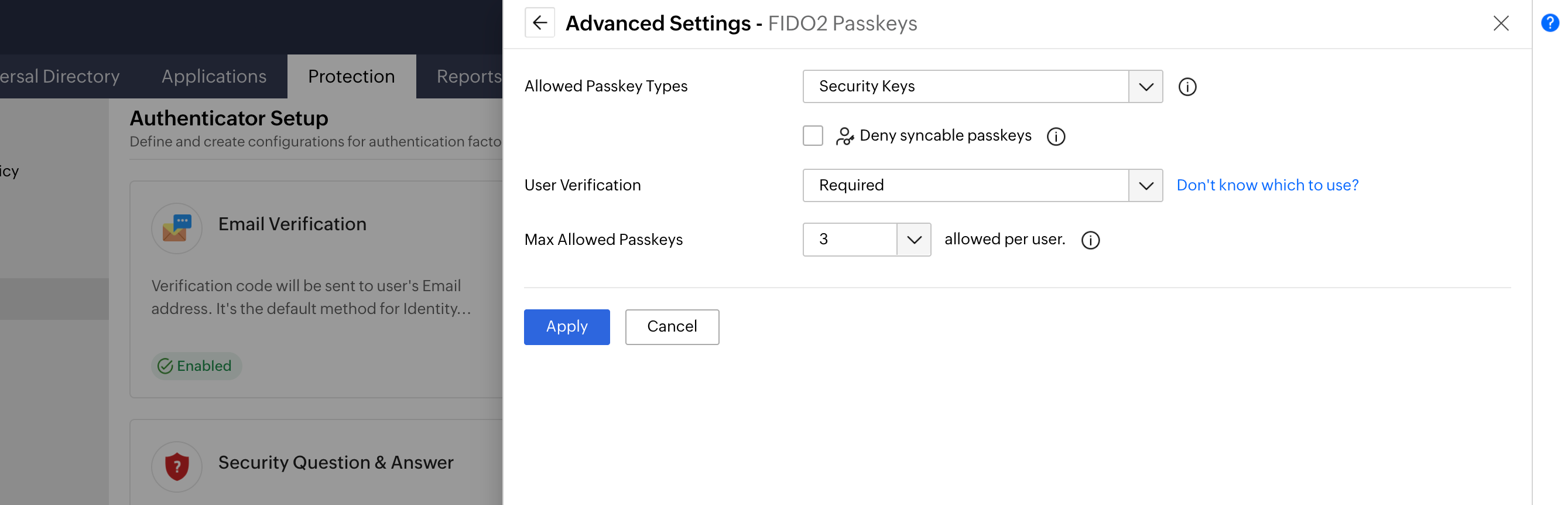
FIDO2 passkeys
Passkeys use public-key cryptography and can provide passwordless, phishing-resistant authentication. Users may authenticate with a platform authenticator built into their device or with a roaming security key.
Hardware security keys
FIDO2 security keys, such as YubiKey, require the user to possess the physical authenticator. The user may also need to touch the key or complete local verification before the authentication response is issued. Because they use origin-bound public-key authentication, FIDO2 security keys are phishing-resistant and cannot be replayed on a fraudulent domain. They should not be confused with hardware tokens that only generate one-time codes.
Biometric-backed authentication
Biometrics such as fingerprints or facial recognition can verify the user locally on an enrolled device. In common passwordless implementations, the biometric unlocks a device-bound passkey or cryptographic credential. The remote service receives a signed authentication response rather than the raw biometric image or template.
The biometric itself does not provide the origin binding. The underlying passkey or cryptographic credential provides the phishing-resistant authentication.
Certificate-based authentication
Certificate-based authentication uses a provisioned digital certificate to verify the user or device. Certificates may be stored on a managed endpoint, a smart card, a hardware token, or another protected credential store. This method is suitable for high-assurance and regulated access environments.
Smart cards
Smart cards store a certificate or cryptographic credential and typically require possession of the card along with a PIN or another local verification method.
One-time codes and authenticator applications
TOTP authenticator applications, SMS codes, and email verification codes may support passwordless, fallback, enrollment, or recovery workflows.
Supported options can include:
- Zoho OneAuth
- Google Authenticator
- Microsoft Authenticator
- Software-based TOTP tokens
- Hardware OTP tokens
- SMS verification
- Email verification
One-time codes remove the traditional password from some sign-in flows, but they do not provide the same phishing resistance as FIDO2 credentials. A real-time phishing site may still capture and relay an OTP.
Phishing-resistant, adaptive, and Zero Trust by design
Passwordless done right is phishing-resistant authentication. A FIDO2 credential is a device-bound cryptographic key tied to the origin—an attacker on a spoofed domain has nothing to capture or replay. That closes the door on the phishing and credential-stuffing attacks that target passwords.
Identity Access combines passwordless login with adaptive authentication using risk-based assessments that analyze device, location, and network data to enhance verification only when unusual activity is detected. After sign-in, the session is re-evaluated only when a new authentication event or supported session-control check occurs.
Passwordless authentication and cloud SSO
Passwordless authentication verifies the user without a traditional password. Single sign-on (SSO) allows that authenticated session to be reused across assigned applications. Used together:
- The user completes a passwordless sign-in to Identity Access.
- Identity Access establishes an authenticated SSO session.
- The user opens an assigned application.
- Identity Access sends the application a trusted SAML assertion or OpenID Connect token.
- The application validates the response and creates its own session.
The user can then access other assigned applications without entering separate passwords while the SSO session remains valid and applicable access policies continue to be met.
Where you can go passwordless
Identity Access supports passwordless authentication across key enterprise access scenarios.
Enterprise applications
Let users sign in to the identity provider without a password and access assigned cloud and on-premises applications through SSO.
Workstations and servers
Enable access to supported machines using passkeys, biometrics, certificates, security keys, or other device-bound credentials. This can reduce password resets, lockouts, and forgotten password incidents.
VPN and remote access
Protect supported VPN and remote access workflows with passwordless, certificate-based, or security key authentication, combined with contextual access policies.
Privileged access
Require stronger passwordless methods for administrators and high-impact users, including FIDO2 security keys, passkeys, smart cards, and certificates.
Benefits of passwordless authentication using Identity Access
- Reduce password attacks: Public-key methods reduce exposure to phishing, credential stuffing, password spraying, and password reuse.
- Reduce password fatigue: Replace repeated password entry with passkeys, security keys, certificates, or biometrics for a simpler sign-in experience.
- Reduce support requests: Fewer passwords can mean fewer reset, lockout, and forgotten-password issues.
- Strengthen sensitive access: Phishing-resistant methods provide stronger protection for administrators and critical applications.
- Enable secure SSO: Users can access assigned applications without maintaining separate passwords for each one.
Frequently asked questions
Passwordless removes the password, which is the most attacked credential, so a phishing-resistant passwordless method like a FIDO2 passkey is generally safer than a password plus a phishable factor such as an SMS code. They aren't exclusive: Identity Access combines passwordless with adaptive, risk-based verification for defense in depth.
FIDO2 passkeys and security keys are among the strongest passwordless methods because they resist phishing and credential replay. The best option depends on application and device support, accessibility, recovery needs, deployment constraints, and required assurance.
No, a password is a shared secret that the user enters and the service verifies. A passkey is a public-key credential. The private key remains on the user’s device or authenticator, while the service stores the corresponding public key. The private credential is not typed into a website or transmitted to the service.
The organization should revoke the credential associated with the lost device and verify the user through an approved recovery process. Registering a second approved authenticator can reduce disruption. Recovery should not rely on weaker verification than the account’s normal authentication policy.
A passkey is a FIDO credential used for passwordless authentication. It may be stored on a phone, computer, credential provider, or hardware security key. A security key is a physical roaming authenticator that can store and use FIDO credentials across supported devices.
WebAuthn is a web standard that allows browsers and applications to request and verify FIDO credentials such as passkeys and security keys. It is one of the core components of the FIDO2 framework.
Other features
MFA
Add a second authentication factor to endpoint, application, VPN, OWA, and CLI logins. with authentication factors ranging from FIDO2 security keys to smartcards.
SSO
Give users one-click entry to every cloud application using a single set of credentials.
Conditional access policy
Evaluate every access request against user, device, IP address, geolocation, time, and operating system, then allow, deny, or challenge it accordingly.
Device authentication
Authenticate Windows, macOS, and Linux machines on cloud without Active Directory or Entra ID.
Machine MFA
Verify identity at the Windows, macOS, and Linux login screen on both domain-joined and cloud-joined machines.
MFA for enterprise apps
Set MFA and access rules for each application on its own terms, so that critical applications carry a stronger challenge and routine ones stay quick.