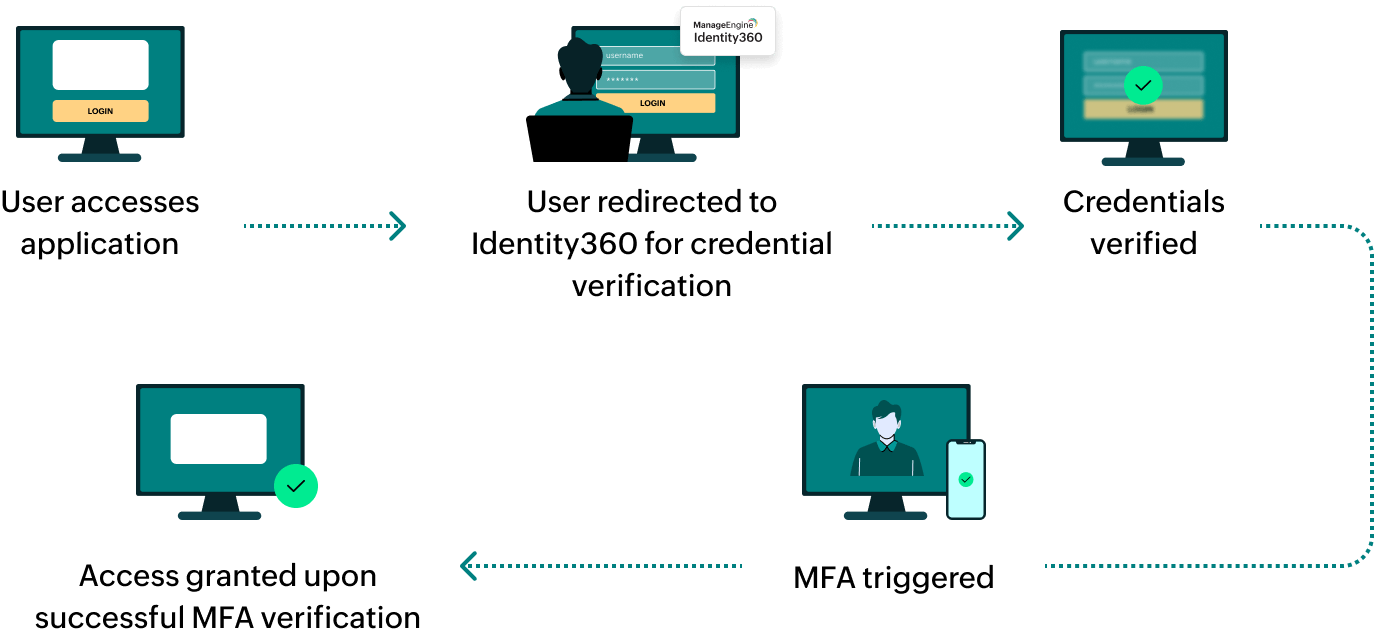
Steps to configure SAML SSO for Zoho Bigin
About Zoho Bigin
A simple CRM built for small businesses to manage pipelines and customer relationships effectively. It offers easy setup, pipeline visualization, and mobile accessibility for growing teams.
Bookmarks
You can add Zoho Bigin to the Identity360 end-user portal by creating a simple bookmark for the application and assigning it to users. The bookmark method enables users to directly login to Zoho Bigin from the Identity360 portal, allowing single-click access.
Note: ManageEngine Identity360 is part of the Zoho suite. So, logging into Identity360 enables SSO for all of the Zoho applications.
Steps to configure Bookmark for Zoho Bigin
- Log in to Identity360 as an Admin, Super Admin, or Technician with a role that has Application Integration and Single Sign-on permissions.
- Navigate to Applications > Application Integration > Create New Application, and select Zoho Bigin from the applications displayed.
Note: You can also find Zoho Bigin from the search bar located at the top.
- Under the General Settings tab, enter the Application Name and Description.
- Under the Choose Capabilities tab, choose Single Sign-On and click Continue.
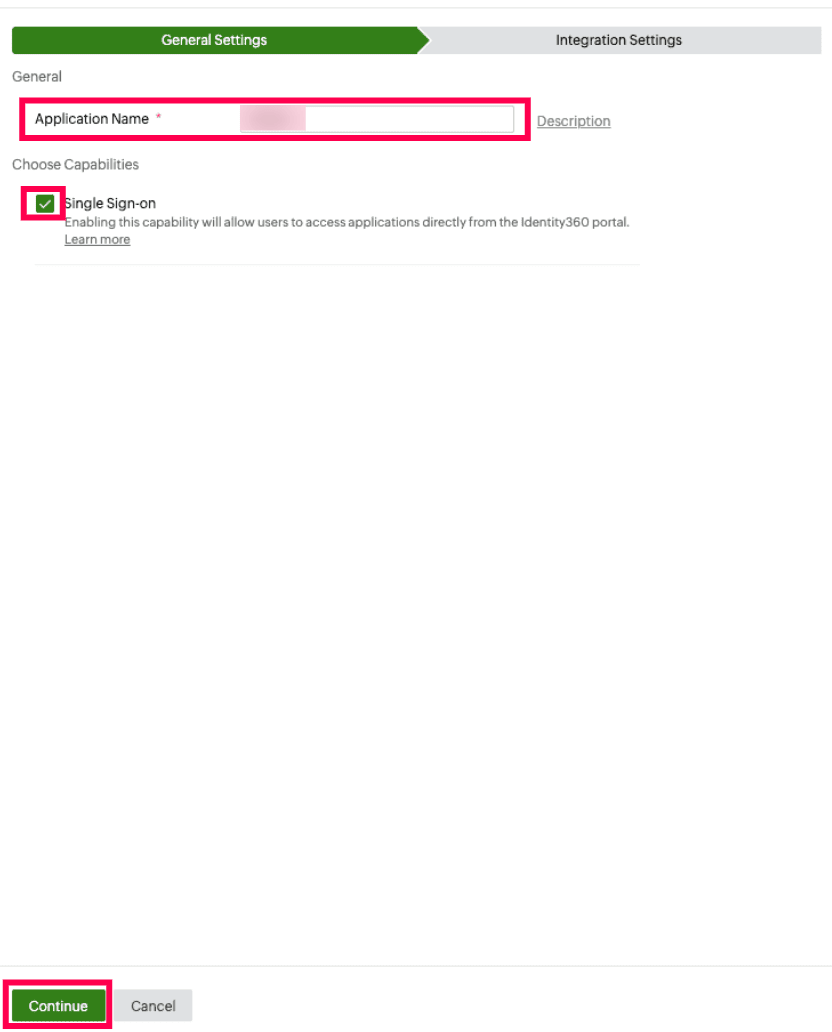 General Settings of SSO configuration for Zoho Bigin
- Under Integrations Settings tab, from Bookmark Configuration, select the respective Data Center.
Note: A data center is a facility that stores your enterprise data and from which the user can access the same. At Zoho, we host data in best-in-class data centers across the globe.
- Click Save.
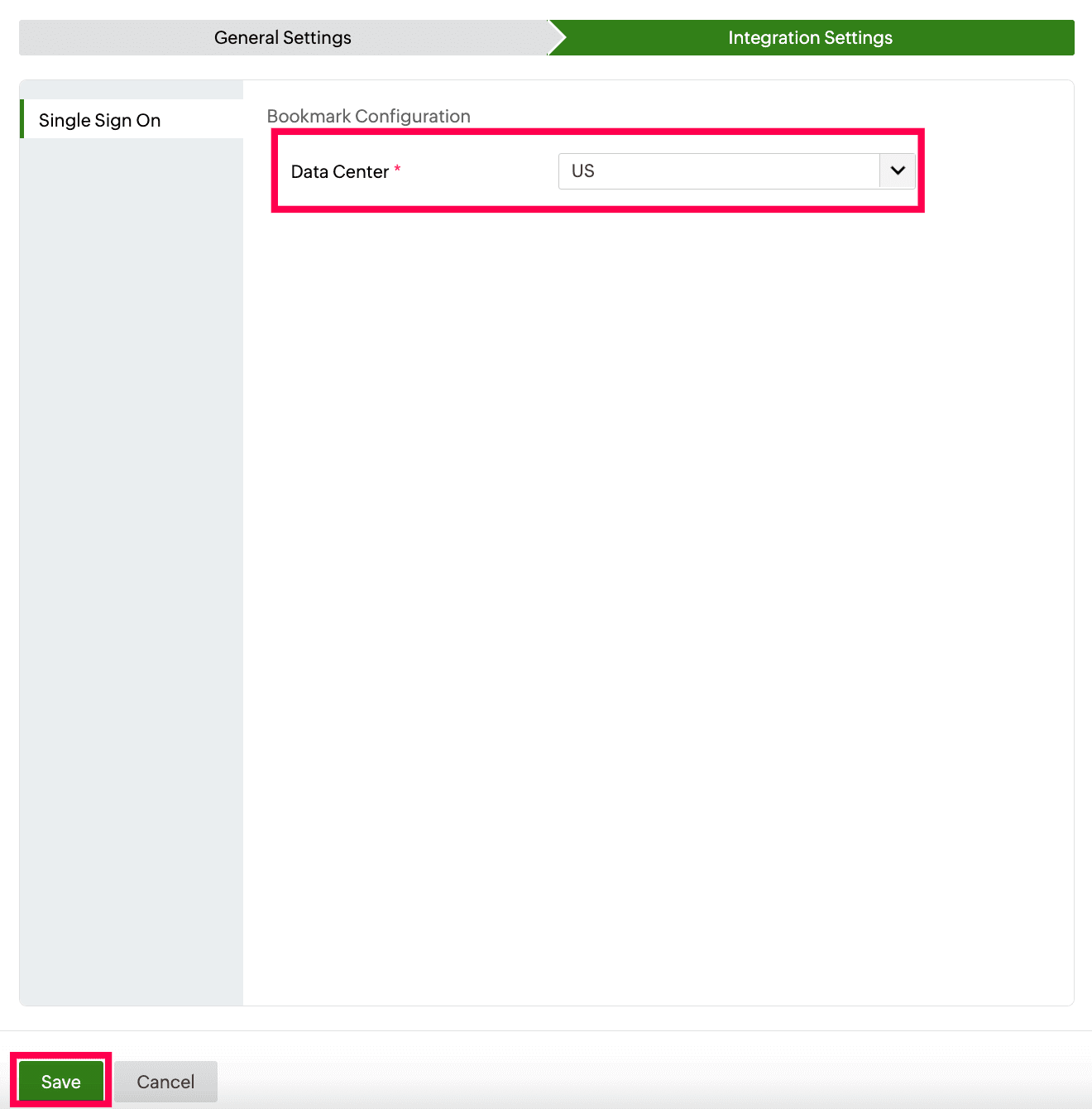 Data region selection for bookmark configuration of Zoho Bigin
To learn how to assign users or groups to one or more applications, refer to this page.
Note: No additional configuration settings are required on the Zoho Bigin end.
Steps to enable MFA for Zoho Bigin
Setting up MFA for Zoho Bigin using Identity360 involves the following steps:
- Set up one or more authenticators for identity verification when users attempt to log in to Zoho Mail. Identity360 supports various authenticators, including Google Authenticator, Zoho OneAuth, and email-based verification codes. Click here for steps to set up the different authenticators.
- Integrate Zoho Bigin with Identity360 by configuring SSO using the steps listed here.
- Now, activate MFA for Zoho Bigin by following the steps mentioned here.
How does MFA for applications work in Identity360?