Service Pack for 12.9.000 & above customers
SHA256 Value: 7A04BB62E51DC11B8027BB9A00004F076231BAFD1DA66E82D20890F0889253DC
(Released on October 15, 2026)
Read and accept the License Agreement before downloading this software.
How to apply service pack?
- 1. Choose your
upgrade path. - 2. Download the
appropriate PPM file. - 3. Apply it in
OpManager MSP. - 4. Restart
OpManager MSP.
Choose your upgrade path
| Current build | Upgrade path to the latest build | SHA256 Value |
|---|---|---|
| 12.9.000 & above | Install the service pack to move to the latest build. | 7a04bb62e51dc11b8027bb9a00004f076231bafd1da66e82d20890f0889253dc |
| 12.8.000 to 12.8.738 | Install the service pack to move to build 12.9.002. | cff673637f6afb11e4b2898db24852d9f3383feb44c1c5c5428516f0696d2596 |
| 12.7.000 to 12.7.317 | Install the service pack to move to the build 12.8.004. | 84b96393bee8f461058551a1b73c083e08f9b62c63ab7dbe989bd3ef9ea37437 |
| 12.6.000 to 12.6.329 | Install the service pack to move to the build 127007. | 05af866bd8e1e31654f387adde1586bb2410318810c3ed446879c58fd5a78041 |
| 12.5.228 to 12.5.659 | Install the service pack to move to the build 126007. | f9ec6edcc1203a0c9c48be636bcb7c4d6007f3c536d1793e62b6994b1c62183a |
Note:
- Only users with a valid AMS (Annual Maintenance and Support) contract are eligible to download Service packs and other upgrades. Refer https://www.manageengine.com/support.html for more details.
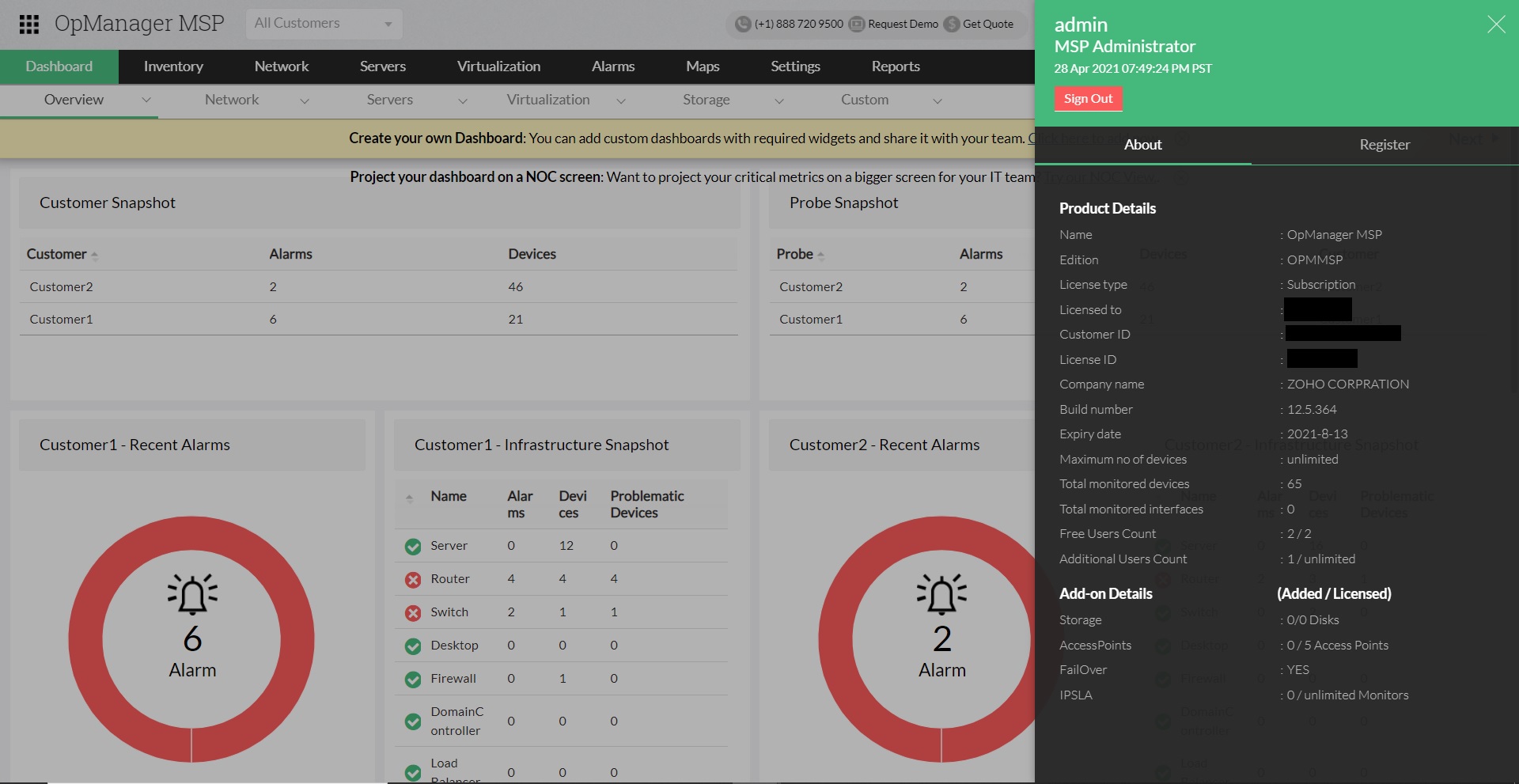
How can I find the build number of OpManager MSP?
- In the Web Client, click on the "Administrator" icon in the top right corner of the page.
- Search for the 'Build Number' among the product details listed.
- Check the following image guide to locate the build number.
Need help ?
Want help with upgrading OpManager MSP to the latest version? Contact OpManager MSP Support.
c