 PowerShellHow to get the list of all Active Directory user accounts that never expire using PowerShell
To fetch the list of all Active Directory (AD) user accounts for which the account expiration date is not set, the Get-ADUser cmdlet will have to be used with appropriate filters. There is no cmdlet specifically to fetch AD user accounts which never expire.
Varonis’ 2025 State of Data Security Report found that 88% of organizations have stale but enabled ghost users, with 15,000 such accounts per organization on average. These inactive yet enabled accounts can give attackers persistent access to applications and data, making it critical to identify accounts with no expiration date and review whether they should remain active.
This article compares the process of listing all AD user accounts which will never expire, using PowerShell and ADManager Plus. It will also explain why ADManager Plus, with its predefined reports for every purpose, including fetching all user accounts with account never expires selected for them, is the easier option among the two.
This script will list all AD domain users for whom account expiration date is not set. If you wish to export the report in a specific format, the script has to be modified, by adding the required format and the location to store the exported file.
Screenshot
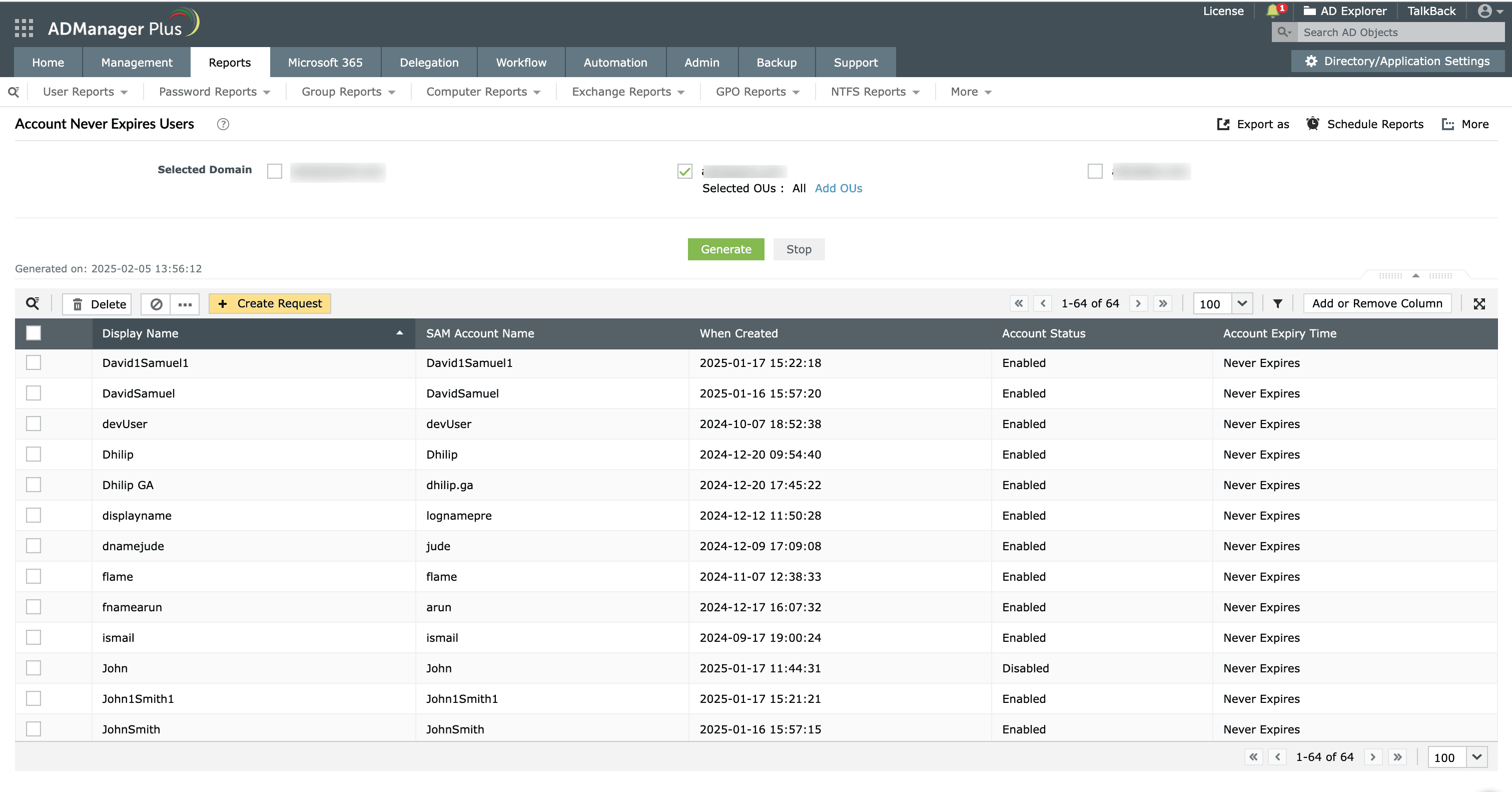
Right from the report, you can enable/disable/delete users, modify their attributes, reset password, modify group membership, and more, using the report's built-in management options.
Find information on Active Directory user objects from prebuilt reports.
Get 30-day free trial.Your download should begin automatically in 15 seconds. If not, click here to download manually.
For AD User Management
For AD User Reporting
For GPO Management
For Password Management
For AD Group Management
For File Access Management
For AD Computer Management
For Office 365 Management
For Exchange Management
For Microsoft Graph PowerShell
Entra ID user management
Entra ID reporting
Entra ID group management and reporting
Entra ID domain management
Entra ID contact management and reporting
Other Entra ID tasks
For Azure AD PowerShell
Entra ID user management
Entra ID reporting
Entra ID group management
Entra ID group reporting
Entra ID domain management
Entra ID contact management and reporting
Other Entra ID tasks

