×![]()
×
×![]()
×
×
Integrate with Log 360 - EventLog Analyzer
This integration enables the transfer of data from Endpoint Central to Log360 - EventLog Analyzer, encompassing the Action Log Viewer data that records all activities within Endpoint Central.
Prerequisites
Before you proceed with the integration, ensure that the following prerequisites are in place:
- Endpoint Central: Build 11.2.2328.1 or a more recent version.
- Log360 EventLog Analyzer: Build 5337 or a more recent version.
How to Integrate Endpoint Central with Log360 - EventLog Analyzer
Follow these steps to integrate Endpoint Central with Log360 - EventLog Analyzer:
- Log in to Endpoint Central and navigate to Admin → Integrations → All Integrations.
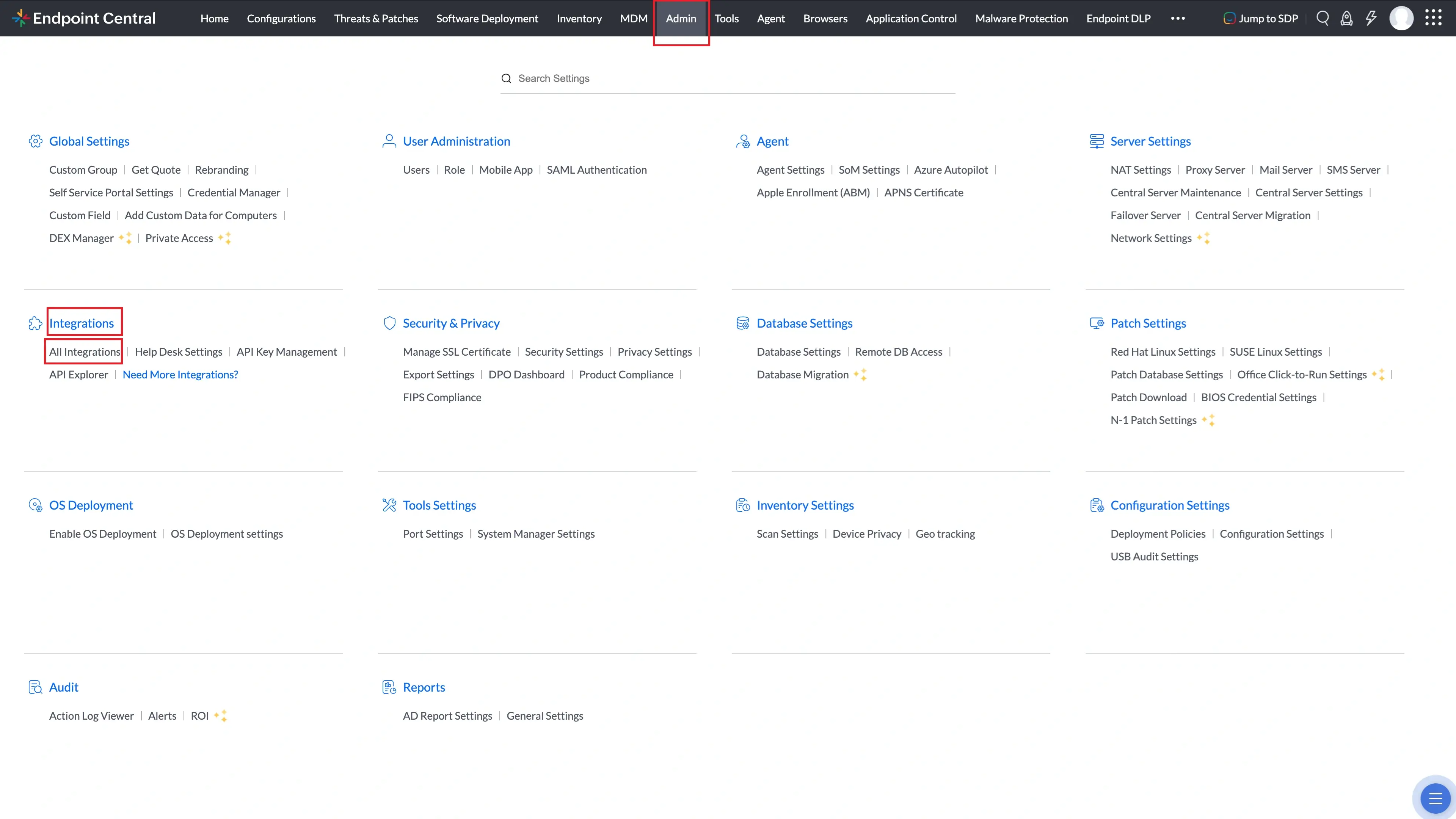
All Integrations page under Admin → Integrations in Endpoint Central. - Search for Log360 - EventLog Analyzer and click Configure.
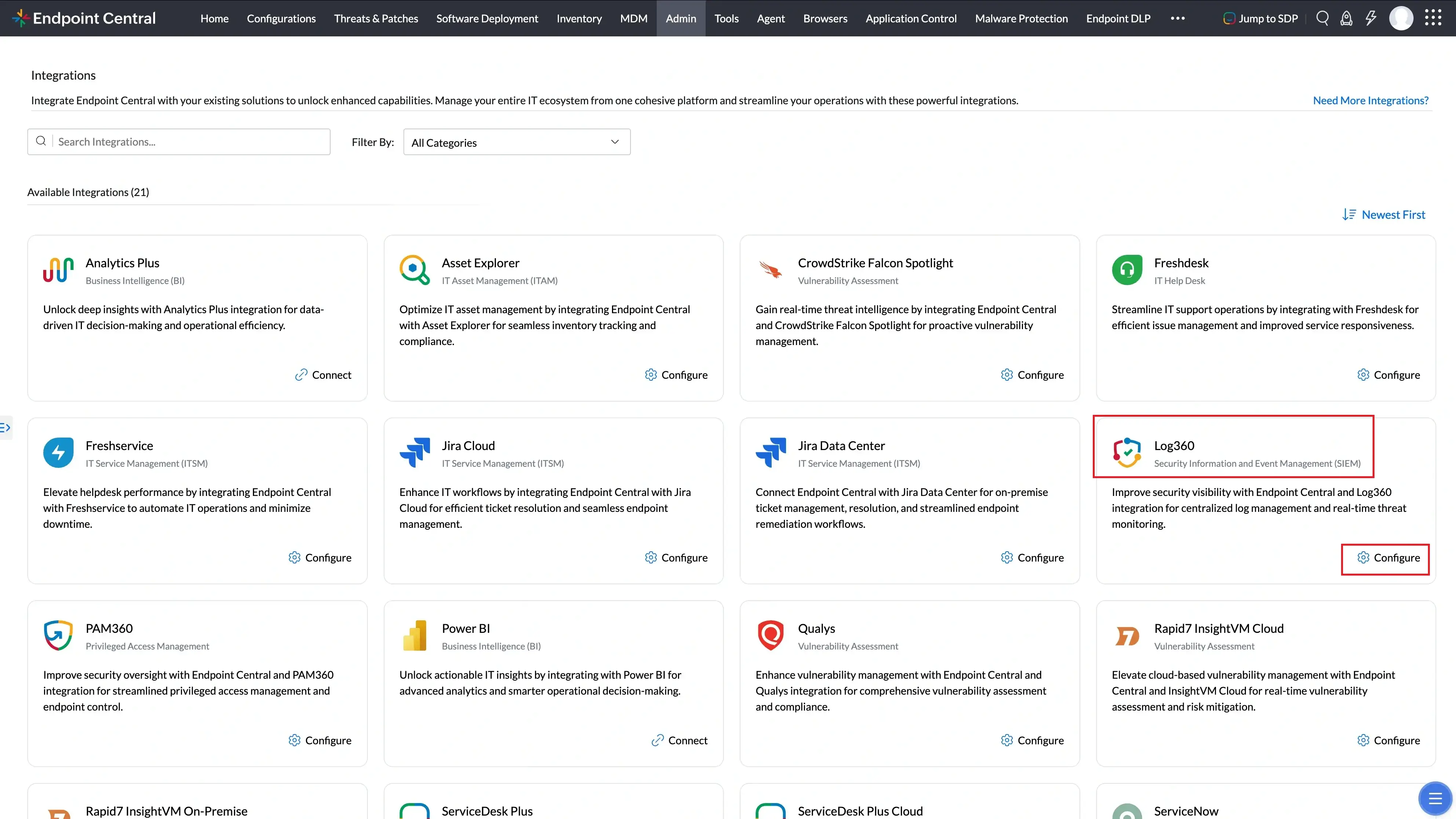
Log360 - EventLog Analyzer in the All Integrations search results. - Enter the necessary details for the Log360 - EventLog Analyzer server, including the server name, port number, and API token.
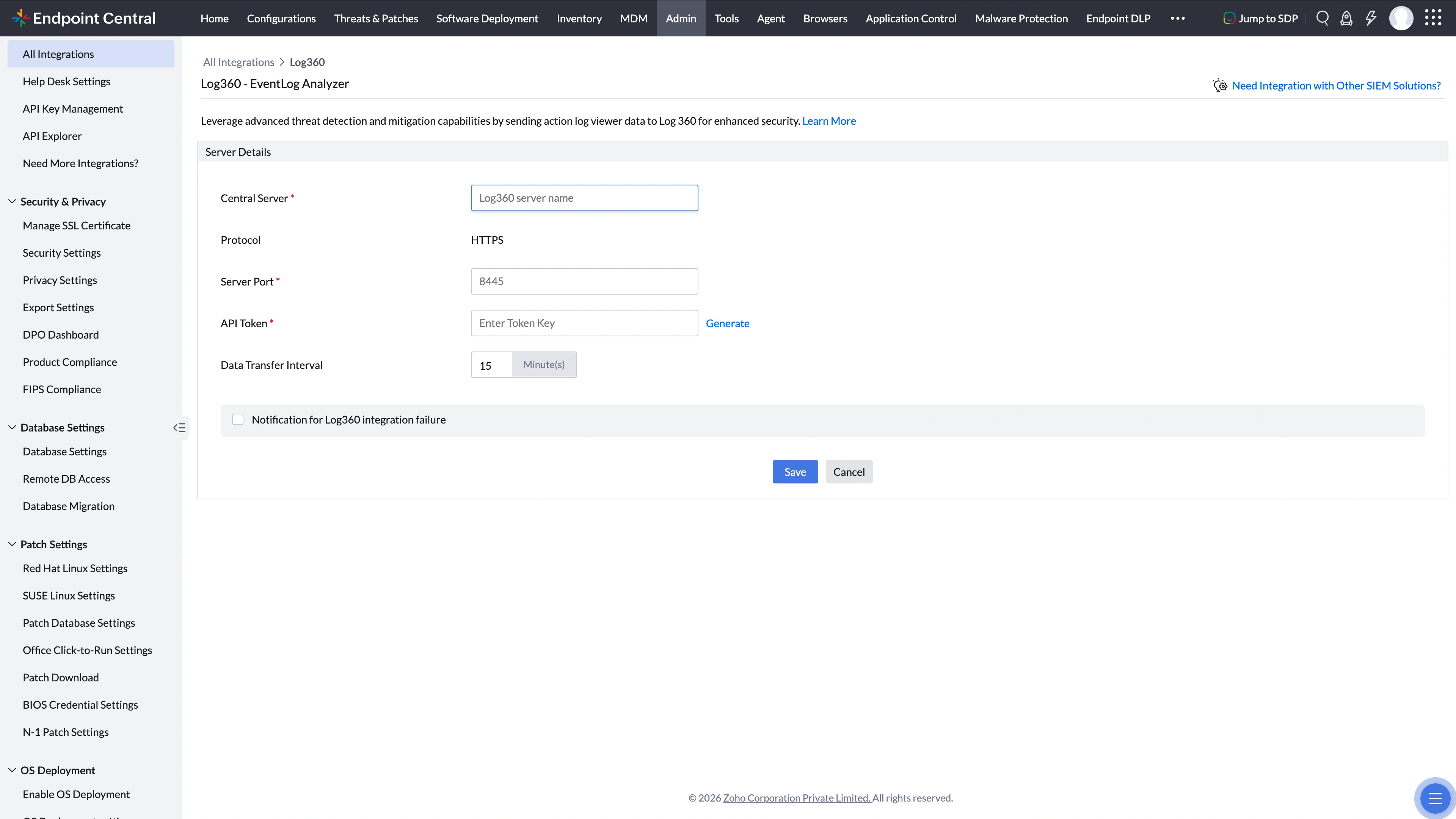
Log360 - EventLog Analyzer configuration panel showing server details and API token fields. - Open the Log360 - EventLog Analyzer console and navigate to Settings → API Settings.
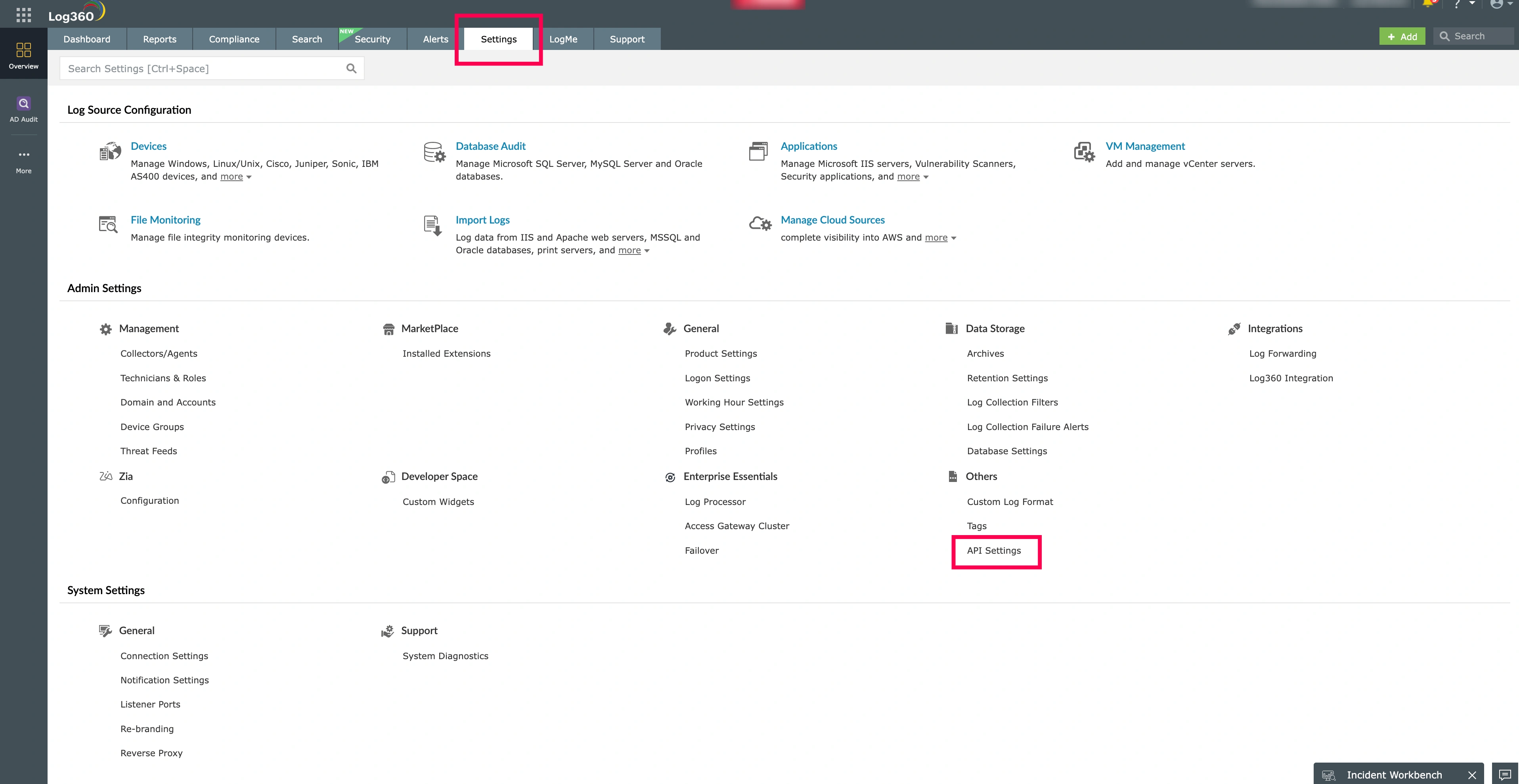
Log360 - EventLog Analyzer Settings → API Settings page. - Enter http_listen and click Create.
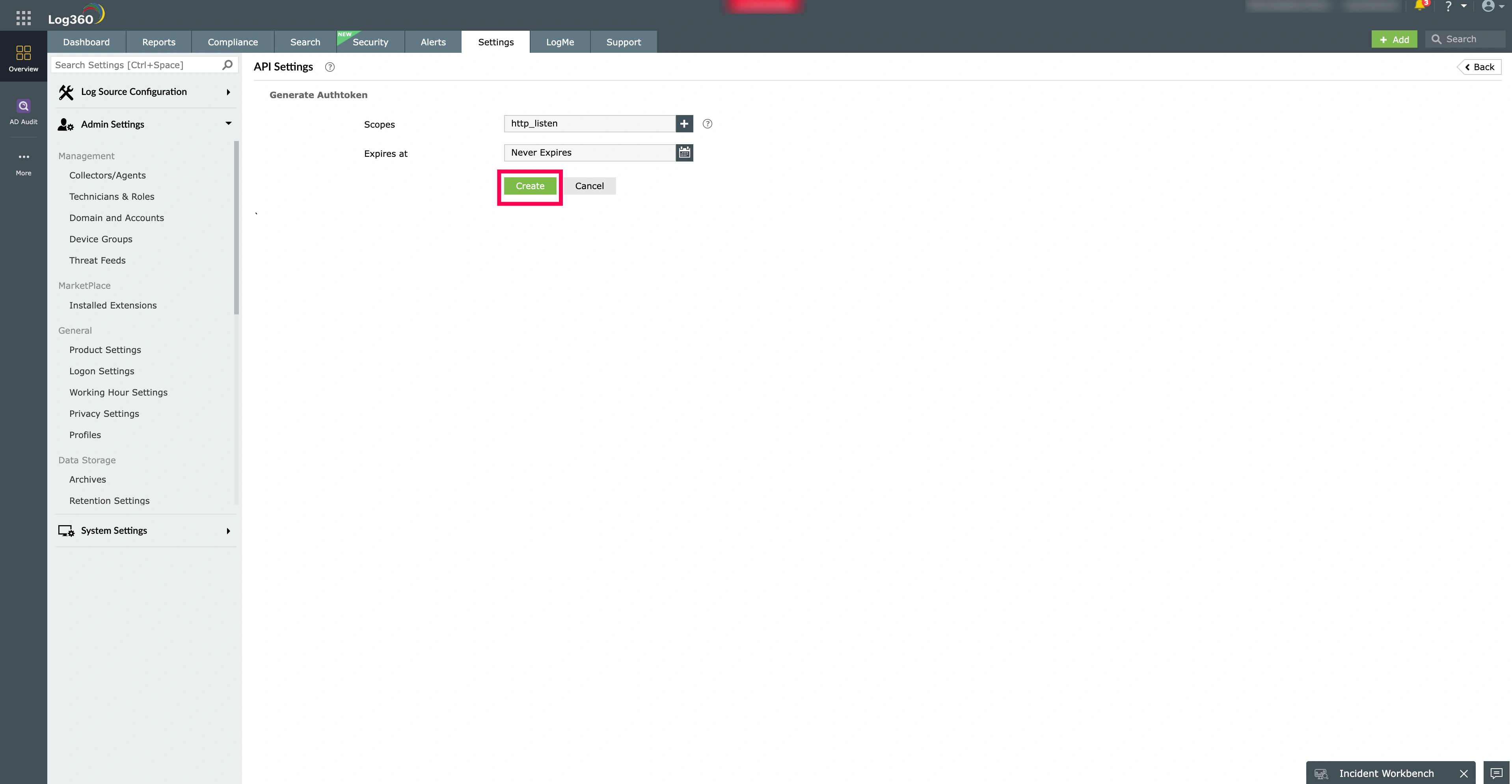
Log360 API Settings — entering http_listen and creating the API token. - In the Log360 - EventLog Analyzer console, generate an API token and make a note of it. Enter this API token in the corresponding field in Endpoint Central.
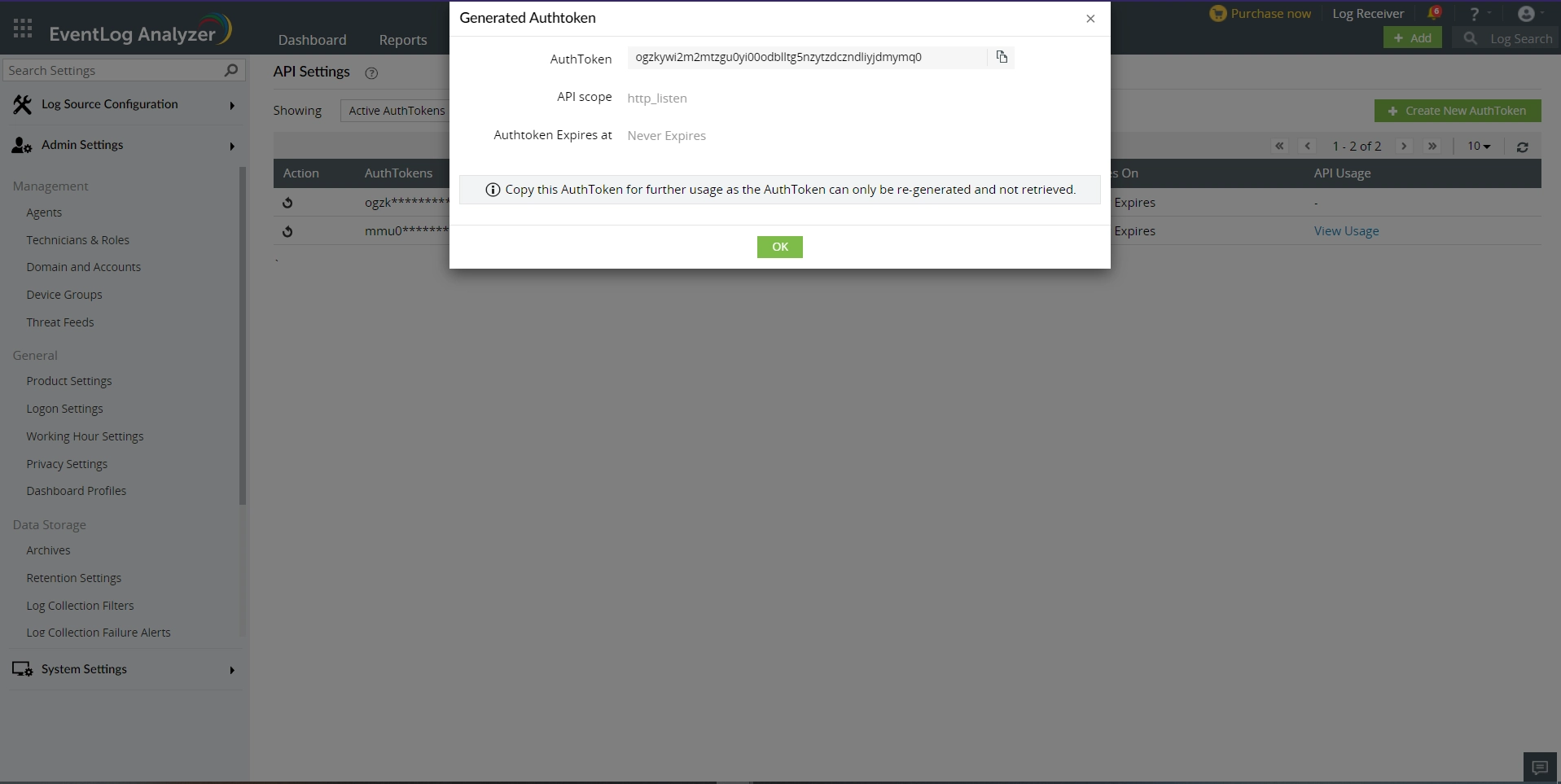
Generated API token in Log360 - EventLog Analyzer ready to be copied into Endpoint Central. - Once you have configured all the required details, click Save to save the integration settings.
You have successfully configured the integration between Endpoint Central and Log360 - EventLog Analyzer.
For more information, refer to the Benefits of Integration.