Enterprise Mac Management Software
Endpoint Central is a unified endpoint management solution that automates macOS management activities for the Mac devices in your enterprise, from enrollment and patching to encryption and remote support.
What is Mac management?
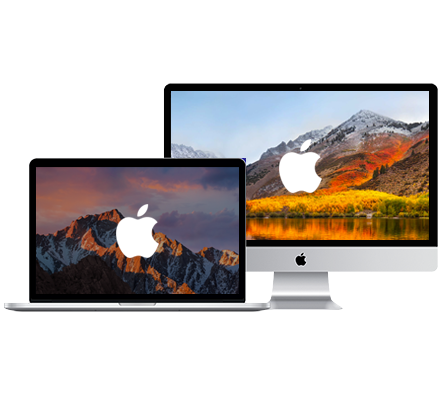
Mac Management is the process of monitoring and managing Mac users and computers within a network remotely, from a central location. Professionals across the globe prefer using Mac computers and the market share of MacOS has gone up from 7% in 2014 to 12% in 2019 and is increasing steadily.
As the number of Mac computers in use increases, so does the need for mac management. Since managing computers manually within a network has become next to impossible (because of an ever-increasing number of endpoints), there is a need for an automated Mac management software which allows you to manage Mac computers and execute mac desktop management with ease.
Mac management features in Endpoint Central
Endpoint Central supports the following features to perform macOS management activities for MacOS devices in your enterprise:
Mac enrollment and zero-touch deployment
Whether it is already existing devices or new devices, you can enroll them hassle-free, in just a few clicks. Pair Endpoint Central with Apple Business Manager for zero-touch Mac deployment, so new Macs configure themselves on first boot with the right profiles, policies, and applications, without IT handling each machine. For Macs that are already in use, Mac agent installation and onboarding brings them under management without disrupting the user.
macOS and third-party patch management
The Patch Management feature provides various options to ensure that all Mac machines on your network are up to date with critical/recent security patches for Mac OS management.
- Automate patch deployment to Mac OS and third party applications.
- Patch compliance audits and reports.
- Scheduled patch deployment.
Software deployment and app management
Endpoint Central offers over 90+ templates that enable administrators to distribute, install, update and uninstall software enterprise applications remotely as well as automatically for macOS management. You can also customize and schedule software deployment during non business hours. You can deploy apps purchased from ABM silently to the managed machines without user intervention, hence enhancing end user experience. Mac IT management becomes easier with the software deployment features.
Mac self-service portal
Endpoint Central's Self Service Portal allows users to install application on their own, effectively reducing the number of help-desk tickets raised.
Configuration profiles and device restrictions
Endpoint Central's mac management software features give you granular control with various profile management options to manage mac computers such as device restrictions, FileVault encryption, WiFi configurations, etc for macOS management. Other modern management features such as Geo tracking, complete wipe, corporate wipe and remote lock make managing Mac devices easier than ever.
FileVault encryption and recovery key management
Enforce FileVault across your Mac fleet through policy instead of relying on users to turn it on. With FileVault encryption management, IT teams can escrow recovery keys centrally with role-based access, monitor which devices are encrypted, and remediate the ones that are not. A lost or stolen Mac with FileVault enforced and a centrally held recovery key stays protected and recoverable.
Mac hardware and software inventory
Endpoint Central's Asset management feature provides up-to-date information about the software and hardware used across the organisation along with web-based inventory management for all managed devices
- Scan systems periodically to collect complete hardware and software details.
- Manage software licenses and warranty information.
- Email notification alerts on hardware and software specific events.
- Get comprehensive reports on hardware, software inventory, and license compliance.
Mac desktop configurations and custom scripts
Relieve yourself from manually performing mac desktop management activities and perform repetitive administrative tasks as configurations.
- Run Custom Scripts to simplify organisation specific tasks.
- Restrict users from accessing system panes.
- Configure Gatekeeper settings and gain control on operations performed in the system and by the user.
- Enable easy access to important links with webclips
Remote access and support for macOS
- Remotely access computers on LAN and WAN using HTML5 Viewer.
- Prompts user confirmation before providing access to a remote desktop.
- Multi-monitor support with easy switching options.
Supported macOS versions
Endpoint Central's mac management software supports the following versions of Mac computers to provide you with a wide array of mac management features:
How does Mac management benefit IT admins and end users?
With the increasing usage of Mac desktops and laptops around the globe, the need for an efficient Mac desktop manager is also on the rise. With Mac desktop management you will be able to identify, patch, configure, manage and secure all your Mac devices remotely. Identifying the increasing demand, Endpoint Central helps you easily automate the process of Mac and iOS management right from the convenience of your workstation.
Frequently asked questions
Can I manage Windows and Mac endpoints together?
Yes. Endpoint Central is a unified endpoint management solution, so Windows, macOS, Linux, iOS, and Android devices are managed from a single console. IT teams can apply patching, software deployment, configurations, inventory, and remote access to Windows and Mac endpoints together and see them in the same reports.
How to choose software for scheduling and managing Mac updates?
Look for software that automates patching for both macOS and third-party applications, lets you schedule deployments outside business hours, and provides patch compliance audits and reports. It should also work for Macs that sit outside the corporate network. Endpoint Central covers all of these through its Mac patch management capabilities.
Which tools provide managed macOS updates for enterprises?
Apple's built-in Software Update handles updates on individual devices but offers no centralized scheduling or enforcement. Enterprises typically use a unified endpoint management or patch management platform to manage updates across the fleet. Endpoint Central automates patch deployment for macOS and third-party applications, with scheduled deployments and patch compliance reports.
Does Mac management require an agent, an MDM profile, or both?
Endpoint Central uses both. The agent handles patching, software deployment, inventory, configurations, and remote access, while MDM enrollment adds profile-based controls such as device restrictions, FileVault enforcement, Wi-Fi settings, geo tracking, remote lock, and wipe. You can start with Mac agent installation and onboarding and add MDM enrollment for the profile-based controls.
Can I deploy and update third-party applications on Macs?
Yes. Endpoint Central automates patch deployment for third-party applications, and over 90 templates let administrators distribute, install, update, and uninstall applications remotely. Apps purchased from Apple Business Manager can be deployed silently, deployments can be scheduled for non-business hours, and users can install approved apps themselves through the self-service portal.
Can I manage Mac devices used by remote employees?
Yes. Remote Macs can be enrolled and managed without a traditional VPN connection, because roaming agents communicate with the server through a Secure Gateway Server. Agents can download patches directly from trusted vendor sites, and administrators can troubleshoot with remote access for macOS, with user confirmation before access is granted.