Configure D-Link Firewalls
Firewall Analyzer supports Cyberoam Firewall Version: 9.5.4 build 66 onwards
Configure D-Link Devices
To configure D-Link device to forward syslogs to Firewall Analyzer, carry out the procedure given below.
- Navigate to System > Log and Event Receivers > Add
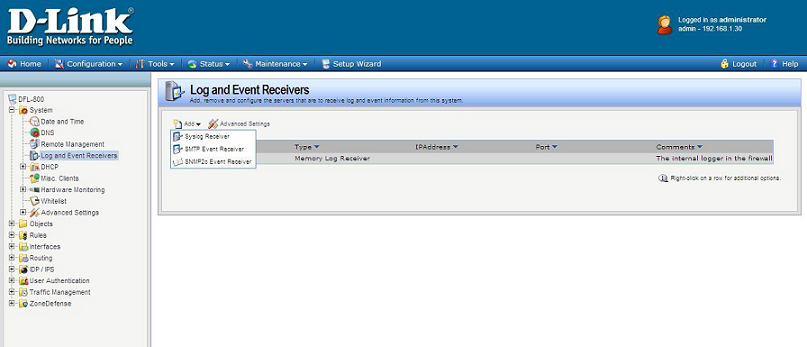
- Select 'Syslog Receiver' and configure the following:
- Name: syslog_client
- IP Address: 192.168.1.30 (In this case IP address of Firewall Analyzer host machine is 192.168.1.30)
- Facility: local0 (default)
- Port: 514 (default)
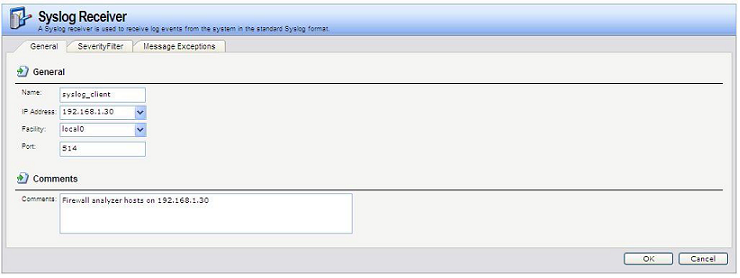
- Select Severity filter
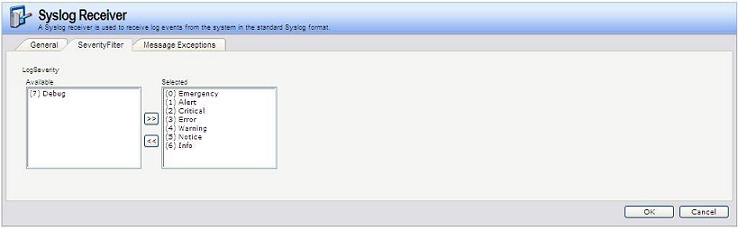
Configure SNMP
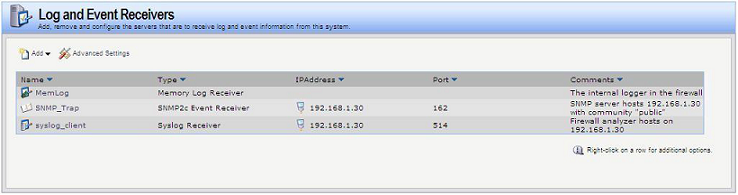
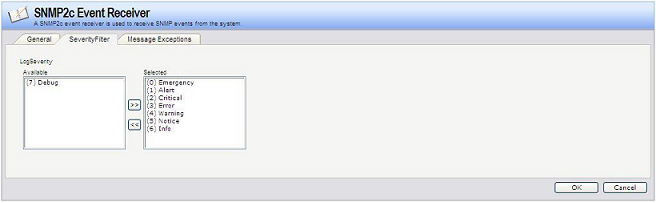
Navigate to System > Log and Event Receivers > Add again to add a SNMP2c Event receiver as given below in the image:
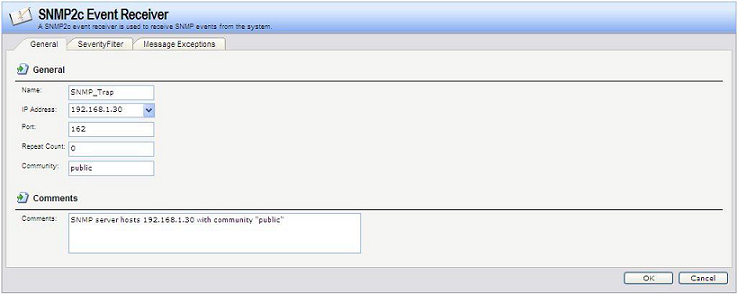
- Name: SNMP_Trap
- IP Address: 192.168.1.30 (In this case IP address of Firewall Analyzer host machine is 192.168.1.30)
- Port: 162
- Repeat Count: 0
- Community: public
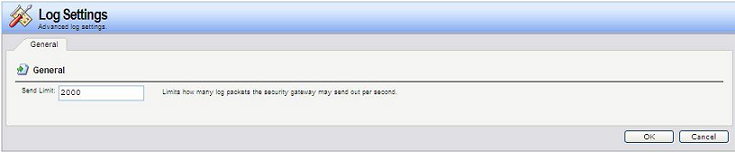
If syslog count goes beyond 2000 logs/second, navigate to System > Log and Event Receivers > Advanced Settings