Copying Reports

OpManager Plus allows you to copy a generated report in order to retain the already configured parameters as template and do some minor changes on them and save as a new report. To copy and save a report follow the steps given below: 

  1. Click Copy As icon available on the top of the report that is generated. A small window opens.
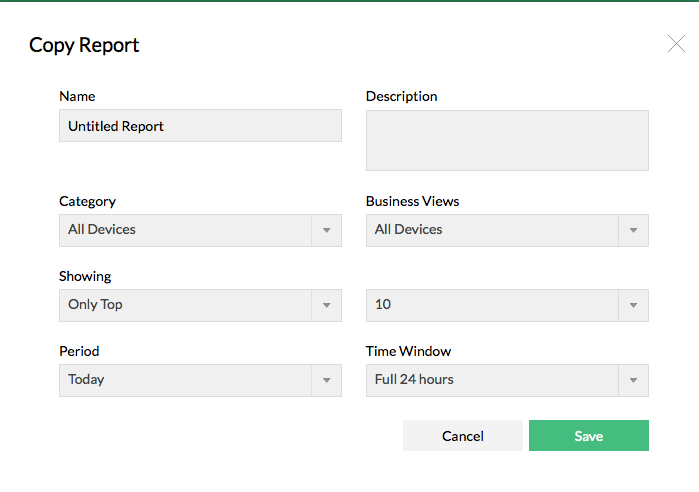


  1. Enter a unique Name and a brief Description.
  2. Change the required fields. The various fields that can be altered are Category, Period, Business Views, Time Window and Show all or Top N or Bottom N devices.
  3. After modifying the required fields, click Save button to save the new report.

Video Zone
OpManager Customer Videos
Michael Senatore, Operations Manager, Rojan Australia Pty Ltd.
  
  •  Venkatesan Veerappan, IT Consultant
     Mohd Jaffer Tawfiq Murtaja, Information Security officer from Al Ain sports club
  •  Jonathan ManageEngine Customer
     IT Admin from "Royal flying doctor service", Australia
  •  Michael Senatore, Operations Manager, Rojan Australia Pty Ltd.
     Michael - Network & Tech, ManageEngine Customer
  •  Altaleb Alshenqiti - Ministry of National Guard - Health Affairs
     Donald Stewart, IT Manager from Crest Industries
  •  John Rosser, MIS Manager - Yale Chase Equipment & Services
     David Tremont, Associate Directory of Infrastructure,USA