Configuring Device Templates
During initial discovery, OpManager Plus categorizes the network devices into servers, printers, switches, routers and firewalls. For proper classification, install and start the SNMP agent on all the managed devices.
OpManager Plus comes with over 1150 device templates which carry the initial configurations to classify the devices into the pre-defined categories, and to associate monitors to them. The device templates enables you to effect a configuration once and is applied to several devices at a time whenever there is a change.
The templates carry the information required to classify the devices and to associate relevant monitors. You can define your own templates and modify the existing ones.
Creating/Modifying Device Templates
- Go to Settings > Monitoring > Configuration > Device Template
- Click Add Template to define a template for a new device type. Click the Template name to modify an existing one.
- Configure/Modify the following properties:
- Device Template: Specify the device type.
- Vendor Name: Select the vendor. Click New to add a new vendor, and Save.
- Category: Select the category for the device type. On discovery, the devices are automatically placed in the select Category map.
- Monitoring Interval: Configure the interval at which the device needs monitoring.
- Device Image: Select the image for this device type.
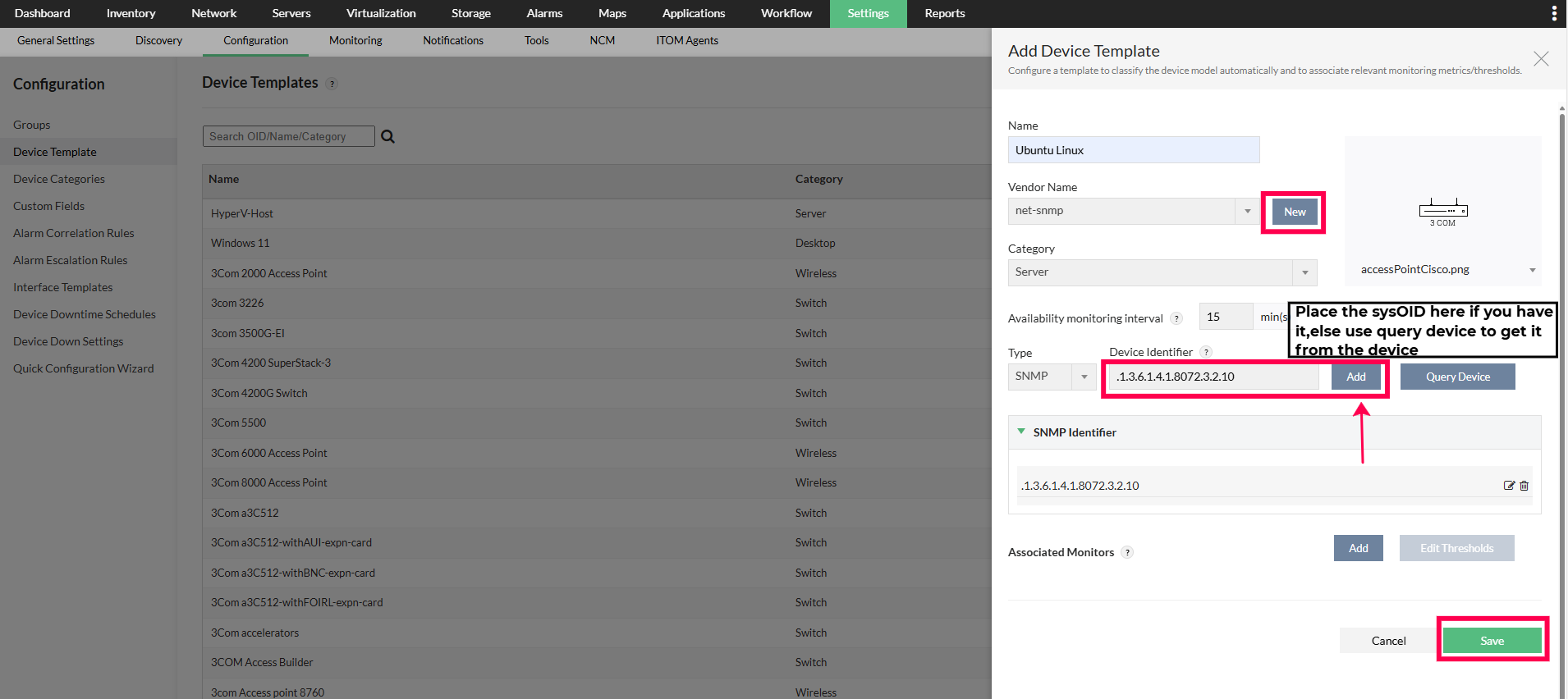
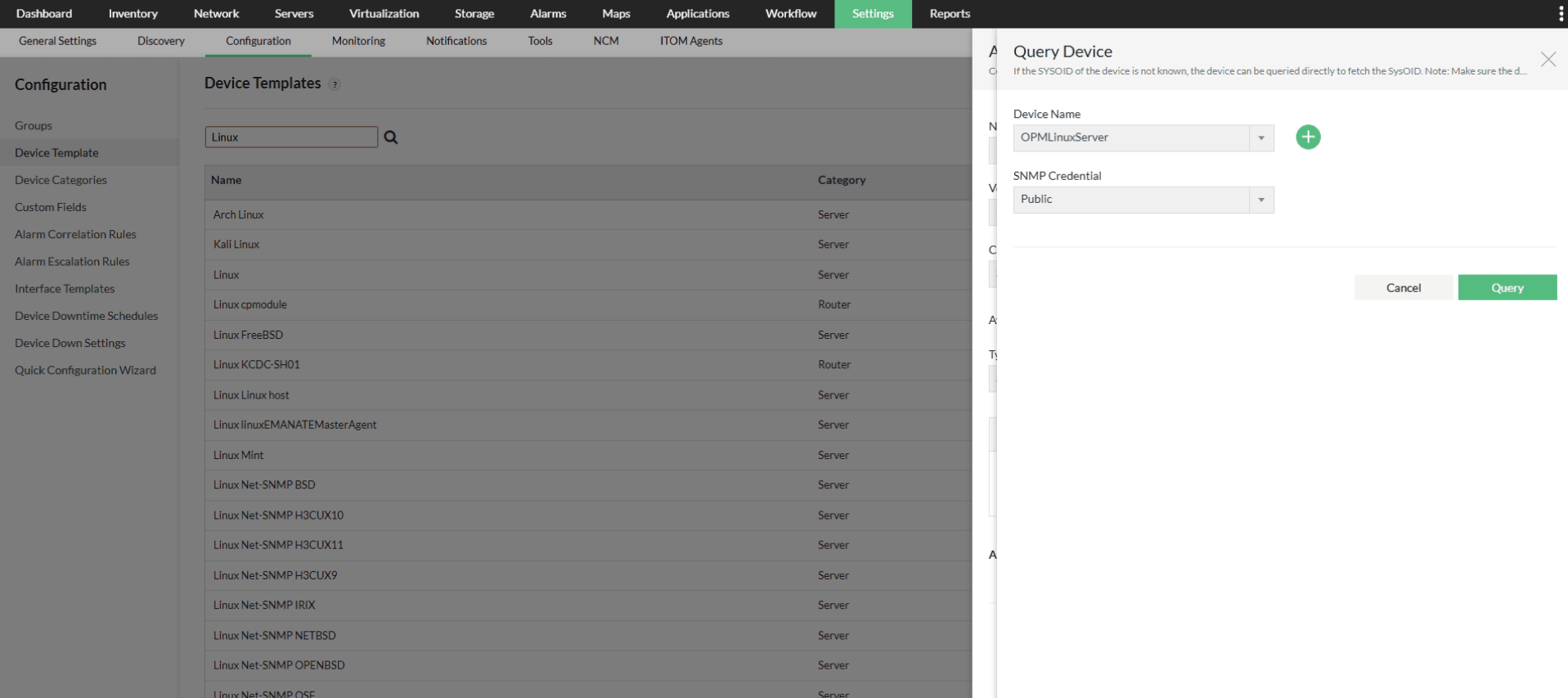
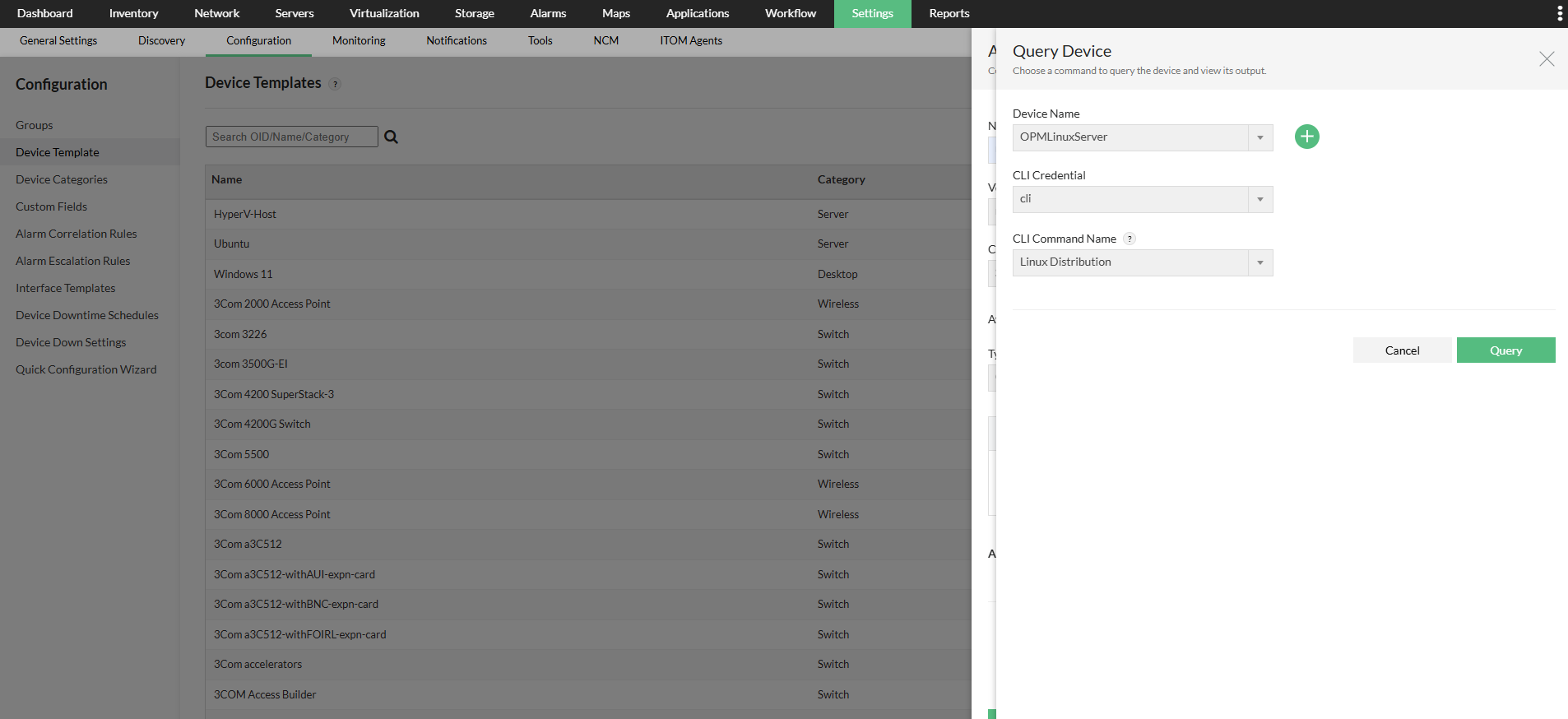
- Device Identifier: For SNMP-based identification, you can add an SNMP device identifier by changing the type to SNMP. Enter the sysOID manually, and click on Add, or click on Query Device to let OpManager Plus retrieve the sysOID directly from the device.
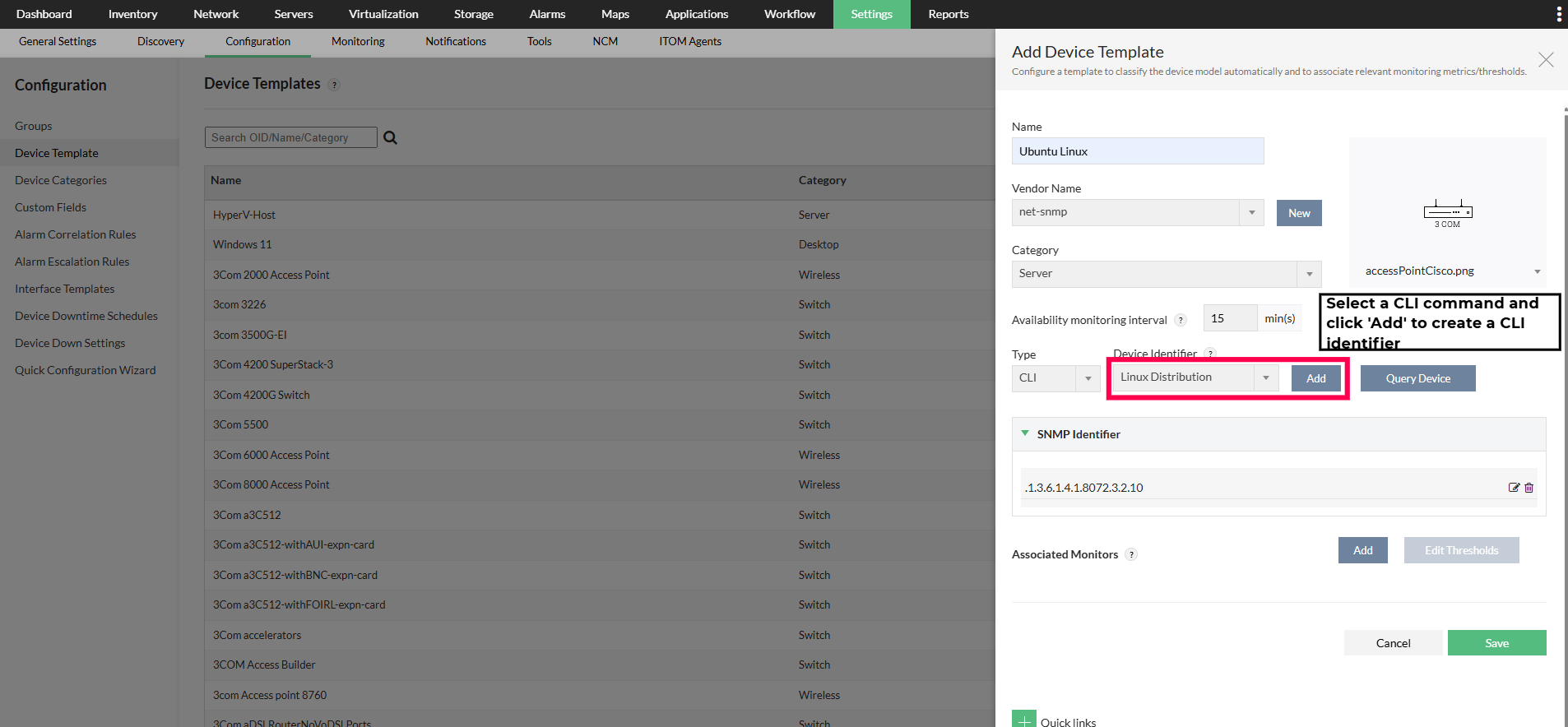
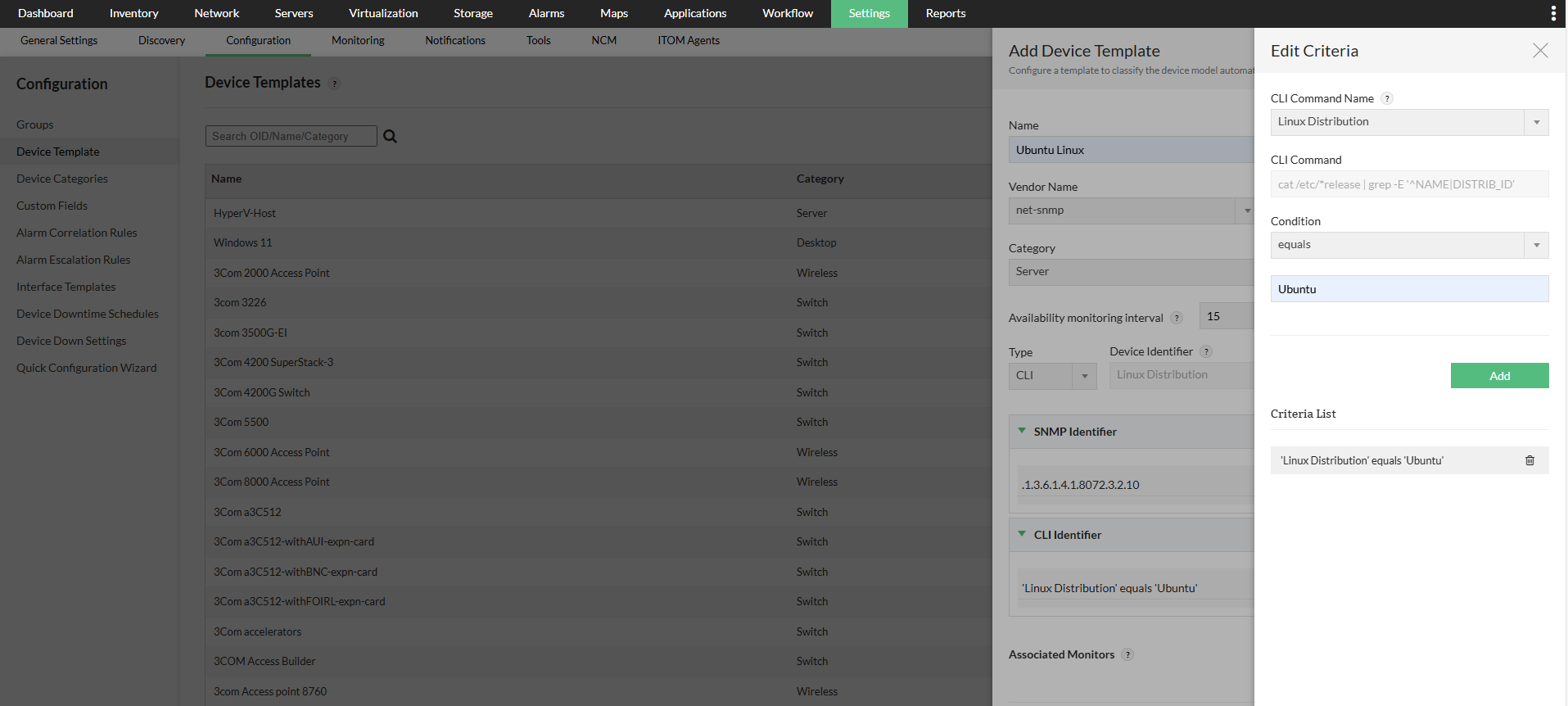
For CLI-based identification, you can add a CLI device identifier by changing the type to CLI, selecting a CLI command from the Device Identifiers dropdown, specify a matching condition that compares an expected value with the command output, and then click on Add to save the identifier. You can also use Query Device to verify the command output for a device. - Add Monitor: Click this option to select the monitors.
- Edit Thresholds: Click this option to edit thresholds.
- Click OK button to create the new device template.
To Add a new custom template -
For SNMP - identification
For CLI-based identification
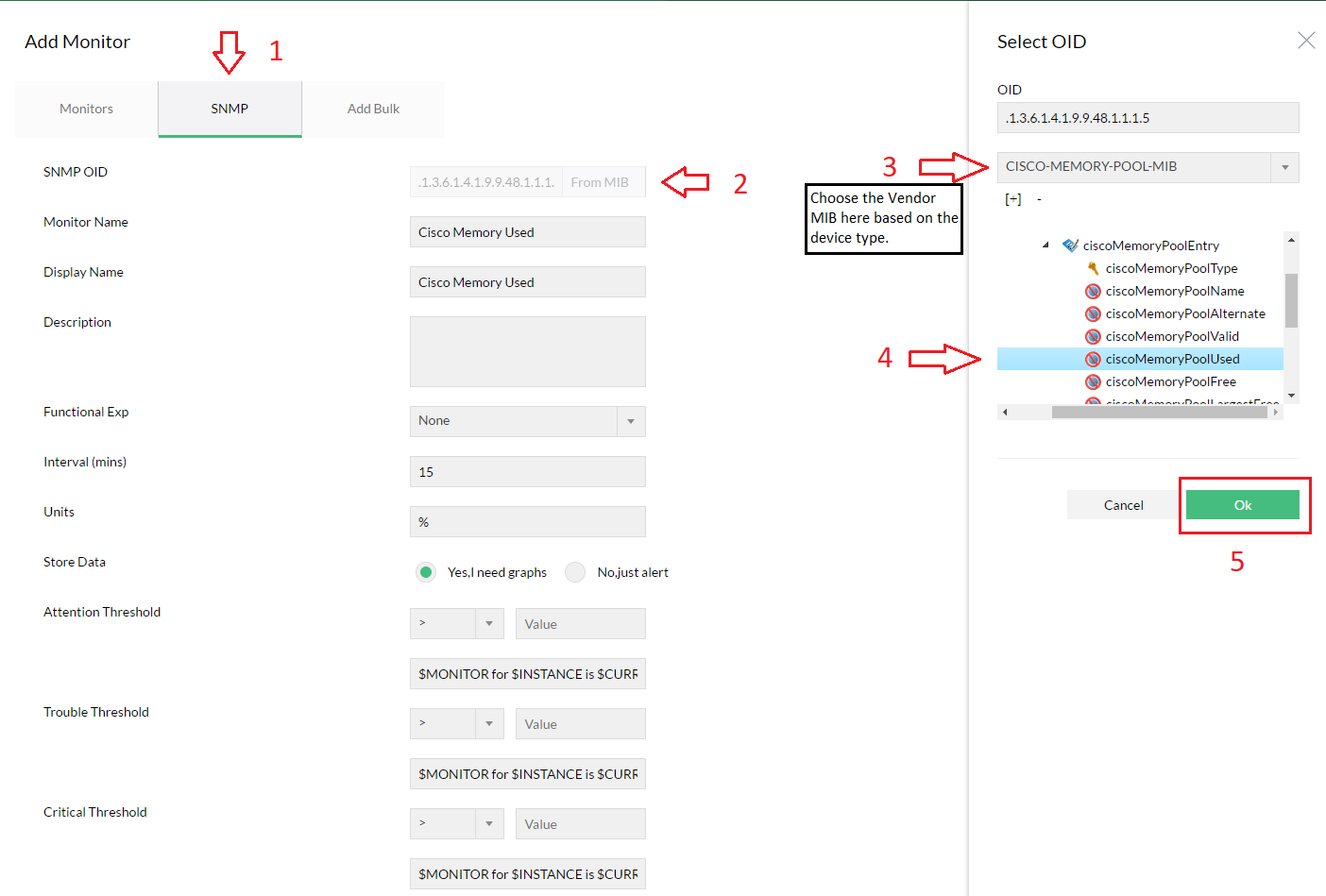
To Add a single custom monitor using the MIB -
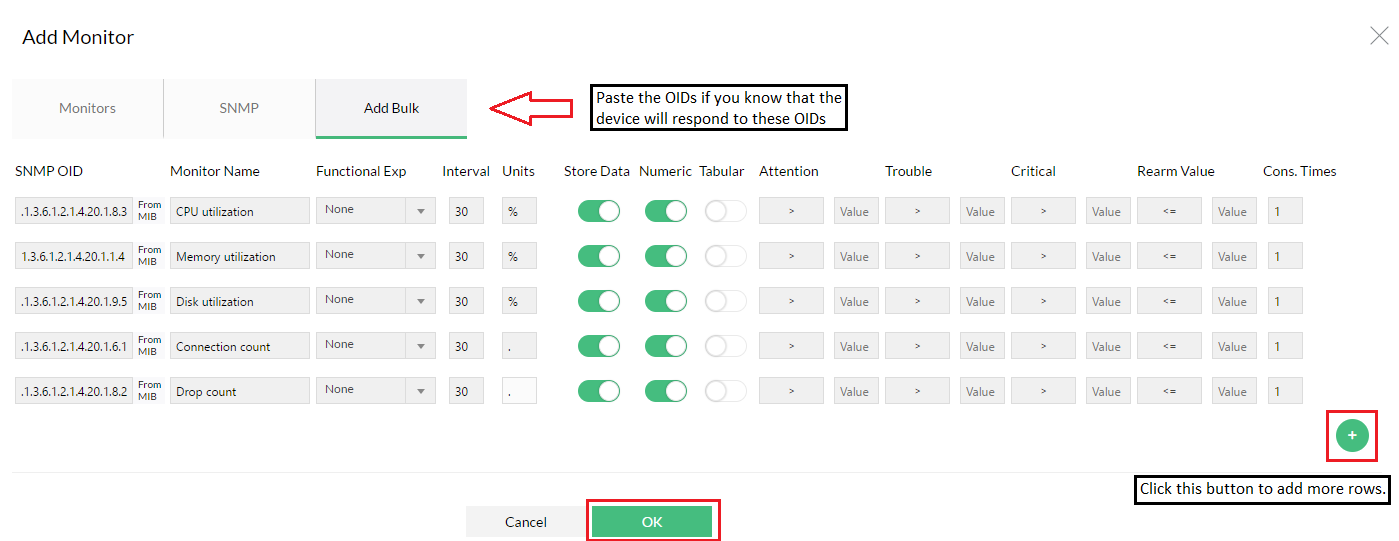
To add several monitors in bulk -
The classified devices are placed under different maps for easy management. For proper device classification, make sure you have installed and started SNMP in all the network devices before starting OpManager Plus service.
The default maps include:
- Servers
- Routers
- Desktops
- Switches
- Firewalls
- DomainControllers
- Load Balancer
- WAN Accelerator
- Wireless
- UPS
- PDU
- Printers
- Virtual Device
- Unknown
- Storage
- URLs
- WAN RTT Monitors
- VoIP Monitors
You can also add your own infrastructure views. Custom infrastructure views can be added to group devices which cannot be classified under the default views provided. For instance, if you would like to monitor some IP Phones, it will not be appropriate to classify them as servers or desktops.
This initial classification may not be accurate if -
- The network devices do not support SNMP.
- some devices have their SNMP settings different from those specified in the Credential Settings.
