Editing Reports

OpManager Plus allows you to edit a generated report in order to refine for some specific parameters, devices or time periods. To edit a generated report follow the steps given below:

  1. Go to Reports > Default Reports > Select the category > Click against the report name that you wish to edit. 
  2. Click Edit Report button available on the top right of the report page.
  3. Change the required fields. The various fields that can be altered are Category, Period, Business Views, Time Window.
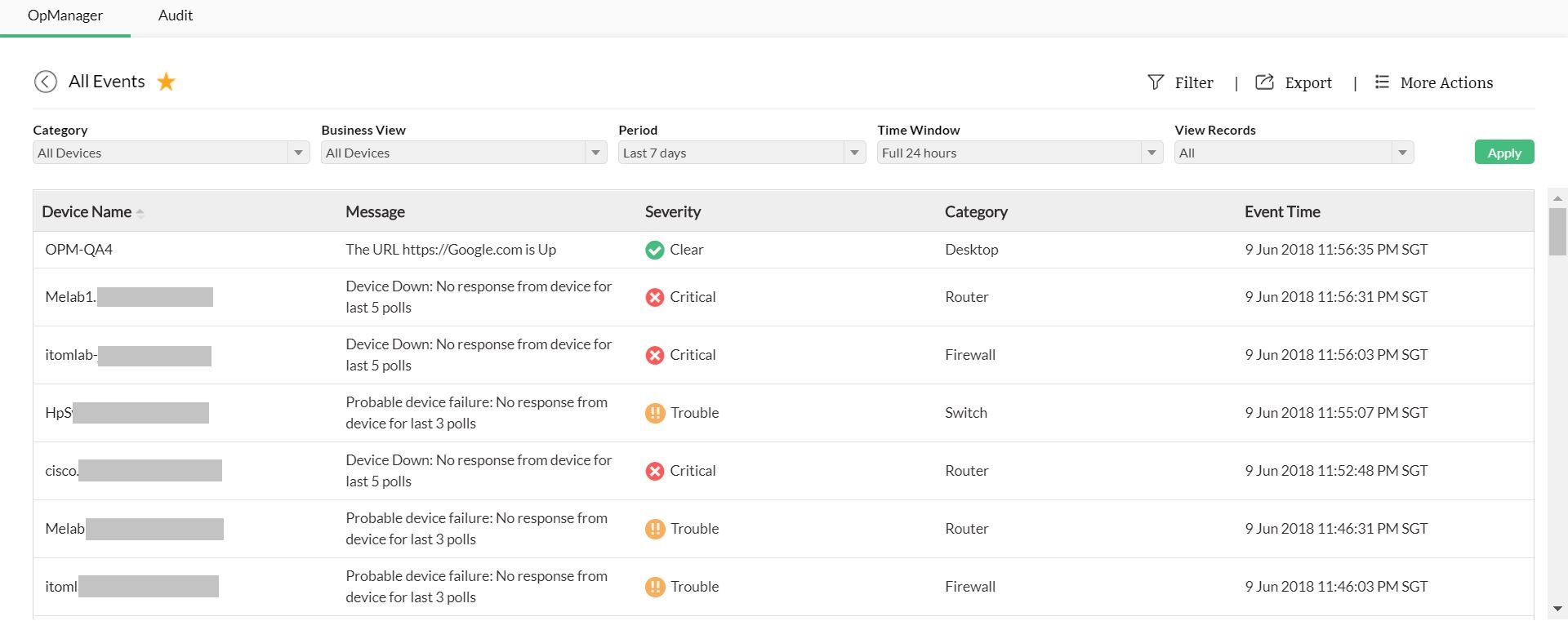
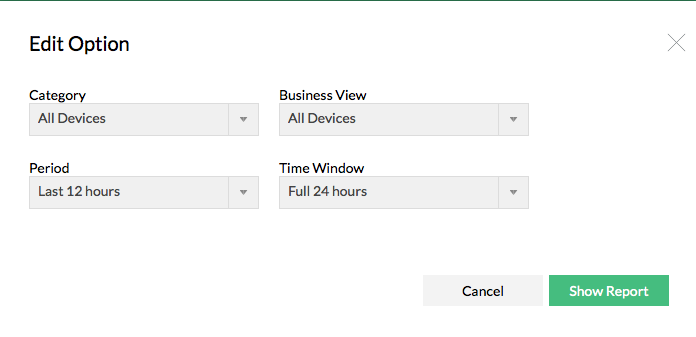


  1. After modifying the required fields, click on Show Report to generate the report effecting the changes made.

Video Zone
OpManager Customer Videos
Michael Senatore, Operations Manager, Rojan Australia Pty Ltd.
  
  •  Venkatesan Veerappan, IT Consultant
     Mohd Jaffer Tawfiq Murtaja, Information Security officer from Al Ain sports club
  •  Jonathan ManageEngine Customer
     IT Admin from "Royal flying doctor service", Australia
  •  Michael Senatore, Operations Manager, Rojan Australia Pty Ltd.
     Michael - Network & Tech, ManageEngine Customer
  •  Altaleb Alshenqiti - Ministry of National Guard - Health Affairs
     Donald Stewart, IT Manager from Crest Industries
  •  John Rosser, MIS Manager - Yale Chase Equipment & Services
     David Tremont, Associate Directory of Infrastructure,USA