Firewall Compliance Reports
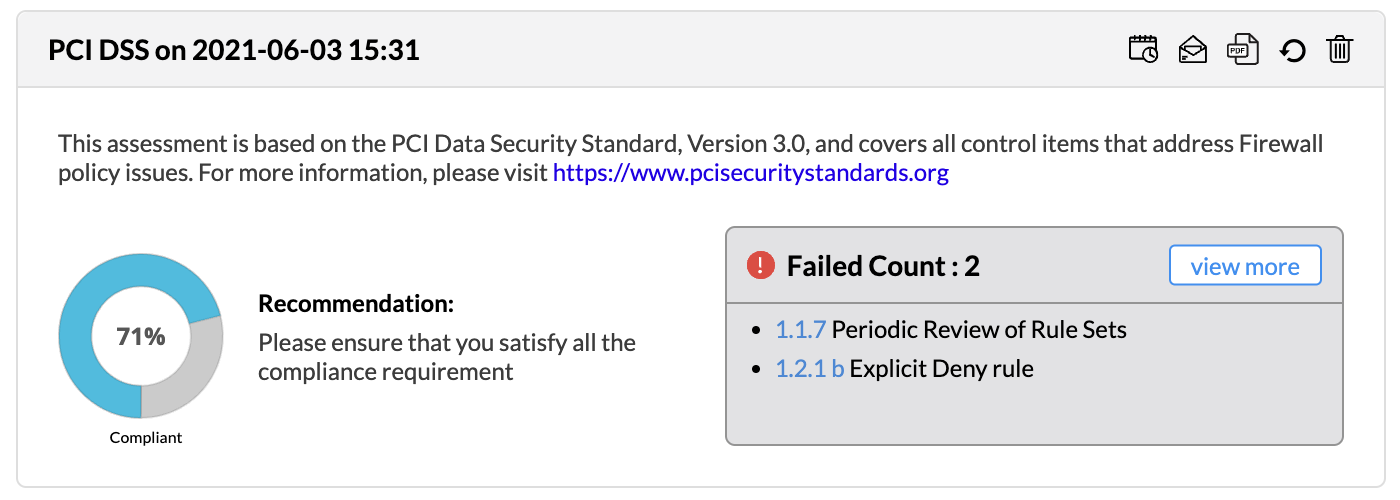
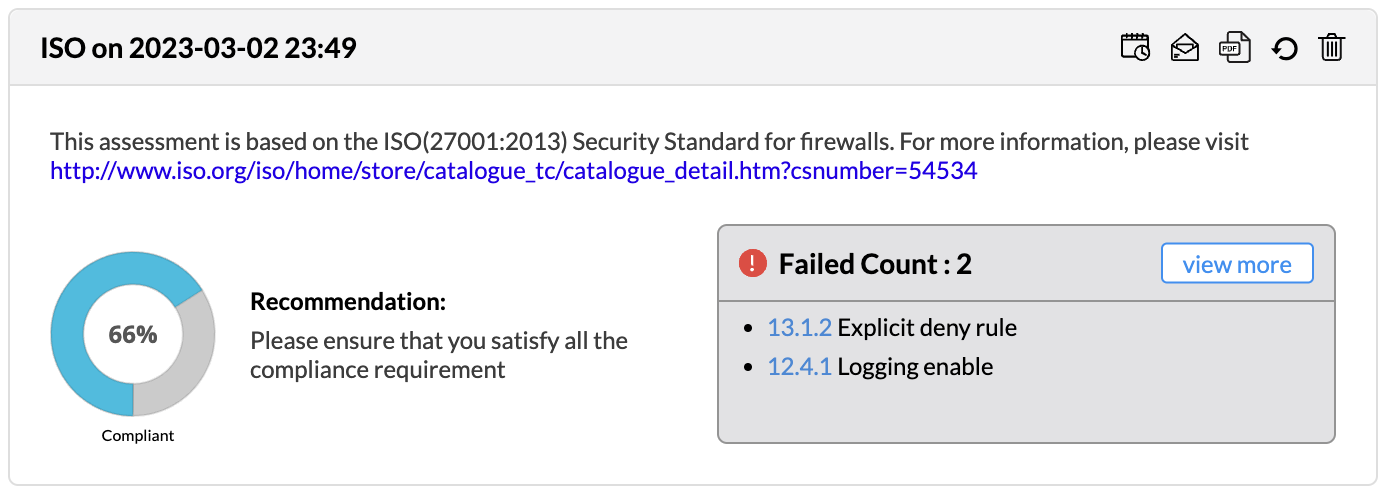
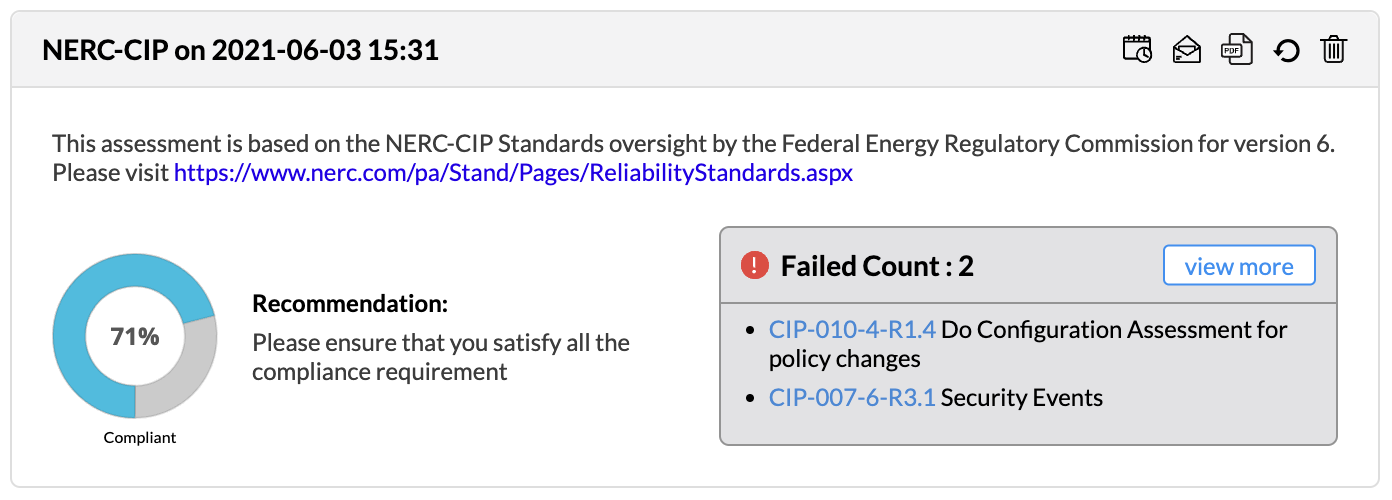
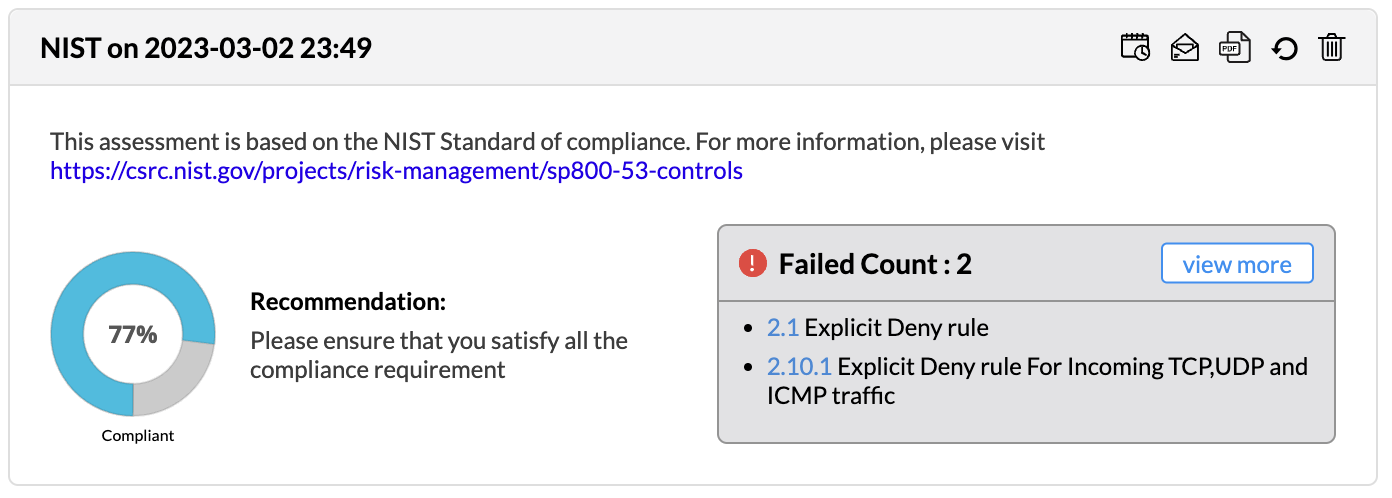
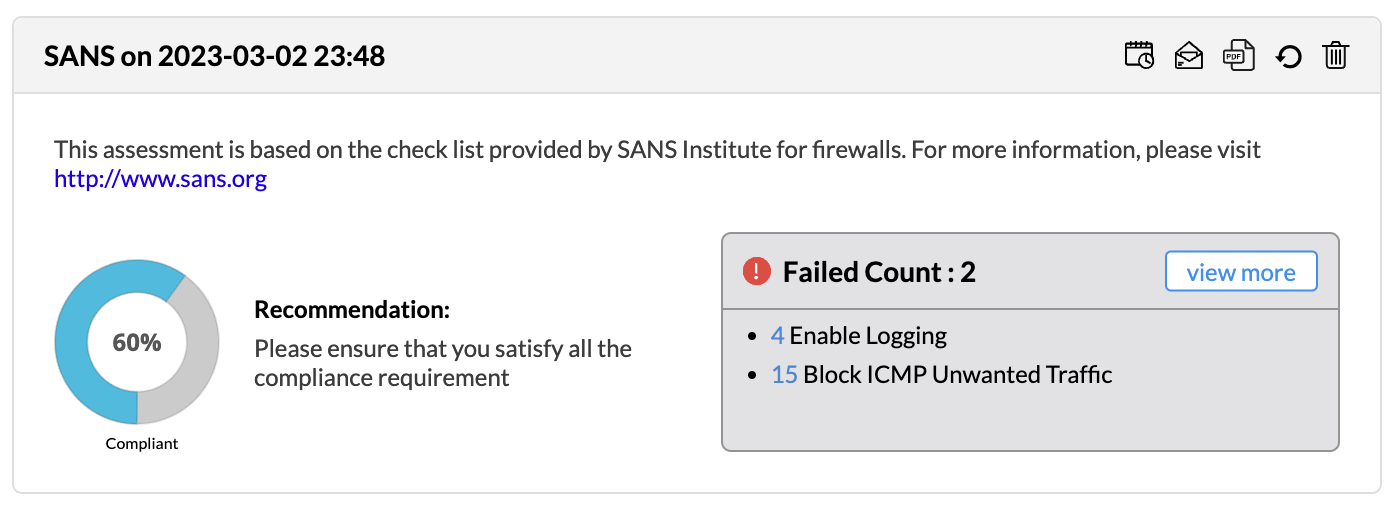
Firewall Analyzer offers an exhaustive set of Firewall compliance reports that help to address the various regulatory audit requirements. It presents the % of compliance in a Pie chart graph and the respective compliance act sections which are met.
This report is supported for the following devices:
- Cisco
- Fortigate
- Palo Alto
- NetScreen
- Juniper SRX
- SonicWALL
- WatchGuard
The following regulatory compliance reports are displayed in Pie chart graph of % complied and the details are listed in the table
- PCI-DSS
- ISO 27001
- NERC-CIP
- NIST
- SANS
PCI-DSS Report
ISO 27001 Report
NERC-CIP Report
NIST Report
SANS Report
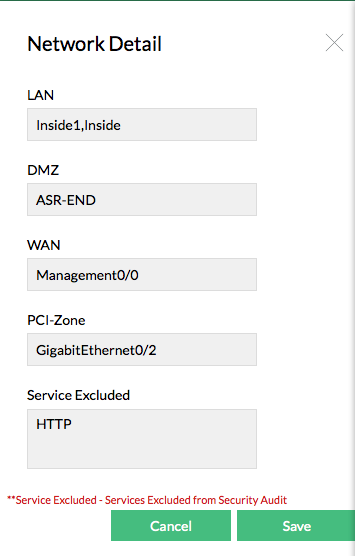
Compliance Settings - Network Details
You can configure the Network Details for the particular firewall with the menu.
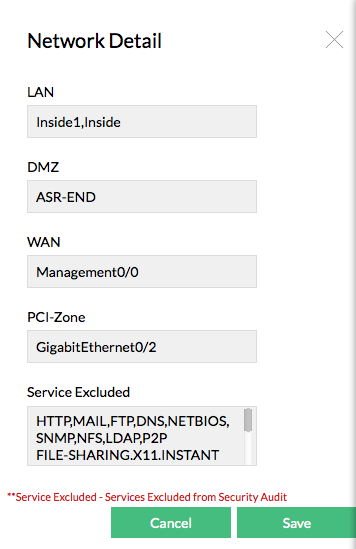
You have to configure the settings to ensure that the compliance reports are generated properly for rules governing the interfaces and services excluded.
- Select the names of the LAN, WAN, DMZ, and PCI Zone interfaces
- Select the Services to be allowed in the Firewall
| Note: | If the Services Excluded are configured, it will be dropped from audit. It is applied globally across all Firewalls and all the compliance reports generated for them |
In two other places of PCI-DSS compliance report, you can mark the Services Excluded as false positives. From here, it will be added to the exclusion list and will be removed from audit. This also will be applied globally across all the compliance reports of all firewalls.
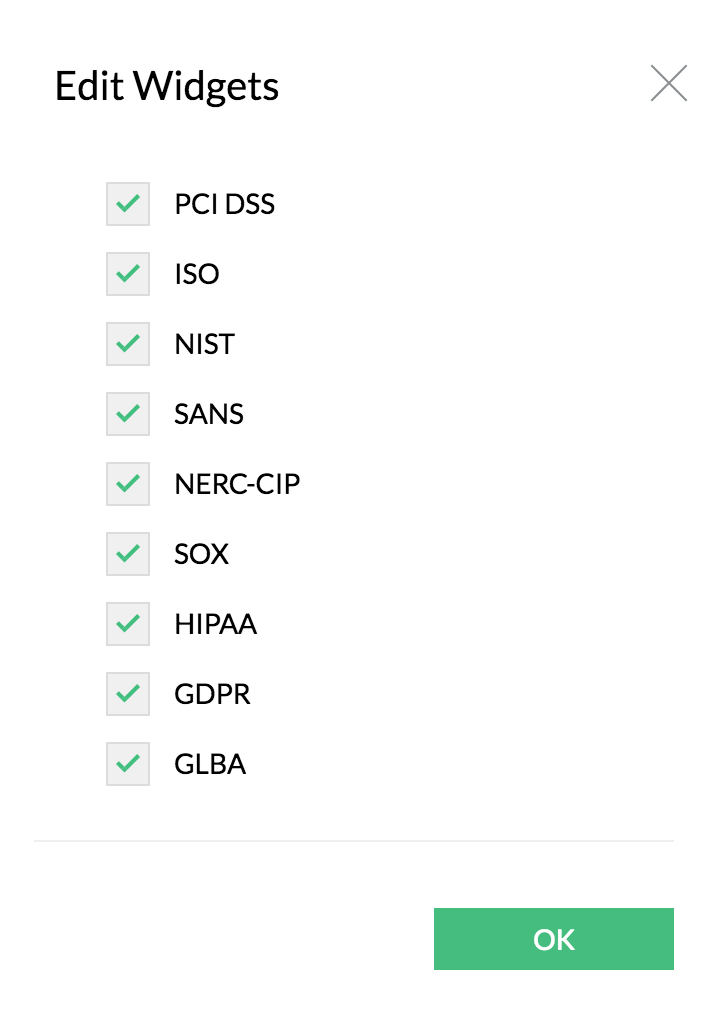
Compliance Widgets
The compliance reports are displayed as widgets and they can be edited with Edit Widgets menu. The widgets can be enabled or disabled to be displayed in the screen.
All the compliance reports can be scheduled from the widget to generate reports automatically. The individual compliance report can be exported to PDF format. The Refresh icon regenerates the compliance report. The individual compliance report widget can be removed from display. The widget can dragged and dropped to any position in the screen.
