Integrating with Applications Manager
By integrating with Applications Manager, OpManager Plus helps you to keep track over the performance of critical applications and thereby ensuring high availability. You can monitor the performance of various components of an application and provides quick resolution in case of any outages.
For integrating with Applications Manager, you need to configure Applications Manager Settings in OpManager Plus
Configure Server's Settings
Following are the steps to configure the Applications Manager and OpManager Plus Server settings: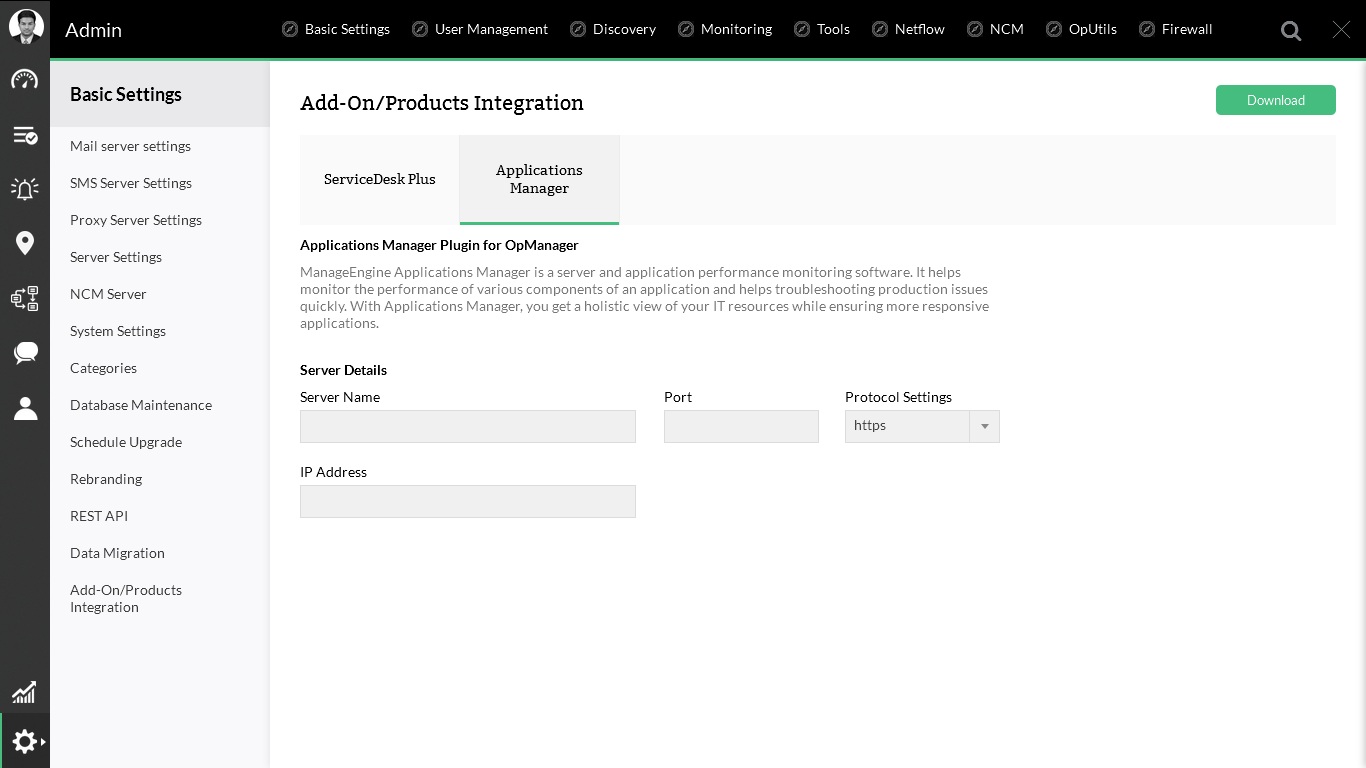
Click Admin tab, and select Add-On/Products Settings and configure the following values:
- Server Name:Provice the name of the server where Applications Manager is running
- Server port number: The port number in which the Applications Manager is running. It uses 9090 and 8443 as Web and SSL ports by default.
- IP Address: Provide the IP address of the machine where Applications Manager is installed and running.
