Workflow Execution Logs
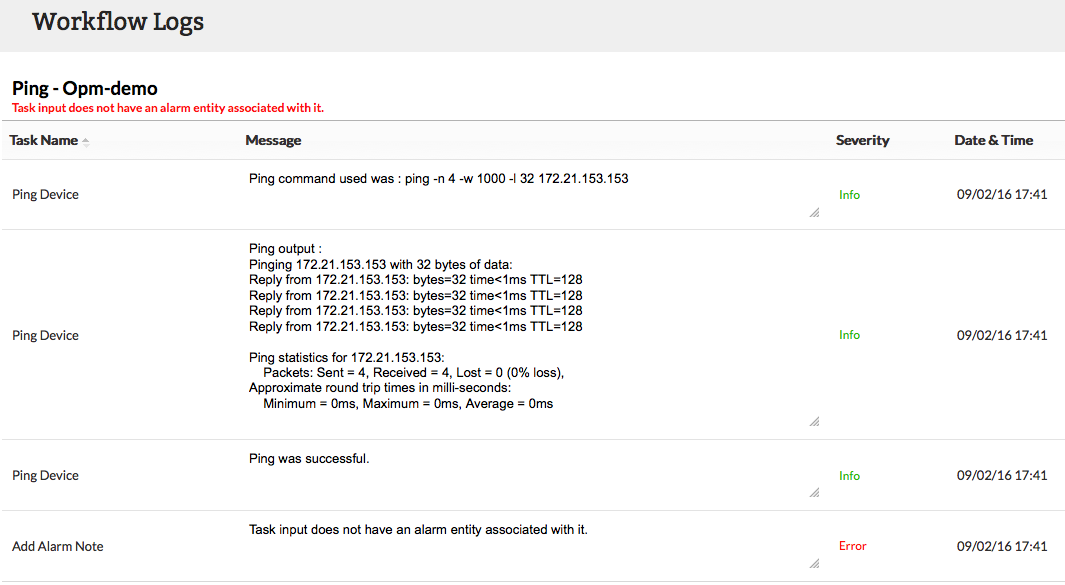
Workflow Logs provide the ouput of the executed workflows. It provides the result as well the data of each task that had been included in the workflow.
To view Workflow logs
- Click on Workflows from the left pane and select Workflow Logs. Workflow output for each of the associated device is listed along with the executed date & time and numnber of tasks.
Severity
Each task once executed is logged with its severity for understanding its execution status. Following are the severities in Workflow:
- Info: Notifies a task has been executed successfully.
- Error: Notifies a task has been failed.
- Warning: Notifies that a task cannot be performed. Eg.: A delete file action cannot be performed when the directory does not have the specified file. In such cases, the delete file actions is marked as warning
