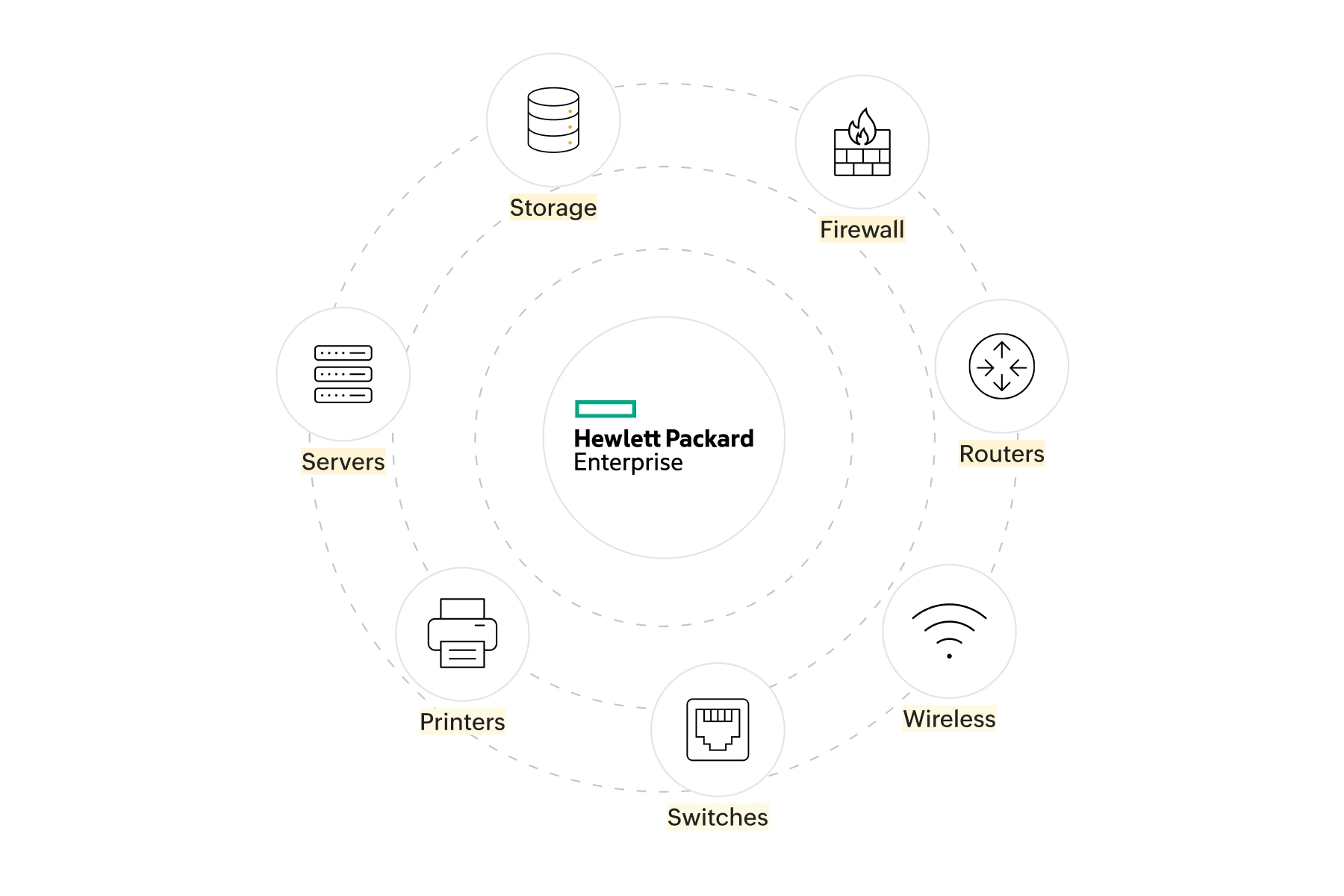
OpManager Plus brings your HPE environment into a single pane of glass delivering real-time insights into servers, storage arrays, routers, switches, firewalls, printers, and more. Its intelligent alerts and dynamic dashboards proactively surface issues before they impact users, while centralized visibility lets you fine-tune performance, shore up security, and slash troubleshooting time. The result? Streamlined IT operations, minimal downtime, and an HPE ecosystem that just works effortlessly from a single unified console.
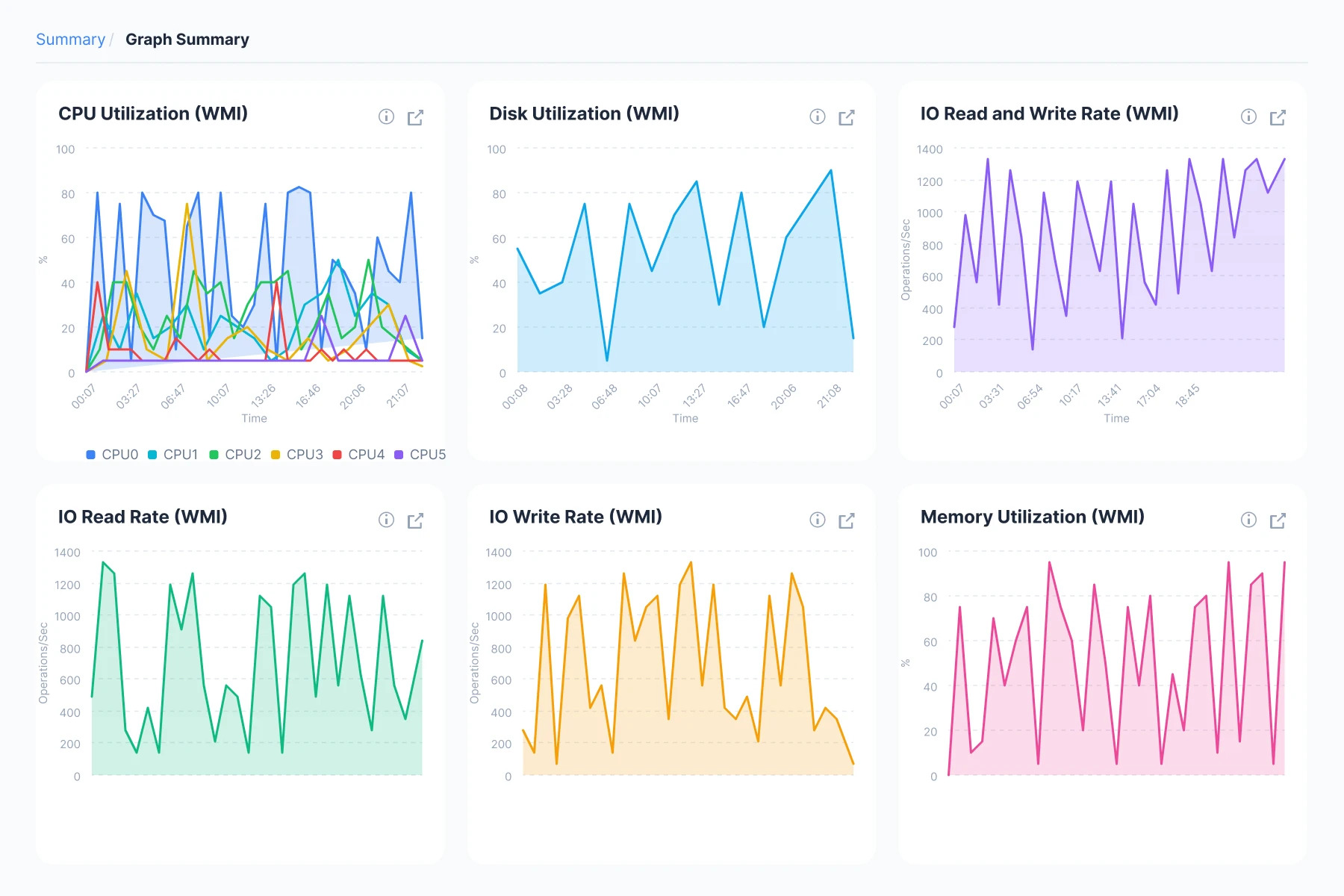
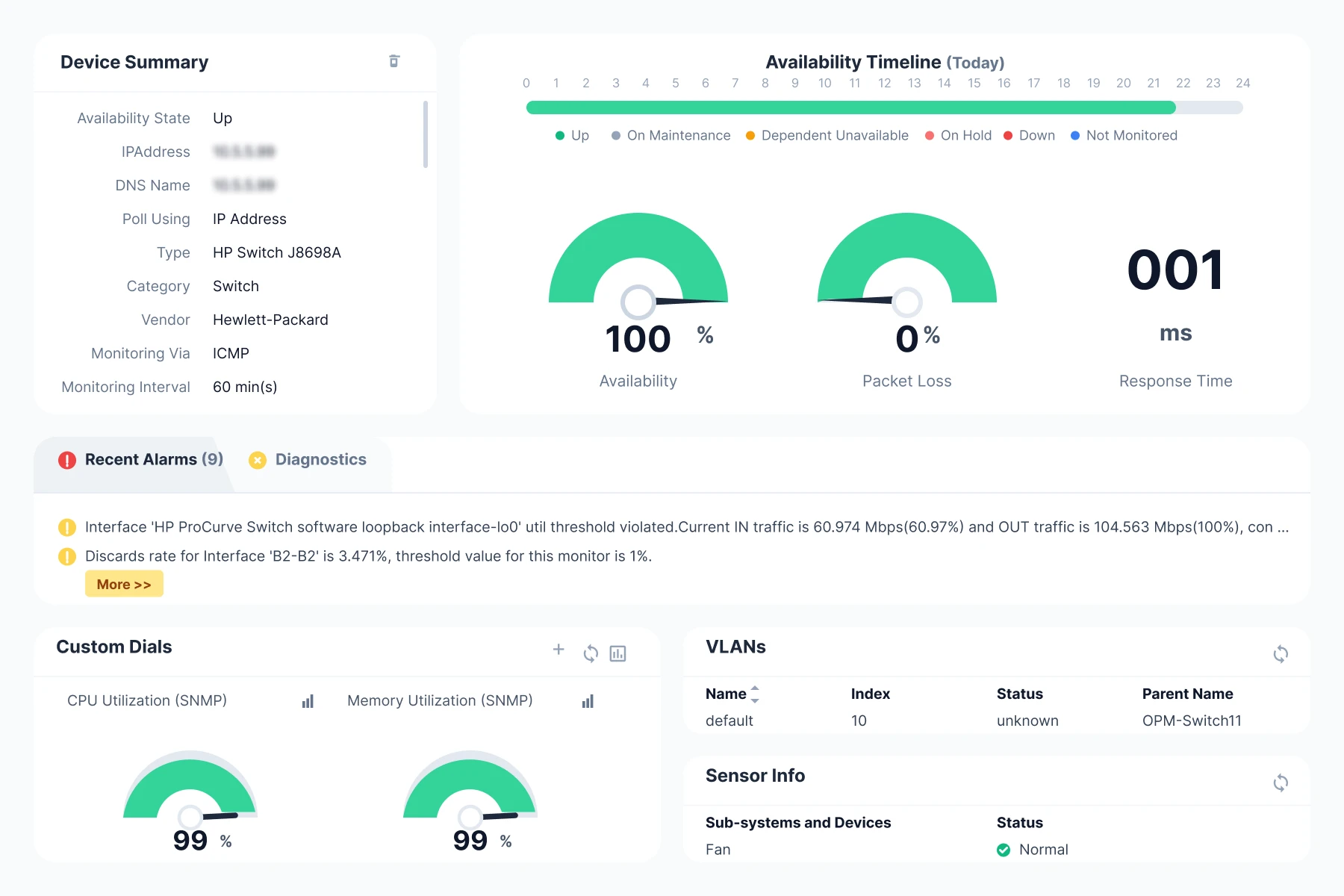
Monitor CPU, memory, disk, and hardware health of HPE servers in real time with proactive alerts and deep performance insights.
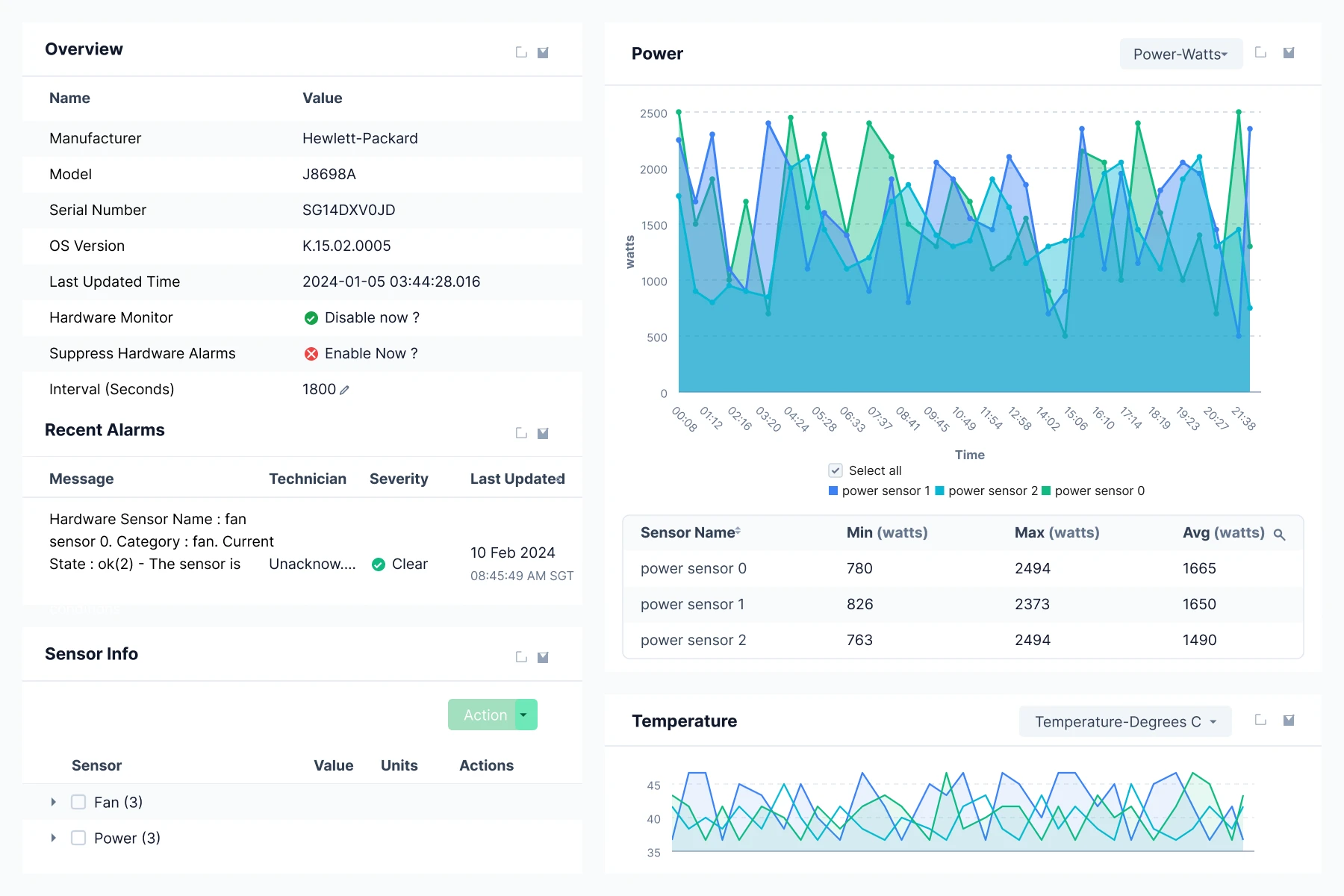
Track critical hardware metrics of HPE iLO including fan speed, voltage levels, system temperature, power supply, battery status, and more with IPMI monitoring.
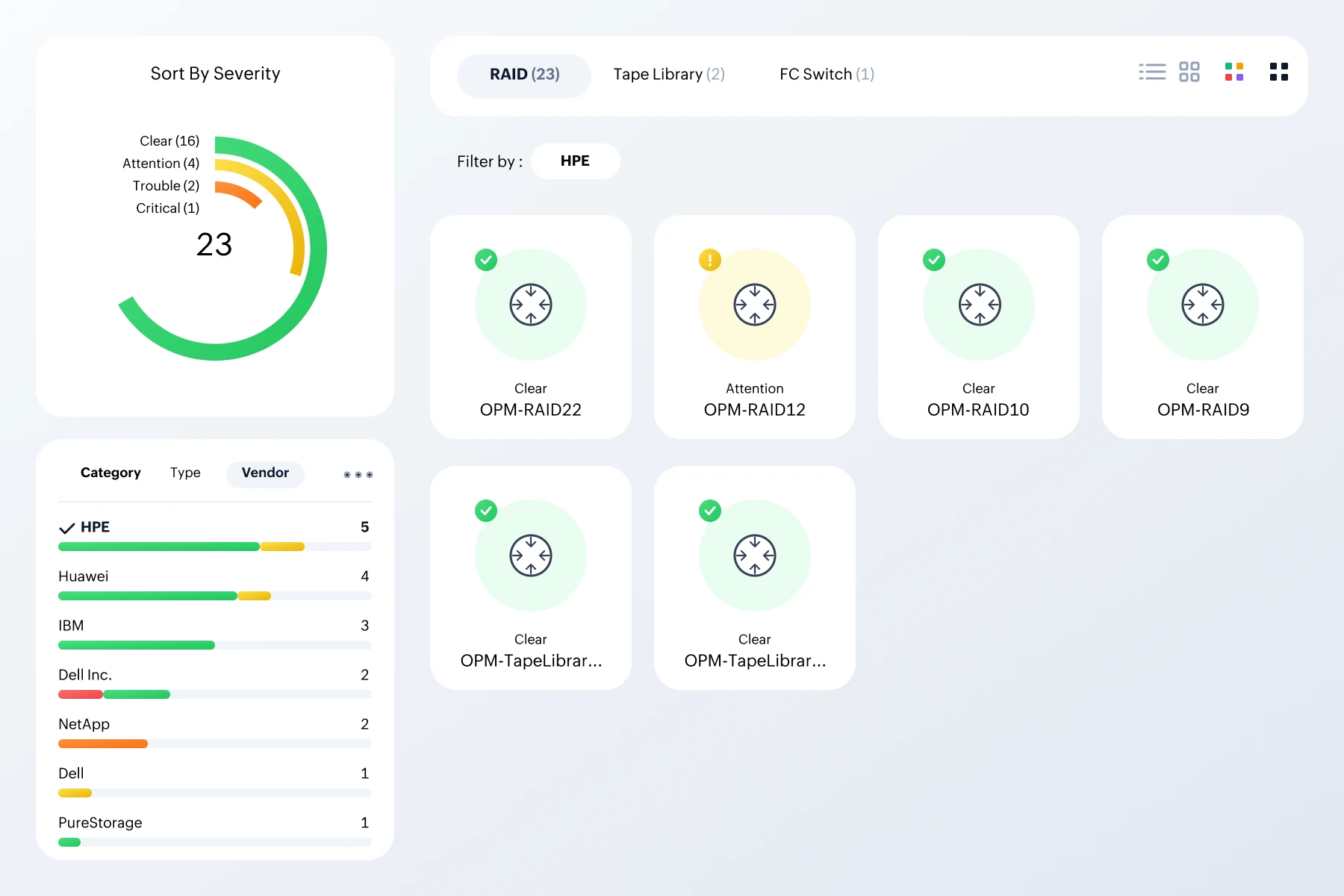
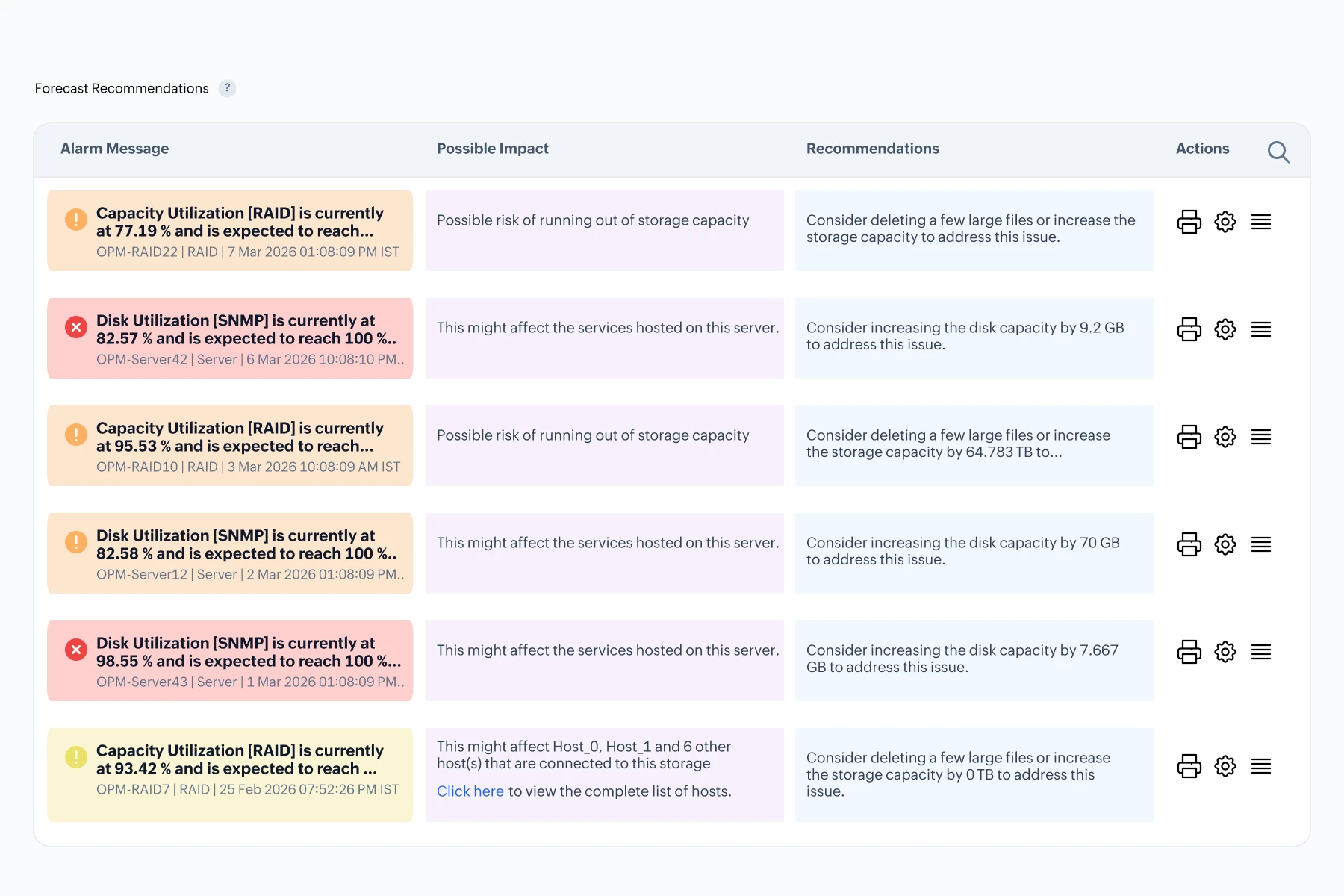
Get real-time visibility into your HPE storage devices from RAID arrays to tape libraries, monitoring capacity usage, Disk IOPS, LUN details, and more.
Monitor firewall traffic, logs, performance, and threats. Track log patterns to detect anomalies and strengthen network security with real-time insights.
Monitor routers for latency, bandwidth, routing information, and interface health. OpManager Plus ensures uninterrupted data flow and stable connectivity.
Track port status, interface health, configuration changes, and performance of switches.Maintain network efficiency with ease.
Monitor signal strength, client connection status, SSIDs client count, bandwidth usage per SSID, and overall access point health across your HPE Aruba wireless network.
Get real-time visibility into NAC appliances like Aruba ClearPass using SNMP. Track CPU and memory usage, active client sessions, authentication trends, and more.
Stay updated on printer status, errors, toner levels, paper jams, and availability. Keep printing seamless across your organization.
With OpManager Plus


From wireless networks to hardware health
OpManager Plus offers automated discovery that scans your network to identify and classify devices such as servers, switches, routers, printers, and more without manual input. This ensures your inventory is always up-to-date, enabling seamless monitoring and faster onboarding of new devices.
Auto-discovering and monitoring newly deployed servers.
With scheduled discovery, OpManager Plus continuously scans your network and auto-detects new HPE servers as they come online. Once discovered, each server is automatically classified, and OpManager Plus begins real-time monitoring right away.
By the time your team logs in on Monday, all new servers are already visible on the dashboard with health indicators, alerts configured, and performance metrics flowing in. This proactive automation eliminates manual delays, ensures full coverage, and reduces the risk of blind spots in critical infrastructure.
You can track key hardware metrics like toner level, cartridge status, average marker life count, paper tray level, and overall printer status in HP printers directly within OpManager Plus. These insights are available in a single, consolidated view through the Snapshot page, allowing IT teams to monitor printer health at a glance and act before issues impact operations.
Ensuring uninterrupted invoice printing in E-commerce dispatch centers
Monitor printer health at a glance through the device snapshot page, which displays key metrics like paper tray status, toner levels, and jam frequency. Configure alerts to notify the IT team when toner falls below 20% or if a paper jam isn't resolved within 3 minutes. You can also forecast the next week's toner level.
The printer is serviced before downtime affects dispatch. Invoices are printed on time, packages leave the facility as scheduled, and customer SLAs are met without disruption to business operations.
Adaptive thresholds in OpManager Plus dynamically learn the performance patterns of your devices and adjust limits based on real-time behavior. Unlike static thresholds that trigger alerts only when fixed limits are crossed, adaptive thresholds detect anomalies early, helping you identify issues before they impact performance.
Enforcing WiFi Channel Utilization compliance in outdoor enterprise zones
OpManager Plus leverages adaptive thresholds to learn normal channel usage patterns and signal boundaries for each access point. When an AP's behavior deviates such as channel interference or unexpected range expansion, the platform flags it as an anomaly and triggers immediate alerts.
The network team receives real-time alerts, identifies the misconfigured AP, and promptly restores it to compliant settings. This proactive monitoring helps maintain WiFi policy compliance, avoids performance degradation, and prevents security risks without relying on end-user reports or reactive audits.
With OpManager Plus' runbook automation, Workflows, you can automate a wide range of actions from port-level tasks like restarting or disabling ports, to device-level operations such as running ping or traceroute for diagnostics. You can also set up event-driven responses, including alerting admins or logging incidents automatically. Additionally, the Switch Port Mapper enables detailed switch port management by mapping connected devices and monitoring port status in real time.
Containing network congestion from a resource-heavy task
When CPU or memory usage exceeds defined thresholds and port traffic reaches a critical level, OpManager Plus triggers an automated workflow to temporarily disable the port, send real-time alerts, and log the event details for auditing and root cause analysis.
The port is disabled within seconds of the anomaly, containing the impact. After investigating the data load and adjusting the job scheduling, admins review and re-enable the port. This automation prevents a full-blown outage, minimizes user disruption, and reduces manual effort.
Safeguard your HPE hardware with real-time monitoring of critical components like processor, fan, temperature sensors, and voltage levels. OpManager Plus helps you detect early warning signs of hardware failure, enabling faster troubleshooting and better system uptime across your IT environment.
Catching a cooling issue before it affects network performance
OpManager Plus detects the abnormal drop in fan RPM and correlates it with a rising internal temperature trend.
An alert is triggered: “Warning: Fan 2 RPM below threshold on Server-HPE01.”
You replace the faulty fan before thermal stress affects system stability or network services. What could have led to degraded app performance and helpdesk tickets is resolved proactively, without service disruption.
Powering HPE network management with precision
OpManager Plus offers detailed flow analysis to monitor traffic patterns and bandwidth usage across your HPE network. It helps identify bottlenecks, optimize performance, and ensure efficient data flow, improving overall network health.

Manage and secure your HPE network devices with automated configuration backups and easy restoration. Track configuration changes to prevent unauthorized alterations, ensuring network stability and security.

Streamline IP address management (IPAM) and switch port monitoring across your HPE devices. Ensure optimal resource allocation, avoid IP conflicts, and monitor port health for improved network organization.

OpManager Plus aggregates and analyzes firewall logs from HPE devices, alerting you to potential threats. Track suspicious activity, ensure compliance, and secure your network with proactive log management.


Unfolding reasons why 1M+ network admins trust us
Easily integrate HPE monitoring into your multi-vendor setup, for a smooth, unified monitoring experience.
Leverage third-party apps like help desk and service management tools to streamline your network management tasks.
Real-time webhook notifications, ensuring instant and efficient data flow to external systems.
Scalable solution that fits everything from small setups to large enterprise infrastructures.