
Agent settings
Last updated on:
In this page
Overview
This page details how to configure agent settings for offline log collection and communication ports. These settings ensure reliable log collection and secure communication with the server.
Offline log collection
When the agent is disconnected from the network, unable to upload logs, or when storage capacity is exhausted, logs can be temporarily stored locally.
- You can set a maximum limit for this local storage.
- Once the limit is reached, the agent will stop collecting logs until the connection is restored.
- Collected logs will be uploaded automatically once communication with the server resumes.
| Configuration | Default value | Description |
|---|---|---|
| Maximum size of data directory, when agent is unable to send data to server or storage is full | 0 | If disabled, log collection stops when the agent cannot send data. When enabled, logs are stored locally up to the configured size (in GB). These logs are later uploaded once the connection is re-established. |
Agent communication port
You can configure the port used by the agent to communicate with the server.
- Use default HTTPS port: The agent communicates over the standard HTTPS port.
- Use a custom HTTPS port: Specify a port number for agent-server communication.
NOTE All communication occurs over HTTPS, ensuring secure transmission of data.
Settings configuration
- Log in to your account.
- Go to the Settings tab.
- Under Admin Settings, select Collectors/Agents.
- In the Collectors/Agents administration page, click Agent Settings in the top-right corner.
- To enable offline log collection:
- Toggle Enable Offline log collection.
- Enter the maximum size of the data directory (in GB).
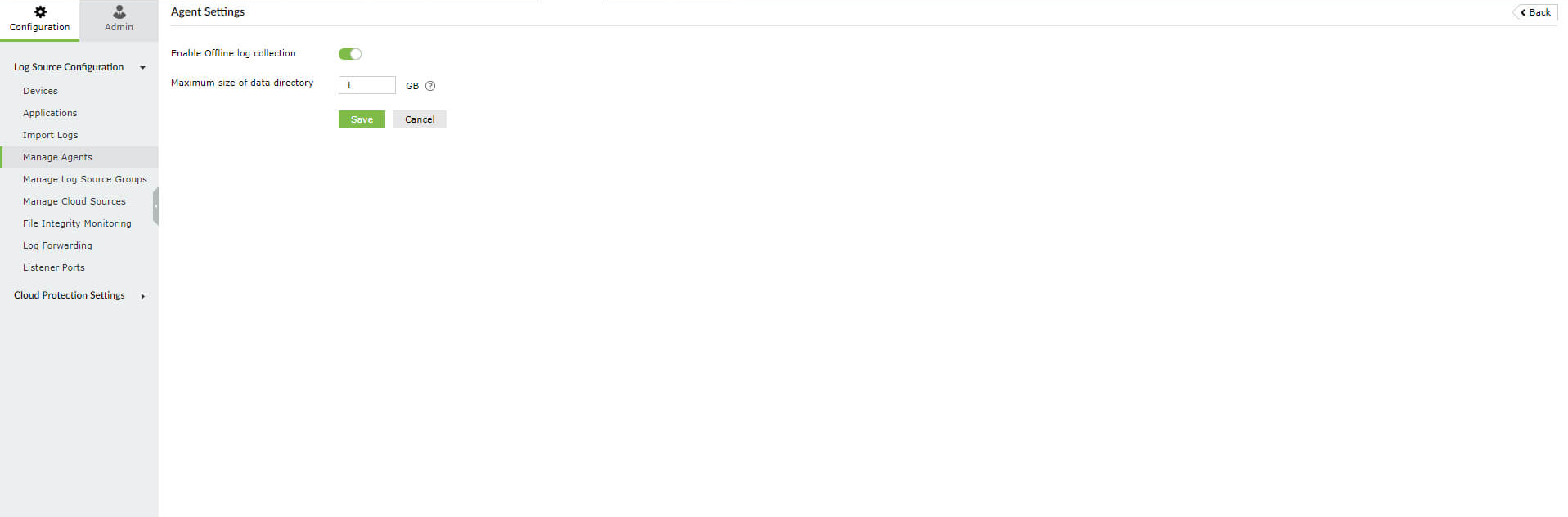
Figure 1: Enabling offline log collection
- To configure the communication port:
- Choose either Use default HTTPS port or Use a custom HTTPS port.
- If custom, enter the port number.
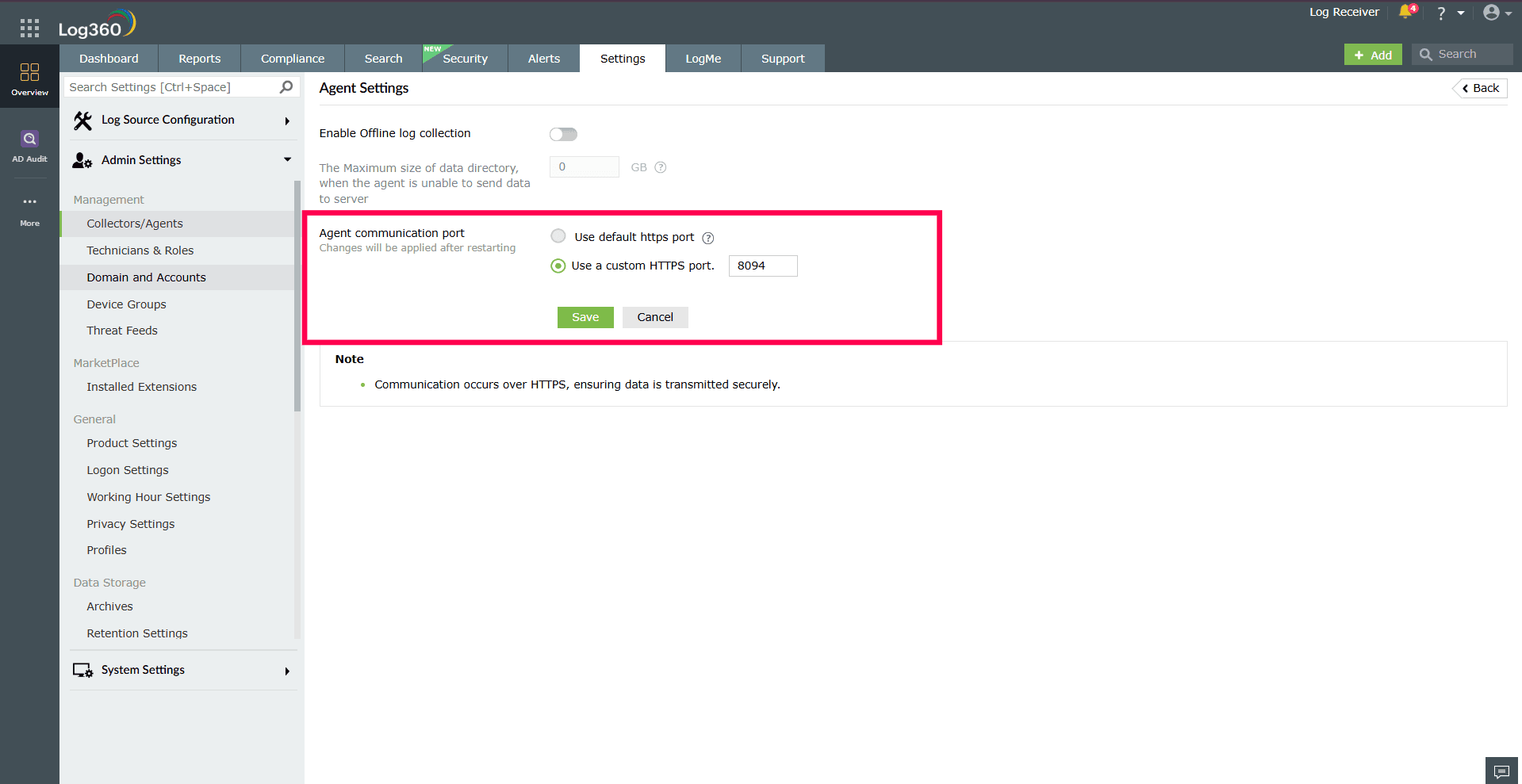
Figure 2: Configuring communication port
NOTE Any changes to the agent communication port will take effect only after restarting. - Click Save to apply changes.
Read also
This page explained how to configure agent settings in Log360, including offline log collection and communication ports. To learn how to install and manage agents, refer to the following documents: