
Salesforce
Last updated on:
In this page
Overview
Log360 Cloud monitors Salesforce user activity by automatically collecting and analyzing event log files. By analyzing Salesforce user activity, you can detect potential security threats, monitor logons, and search activities; and receive alerts on suspicious behavior for enhanced data protection and compliance.
Setting Up a Connected App with Permissions in Salesforce
Begin by logging in to your Salesforce account, ensuring that the user account used has API Enabled.
It's important to have the Salesforce Event Monitoring add-on license for fetching and analyzing Salesforce logs in Log360 Cloud.
If using a non-admin user, ensure the following permissions are enabled:
- View event log files (for collecting event logs)
- View setup and configuration (for collecting audit logs)
- View role and role hierarchy (for collecting audit logs)
To create a Connected App with permissions
- Navigate to Setup → Build → Create → Apps → Connected Apps.
- Click on New and provide the Connected App Name, Contact Email, and Callback URL.
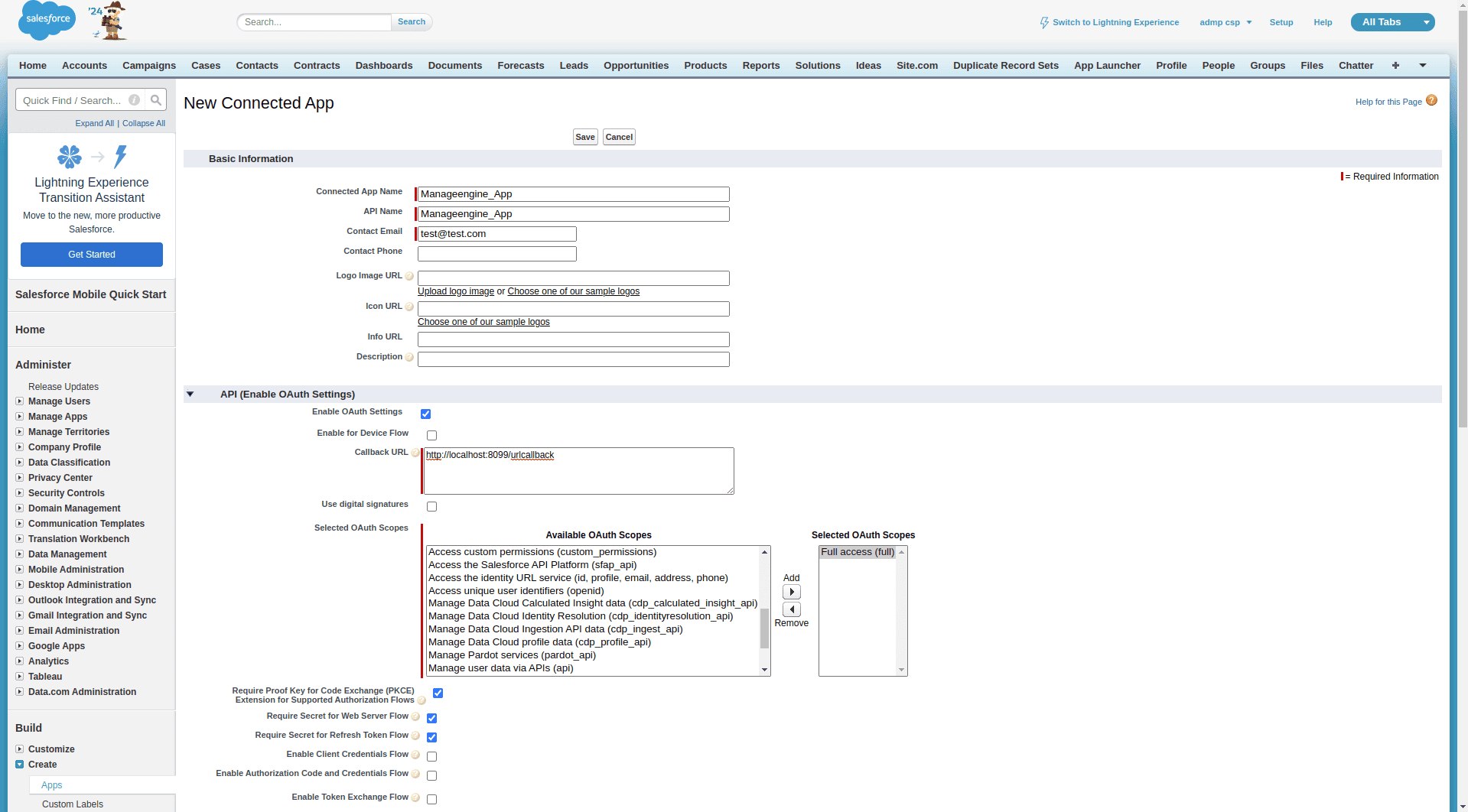
- Enable OAuth Settings and grant full access.
- Click Save. The Connected App will be created, and you can continue to view the Consumer Key and Consumer Secret.
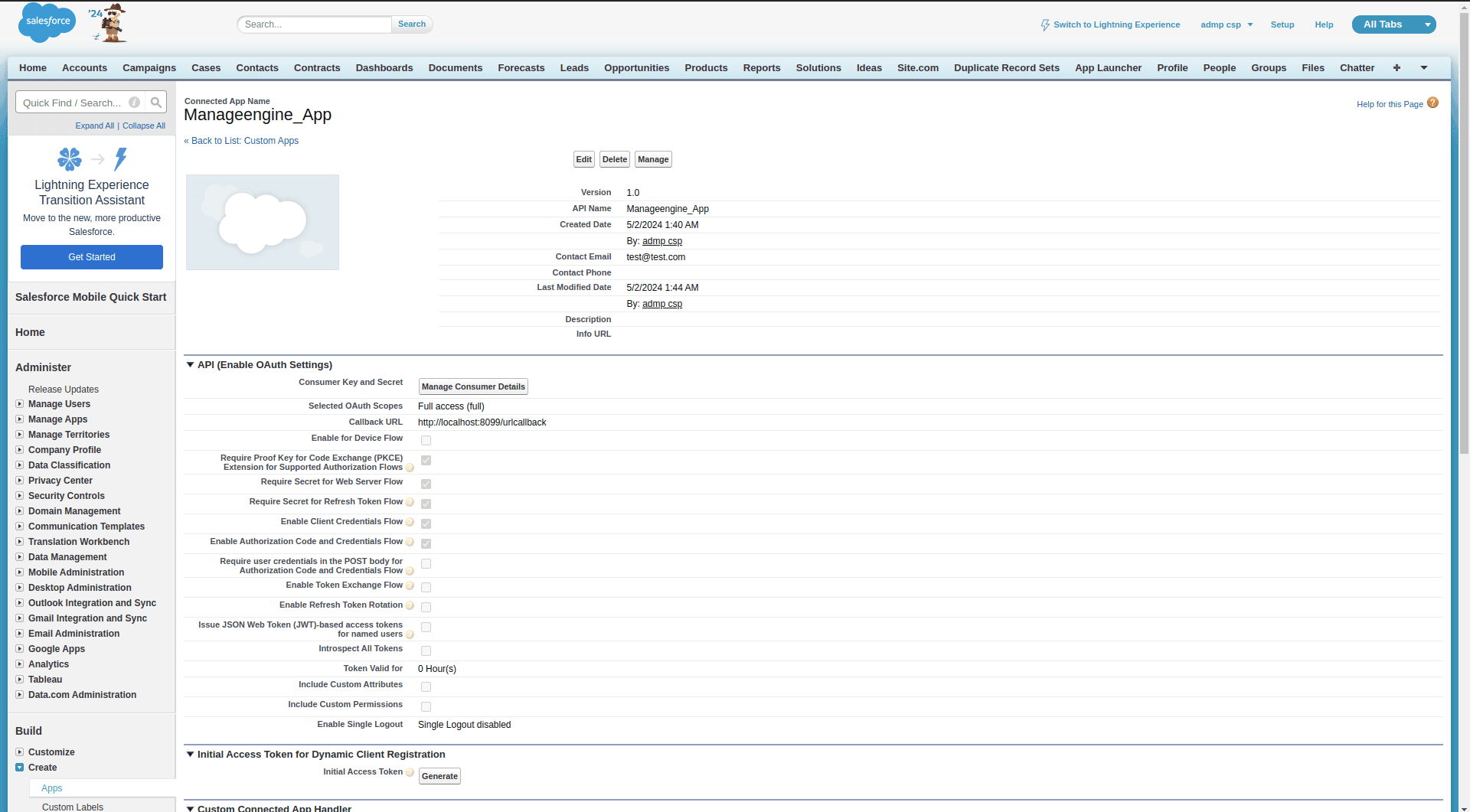
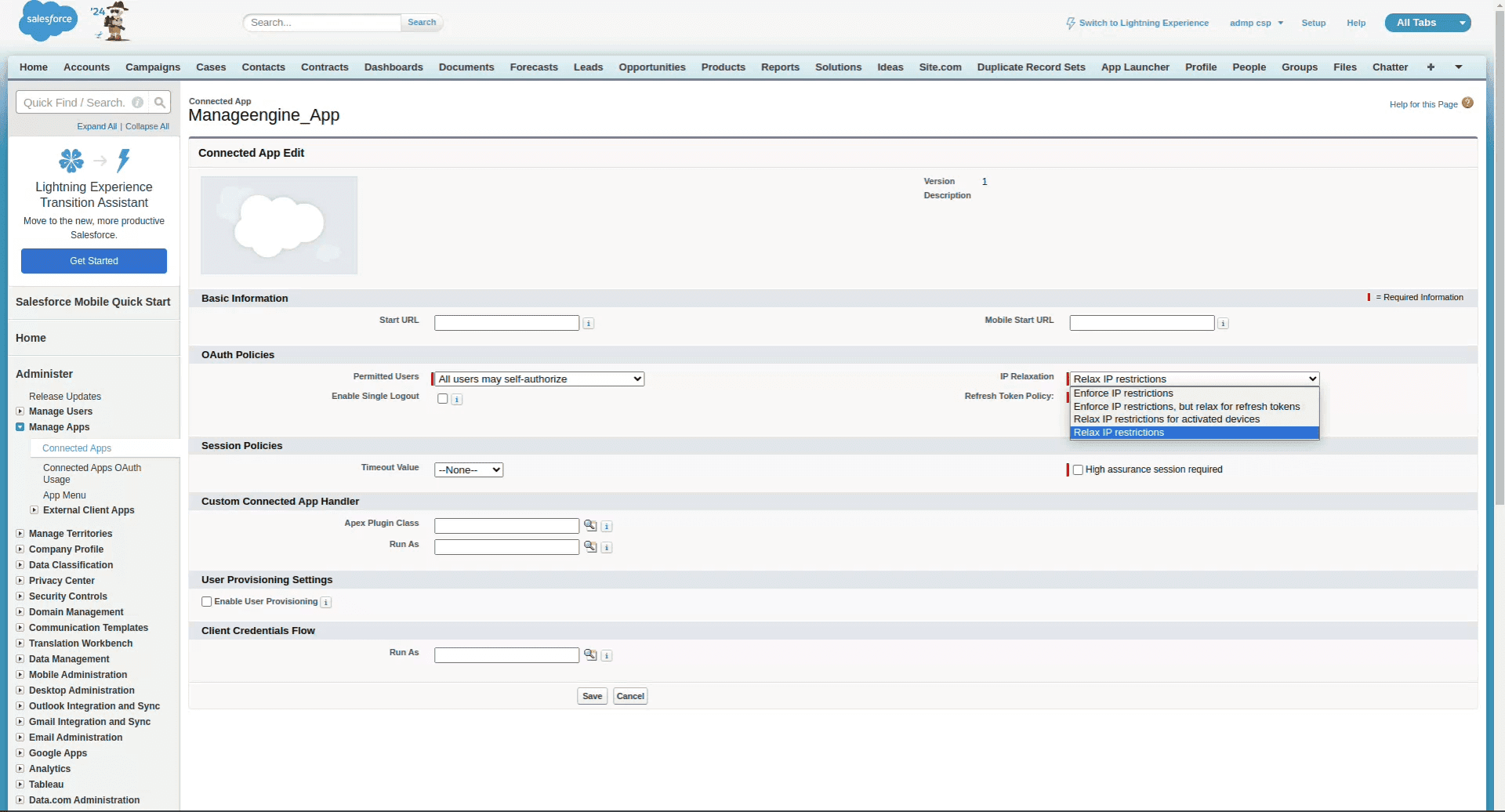
- Navigate to Setup → Administer → Manage Apps → Connected Apps.
- Click on the newly created Connected App. Under OAuth Policies, relax IP restrictions.
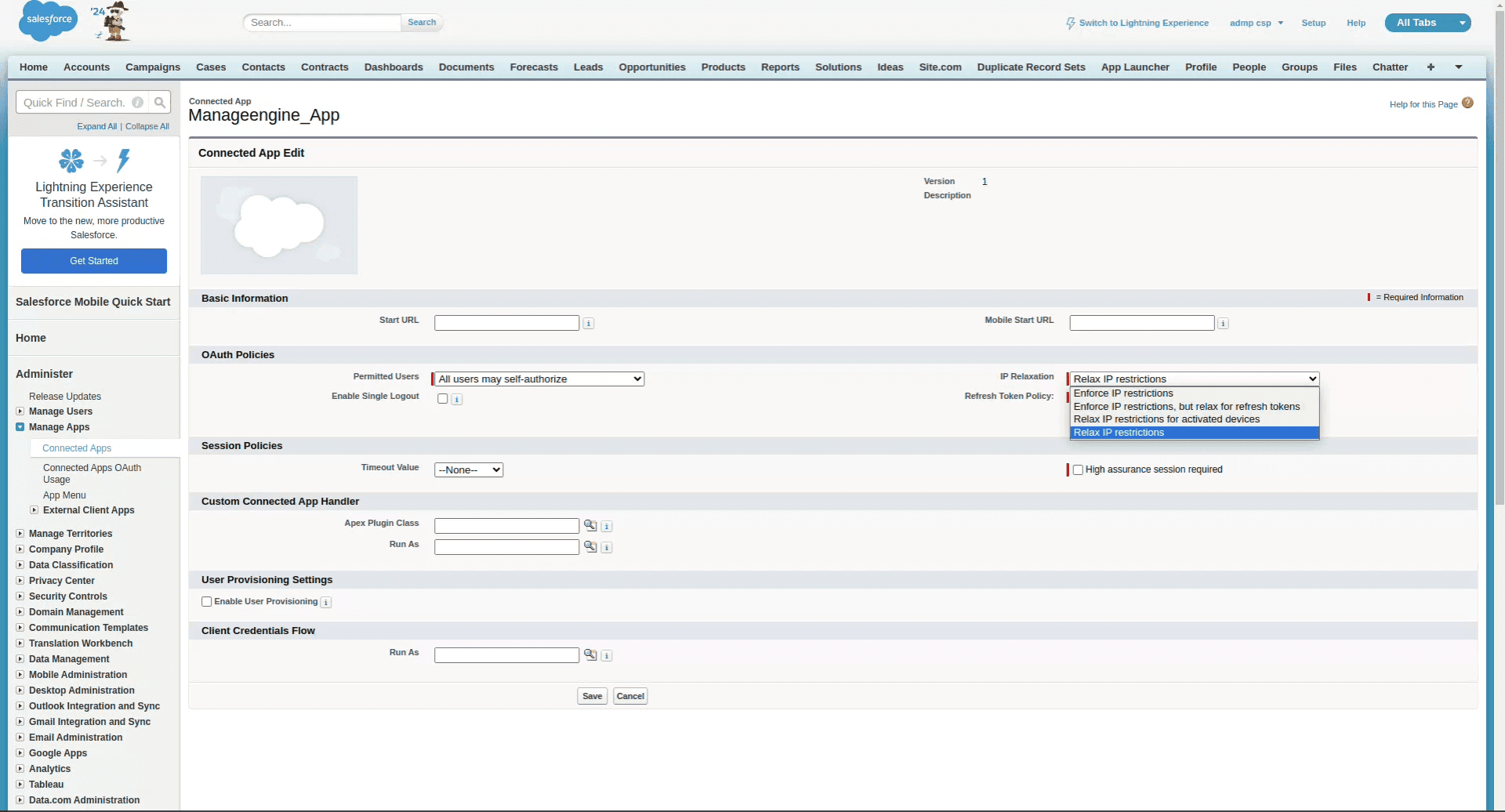
- Click Save.
To obtain the Salesforce client URL
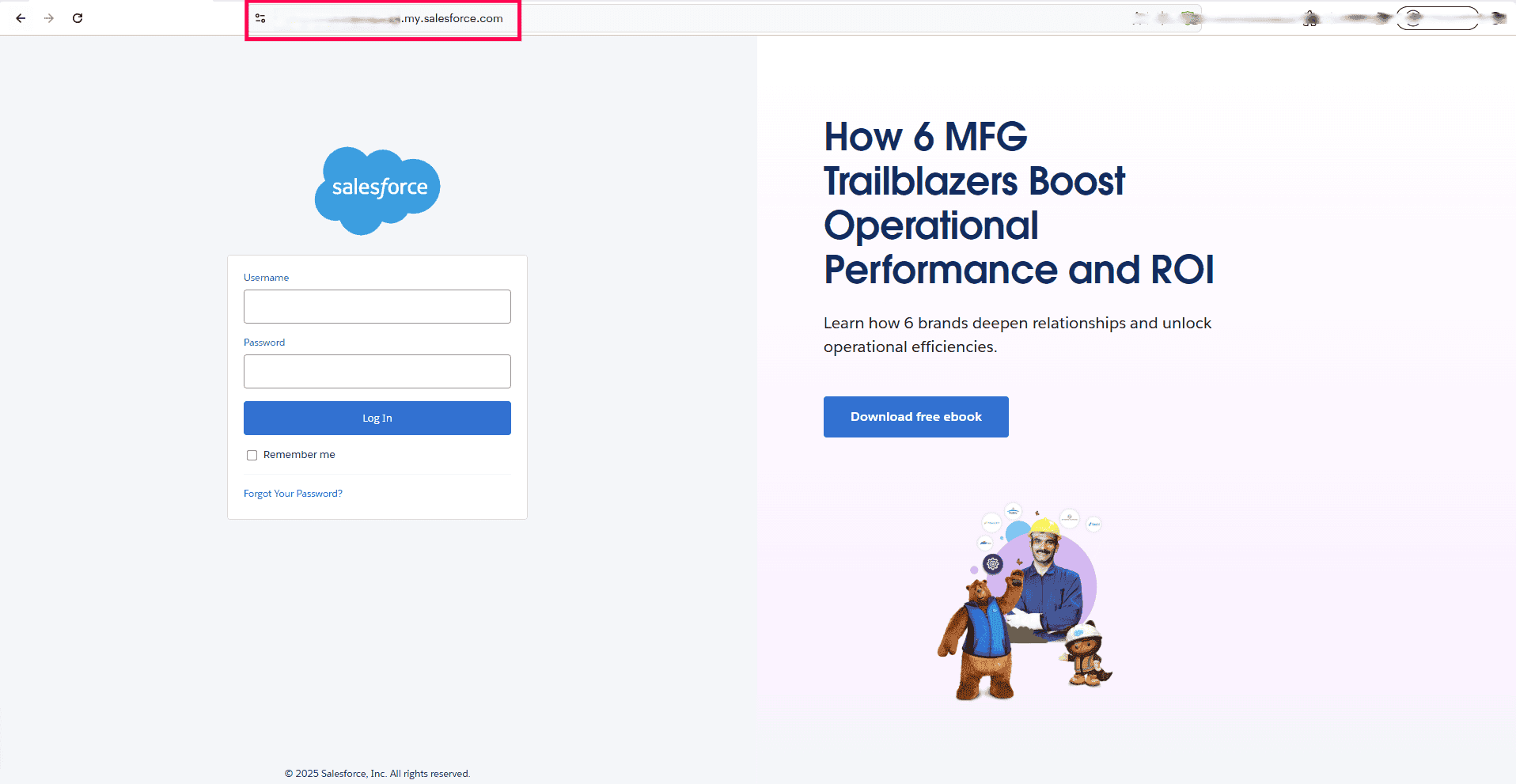
- Go to the Salesforce login page and copy the URL from your browser's address bar.
- Paste the URL in the Login URL field(e.g., https://testingtech-ap48.my.salesforce.com).
Entering Salesforce credentials in the Log360 Cloud console
- Go to Settings > Admin > Account Settings.
- Move to the Configure Cloud Accounts tab and click on the Add Cloud Account button.
- From the Add New Cloud Account page, select the Salesforce Cloud Type from the dropdown box.
- Enter a display name.
- Input the username, password, client ID (Consumer Key), and client secret (Consumer Secret), along with the Login URL, to enable Log360 Cloud to start collecting logs.
Read also
This document explained how to integrate Salesforce with the product to collect and analyze Salesforce activity logs. You can also refer to the following pages for related configurations and monitoring options: