
Additional configurations
Last updated on:
In this page
Overview
This page details how additional configurations allow admins to enable centralized features that simplify navigation, session control, and system management across integrated components. These options enhance usability and improve operational efficiency.
Using additional configurations
- In the Log360 Integration page, click Additional Configuration. A pane will open, displaying the following options:
- Single Console: Enables you to access the product console and other integrated components from the Apps Pane within any component.
- Single Sign-On: Allows switching between components without entering multiple login credentials.
- Single Sign-Out: Ensures that signing out from the product console logs you out of all integrated components simultaneously.
- Single Shutdown: Enables you to shut down all integrated components when shutting down the product console.
NOTE This option does not apply to remotely installed components or when High Availability is enabled. - Click Save to apply the settings or Reset to discard changes.
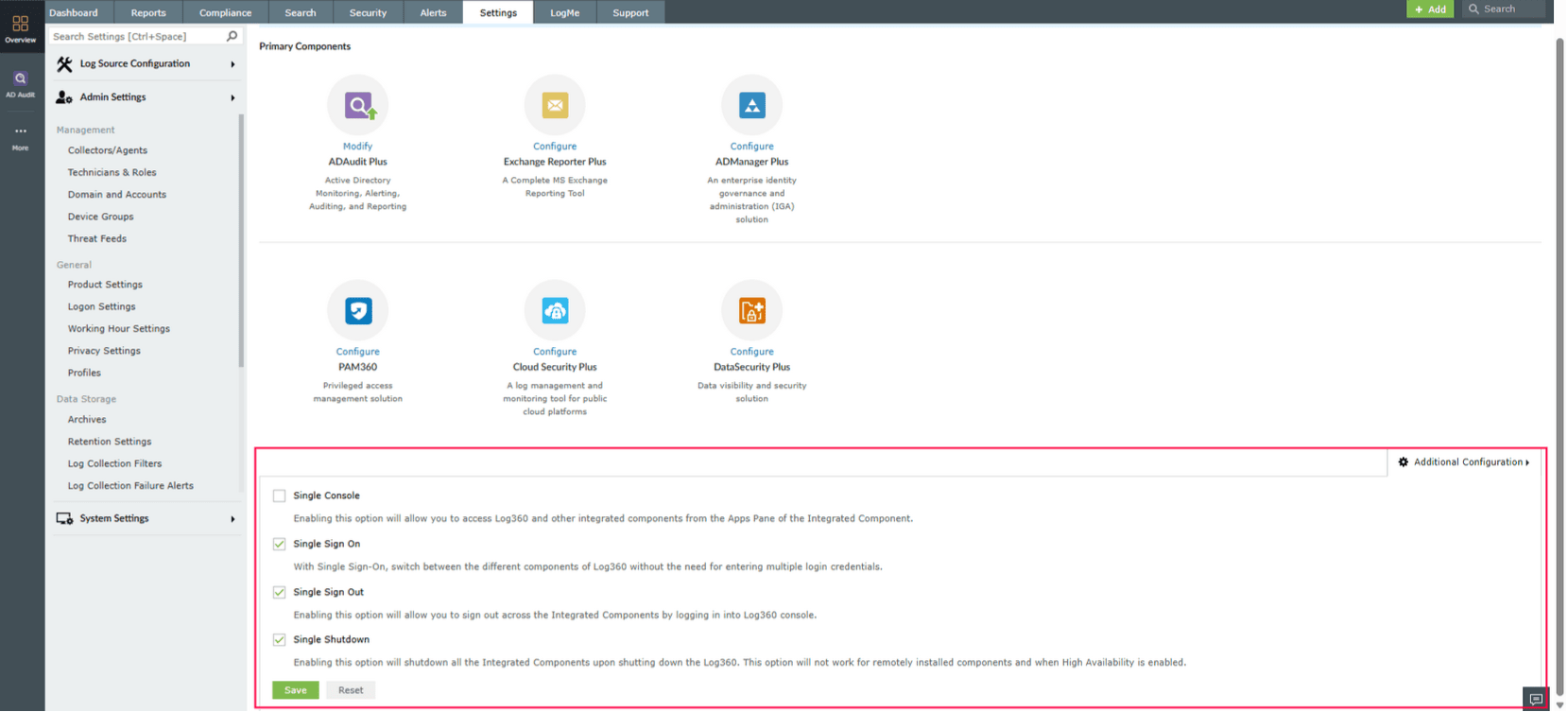
Figure 1: Using additional configurations
This page detailed how to configure additional integration settings. To learn more about integration capabilities, refer to the following articles: