
Downloading and installing components
Last updated on:
In this page
Overview
This section explains how to download and set up the components required for integration. The process includes selecting components, downloading their installers, and completing the installation to make them available for integration.
Step to download and install components
To begin the integration process, download and install the required components by following these steps:
NOTE If the components are already installed and running, you can skip this step and proceed to integrating the components.
- In your account, navigate to the Settings tab.
- Under Admin Settings, go to Integrations, then click Log360 Integration.
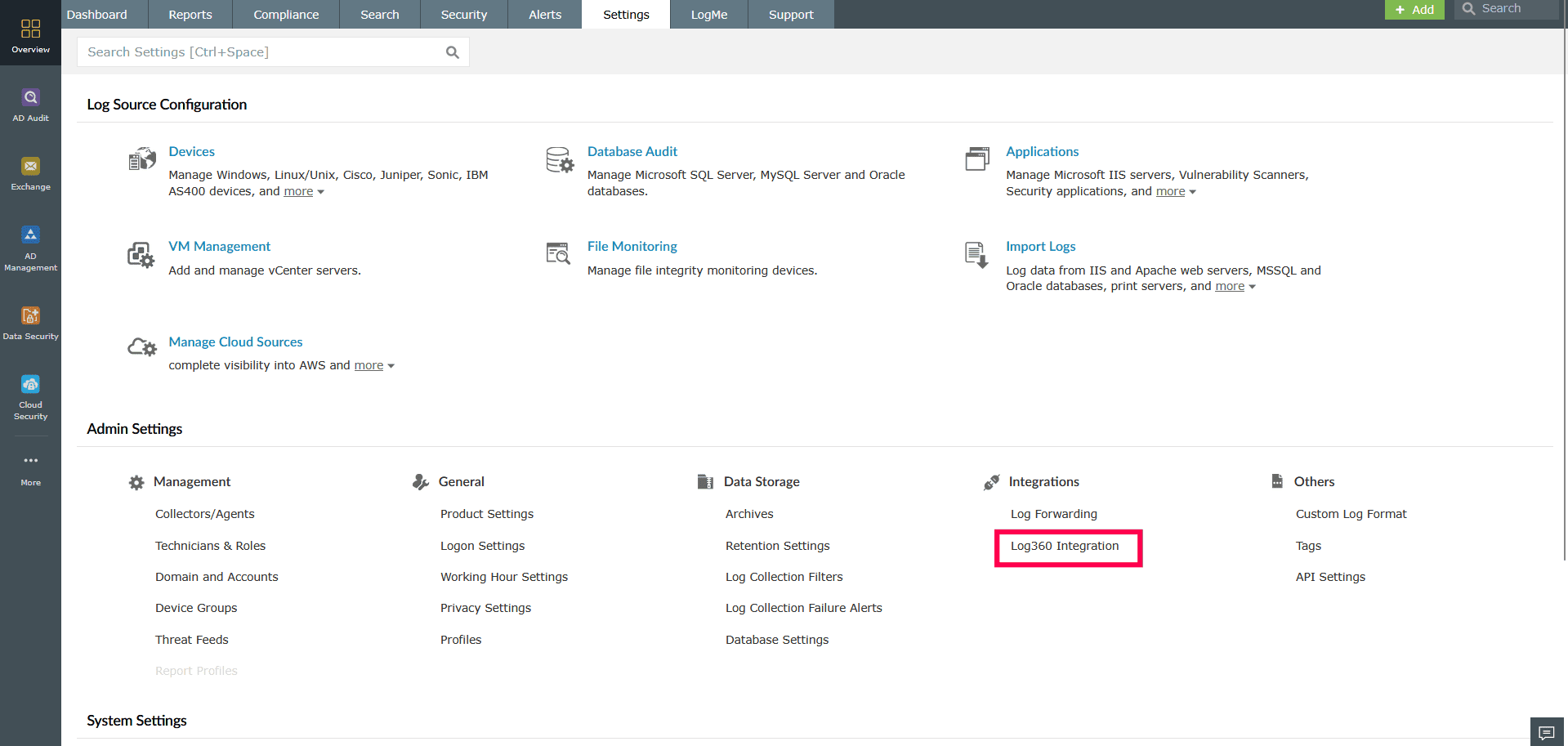
Figure 1: Navigating to Log360 Integration - In the Manage Components page, locate the component you want to install and click Configure.
NOTE Ensure that you integrate ADAudit Plus version 6065 or above when using the latest or upcoming builds of Log360 (Build 5214 and above)
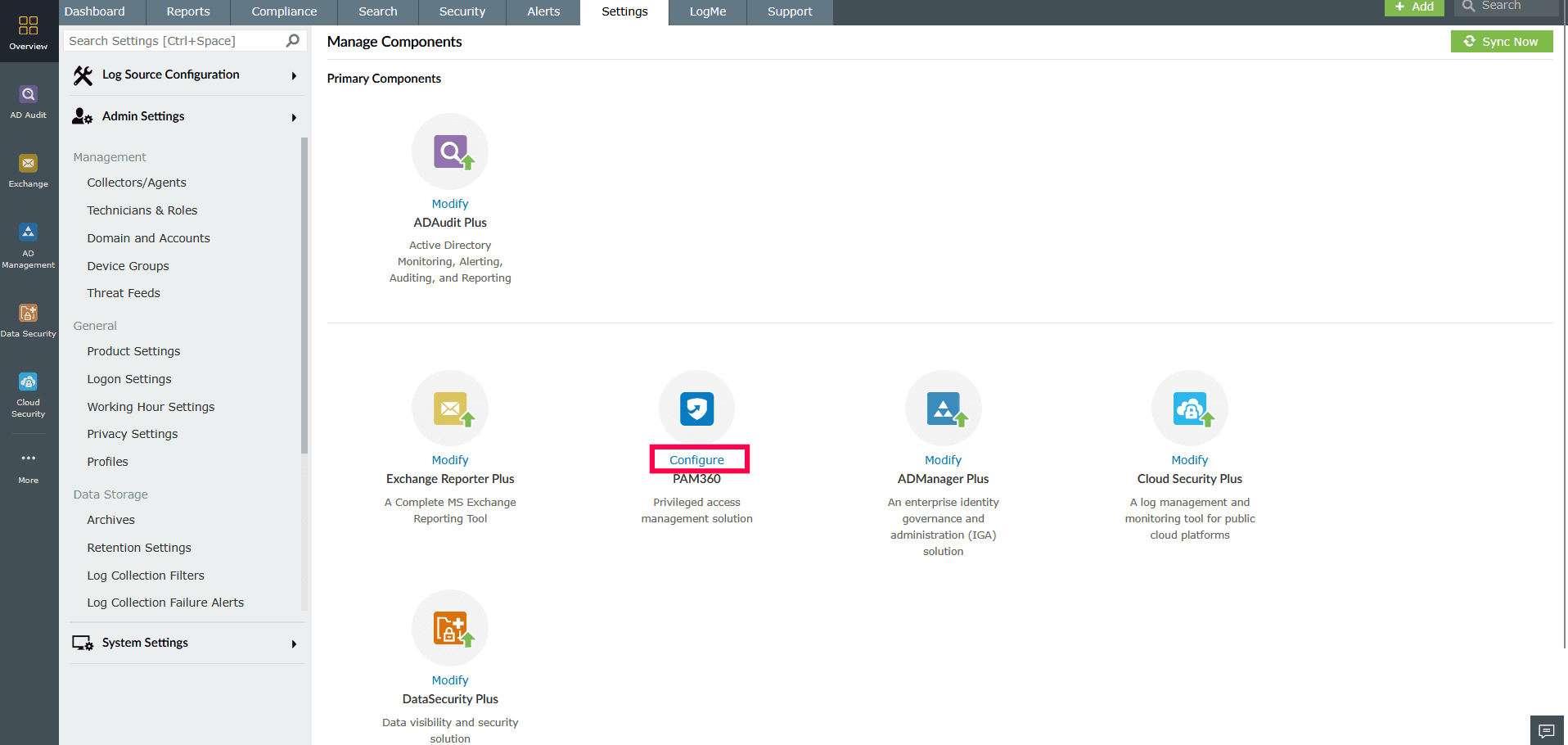
Figure 2: Installing a component - On the Integrate Component page, click Download Now to download the installer.
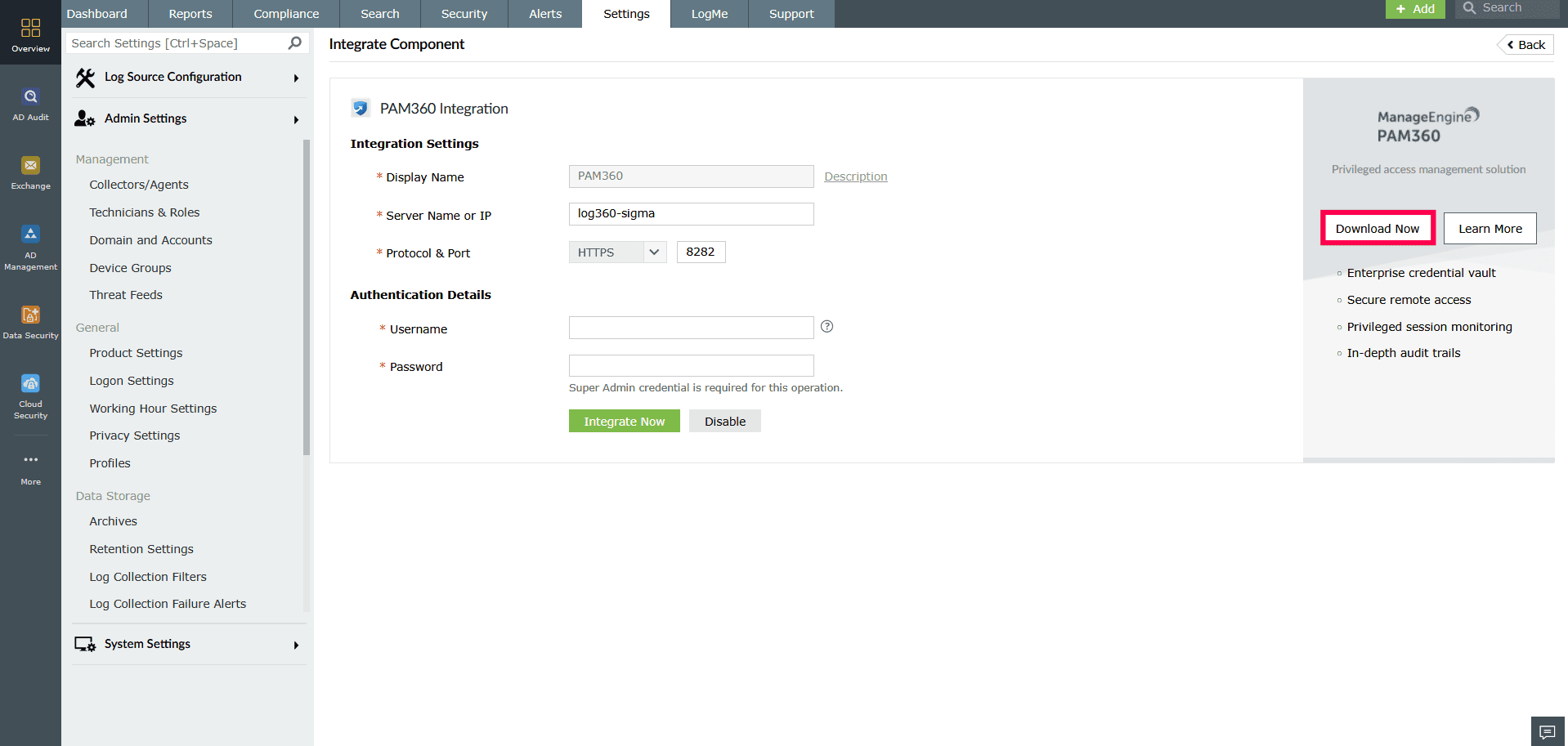
Figure 3: Downloading the installer - Launch the installer.
- On the welcome screen, click Next to begin the setup.
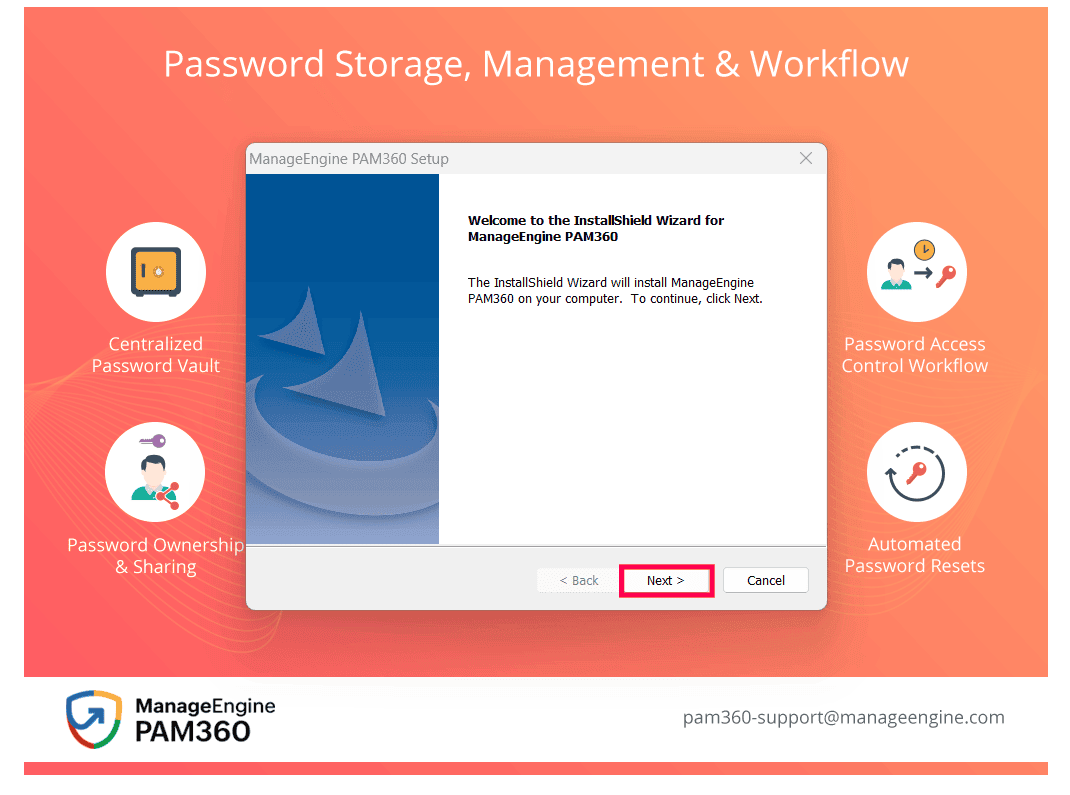
Figure 4: Installing ManageEngine PAM360 setup - Read and accept the license agreement by selecting Yes.
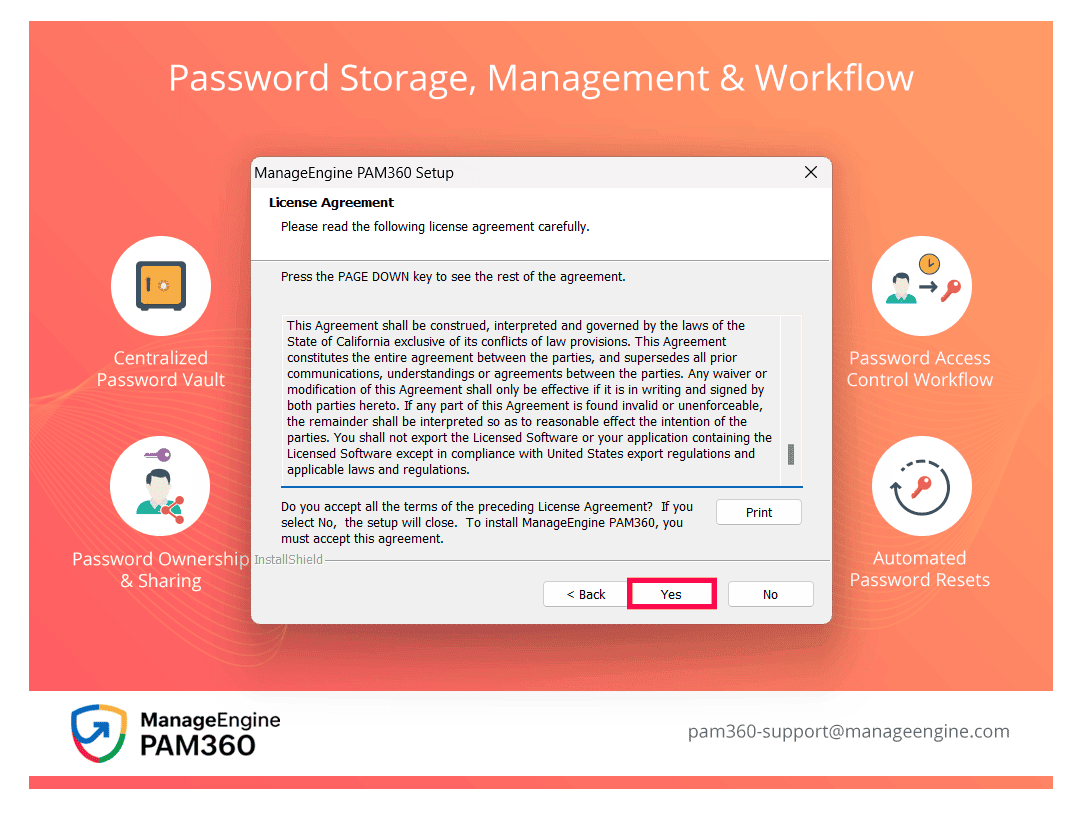
Figure 5: Installing ManageEngine PAM360 setup - Select the folder where the component will be installed. Click Browse to choose the folder, then click Next.
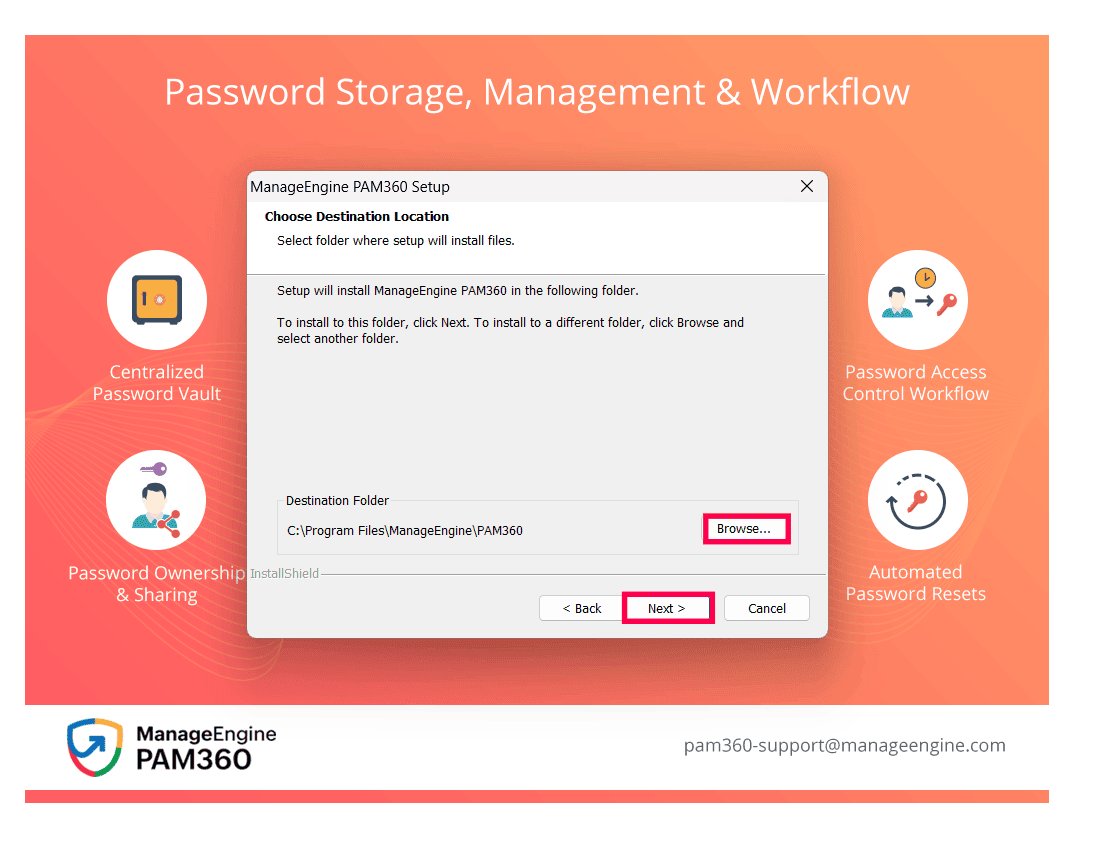
Figure 6: Selecting the installation folder for the component - In the Server Selection panel, choose the appropriate server type: High Availability Primary Server, High Availability Secondary Server, or Read-Only Server, and click Next.
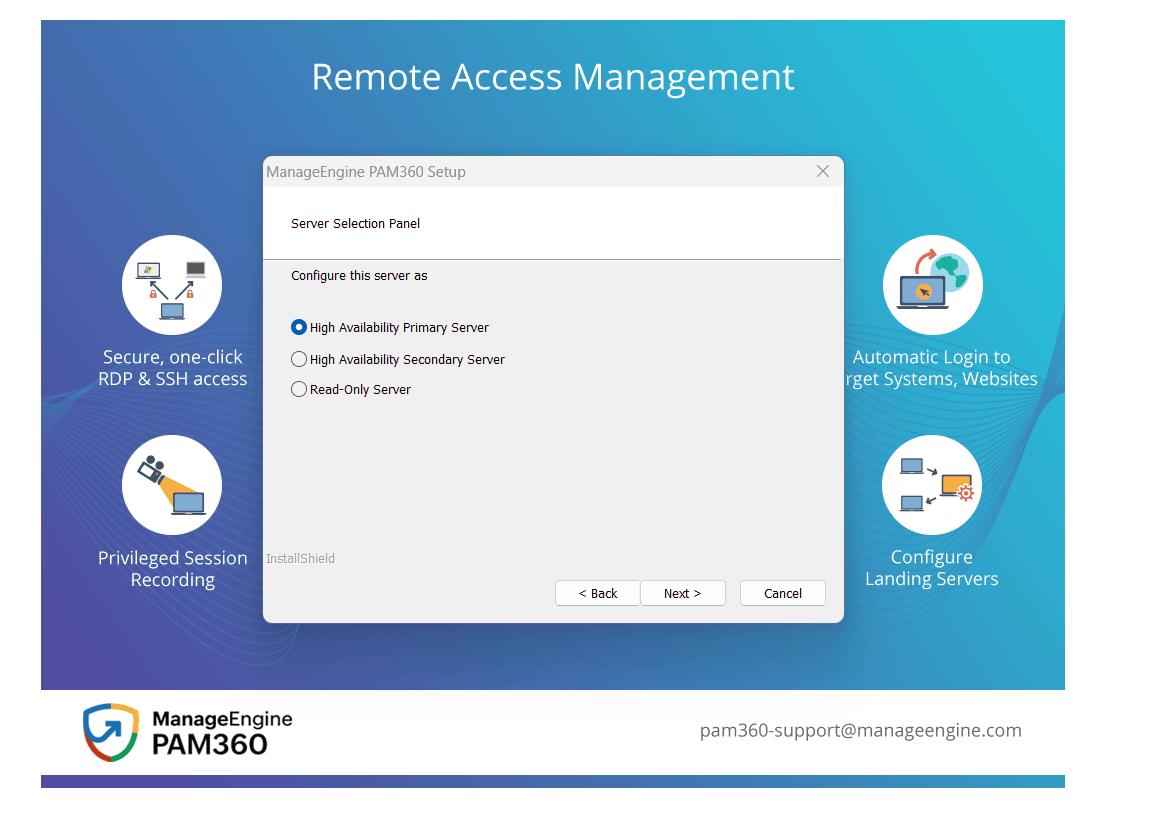
Figure 7: Selecting the server type - Review the settings and click Next to proceed with the installation.
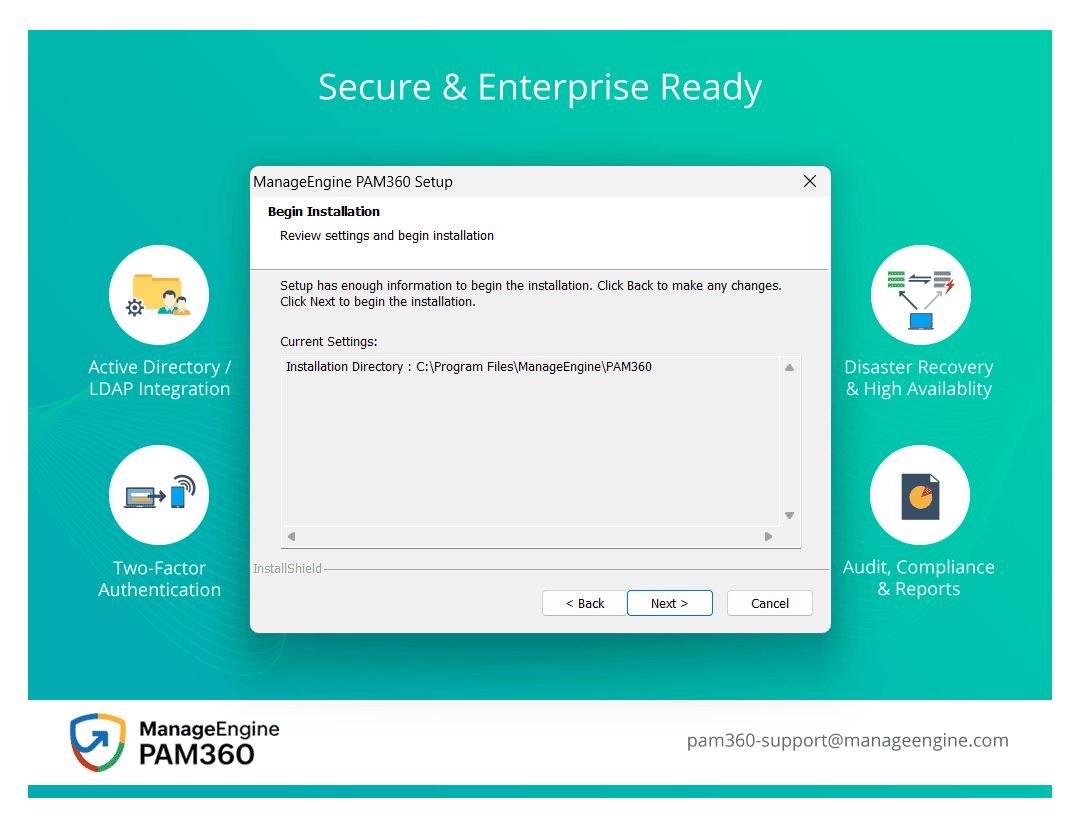
Figure 8: Installing ManageEngine PAM360 - Repeat these steps for all other components that need to be integrated.
- You can also download the component from this website.
- On the welcome screen, click Next to begin the setup.
Read also
This page explained how to download and install the components. To learn how to integrate and navigate between them, refer to the following articles: