Microsoft 365 retention policies are crucial for managing organizational data across various services, including Exchange Online, by automating decisions to retain or delete emails based on compliance requirements. This helps ensure that email data is managed effectively to align with regulatory standards and reduce risk.
Find Microsoft 365 retention policy details using M365 Manager Plus
ManageEngine M365 Manager Plus, a comprehensive tool used for reporting, managing, monitoring, auditing, and creating alerts for critical activities in your Microsoft 365 environments, can be used to view the details of retention policies applied to mailboxes in your Microsoft 365 tenant in just a few clicks.
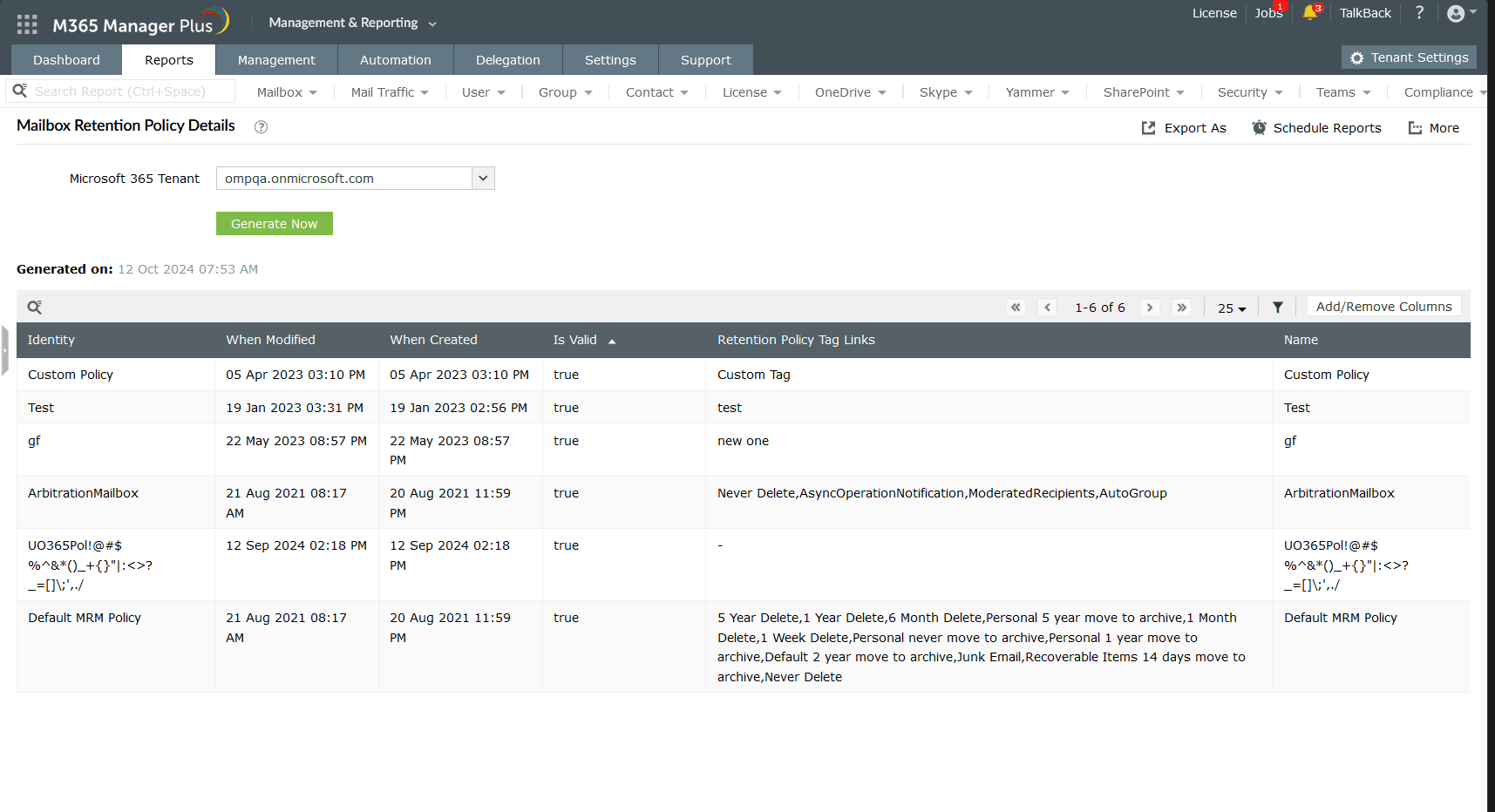
- Log in to M365 Manager Plus and navigate to Reports > Exchange Online > Mailbox Reports, and select Mailbox Retention Policy Details.
- Use the drop-down to select your Microsoft 365 Tenant and click Generate Now to view the details of your retention policies in Microsoft 365.
Highlights of M365 Manager Plus
- Extensive reports: Gain a thorough understanding of your environment in Exchange Online, Microsoft Entra ID, SharePoint Online, OneDrive for Business, and other Microsoft 365 services with detailed reports.
- Bulk management: Manage mailboxes, users, sites, groups, and contacts effortlessly in bulk.
- Comprehensive auditing: Keep tabs on the most granular user activities in your Microsoft 365 environment.
- Real-time notifications: Receive instant email notifications about critical activities.
- Constant monitoring: Monitor the health and performance of Microsoft 365 features and endpoints around the clock.
- Exchange Online backup: Securely back up and restore Exchange Online data, including emails, calendars, and tasks.
- Customizable help desk roles: Create custom roles with any combination of reporting, management, and auditing tasks. Assign these roles to non-administrative users to reduce the workload of Microsoft 365 admins.
