Guest users in Microsoft 365 offer a secure and efficient way to collaborate with people outside your organization. They can access shared documents, Microsoft Teams, and other resources, but they don’t have the same permissions as your internal users. As such, they are prevented from accessing any confidential internal resources.
M365 Manager Plus allows you to invite guest users to Microsoft 365 in bulk
M365 Manager Plus supports bulk management of objects in your Microsoft 365 environment—including creating guest users in bulk—in just a few clicks. You can configure details such as their external email address, display name, and other organizational details.
Here's what you need to do to create guest users in bulk.
- Log in to M365 Manager Plus and navigate to Management > Azure Active Directory > User Management and select Bulk Guest User Creation.
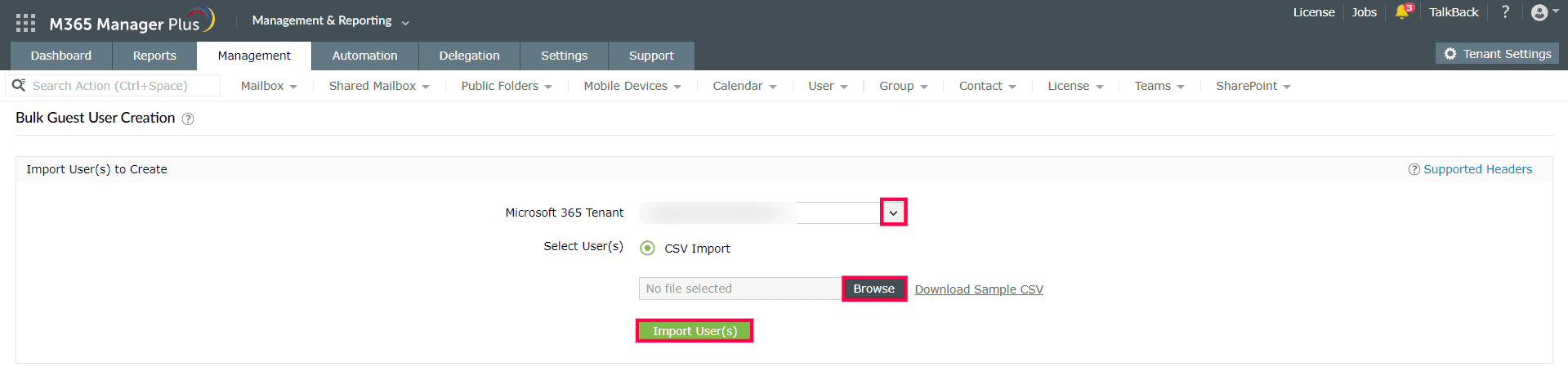
- Select the Microsoft 365 Tenant where you want to invite the guests, upload the CSV file with the details of the guests by clicking Browse, and click Import Users.
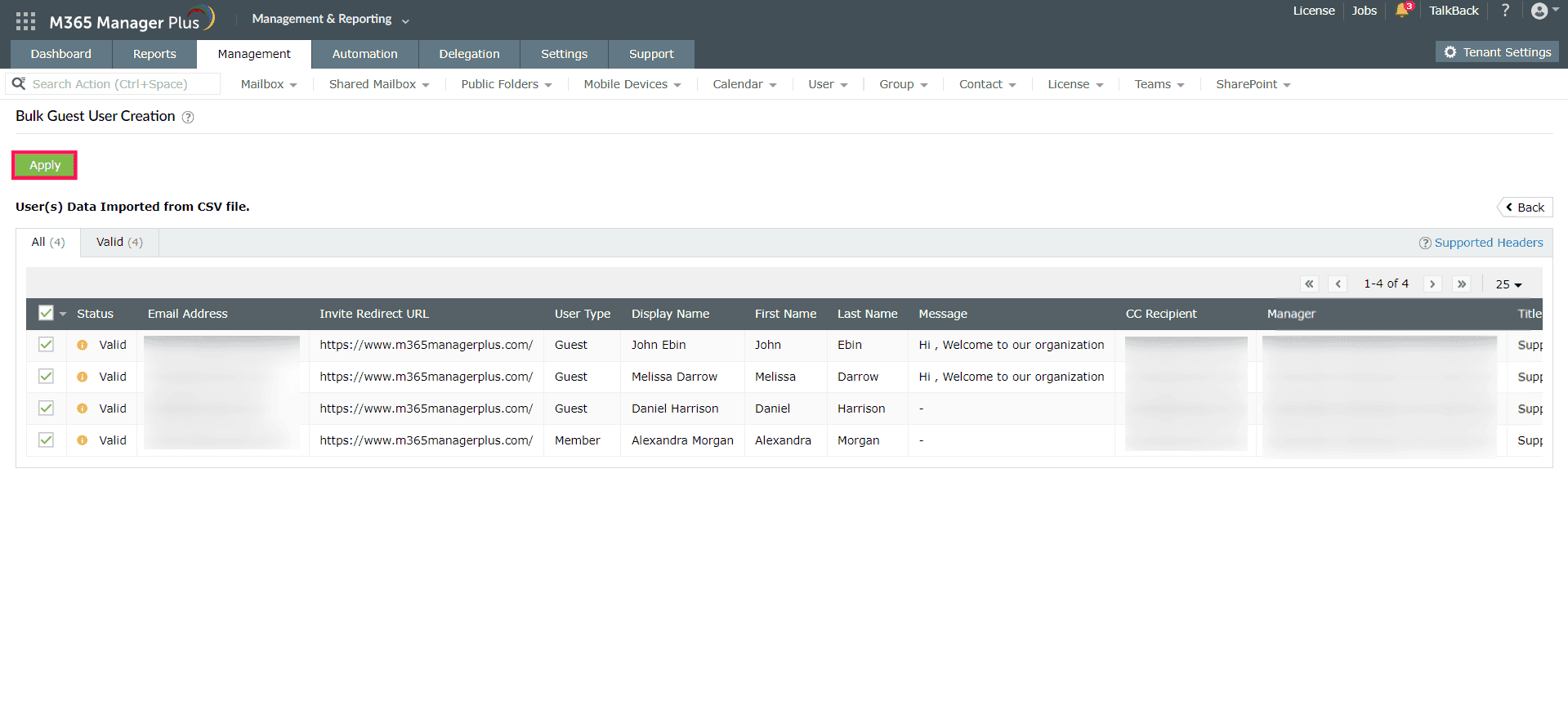
- Click Apply after verifying the details of your guest users.
Highlights of M365 Manager Plus
- Easily manage users, groups, contacts, mailboxes, teams, and sites in bulk without PowerShell scripting.
- Gain a thorough understanding of your environment—not just in Microsoft Entra ID, but also Exchange Online, SharePoint Online, OneDrive for Business, and other Microsoft 365 services—with detailed reports and intuitive visualizations.
- Delegate granular permissions to technicians without elevating their Microsoft 365 privileges and create custom roles with any combination of reporting, management, and auditing tasks.
- Keep tabs on even the most granular user activities in your Microsoft Entra ID and Microsoft 365 environment.
- Configure alert profiles in M365 Manager Plus to notify you of specific activities that take place outside of business hours or occur at unusual frequencies.
- Monitor the health and performance of Microsoft 365 features and endpoints around the clock.
