Room mailboxes in Microsoft 365 are resources designated to physical locations like meeting rooms in your organization. This helps organize the booking of the location by tracking it as an entity with an email address. However, they come with default settings that restrict viewing the details of the meeting and only display their status, such as Busy.
Show the meeting details of Microsoft 365 room mailboxes in M365 Manager Plus
ManageEngine M365 Manager Plus is a comprehensive tool for reporting, managing, monitoring, auditing, and creating alerts for critical activities in your Microsoft 365 environments. You can view details of a meeting taking place in the location assigned to the room mailbox, such as the meeting's name, when it starts and ends, and its participants.
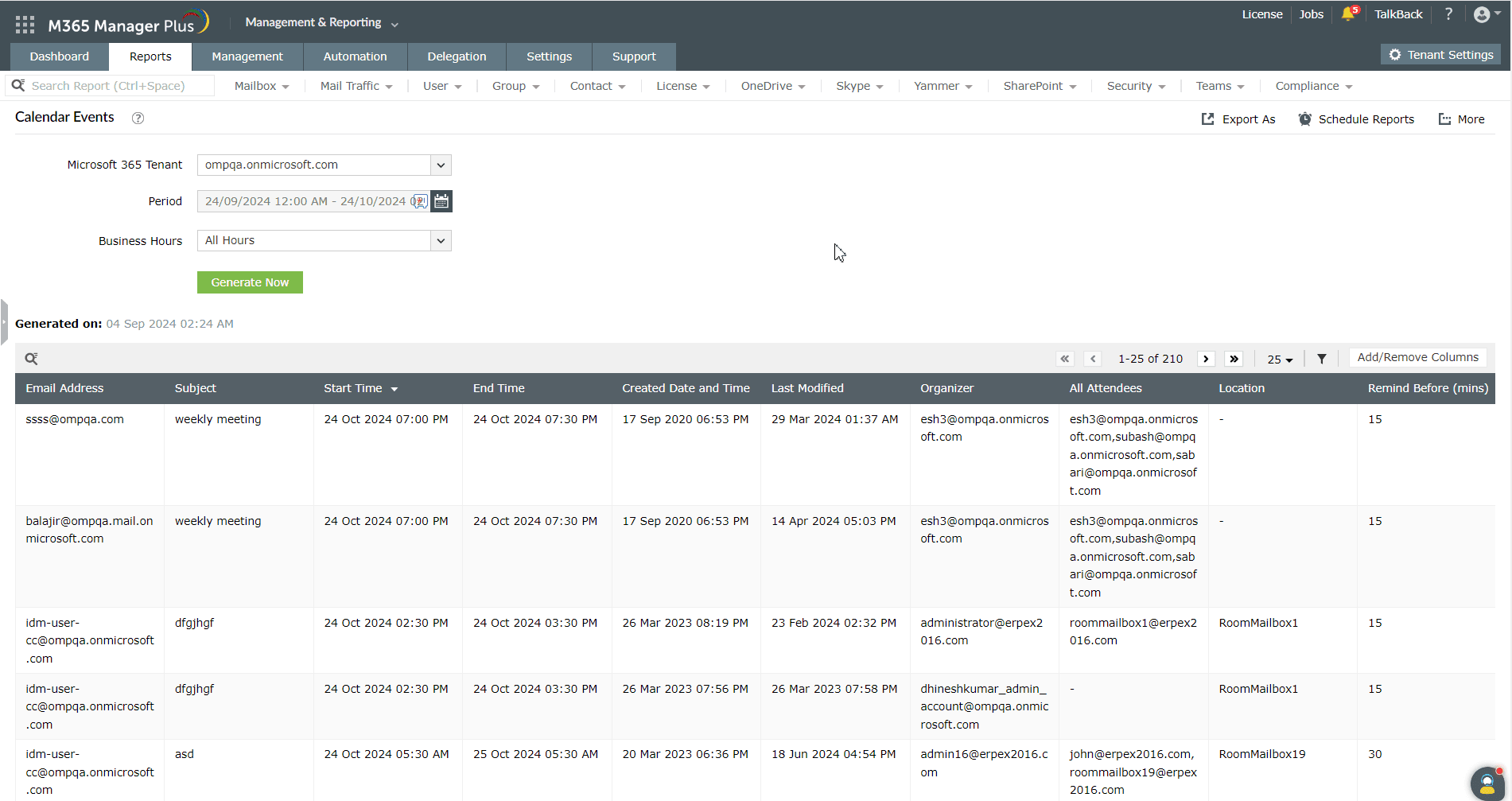
- Log in to M365 Manager Plus, navigate to Reports > Exchange Online > Other Exchange Reports, and select Calendar Events.
- Select your Microsoft 365 tenant, the Period for which you want to generate the report for, and click Generate Now to view the details of your meetings with the Microsoft 365 room mailboxes used for them.
- You can view the name of the meetings scheduled, which room mailboxes were used, who the organizers of the meetings are, when they start and end, the meeting attendees, and more.
Highlights of M365 Manager Plus
- Extensive reports: Gain a thorough understanding of your environment with detailed reports about Exchange Online, Microsoft Entra ID, SharePoint Online, OneDrive for Business, and other Microsoft 365 services.
- Bulk management: Manage mailboxes, users, sites, groups, and contacts effortlessly in bulk.
- Intense auditing: Keep tabs on the most granular user activities in your Microsoft 365 environment.
- Real-time notifications: Receive instant email notifications about critical activities.
- Constant monitoring: Monitor the health and performance of Microsoft 365 features and endpoints around the clock.
- Exchange Online backup: Securely back up and restore Exchange Online data like emails, calendars, and tasks.
- Customizable help desk roles: Create custom roles with any combination of reporting, management, and auditing tasks. Assign these roles to non-administrative users to reduce the workload of Microsoft 365 admins.
