Monitor the usage of Microsoft Teams in your organization
Many organizations have adopted Microsoft Teams to communicate with colleagues, collaborate on projects, conduct telemeetings, and more. On account of this, the number of teams and channels maintained in organizations has risen quite steeply in recent times. It is essential to monitor these to gain insights on user activity, device usage, collaboration patterns, and more.
Reports on Microsoft Teams can be found in the Microsoft 365 admin center and the Microsoft Teams admin center. These reports give you details on how Teams is used in your organization. To access these reports, you must be a global admin in Microsoft 365, Teams service admin, or Skype for Business admin.
To get Teams reports in Microsoft Teams admin center:
- Go to the Microsoft Teams admin center.
- In the left pane, select Analytics & reports.
- Choose the report you wish to run from the Report category.
- Select the Date range.
- Click Run report.
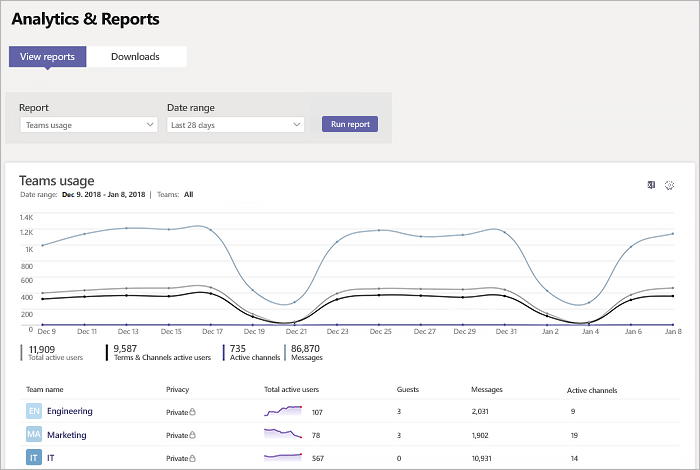
Teams usage report
This report gives you an overview of Microsoft Teams usage. You can find details such as the total number of active users, privacy setting, number of active channels, number of guests, and number of messages in each team.
Teams device usage report
This report gives you information on the type of devices that users use to connect to Teams. It also gives you the user count for each device type.
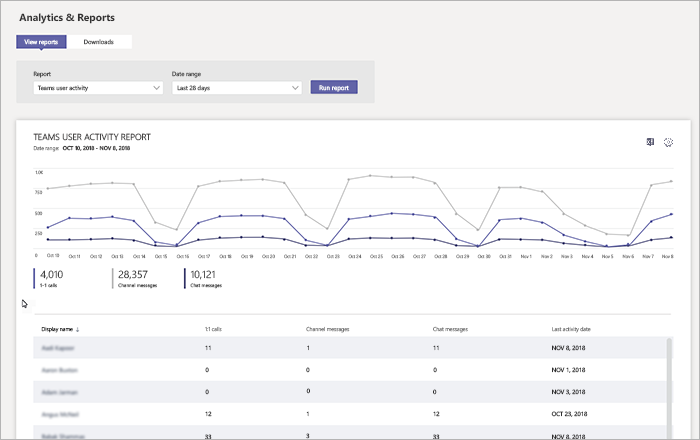
Teams user activity report
This report shows you the type of activities that users engage in, such as one-to-one calls, channel messages, and private chat messages. It also shows you the activity count for each user.
Monitor Teams efficiently with M365 Manager Plus
Advanced filters: The attribute and condition-based filters help you trim down the data based on your requirements.
Reports on historical data: The reports in Microsoft 365 admin center and Microsoft Teams admin center retrieve data that's at least seven days old and no older than 180 days. However, M365 Manager Plus reports can fetch all data right from the time of its installation.
Customizable dashboard: M365 Manager Plus' dashboard is customizable. Generate graphical reports to get a quick peek at Teams usage and more. This dashboard can be embedded in any of your web pages to enable constant monitoring.
Report scheduler: Schedule report generation at periodical intervals to ensure constant monitoring.
Report export: The reports can be exported to PDF, XLSX, HTML, or CSV formats and redistributed via emails to the administrators.
Secure delegation: Securely delegate report generation to technicians and IT staff without giving them full access to the Microsoft 365 admin center.
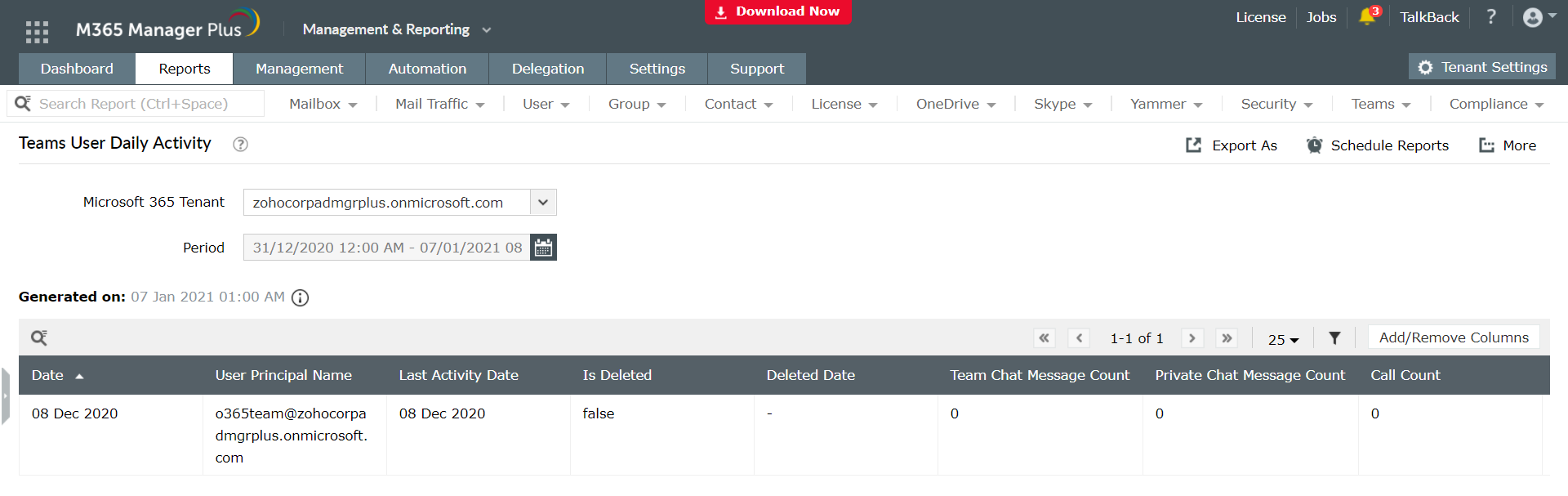
Monitoring Teams usage using M365 Manager Plus:
- Navigate to the Reports tab.
- Go to Other Services in the left pane.
- Select Teams Usage Reports > Teams User Daily Activity or any other report.
- Select the required Microsoft 365 Tenant and Period to generate the report.
Other reports that help monitor Microsoft Teams include:
- All Teams
- Team Channels
- Team Members
- Team Sizes
- Daily Teams User Count by Device Usage
- Daily Teams Activities Count by Type
- Daily Teams User Count by Activity
- Teams User Device Usage
- Teams User Count by Device Type
To know more about Microsoft Teams reporting using M365 Manager Plus, click here.
