
Search the audit log for events in Teams

Your download is in progress and it will be complete in just a few seconds! If you face any issues, download manually here

Thank you for registering with ManageEngine.

We will send the download link to the registered email ID shortly.

Manage and Secure Microsoft 365 with M365 Manager Plus

  •  
  •  
  •  
  • By clicking 'Download 30-day free trial' you agree to processing of personal data according to the Privacy Policy.

Audit log for events in Microsoft Teams

The audit log in Microsoft Teams helps you look into events such as team creation, team deletion, added channel, changed settings, and more. The auditing feature can be turned on using the Security & Compliance Center or a PowerShell script.

To retrieve audit logs using the Security & Compliance Center:

  • Navigate to Search > Audit log search.
  • Use Search to filter by the activities, dates, and users you wish to audit.
  • Export your results to Excel for further analysis.

Audit Microsoft Teams using M365 Manager Plus

M365 Manager Plus is an extensive Microsoft 365 administrative tool that helps ease your security concerns and keep your Microsoft 365 setup intact. It offers 700+ preconfigured reports, granular audit logs and real-time alerts to keep your security concerns at bay.

With M365 Manager Plus, you can:

  • Track team, organization, and channel settings changed by users.
  • Audit the teams and channels created in your organization to understand team dynamics better.
  • See the bots added and removed from your team's environment.
  • Create custom audit profiles to audit specific activities during business or non-business hours.
  • Configure alerts to notify you about changes you deem critical.

To audit Microsoft Teams using M365 Manager Plus:

  • Navigate to the Audit tab.
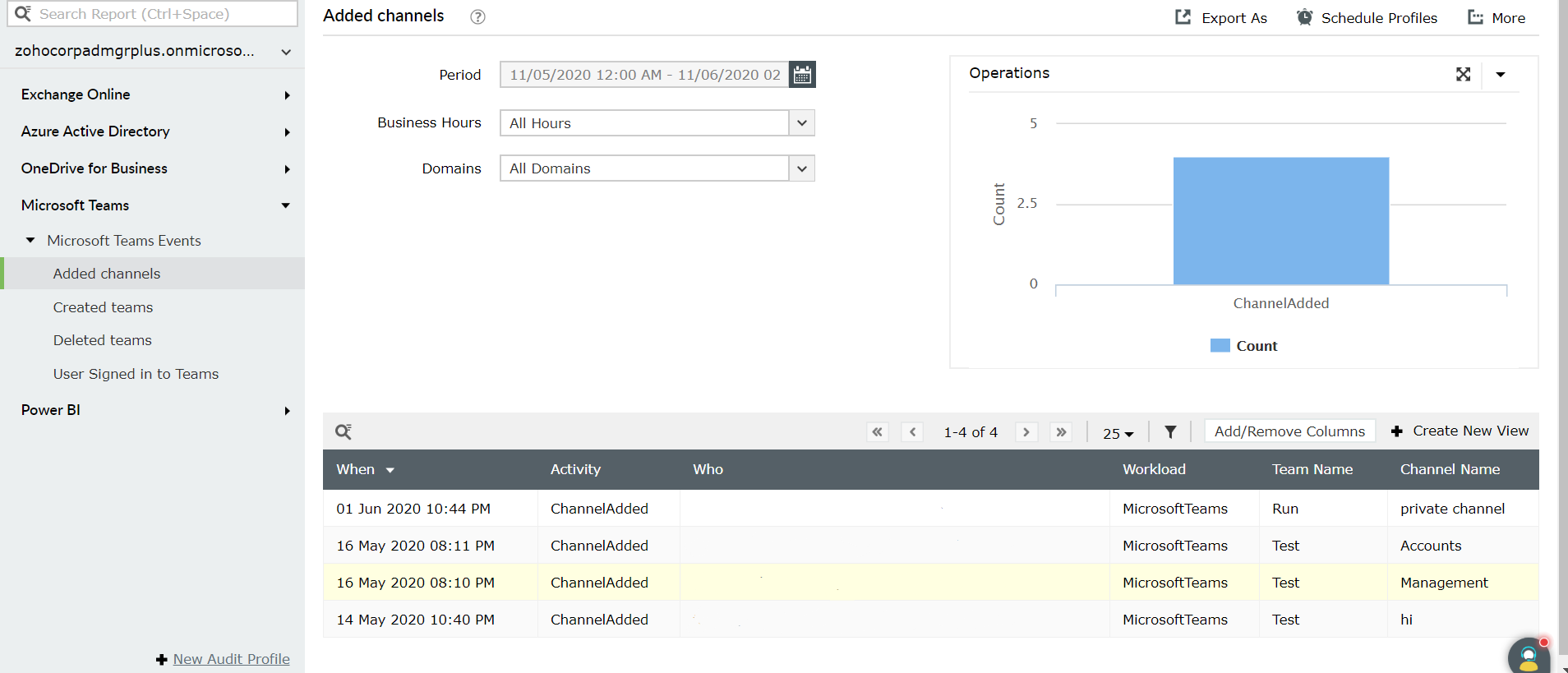
  • Go to Microsoft Teams Events > Added channels or any other audit log as per your requirement.
  • Enter the Business Hours, Domain, and Period of search to generate the report.

Search the audit log for events in Teams

To know more about managing your Microsoft 365 environment using M365 Manager Plus, click here.

Why businesses choose M365 Manager Plus?

What our customers say

  • We can now effectively reconcile which licenses we are using in the organization and assign the cost to the business unit. We were also able to identify a number of license changes that could be put in place that reduced our total Microsoft 365 spending.

    Timothy Ransom
    Group IT/IS manager at The Eclipse Group, United Arab Emirates

  • M365 Manager Plus is valuable to our future business and, most importantly, it allows me to keep improving the level of service we provide.

    IT infrastructure manager
    Sunstar Suisse S.A.

  • Our firm purchased ManageEngine M365 Manager Plus to help us protect our business from email-borne cyberthreats. We are absolutely satisfied with the features and ease of use. It has surpassed our expectations.

    Insurance agent
    Security and risk management Gartner review

A holistic Microsoft 365 administration solution

One-stop solution for all your
Microsoft 365 administration needs!

Download now