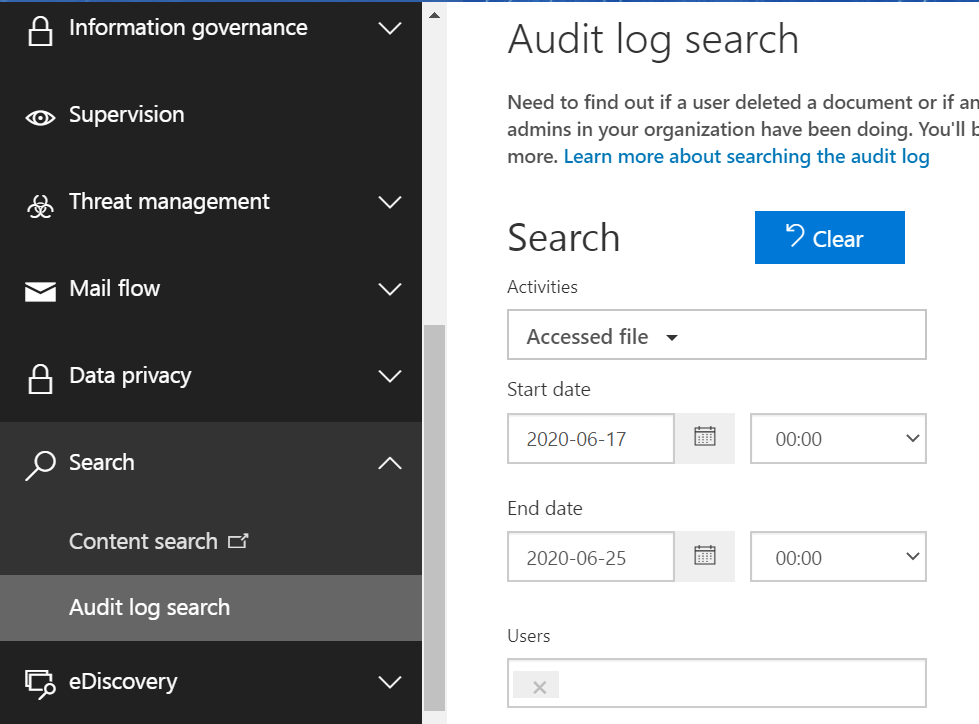
Navigate to Microsoft 365 Security & Compliance Center > Search > Audit Log Search. The unified auditing functionality of Microsoft 365 allows you to search for and track various user actions and get hold of the corresponding audit logs. You can enter the list of activities, period and user names to search for the audit information.
M365 Manager Plus’ auditing feature
M365 Manager Plus is an intuitive Microsoft 365 reporting, managing, monitoring, auditing, and alerting tool. This tool lets you search and generate audit logs in few simple steps and also provide various added benefits as compared to the native tool that makes your auditing experience easier and more organized.
Why M365 Manager Plus?
Geolocation enabled audit reports: With these reports, you can look for changes performed by users along with their location. You can filter these reports location-wise and make management easy for regional admins.
Custom views and advanced filtering options: You can create audit reports with the type of view you prefer (like summarised views) and also choose the columns that must go into the report.
Business hours auditing: You can audit actions throughout the day and also get a separate set of report on the action performed within and outside the usual business hours. This will help you track the unusual activities performed outside business hours (if any) easily.
User-based and group-based auditing: With the advance filter options, you can filter the audits domain-wise and also pick out reports related to specific user or group in particular if would choose to.
Indefinite audit log storage: M365 Manager Plus allows you to store the audit logs for an indefinite period unlike in native tool with specific restrictions for storage period as per your subscription type.
Inpidual audit profiles for each activity: The main advantage of using this tool is that you can audit actions for most of the Microsoft 365 services and yet have distinct and comprehensive reports that track each activity accurately.
Create your own custom alerts: Using this feature, you can create your own alert profiles that help you get instant email notifications about the important changes made to your Microsoft 365 accounts.
Help-desk delegation: Achieve better role-based access control by delegating each technician a granular and unique role that holds just enough amount of rights and permissions as required.
Simple steps to fetch audit logs in M365 Manager Plus:
- Go to the Audit tab
- Navigate to the Microsoft 365 service and the particular report you want.
- Choose the Period and Hours for which you would like to generate the report.
- Select the required domains.
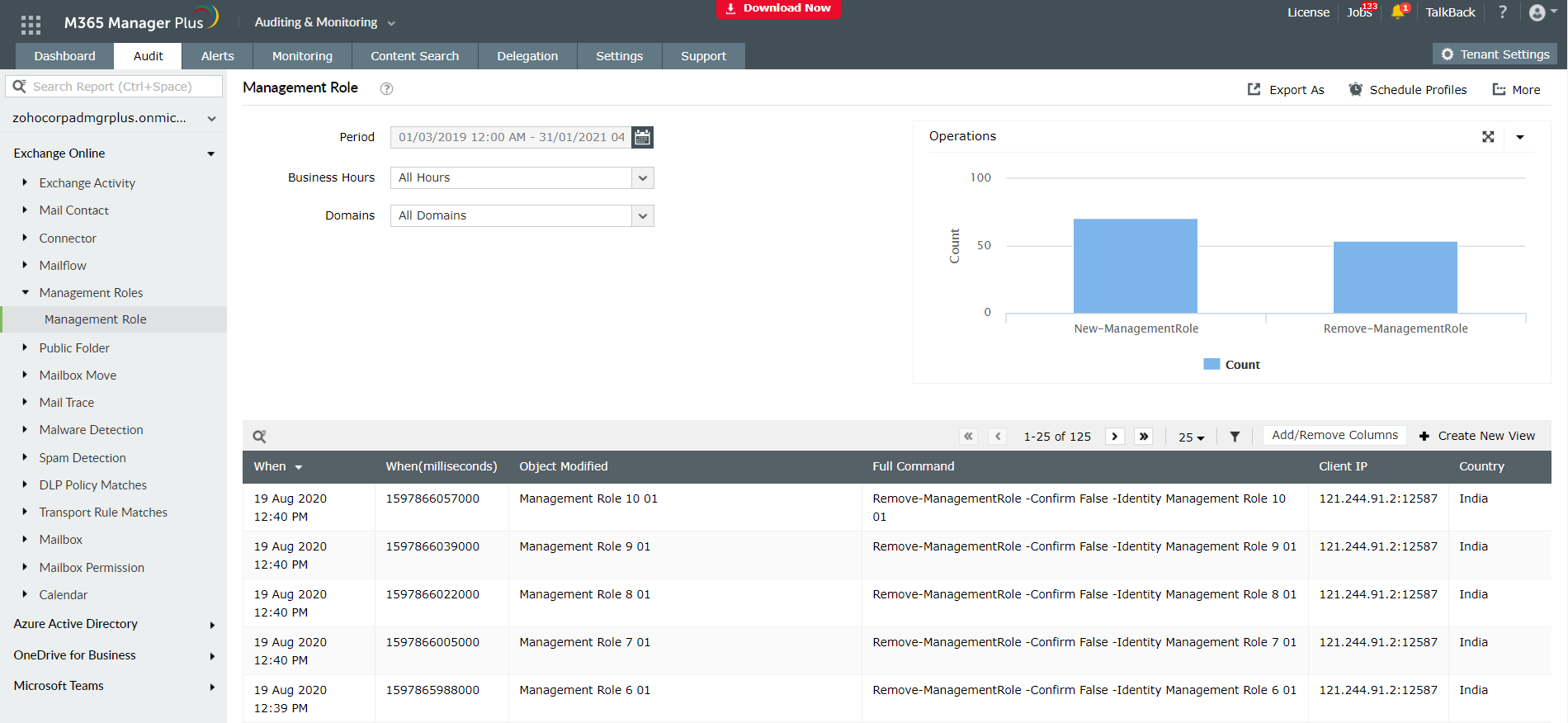
You can further choose or create suitable view and filter the columns in the reports as given here and click here to learn more about how M365 Manager Plus helps you audit and manage Microsoft 365 accounts easily and efficiently.
