- Free Edition
- Quick Links
- Highlights
- Exchange Online
- Exchange Online Management
- Exchange Online Reports
- Exchange Online Auditing
- Exchange Online Monitoring
- Shared Mailbox Management
- Mailbox Usage Reports
- Exchange Online Mailbox Auditing
- Shared Mailbox Reports
- Exchange Online Delegation
- Mailbox Size Reports
- Mail Traffic Reports
- Non-owner Mailbox Access Report
- Public Folder Reports
- OWA Reports
- Mailbox Content Reports
- Entra ID
- Entra ID Management
- Entra ID Reports
- Entra ID Monitoring
- Entra ID Auditing
- User Management
- Contact Reports
- Security Group Reports
- License Reports
- Entra ID Delegation
- Microsoft 365 User Provisioning
- User Reports
- Distribution Group Reports
- Group Reports
- Inactive Exchange Users
- Entra ID User Auditing
- Entra ID Group Auditing
- Entra ID Logon Auditing
- Microsoft Teams
- OneDrive for Business
- SharePoint Online
- Security and compliance
- Other Features
- Related Products
- ADManager Plus Active Directory Management & Reporting
- ADAudit Plus Hybrid AD, cloud, and file auditing and security
- ADSelfService Plus Identity security with MFA, SSO, and SSPR
- Exchange Reporter Plus Exchange Server Auditing & Reporting
- M365 Security Plus Microsoft 365 Auditing and Alerting
- EventLog Analyzer Real-time Log Analysis & Reporting
- SharePoint Manager Plus SharePoint Reporting and Auditing
- DataSecurity Plus File server auditing & data discovery
- RecoveryManager Plus Enterprise backup and recovery tool
- AD360 Integrated Identity & Access Management
- Log360 (On-Premise | Cloud) Comprehensive SIEM and UEBA
- AD Free Tools Active Directory FREE Tools
Managing Microsoft 365 users, mailboxes, contacts, groups in bulk, and delegating bulk management actions to technicians are two ways to reduce time the time spent on Microsoft 365 management and maximize productivity. However, the Microsoft 365 Admin Center lacks the capability to manage Microsoft 365 objects in bulk, and its delegation capability is restricted to default roles. These shortcomings leave IT admins to depend on third-party tools to reduce the time spent on managing these objects.
Management templates
M365 Manager Plus' management templates help to standardize the attributes involved in Microsoft 365 users, mailboxes, groups, contacts creation, and modification processes. These templates help the technicians save a huge amount of time and effort when they don't have to apply the same value to each Microsoft 365 object individually. The management templates provided by M365 Manager Plus come in two categories:
- Creation templates: Pre-configure all the standard values and settings such as password complexity, microsoft address, group membership, permission to resources, etc., leaving only the variables like user name, personal mobile number, personal address, etc. to the help desk technicians.
- Modification templates: Define the fields that can be modified by technicians leaving the license, role, MFA, and other crucial settings to the IT admins.
Advantages of M365 Manager Plus' management templates
- Pre-define values: With the help of creation templates, IT admins can standardize and pre-define certain user and mailbox settings like naming format, mailbox storage limit, Microsoft address, mailbox permissions, license type, and more. The same applies to groups and contacts as well.
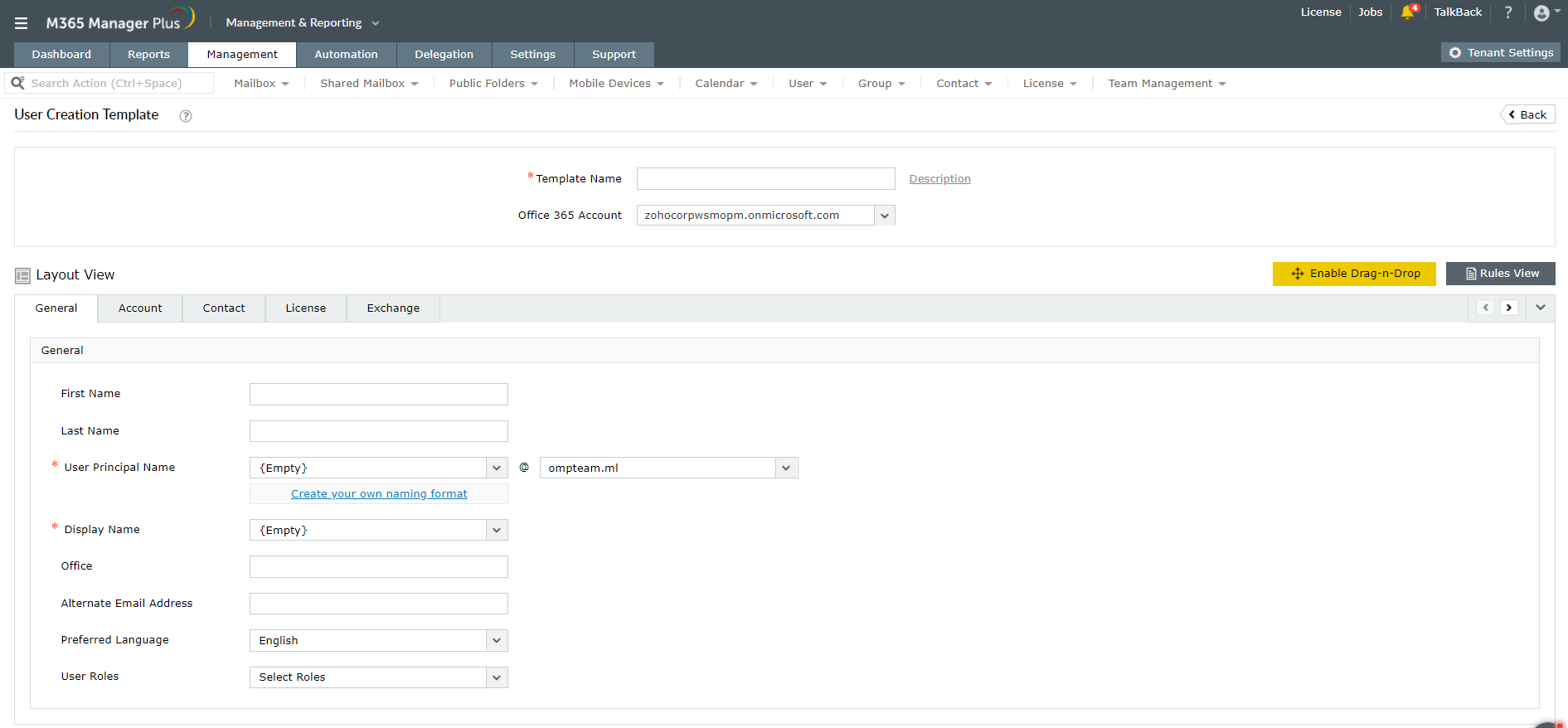
- Regulate modification: With the modification templates, IT admins can regulate the attributes that can be modified by a help desk technician. Only the fields specified in the template can be modified, and the values of those fields need to match the requirements specified. For example, passwords should meet the complexity requirements, the user name should adhere to the specified naming format, and so on.
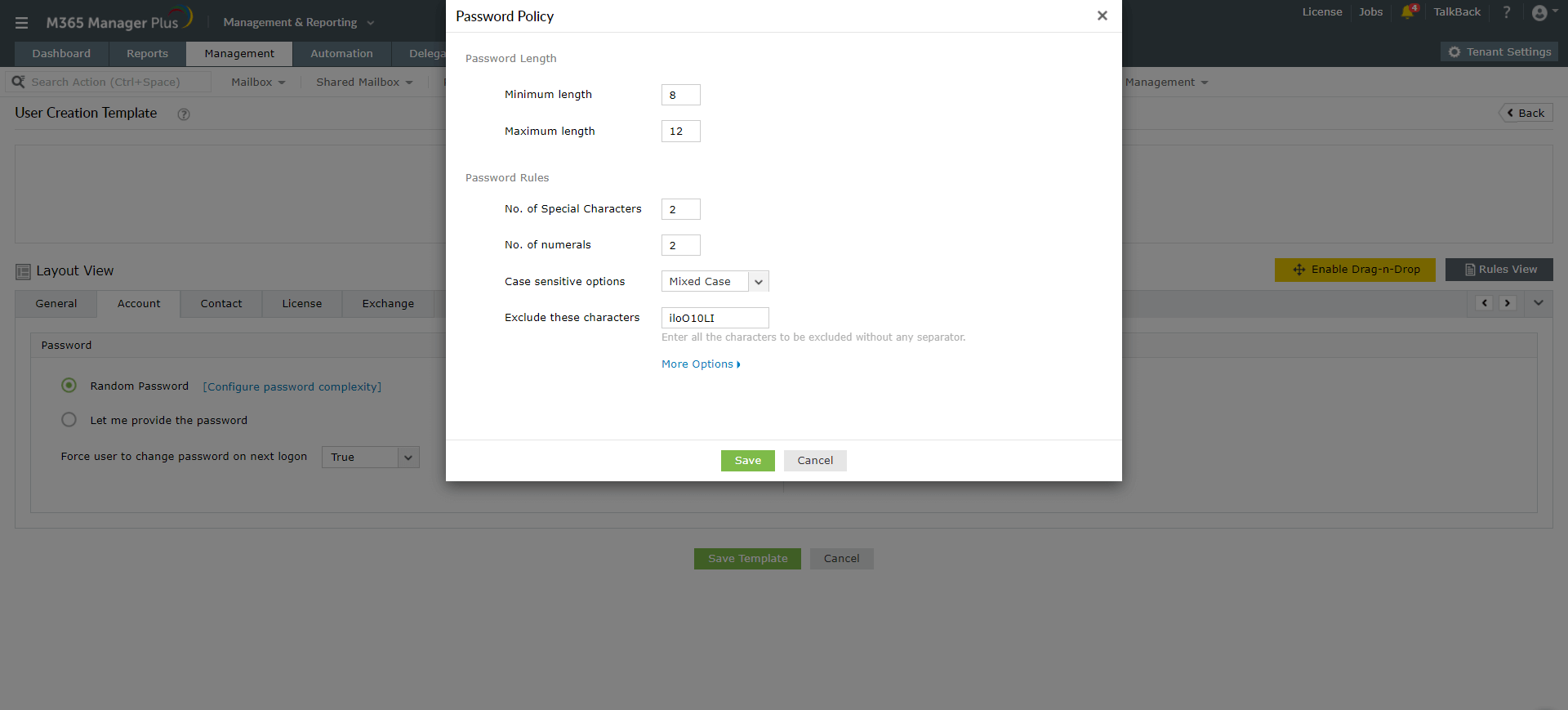
- Perform multiple actions from a single window: A typical user, mailbox, or any Microsoft 365 object creation process involves multiple actions to be performed under multiple windows. These actions range from basic profile creation to granting permissions and configuring security settings. Management templates simplify this multi-window process by bringing all the required actions to a single window.
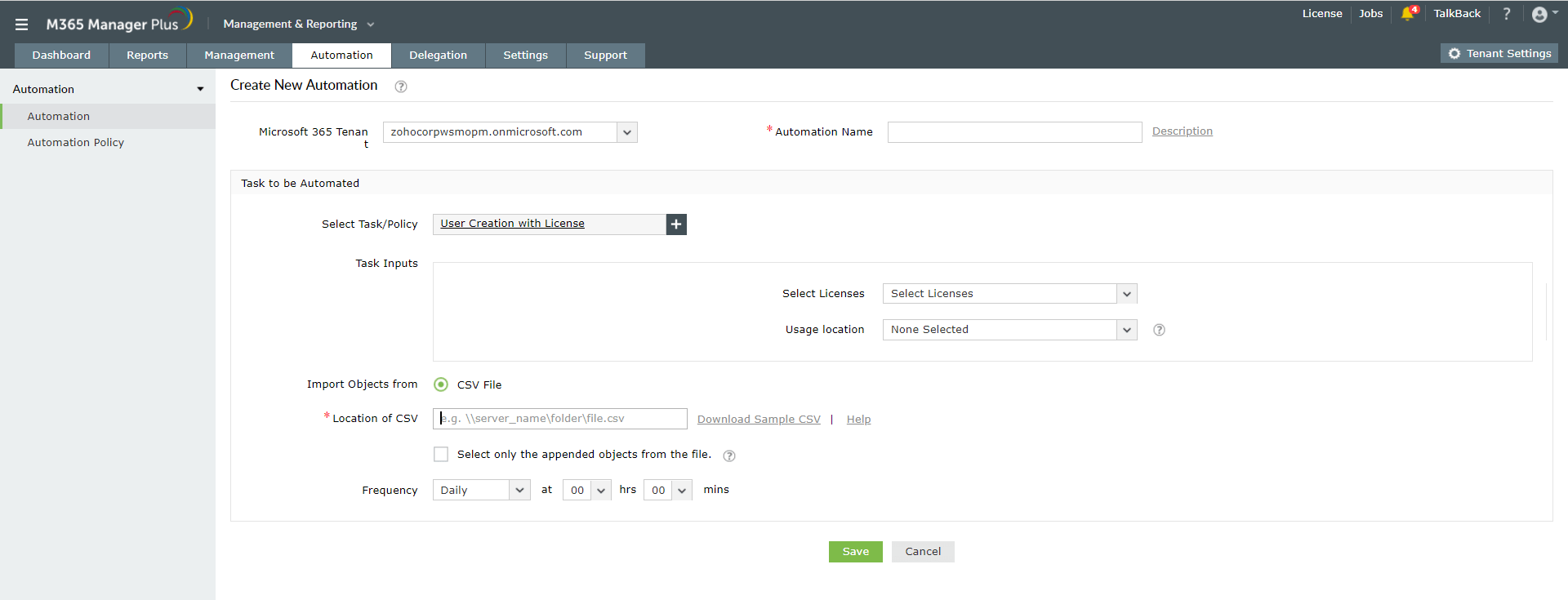
- Automate Microsoft 365 management with templates: Use management templates while creating automation policies with M365 Manager Plus. This speeds up your management processes as the templates come with predefined values and automation policies run at specified intervals without any human intervention.