Last updated: July 24, 2026
How to Publish Google Hosted Web Apps Directly from the ME MDM Console?
Web apps not available on the public Play Store, or apps accessed only via browser, can be published directly from the MDM console. Under App Repository > Managed Google Play > Add Apps > Google Hosted Apps, select the Web Apps tab, provide a title, URL, display type, and icon, then create it. Once created, save and sync to add it to the App Repository for distribution to devices.
Description
Publishing web apps as private Play Store apps allows organizations to distribute their internal web applications securely across their managed Android devices. By publishing web apps through the ME MDM console, you can provide easy access to these apps while maintaining control over their availability and distribution.
When to Choose Web Apps:
- You have a web-based application that needs to be available to users on their Android devices.
- You want to distribute an app that is not available on the public Google Play Store but still needs to be accessed by users.
- You require an app that doesn’t need to be installed locally, instead, it is accessed via a web browser.
Steps to Create and Publish Web Apps:
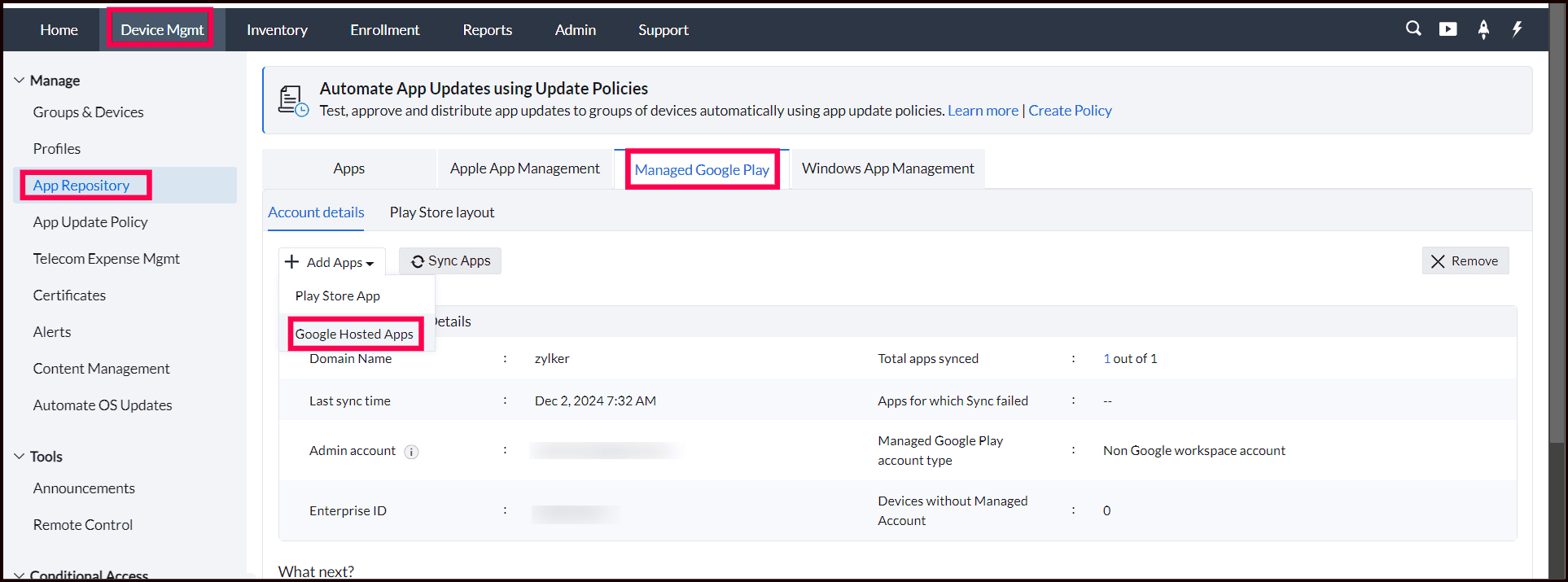
- In the ME MDM console, navigate to Device Mgmt and then select App Repository. Under the App Repository section, click on Managed Google Play. Next, click on Add Apps and select Google Hosted Appsfrom the options to begin the app creation process.
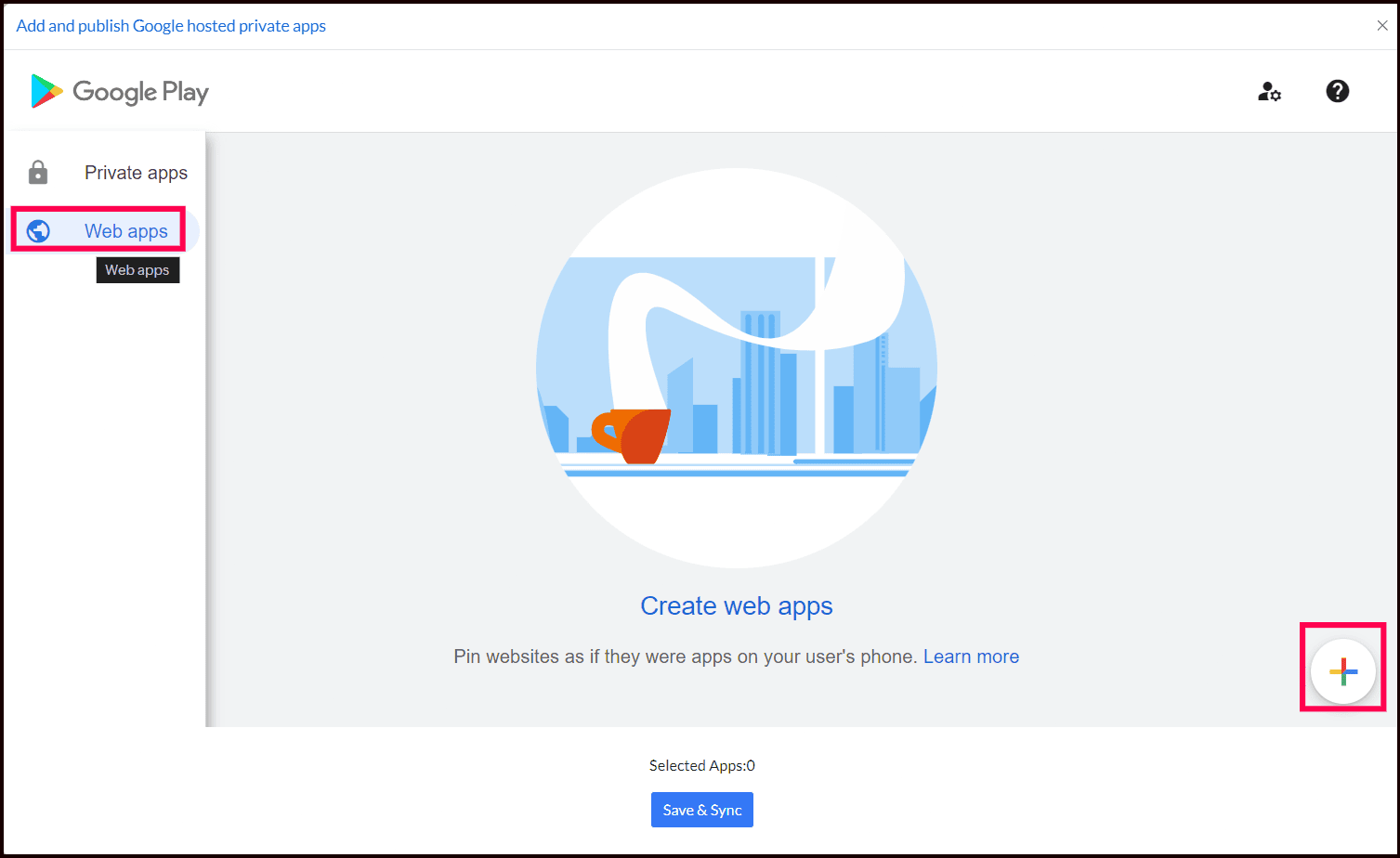
- Click on the Web Apps tab and then click the + button at the lower right to add a new web app.
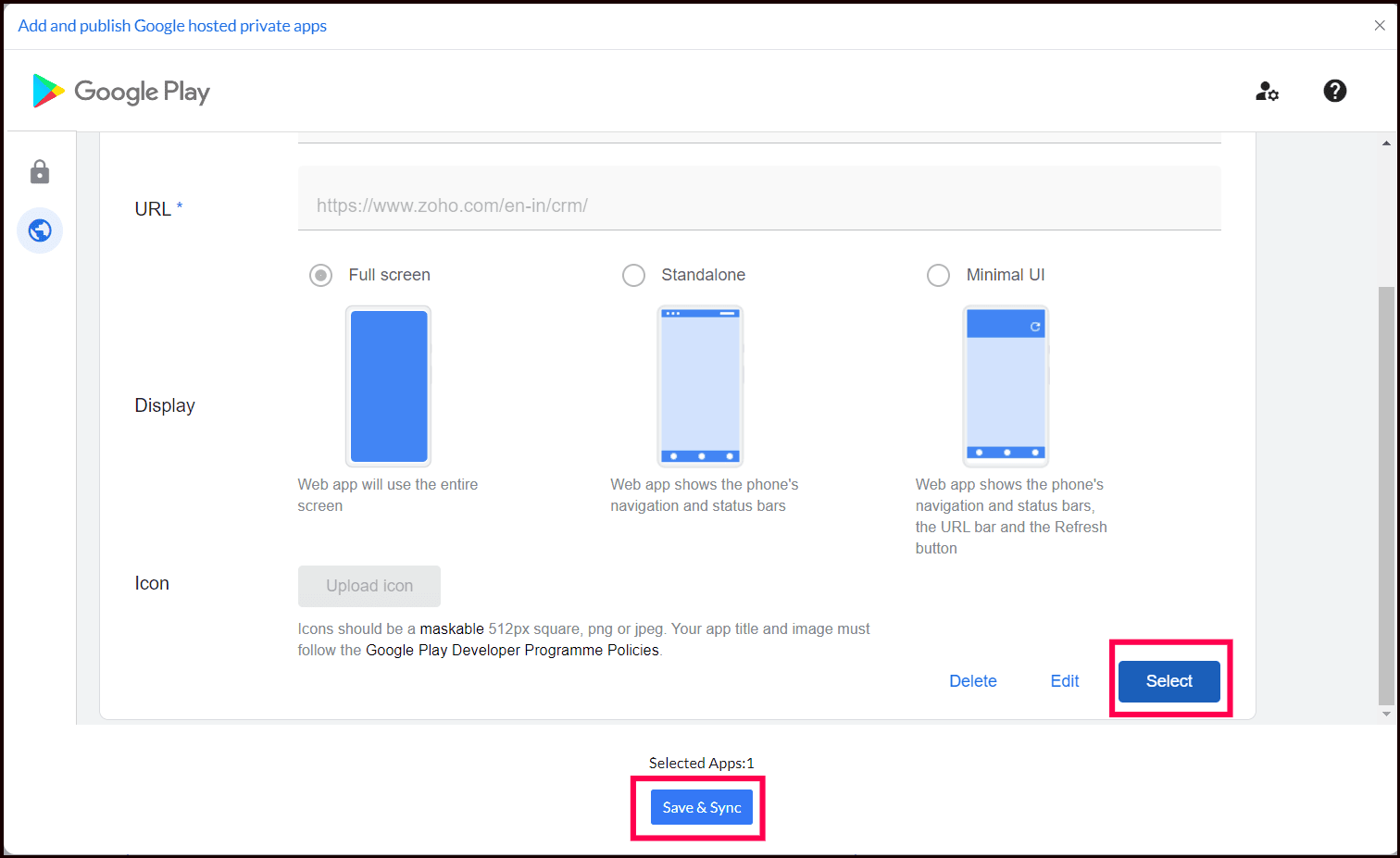
- Provide the Application Title for the web app, which is the name that will appear on devices. Enter the URL where the web app is hosted. Choose the appropriate Display type for the app, such as full-screen, Standalone or Minimal UI, depending on your preference. Upload an Icon for the app to make it easily identifiable. Once all the details are filled out, click Create.
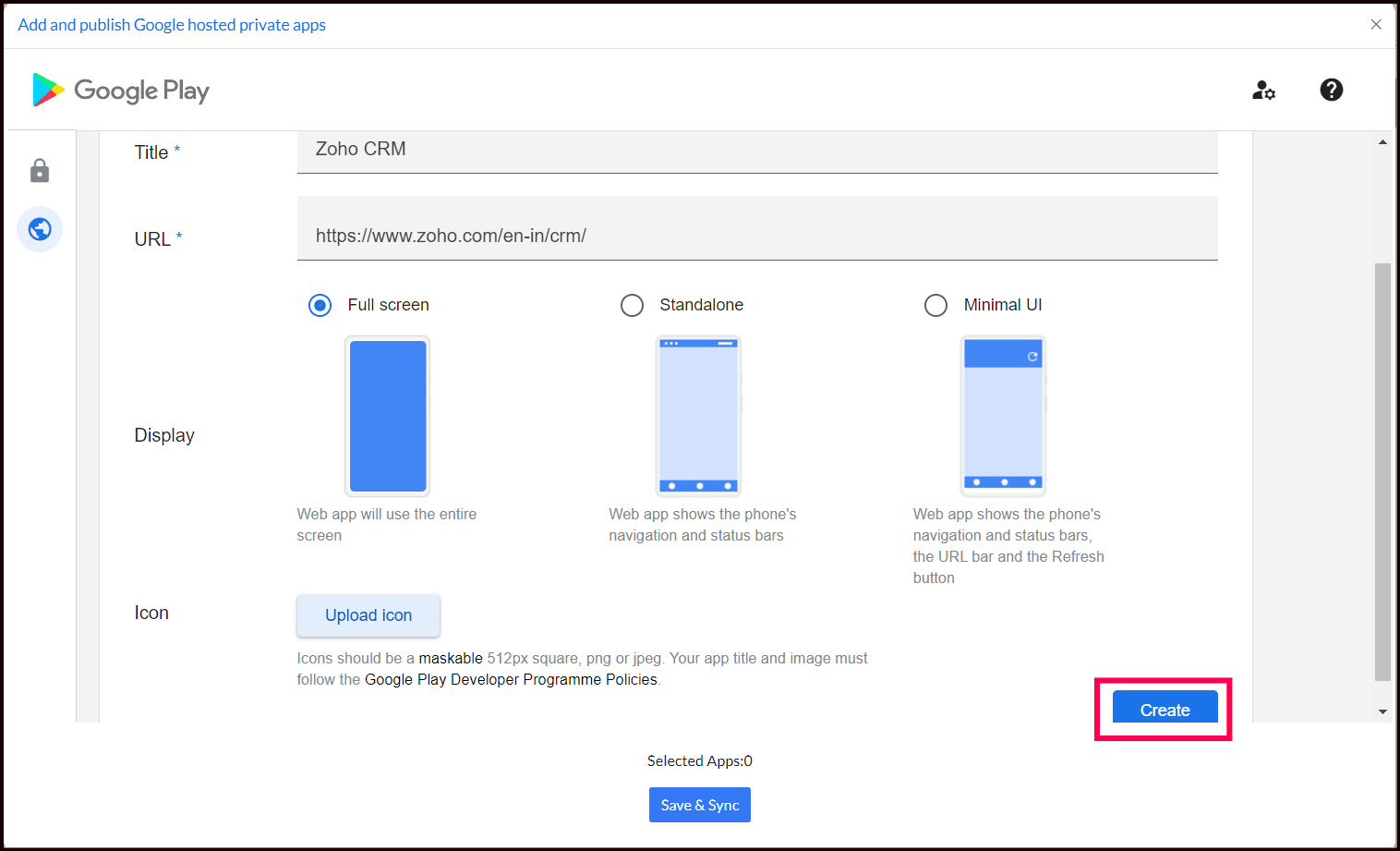
It may take a few minutes for the app to become available.
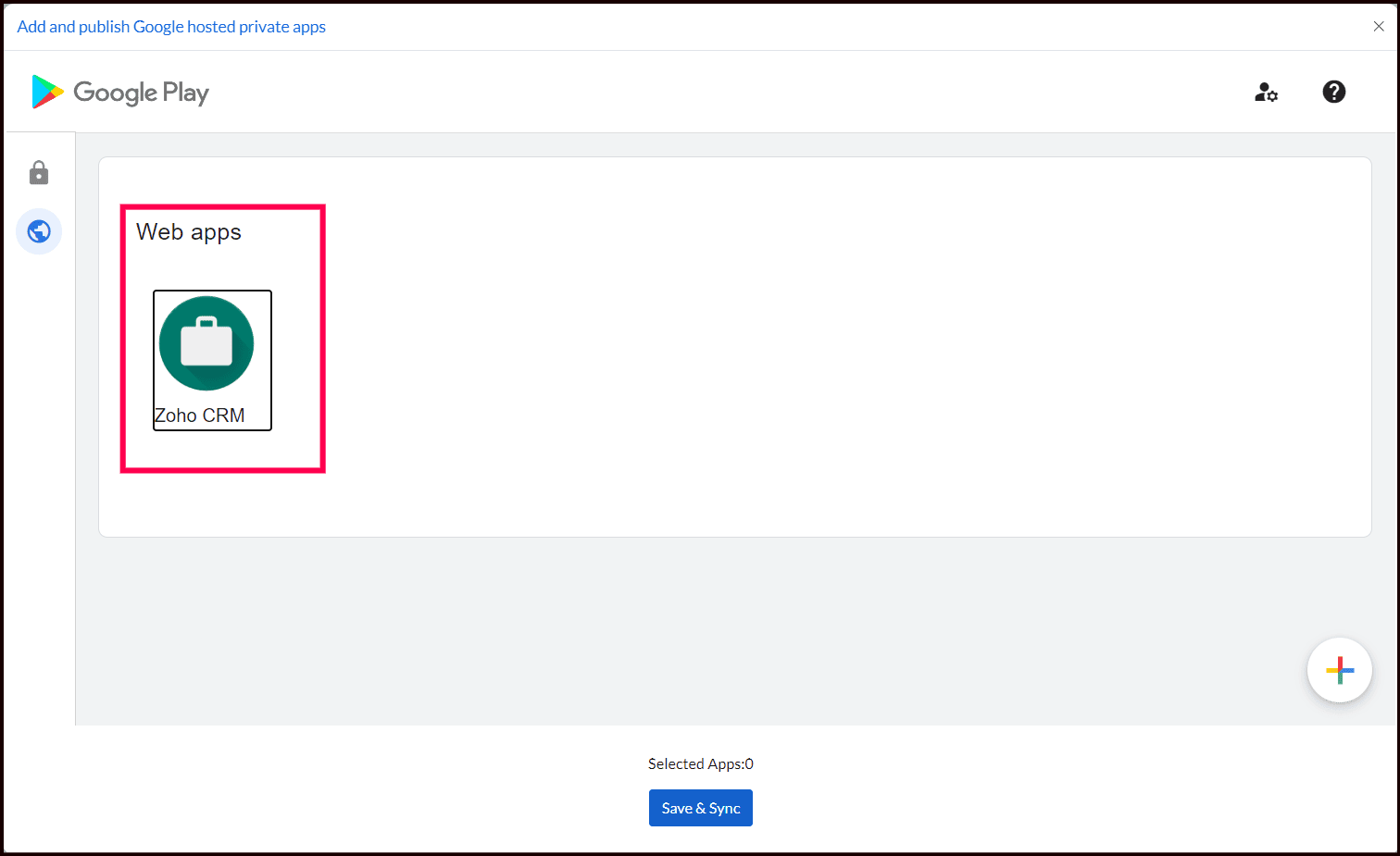
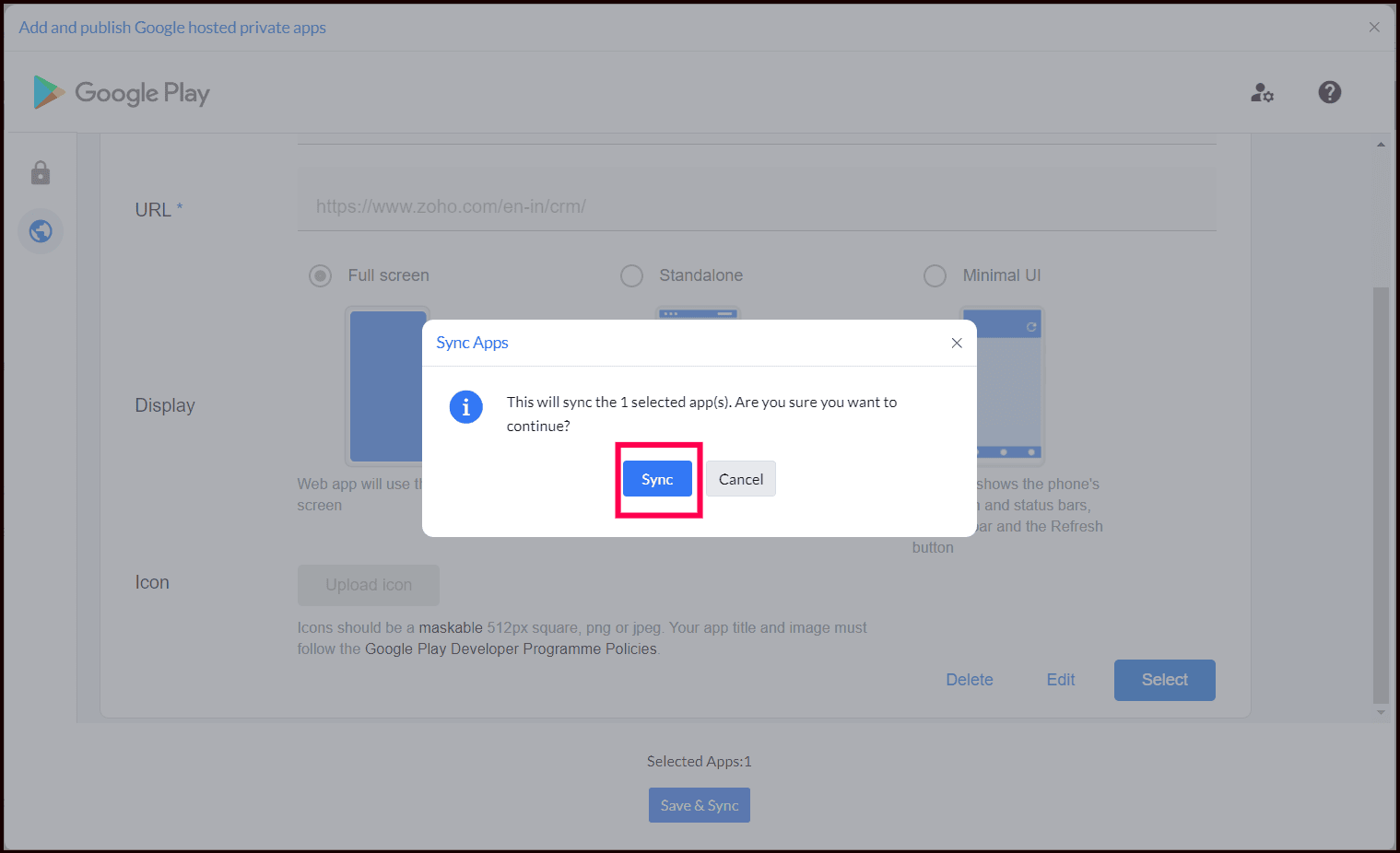
- Once the app is created, select the app and click on Save & Sync. This action will add the web app to the App Repository.
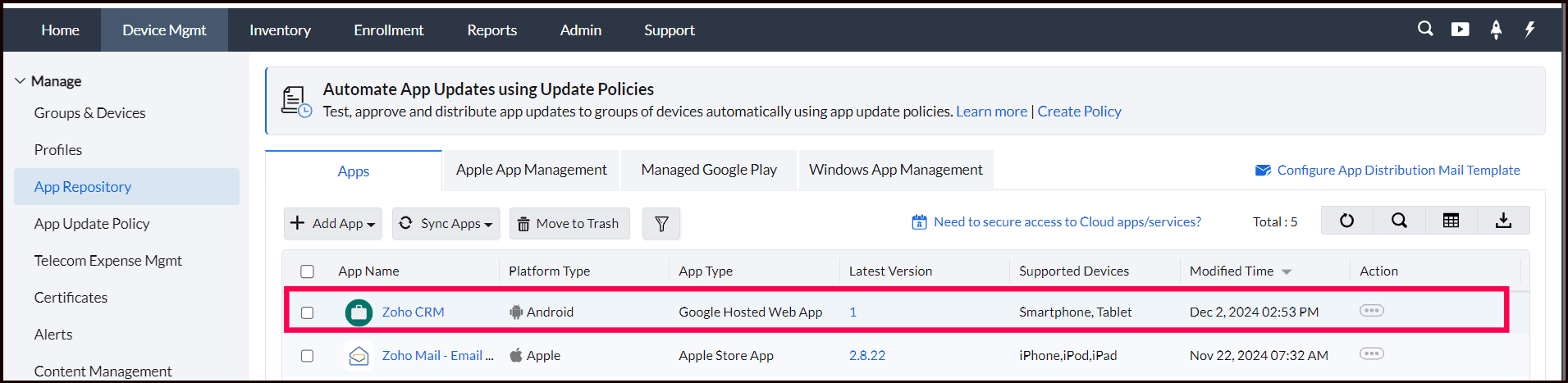
- The web app is now available in the App Repository and can be distributed to your managed devices as per your organization’s distribution policies.
Note: The first time you publish a private app, you'll need to provide an email address to receive notifications about your app updates and Google Play developer account.
Your Enterprise Private App is ready to be distributed to devices and groups.
For more information, visit Google Play Store- Create Web apps and Manage multiple versions of private apps in Google Play Store.
Frequently asked questions
When should I publish a web app instead of a regular Android app?
Use a web app when you have a browser-based application that isn't available on the public Google Play Store, or when the app doesn't need to be installed locally and can simply be accessed through a browser.
What details do I need to provide when creating a web app?
You need an Application Title (the name shown on devices), the URL where the web app is hosted, a Display type (full-screen, Standalone, or Minimal UI), and an icon for the app.
How long does it take for a newly created web app to become available for distribution?
It may take a few minutes after clicking Create before the web app becomes available; once available, select it and click Save & Sync to add it to the App Repository so it can be distributed to managed devices.