You already know that a business runs only as smoothly as its network. Behind every transaction, communication, and application lies an intricate web of devices such as routers, switches, and firewalls, all configured to keep things connected and secure. But here is the catch: these configurations are far more fragile than they seem. A small slip-up, a configuration drift, a security breach, or even an unexpected hardware crash can wipe them out in an instant.
The moment that happens, every minute of downtime translates to lost revenue, stalled productivity, and frustrated users. That is why backing up your network configurations is not just a smart move; it is a critical business safeguard. With a reliable network backup strategy, IT teams can recover configurations quickly, avoid prolonged outages, and keep operations running without a hitch.
In the following sections, we will explore the most effective practices for backing up network configurations and understand how ManageEngine Network Configuration Manager helps IT teams achieve this with powerful automation, advanced security, and built-in compliance capabilities.
Here is a list of top 5 best practices for backing up your network configurations:
1. Automate configuration backups to avoid failures due to configuration errors or drifts
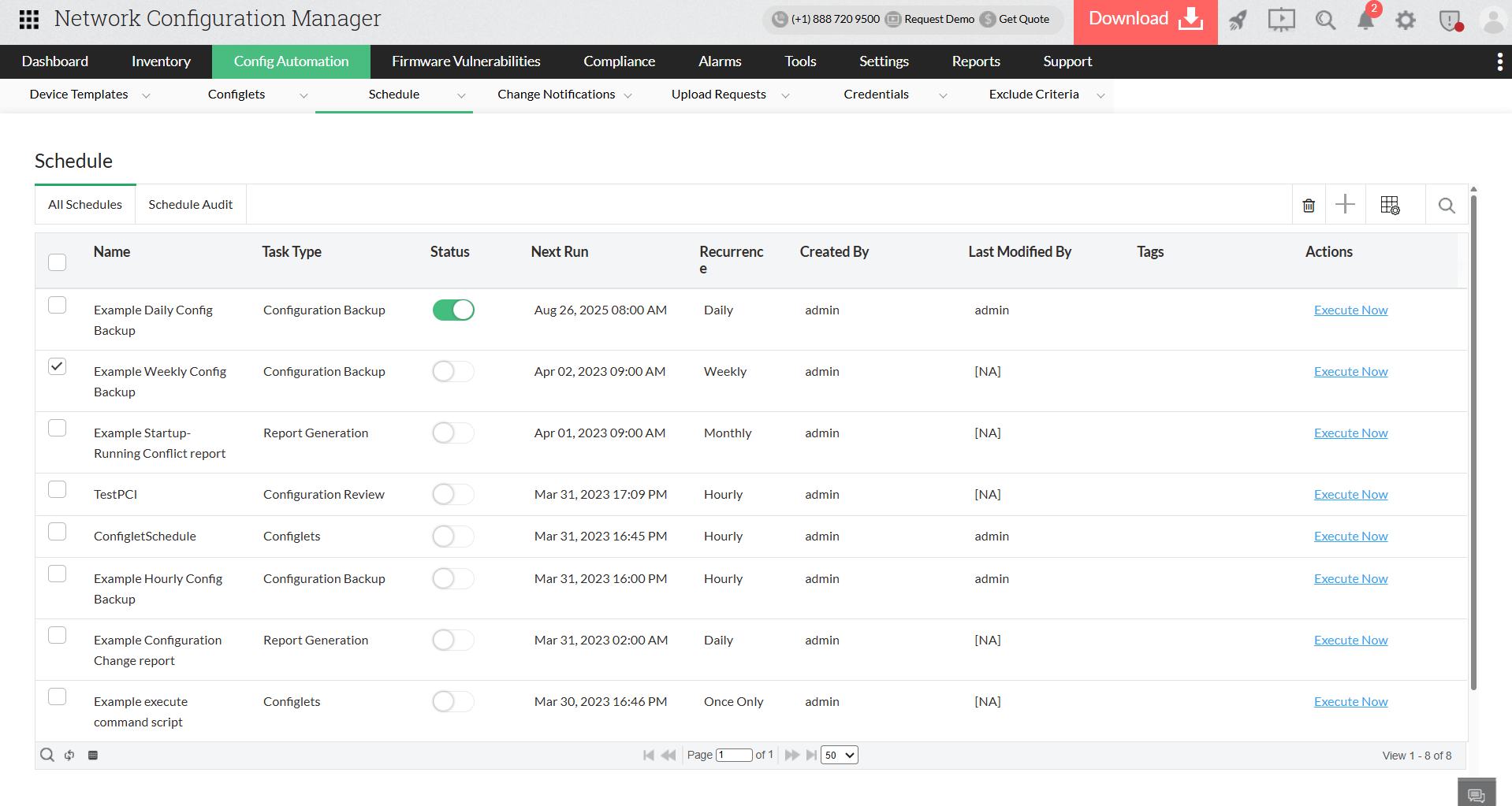
Relying on manual configuration backups is risky as you can overlook devices and fail to backup important configurations. The best approach is to automate backups, ensuring every device configuration is captured on schedule without depending on memory or extra effort from IT staff.
How ManageEngine Network Configuration Manager helps:
Network Configuration Manager removes the manual burden by enabling fully automated, policy-based configuration backups. IT admins can schedule backups at regular intervals or trigger them whenever a configuration change occurs. For example, if an engineer modifies a firewall rule late at night, Network Configuration Manager immediately backs it up, ensuring the latest version is secured. This hands-free process ensures there’s always a reliable copy of the most recent configuration, dramatically reducing the risks tied to human error.
2. Maintain backup versions for easy rollback
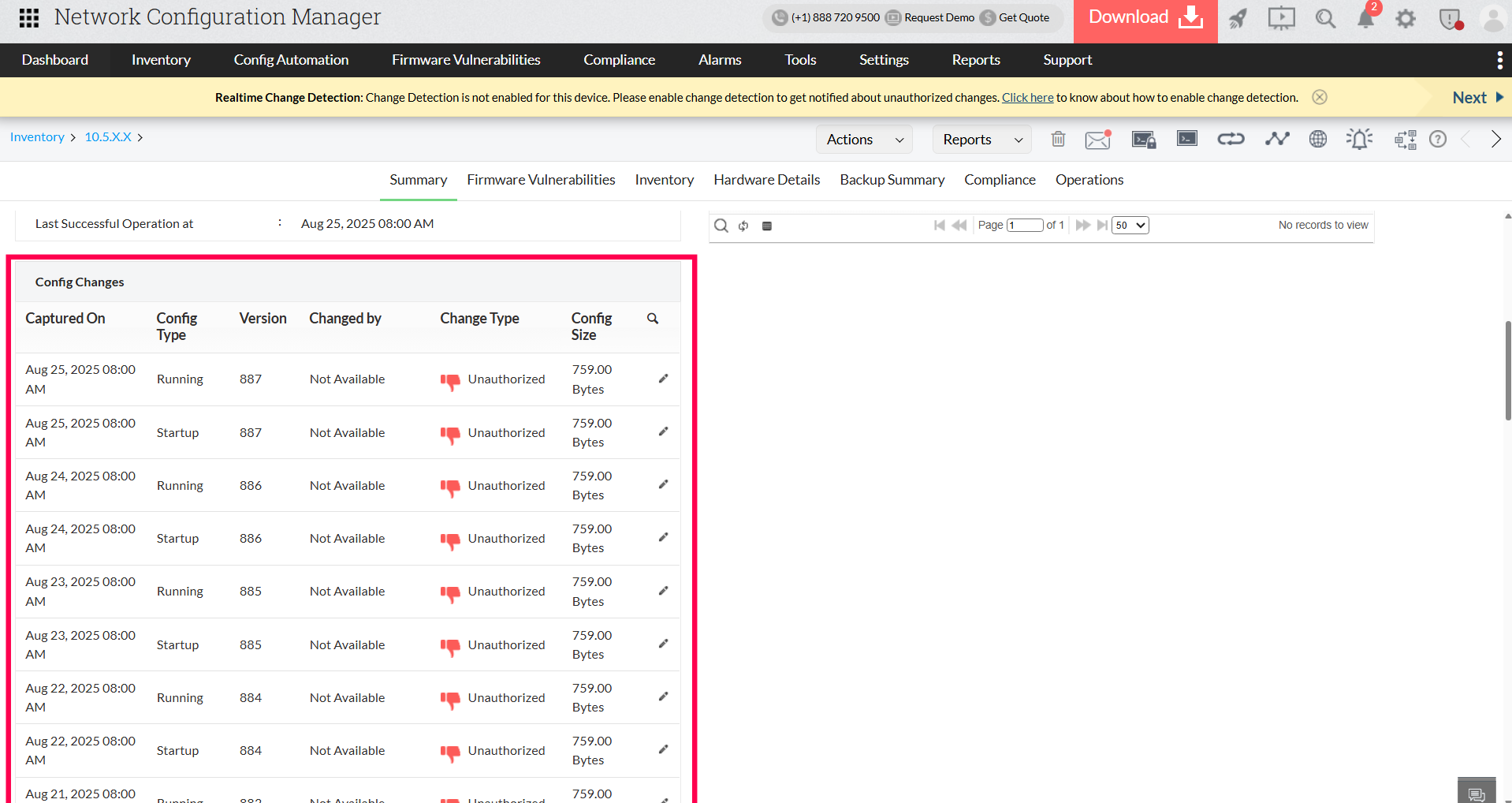
The frequency of configuration backups can make or break your recovery strategy. While weekly or daily backups may be enough for networks with minimal changes, dynamic environments demand a more proactive approach, with backups triggered after every critical change. Just as important is version control. Without it, troubleshooting becomes a guessing game, and tracking down the source of a misconfiguration can take hours. Version control provides a complete timeline of changes, making it easy to identify what changed, when, and by whom.
How ManageEngine Network Configuration Manager helps:
With Network Configuration Manager, every device in your network gets a detailed version history. Administrators can compare configurations side by side, instantly spot differences, and roll back to a stable version in seconds if something goes wrong. This not only accelerates troubleshooting but also strengthens accountability. For example, if a recent router update disrupts traffic, you can revert to the last known good configuration with a single click, minimising downtime and frustration.
3. Secure backup storage with encryption and isolation
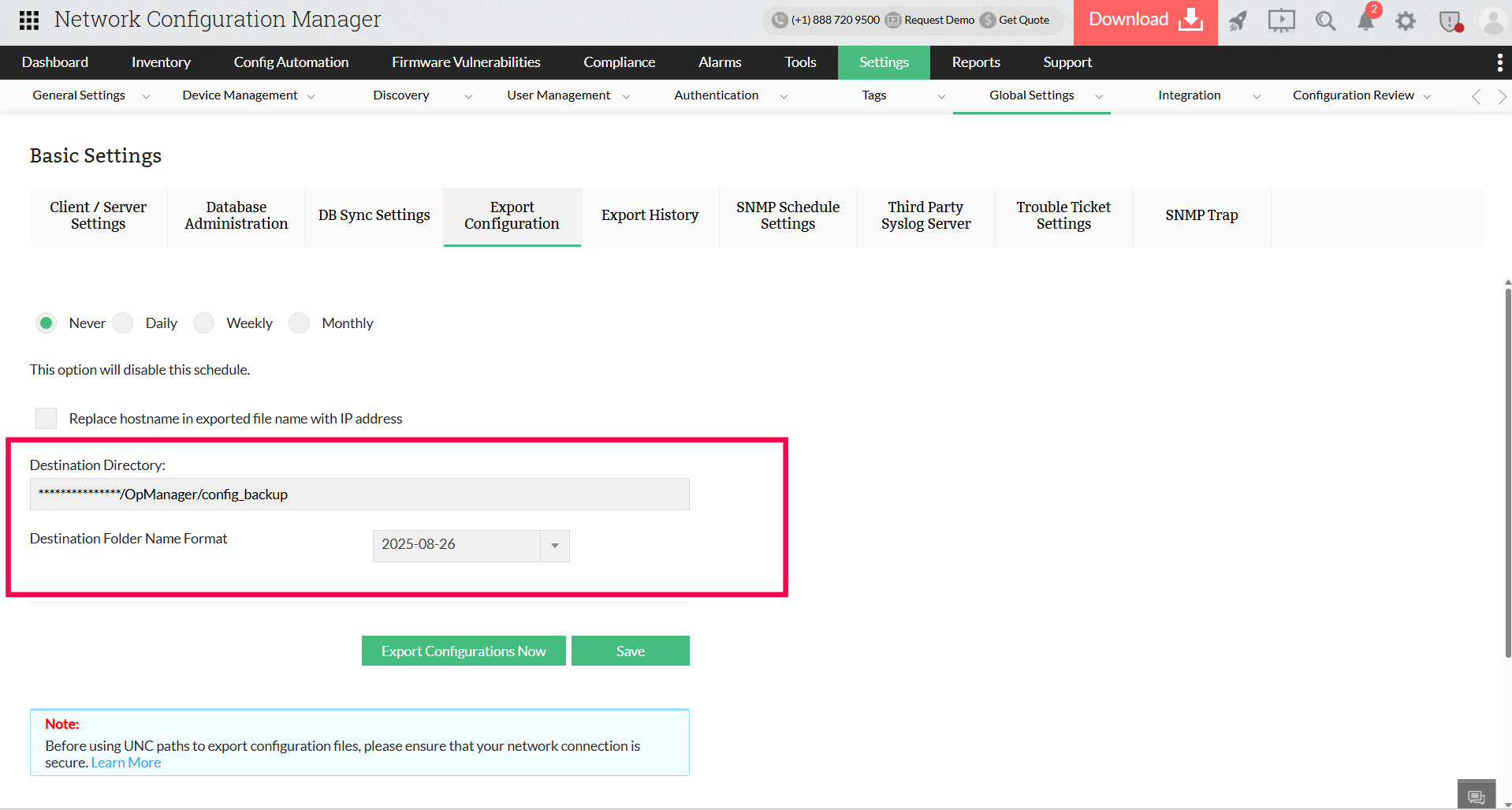
A backup only serves its purpose if it is both secure and readily available. Relying on a single storage location or, even worse, leaving backups unencrypted creates significant risks of data loss and exposure to security attacks. The best approach is to maintain redundancy by storing backups in multiple locations and applying encryption to safeguard sensitive configurations. This strategy ensures that even if one storage point fails or is compromised, your backups remain protected and recoverable.
How ManageEngine Network Configuration Manager helps:
Network Configuration Manager reinforces this practice by encrypting every configuration file and storing it in a centralised, secure repository. For added resilience, administrators can use Network Configuration Manager to backup configuration files to external storage devices, preventing backups from being restricted to a single environment. Even if the primary data center experiences an outage, critical configurations remain accessible from alternate storage.
4. Restrict access to admins who handle backup operations
Configuration backups often contain sensitive information that, if exposed or altered by unauthorized users, can put the entire network at risk. Enforcing strict access controls ensures that only authorized personnel can create, edit, or restore backups.
How ManageEngine Network Configuration Manager helps:
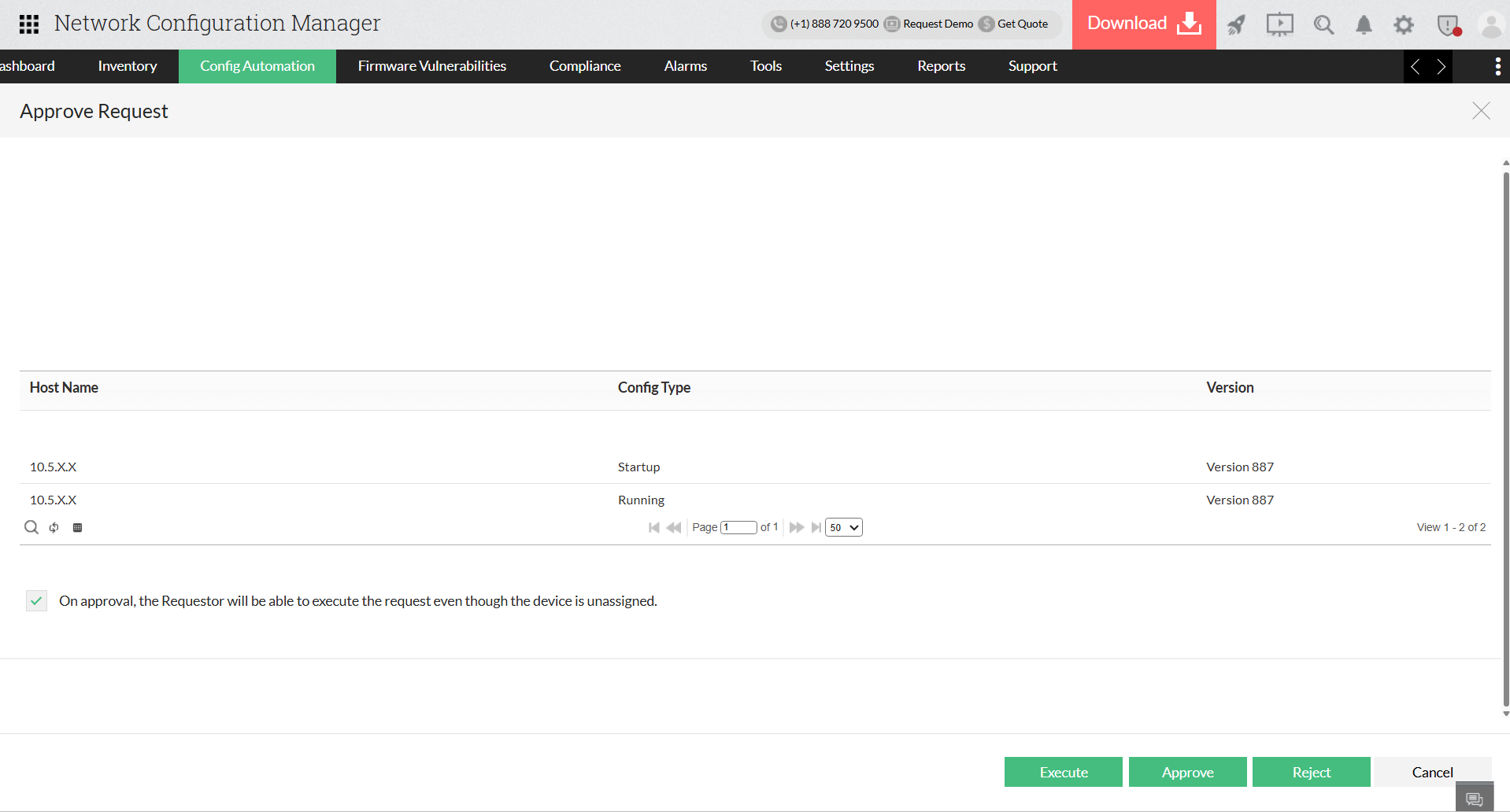
Network Configuration Manager addresses this by implementing role-based access control (RBAC), allowing administrators to assign specific permissions to different roles, such as granting junior engineers view-only rights while reserving restoration privileges for senior staff. Every action is recorded in detailed audit logs, giving IT teams complete visibility into who accessed backups and when. For example, in a banking environment, if a junior engineer reviews a firewall configuration and a senior administrator restores it after a failure, the log captures both actions with precise timestamps, ensuring accountability during audits and preventing unauthorized restorations.
5. Integrate backups into change management
Backups should never be treated as an afterthought; they need to be an integral part of the change management process. Creating a backup before applying updates ensures there is always a rollback point if something goes wrong. This approach reduces downtime during failed changes and helps maintain smooth business operations.
How ManageEngine Network Configuration Manager helps:
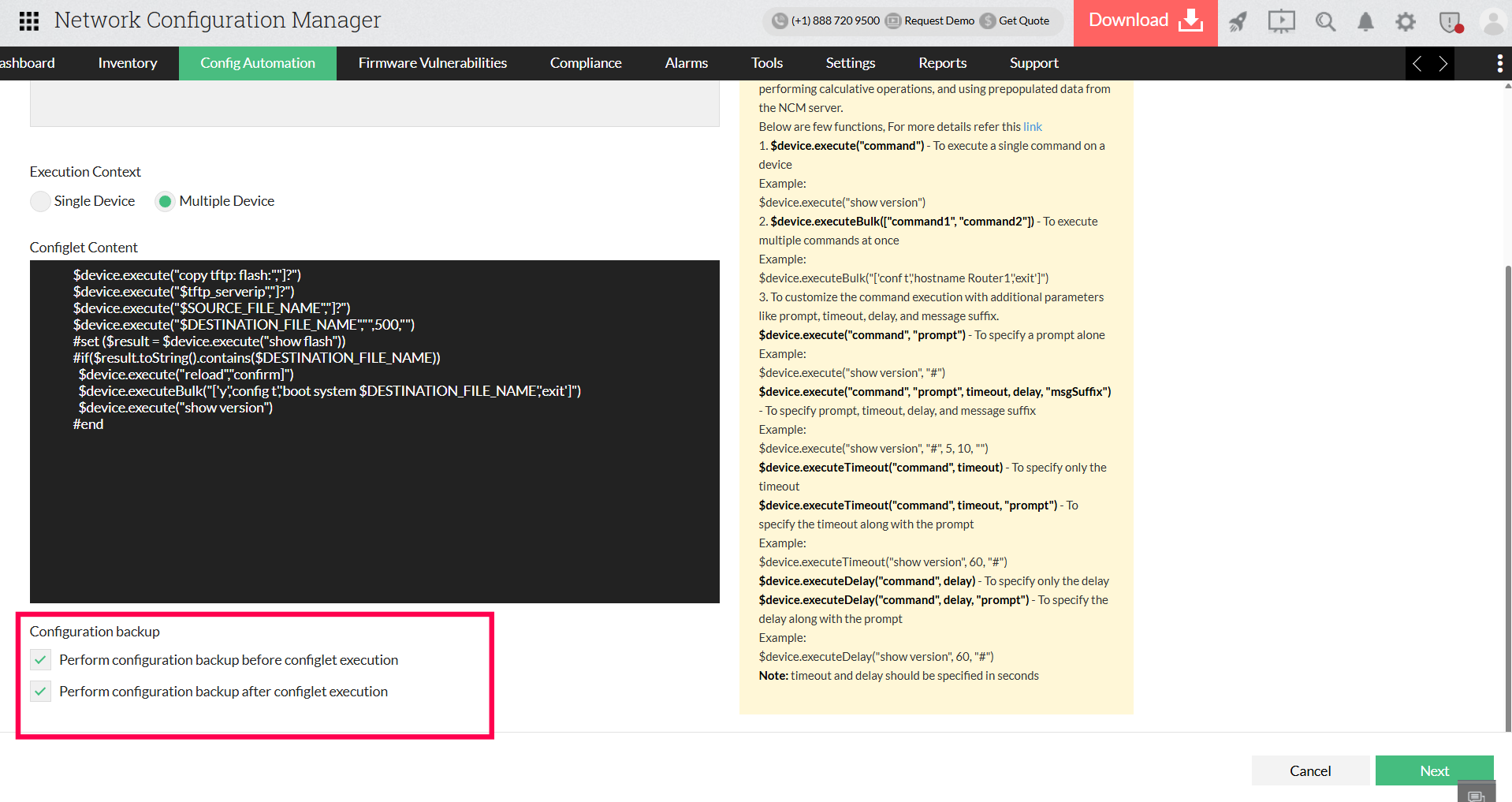
Network Configuration Manager makes this process effortless by automatically backing up configurations both before and after changes are implemented when it is enabled in the Configlets feature. This guarantees that IT teams always have backups of the pre-change and post-change states. If a recent update disrupts the network, such as a firewall policy blocking critical traffic, admins can quickly roll back to the last stable configuration and restore normal operations in minutes.
Streamline backup management by switching to Network Configuration Manager today!
A strong backup strategy is your best defence against downtime and data loss. With ManageEngine Network Configuration Manager, you’re not just backing up; you’re automating recovery, securing configurations, and ensuring business continuity without the guesswork. Start your 30-day free trial or request a personalized demo today, and we'll help you setup ManageEngine Network Configuration Manager for your enterprise.