EOL/EOS reports
Sweating of assets—or getting the most value of assets already owned—has been identified as one of the most common causes of network issues. Network admins often continue to use their network devices even after those devices have been branded obsolete or unsupported by the vendor. This can lead to disasters resulting from vulnerabilities or hardware failure, which is why keeping track of the end of support, end of sale, and end of life—EOL/EOS for short—information of the devices on your network is extremely important. But when your network consists of numerous devices, maintaining records of the EOL/EOS information of each device on your network can be difficult. Before we discuss Network Configuration Manager's EOL/EOS reports in detail, let's look into what these terms mean and how ignoring them can disrupt your network's function.
For EOL/EOS sync, we get data from Network Configuration Manager's ManageEngine database: https://ncm.nimbuspop.com. Customers must allow this domain in order to get those data.
End of support (EOS) | End of sale (EOS) | End of life (EOL) |
|---|---|---|
|
|
|
Sync EOL/EOS data
The Sync EOL/EOS feature enables administrators to update device lifecycle information by retrieving the latest End-of-Life (EOL) and End-of-Support (EOS) data from the vendor database. Keeping this information current ensures accurate reporting, helps identify obsolete or unsupported devices, and supports informed decisions for hardware refresh and risk mitigation.
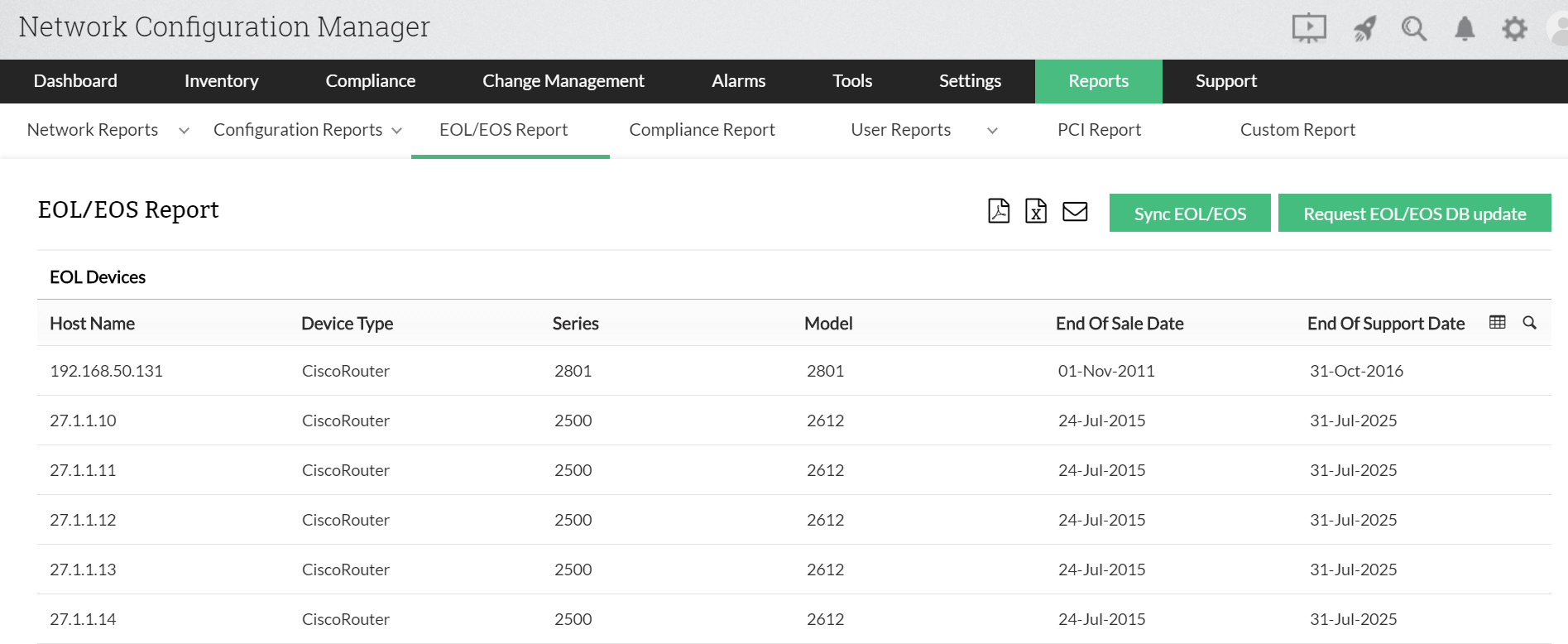
Deeper lifecycle visibility with vendor and software-based EOL tracking
Keeping track of hardware lifecycle dates is only part of the picture. Network Configuration Manager now extends EOL/EOS tracking in two important ways starting from version 12.9.118, giving administrators a more complete view of their network's risk exposure.
Vendor-based EOL with dynamic lifecycle columns
Different vendors structure their lifecycle data differently. Network Configuration Manager now supports vendor-based EOL tracking with lifecycle columns that adapt dynamically based on the selected vendor's available model information. Instead of a one-size-fits-all view, administrators see the exact lifecycle data points that are relevant to each vendor. This makes it easier to compare devices accurately and plan replacements without having to chase down vendor-specific documentation separately.
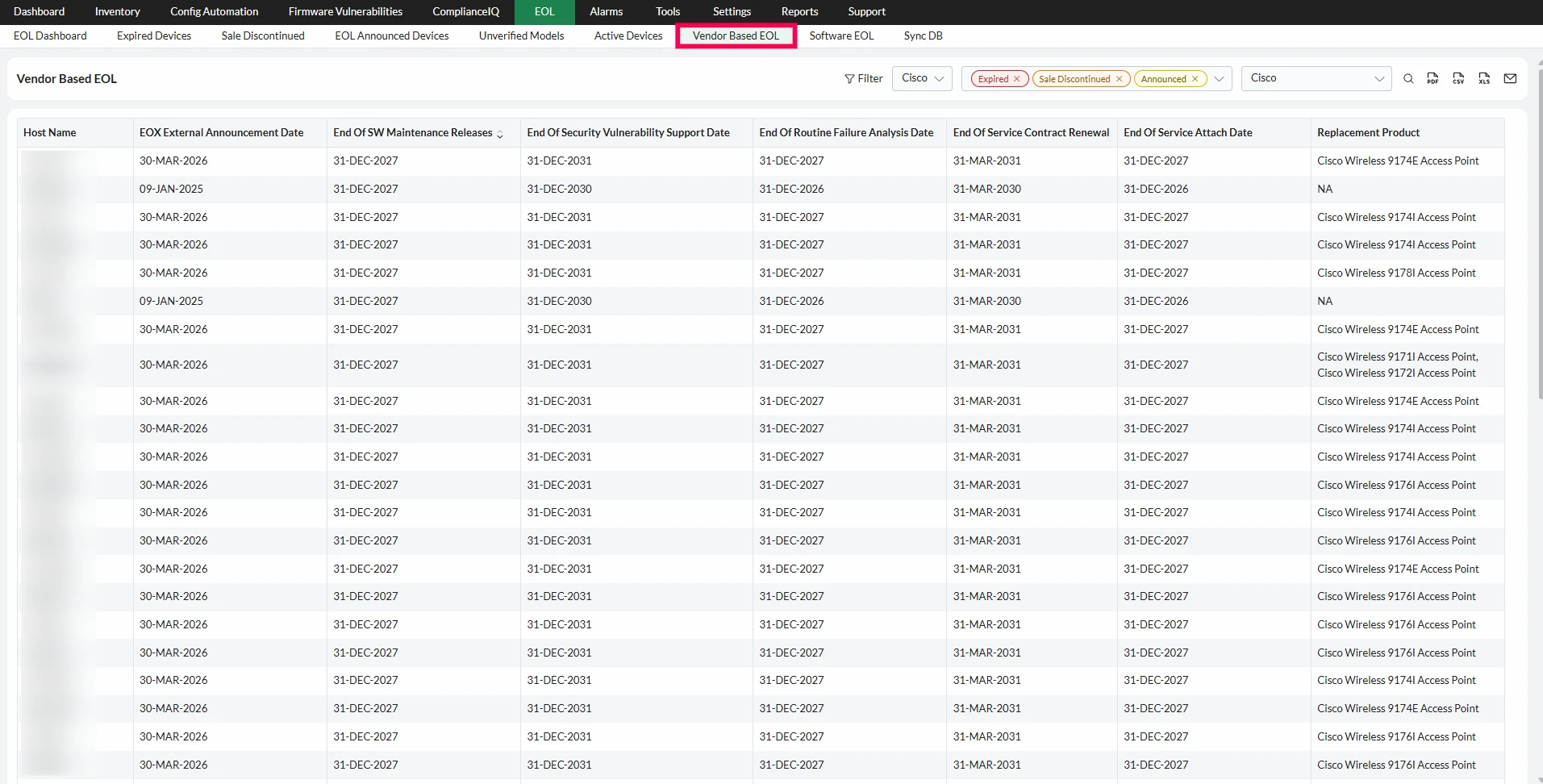
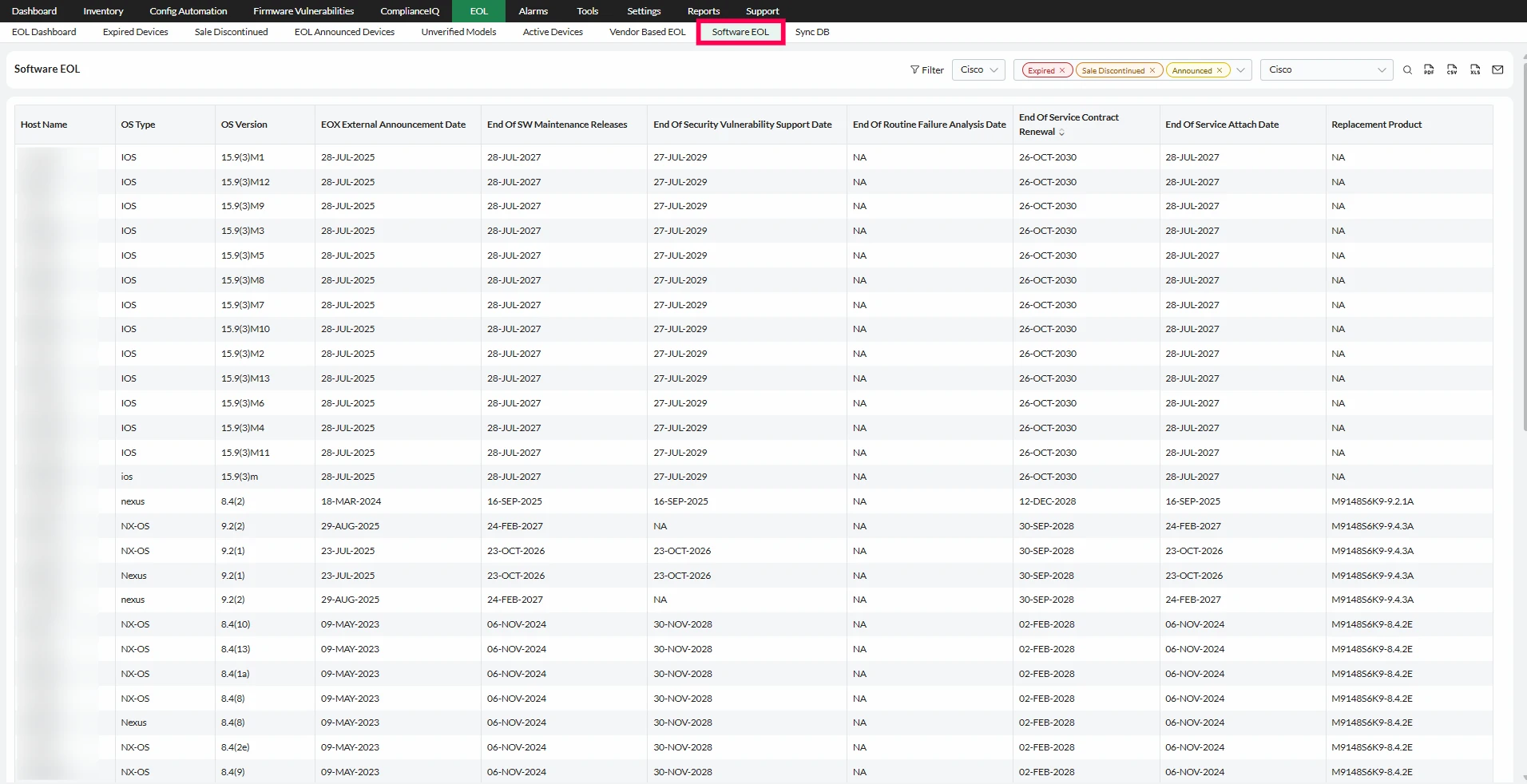
Software version-based EOL tracking
Hardware is not the only thing that goes end-of-life. The software running on your network devices, including operating systems, and firmware has its own lifecycle timeline. Running unsupported software versions carries the same risks as running unsupported hardware: no security patches, no bug fixes, and no vendor assistance when something goes wrong. Network Configuration Manager now tracks EOL status based on the software versions running on your devices, so administrators can identify not just outdated hardware but also devices running software that has reached or is approaching end-of-life. This gives a fuller, more accurate picture of where your network is exposed.
EOL/EOS sync for closed networks
In highly secure or closed environments, external internet access is restricted by design. For such networks, syncing EOL/EOS data directly from ManageEngine's cloud-based database (https://ncm.nimbuspop.com) may not be an option. This presents a challenge when administrators need to keep track of outdated or unsupported devices without violating network isolation policies.
To solve this, we’ve introduced EOL/EOS offline sync in build 128457 of Network Configuration Manager.
This new feature enables admins to update EOL/EOS data manually, without requiring a live connection to the external database. It ensures that even internet-restricted environments remain secure and up to date with the latest device lifecycle information.
Steps to perform EOL/EOS offline sync:
- Download the EOL data file
Get the latest .dat file from: https://ncm.nimbuspop.com/EOL/Manual_Update/Offline/EOL_Json.dat - Place the file in the appropriate folder
Move the downloaded file to the following directory: <OpManager_Dir>\conf\ncm - Initiate the sync manually
Open Network Configuration Manager and manually initiate the EOL/EOS sync via the UI.
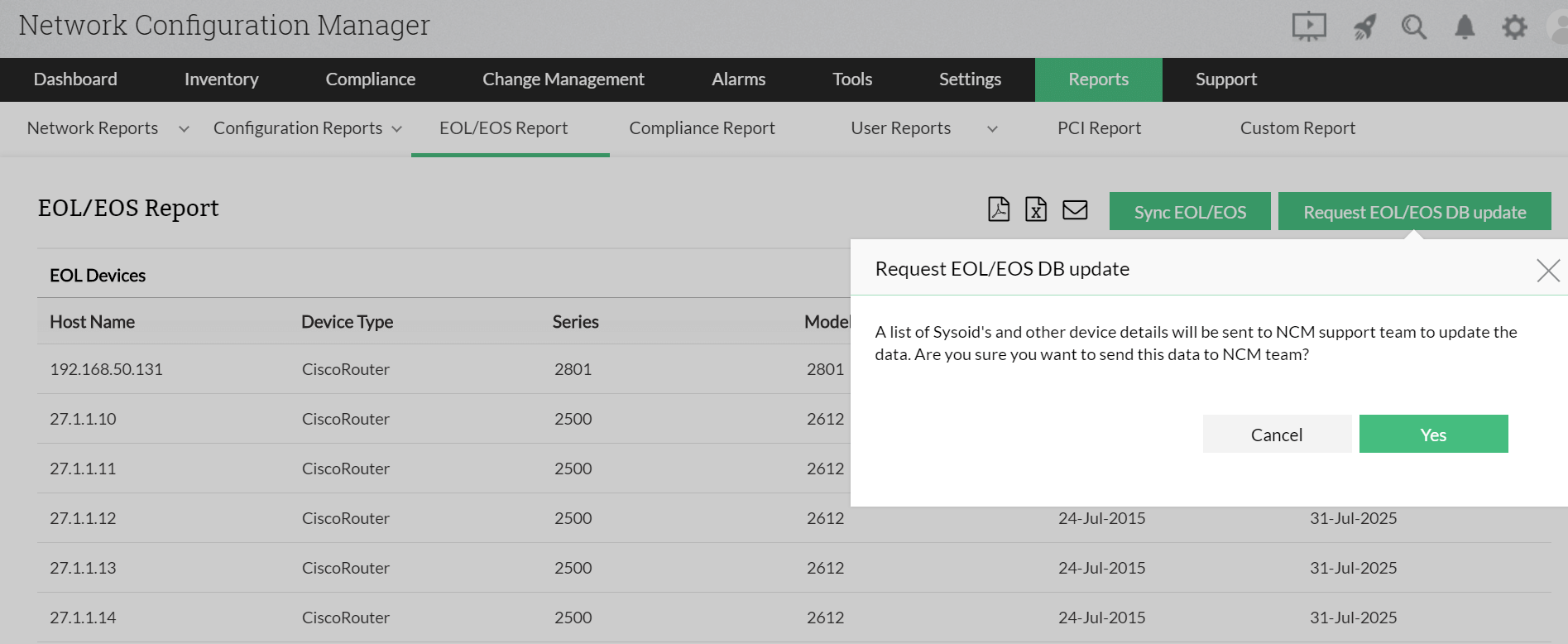
Request EOL/EOS database update:
Sometimes EOL/EOS dates are not available by default, forcing an admin to manually search for them or contact the vendor. However, doing so would be rather difficult when an admin needs EOL/EOS information for many devices. Network Configuration Manager makes this simpler for admins with the option to request an EOL/EOS database update. This option will send a list of the SysOIDs and other device details to our support team, which will then be used to populate the database with corresponding EOL/EOS network device data.
When EOL/EOS reports come in handy
The primary objective of EOL/EOS reports is to ensure that there's no loss of productivity due to unsupported or obsolete hardware. The reports do this by informing admins on decisions like purchasing extended support and decommissioning devices to avoid any chances of performance degradation, data breaches, or network outages. They also aid in auditing and allocating funds for both purchasing extended support and replacement devices. Also, EOL / EOS report can be generated in both PDF and CSV formats. And EOL announced column will not be available in PDF format.