Real time configuration change detection & management
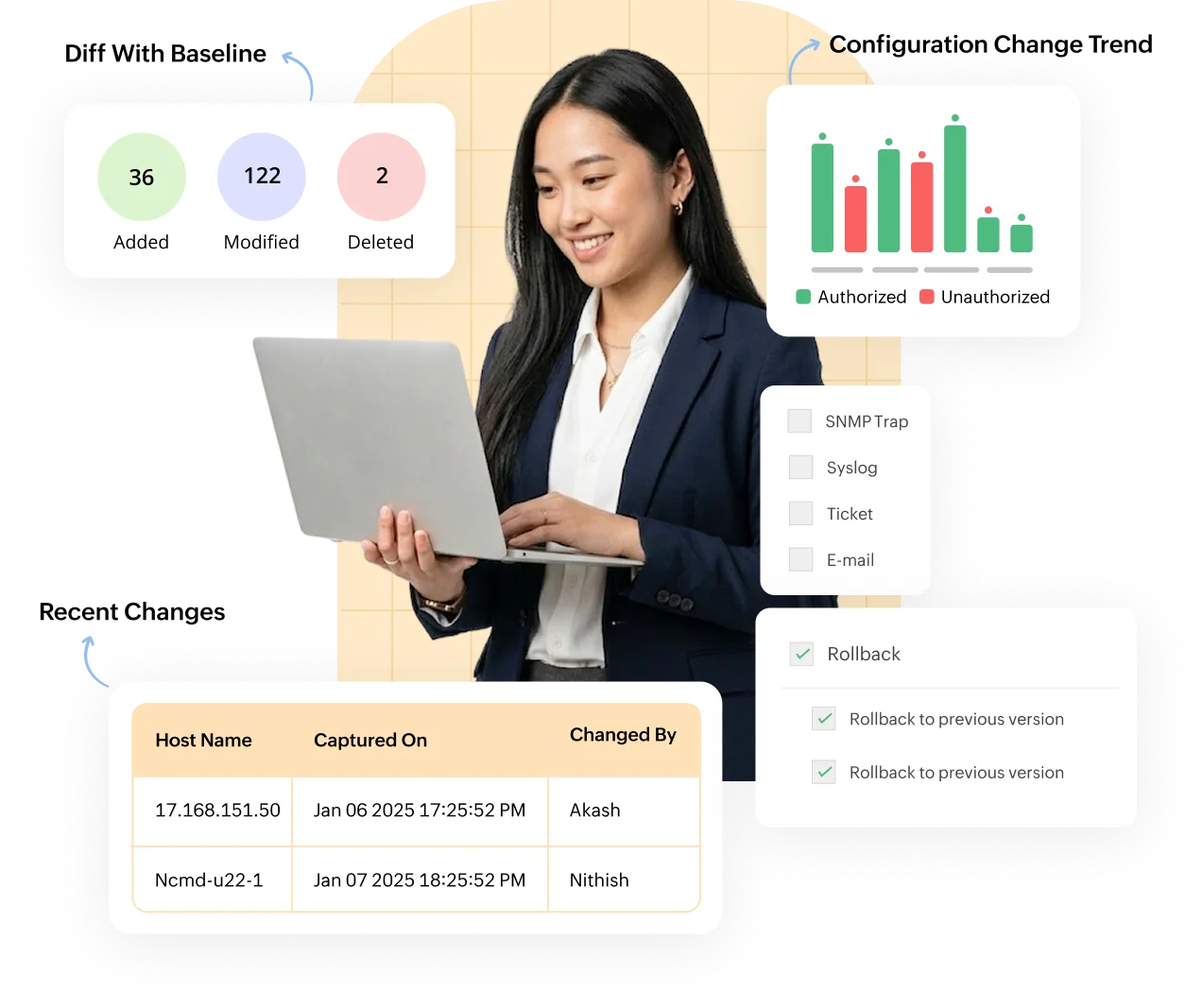
- Detect and manage configuration changes in real-time for 300+ vendors
- Stay informed with real-time change notifications through different channels
- Automate real-time change management for your entire infrastructure
Trusted by over 15,000 happy customers globally






How real time configuration change detection works in ManageEngine NCM
Tracking network configuration changes is critical for maintaining a secure and efficient IT environment. Network Configuration Manager, a real-time configuration change management tool, enables seamless ways to monitor, detect, and respond to configuration changes in real time.
Here’s a step-by-step breakdown of how Network Configuration Manager streamlines the process:
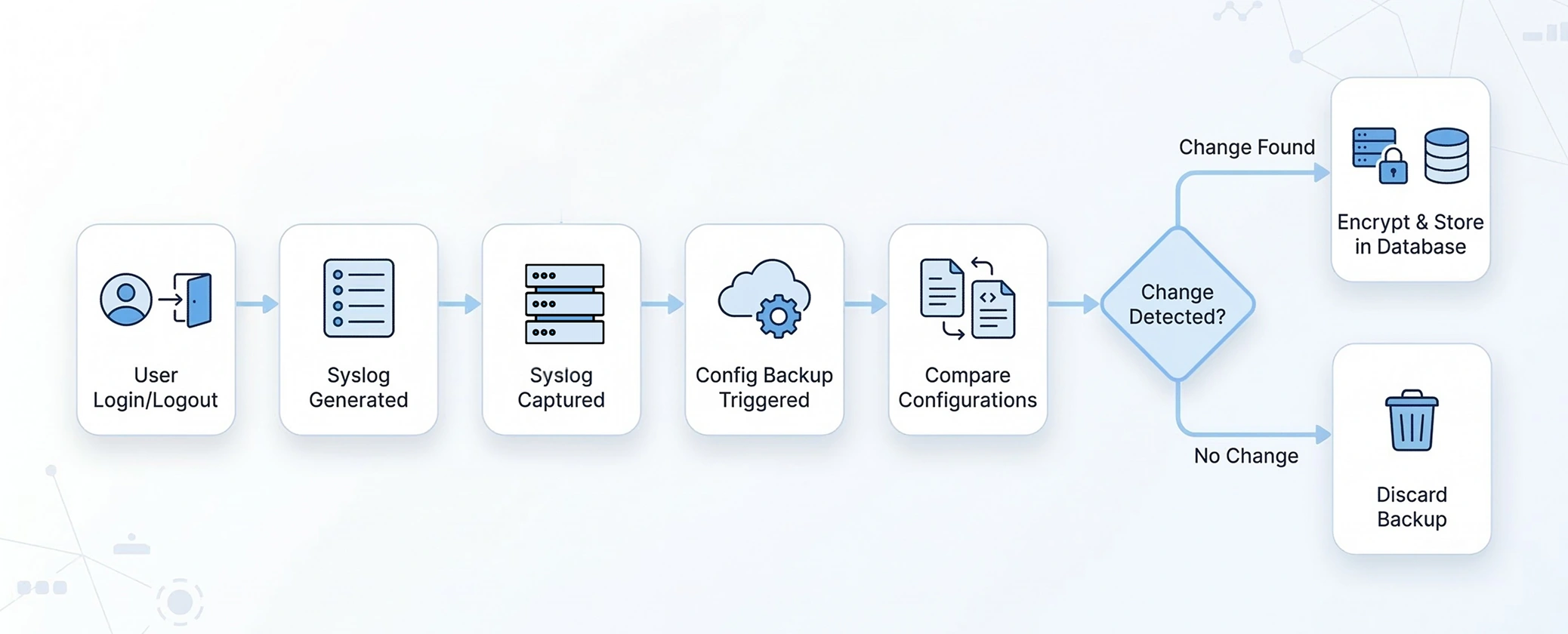
Detect configuration changes in real time with complete visibility and context
Network Configuration Manager continuously monitors device configurations and captures every change the moment it occurs. Network admins get immediate clarity on configuration activity, helping them detect risks early, prevent misconfigurations, and maintain network stability.
Configuration Diff View
Configuration Diff View presents a clear, side-by-side comparison of configuration versions so admins can instantly understand what has changed.
Added lines are highlighted in green, modified lines in purple, and deleted lines in red. This color-coded approach removes guesswork and eliminates the need for manual line-by-line inspection. During troubleshooting or change validation, admins can quickly confirm whether a change was expected, risky, or the root cause of an issue.
Learn more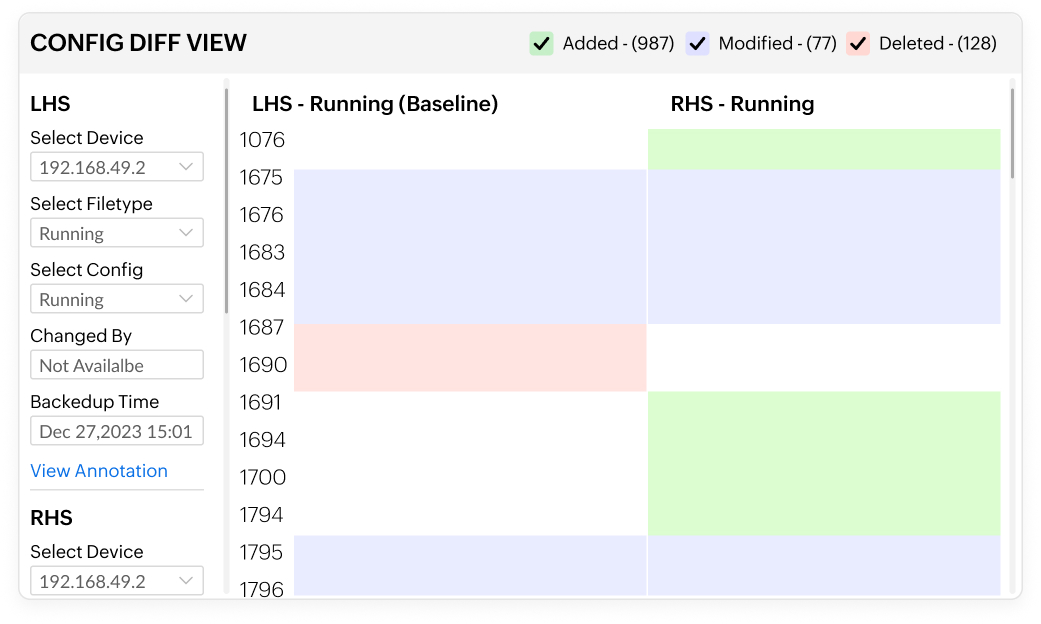
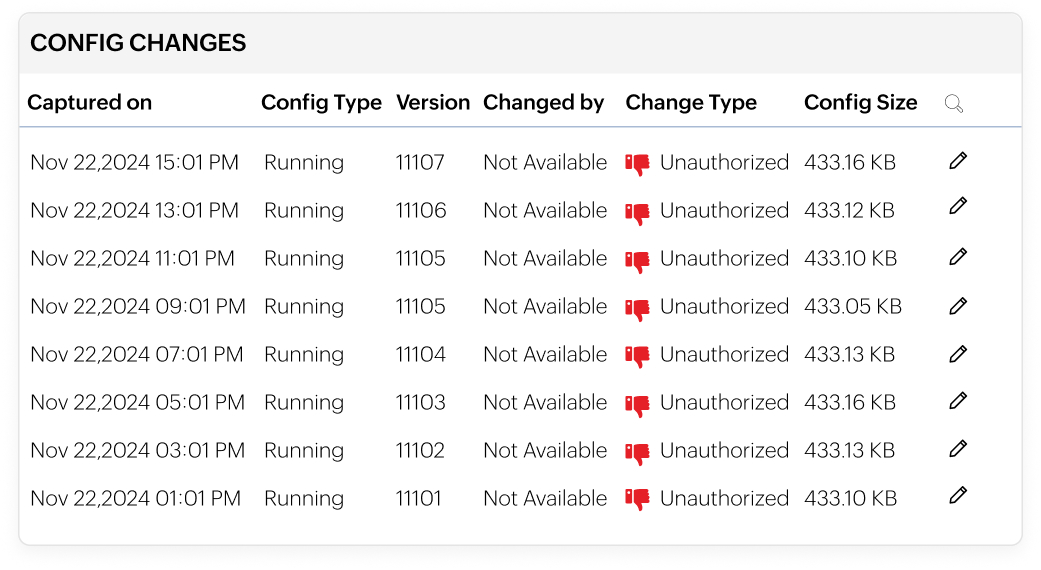
Configuration versioning
Every configuration change is automatically saved as a new version with timestamps and user details. Network admins can move back and forth between versions to see how configurations evolved.
This allows network admins to trace the full lifecycle of a device configuration, analyse how and when changes were introduced, and confidently investigate network failures.
Learn moreCustom baseline configuration
Custom baseline configurations in Network Configuration Manager allow admins to define approved configuration standards for network devices.
Live device configurations are continuously compared against these baselines, and any deviation is immediately detected. This helps identify configuration drift early, enforce organizational standards, and maintain uniformity across the network without constant manual audits.
Learn more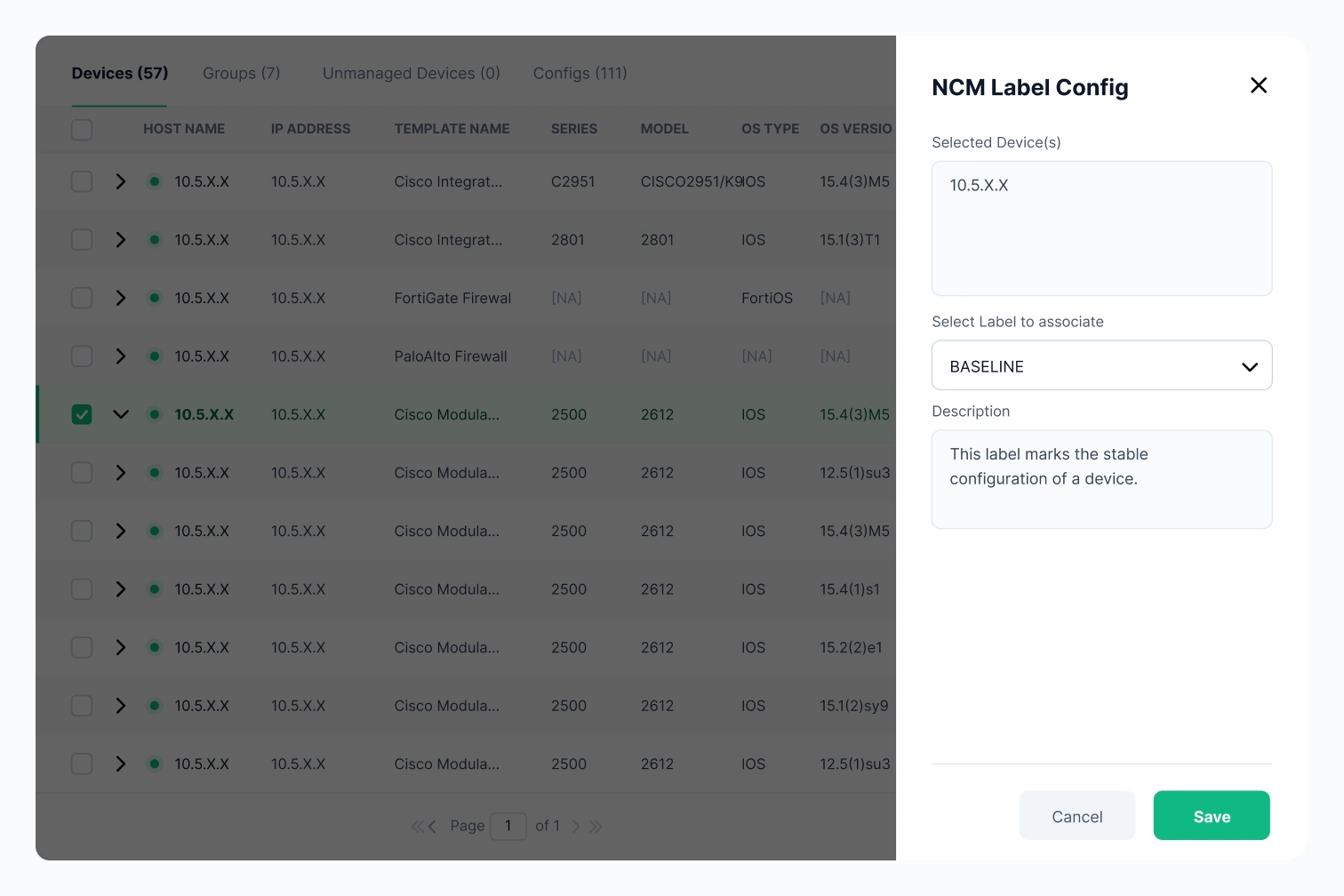
Configuration change reports
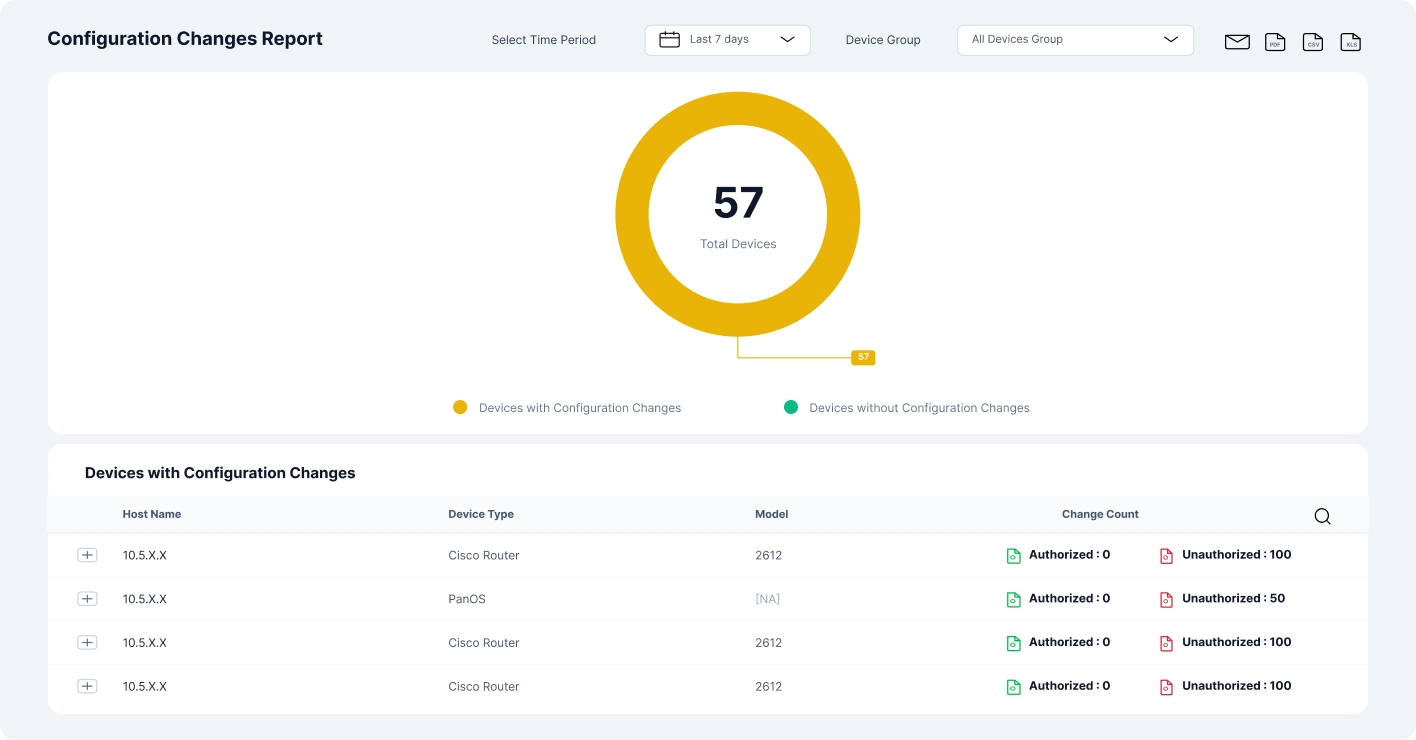
Configuration change reports provide a consolidated view of configuration activity across the network. Reports capture what changed, when the change occurred, and how the configuration was altered.
Admins can generate reports based on devices, time periods, or types of configuration changes. This simplifies compliance validation, supports internal reviews, and helps teams clearly document configuration activity without exporting data to external tools.
Learn moreManage configuration changes safely with built-in automation and recovery
Network Configuration Manager goes beyond detection by giving network admins direct control over how configuration changes are applied, standardised, and reversed.
Programmable configlets
Programmable configlets enable admins to create reusable configuration snippets that follow approved formats and best practices.
These configlets can be applied across devices from different vendors, ensuring consistency while reducing repetitive manual work. By standardising changes, admins minimize configuration errors and speed up routine network updates without sacrificing control.
Learn more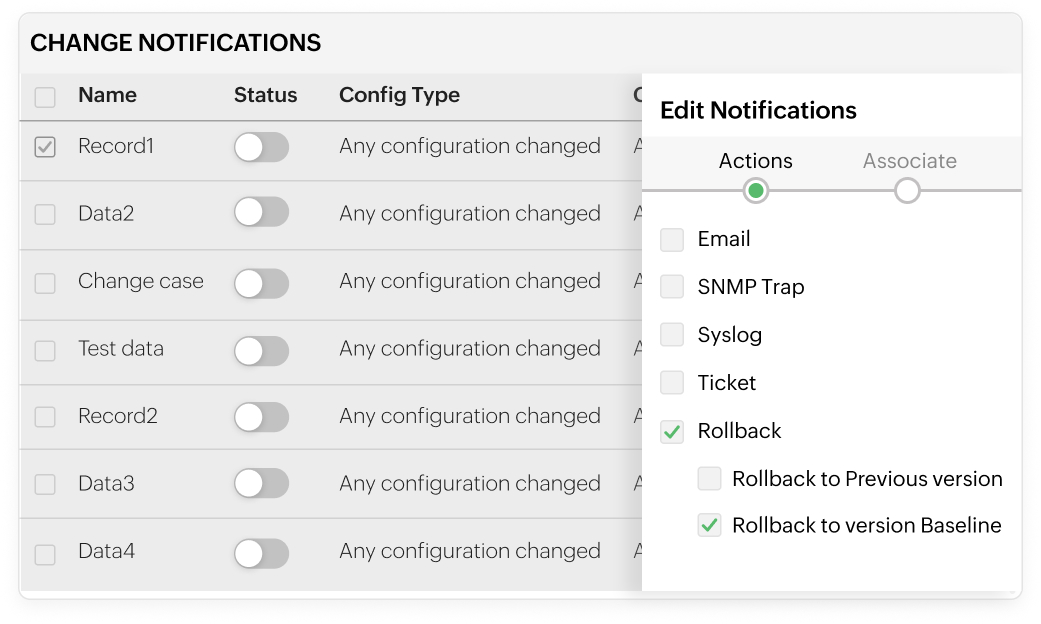
Rollback
Rollback allows admins to instantly restore a device to a previously stable configuration version when a change causes issues.
Instead of manually reconfiguring devices during an outage, admins can quickly revert to a known-good state. This significantly reduces downtime, speeds up incident recovery, and gives teams the confidence to implement changes knowing there is always a safe fallback.
Learn moreStay informed with real-time configuration change notifications
ManageEngine Network Configuration Manager detects configuration changes across network devices in real time and notifies administrators immediately. These alerts help teams track modifications, investigate issues faster, and maintain operational visibility without constantly monitoring the console.
Network Configuration Manager allows you to configure email alerts for configuration changes directly from the product interface. You can define one or more recipient addresses, customize the subject and message content, and include essential change details such as the device name, time of change, and type of modification for quick
Syslog
Network Configuration Manager can forward configuration change events as syslog messages to centralised log management or SIEM platforms. This ensures configuration activities are recorded in a single location, making it easier to support auditing, security monitoring, and historical analysis.
SNMP traps
With Network Configuration Manager, SNMP traps can be generated whenever a configuration change is detected on a managed device. By setting the destination IP or hostname, port, and community string, these alerts can be forwarded to external monitoring tools to align configuration changes with other network events.
Ticketing
Network Configuration Manager enables configuration change alerts to be sent as trouble tickets. These notifications can be forwarded to your ticketing system with a custom message, helping teams document changes, assign ownership, and track resolution workflows efficiently.
Controlling configuration drift in Aruba campus networks
Large Aruba campus environments often see frequent configuration updates across CX switches and wireless infrastructure, increasing the risk of unintended drift.
Scenario
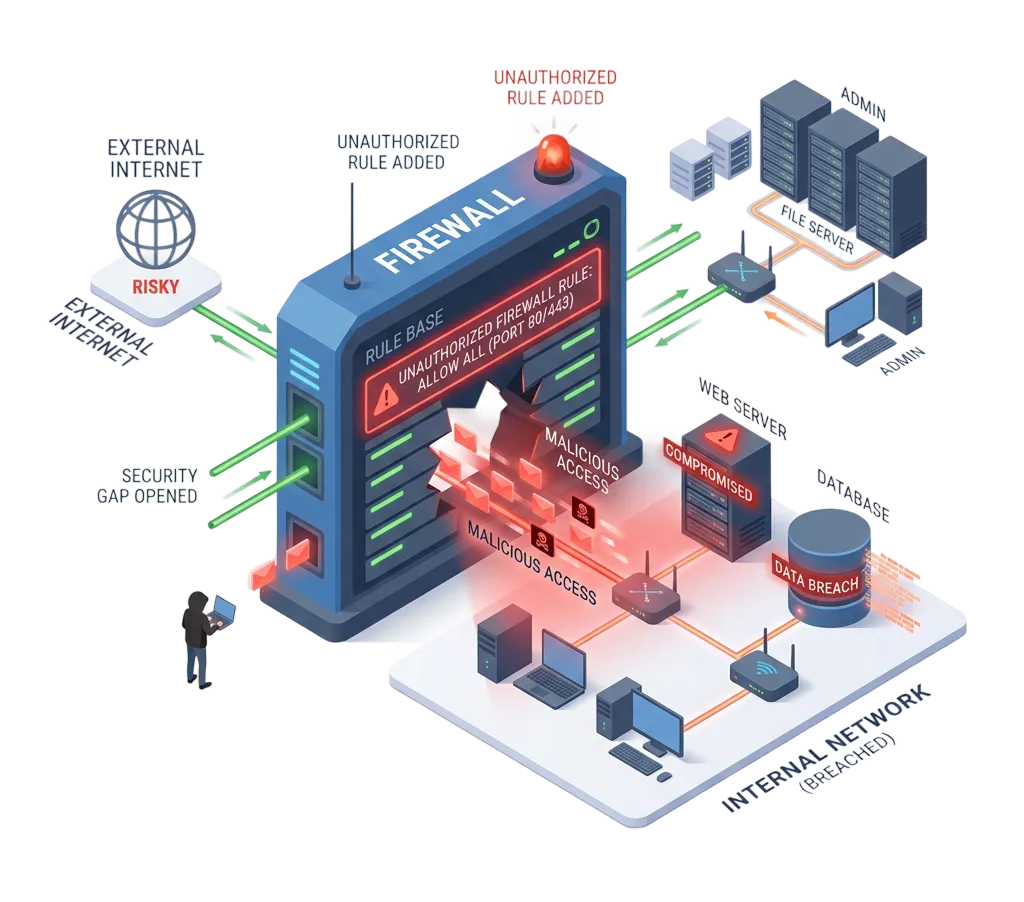
An emergency firewall rule is added to allow temporary external access; but it’s never removed. Over time, it fades into the background of routine changes, quietly exposing critical internal systems to untrusted traffic. Without clear visibility or alerts, the risk goes unnoticed until it becomes a serious security gap.
How Network Configuration Manager helps
The firewall configuration change is detected in real time and clearly highlighted in the configuration comparison view. Admins are alerted immediately, making it easy to review the change and take corrective action before it becomes a security risk.
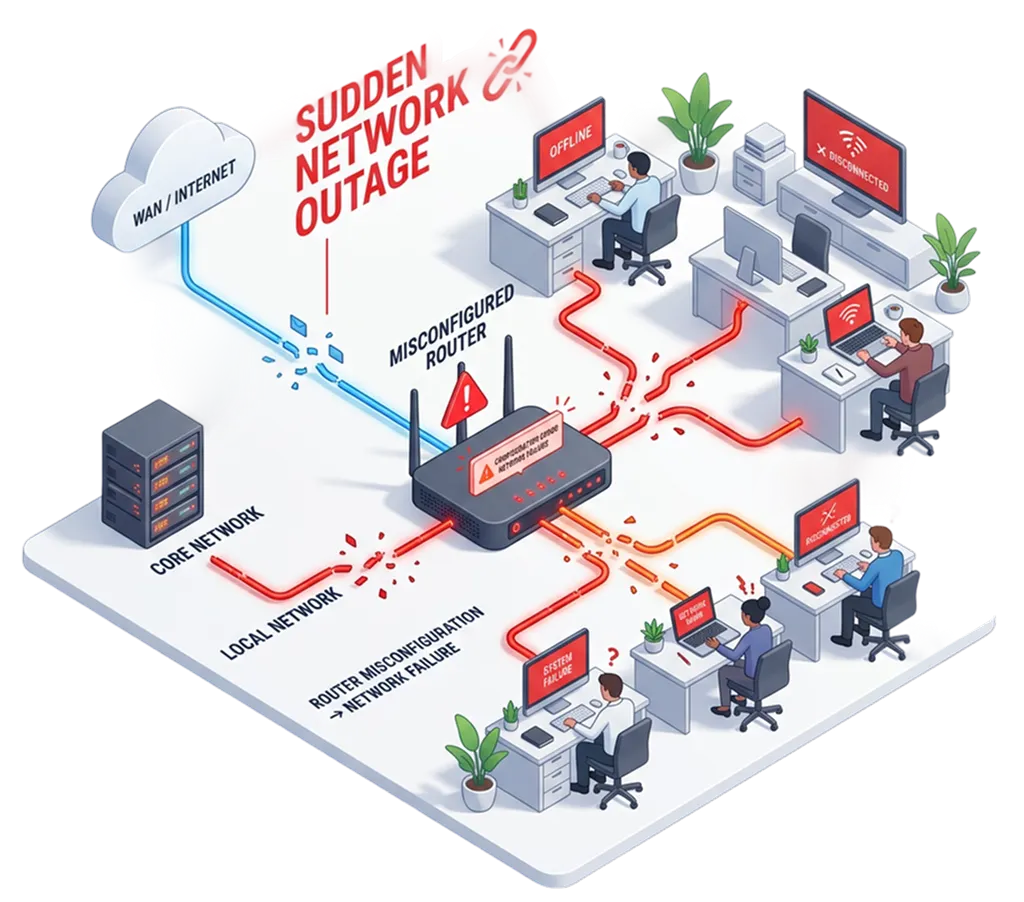
Scenario
A routine configuration change is pushed to a core router; but a small error disrupts traffic flow across the network. Within seconds, critical services go offline, leaving teams scrambling to identify what went wrong. Without clear visibility into the exact change, troubleshooting drags on while downtime impacts users and business operations.
How Network Configuration Manager helps
The exact configuration change that triggered the outage is captured and stored as a new version. Admins can quickly identify the problematic update and restore the previous stable configuration to bring the network back online.
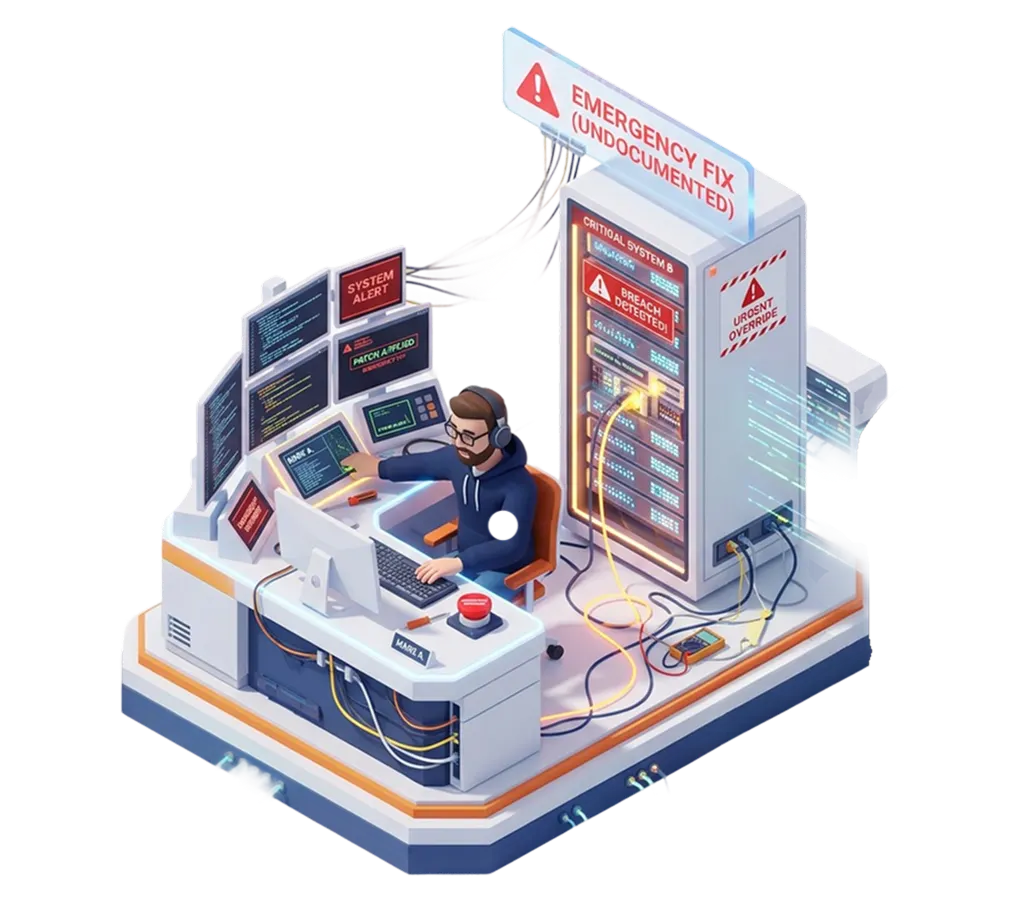
Scenario
During a critical incident, an admin makes a quick configuration change to restore service; but skips documentation in the urgency to resolve the issue. Days later, no one knows what was changed or why, making troubleshooting harder and increasing the risk of repeated mistakes or compliance gaps.
How Network Configuration Manager helps
All configuration changes are automatically tracked and versioned, ensuring emergency fixes are recorded even when documentation is skipped during incident resolution.
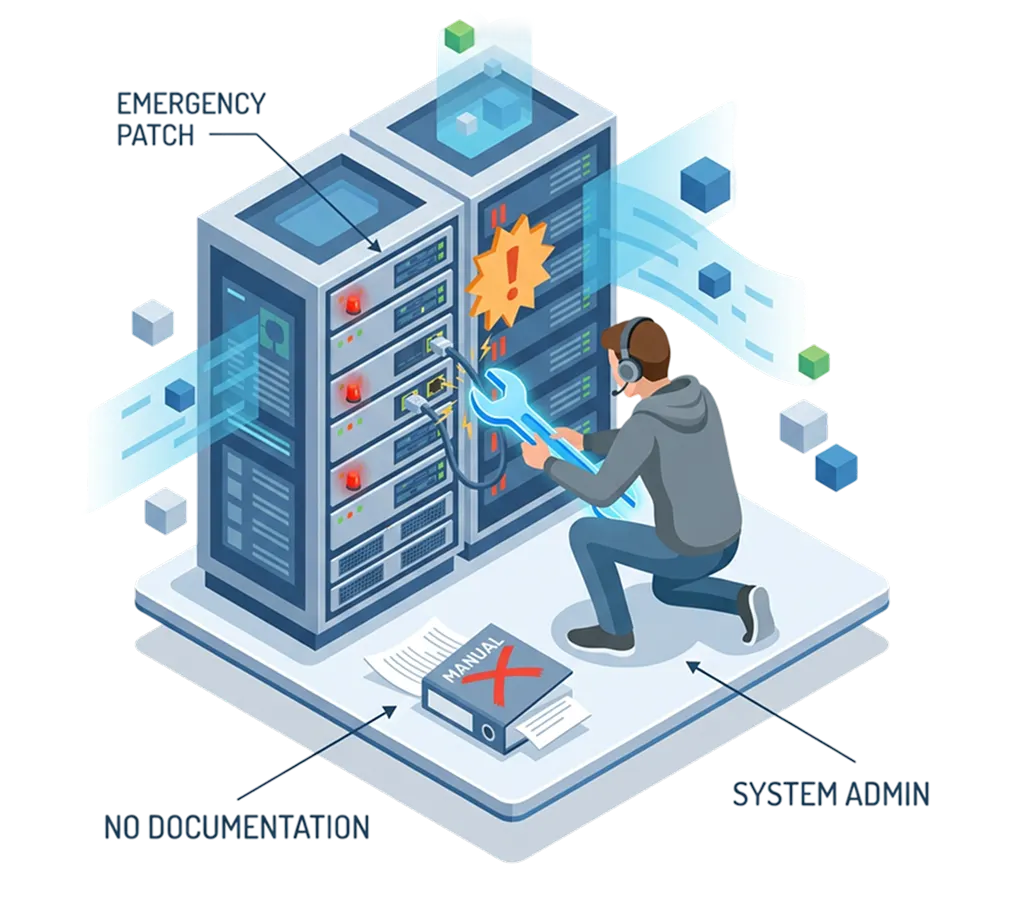
Scenario
A configuration change introduces a policy violation, but it goes unnoticed during day-to-day operations. As an audit approaches, the issue is suddenly discovered, leaving little time to identify the root cause or fix the deviation; putting compliance status and audit outcomes at risk.
How Network Configuration Manager helps
Live configurations are continuously checked against approved standards, and deviations are detected as soon as they occur, giving admins time to correct issues before an audit.

Scenario
Minor configuration changes accumulate across devices over time, creating inconsistencies that go unnoticed. Individually harmless, these changes gradually impact network performance, leading to slower response times and unpredictable behavior. Without visibility into configuration drift, the root cause remains hidden until performance issues become widespread.
How Network Configuration Manager helps
Ongoing monitoring of configuration changes helps identify gradual drift across devices, allowing admins to restore consistency before performance is impacted.
Benefits of using real-time configuration change detection software
Real-time configuration change detection in ManageEngine Network Configuration Manager helps network teams move from reactive troubleshooting to proactive control. By identifying changes as they happen, admins gain better visibility, faster response times, and stronger configuration governance.
Prevent outages caused by unplanned changes
Instant visibility into configuration changes helps admins catch risky or unauthorized modifications before they escalate into outages. Early detection reduces downtime and prevents small mistakes from turning into major incidents.
Eliminate configuration drift across devices
Continuous monitoring against approved baselines ensures device configurations stay consistent over time. This helps maintain network stability and reduces long-term performance and security issues caused by silent drift.
Speed up troubleshooting and root-cause analysis
When an issue occurs, admins can quickly identify recent configuration changes and correlate them with the problem. This shortens investigation time and helps teams resolve incidents faster.
Improve change accountability and audit readiness
Every configuration change is tracked with clear context, creating a reliable audit trail. This simplifies compliance reporting and ensures teams can easily demonstrate configuration control during reviews.
Reduce manual effort and operational risk
Automated change detection removes the need for manual tracking and periodic checks. Admins spend less time reviewing configurations and more time on strategic network improvements.
FAQs on real time change detection and management
1. What types of devices are supported for real-time configuration change detection?
2. Can Network Configuration Manager automatically respond to detected configuration changes?
3. How does real-time change detection help with compliance and audits?
Take control of every device, every configuration, and every change with Network Configuration Manager

- » Network Configuration Manager Overview
- » Network Configuration Manager Features
- » 30-Day Free Trial
- » Release Notes
- » Upgrade Packs
- » Online Store
- » Get Quote
- » Live Demo
- » User Manual
- » Flyer
- » System Requirements
- » Supported Device Models
- » Blogs
- » White Paper Request
- » Best Practices
- » Customers
- » Testimonials
- » Contact Us
- » Schedule Configuration Backup
- » Configuration Versions
- » Firmware Upgrade
- » Configuration Change Tracking
- » Change Management Rules
- » User Activity Tracking
- » Compliance Monitoring
- » Intuitive Reports