Revolutionizing configuration oversight
NCM's impact on Cisco device management
Robust network configurations are indispensable for the seamless operation of enterprise organizations, serving as the backbone of their functions. The occurrence of even minor misconfigurations, common in manual setups, can result in substantial costs, reputational damage, and compliance breaches. Additionally, the manual management of configurations for multiple Cisco devices in these network organizations presents challenges due to the diverse device models, each with its unique setup.
By harnessing the capabilities of ManageEngine Network Configuration Manager, a specialized NCCM solution, you assume control of the entire process of managing configurations for your Cisco devices under a single roof, thereby transforming your oversight on configurations. This encompasses tasks such as backing up configurations, automating processes, ensuring compliance, enabling change notifications, and more.
Optimizing Cisco device performance
Advanced features for enhanced management
Configuration Backup
Change Management
Automation with Configlets
Compliance Management
Firmware Vulnerability Management
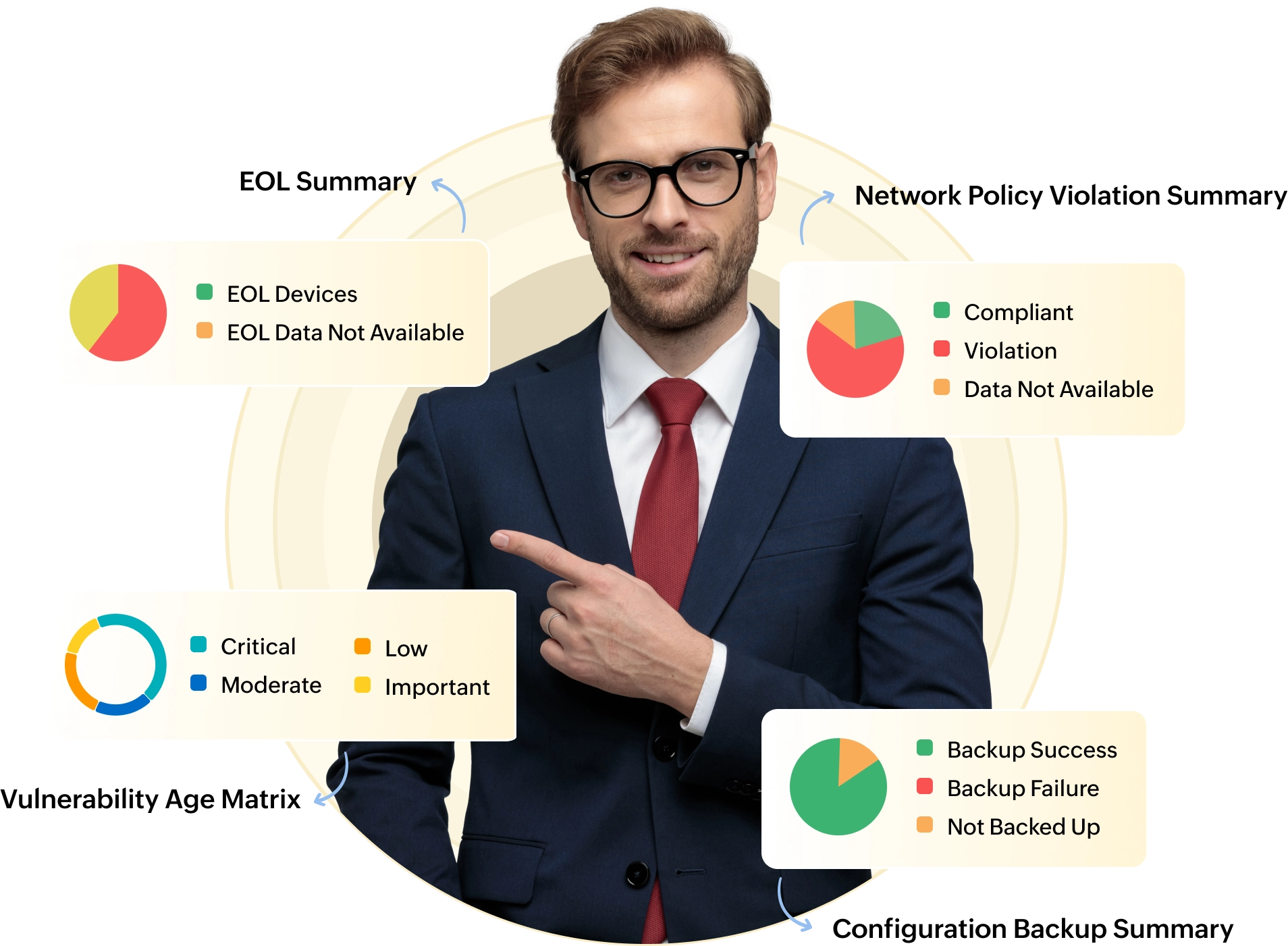
Real-Time Report Generation
CONFIGURATION BACKUP
You can perform configuration backups for your Cisco devices through three methods:
- Bulk backup: Easily perform instant or mass backups for any number of Cisco devices with a simple click.
- Scheduled backup: Arrange scheduled backup operations for a date and time that aligns with your preferences. The scheduling options encompass hourly, daily, weekly, monthly, and one-time backups.
- Automated backup: Enable change detection for specific core Cisco devices, and the Network Configuration Manager will autonomously capture backups upon detecting any configuration alterations using syslogs.
CHANGE MANAGEMENT
Some of the change management functionalities that you can utilize for your Cisco devices include:
- Instant notifications: Get immediate notifications through email, SNMP traps, syslogs, or tickets.
- Role-based access control: Enhance security by assigning specific roles and devices to users, limiting unauthorized configuration modifications.
- Diff View: Utilize a color-coded side-by-side comparison method to compare two configuration versions of the same device or different devices.
- Rollback: Enable this feature, and NCM will instantly revert to either the previous configuration or baseline configuration if any changes are detected on the Cisco devices.
AUTOMATION WITH CONFIGLETS
Through our automated script templates, known as Configlets, you can swiftly automate routine tasks for your Cisco devices like enabling/disabling SNMP v3, password changes, rectifying non-compliant rules, and upgrading the latest firmware to numerous devices at once within minutes.
COMPLIANCE MANAGEMENT
Misconfigurations pose a significant challenge for industries relying on manual management. These errors can result in compliance issues that must be promptly addressed to avoid hefty fines, damage to reputation, and the exposure of security vulnerabilities. NetworkConfiguration Manager is designed to keep you ahead of compliance issues with a dedicated policy tailored for Cisco IOS and ASA devices, known as the CIS Benchmarks. Also, ensure compliance with standards such as SOX, and HIPAA. Non-compliance can also be remediated efficiently using Configlets.
FIRMWARE VULNERABILITY MANAGEMENT
On a daily basis, Network Configuration Manager consistently retrieves refreshed data from NIST and Cisco PSIRT. It compiles a roster of vulnerable Cisco devices, including their respective CVE IDs, severity levels, base scores, and links to pertinent patch solutions. The platform also provides detailed reports to keep you thoroughly informed about the status of vulnerabilities.
REAL-TIME REPORT GENERATION
Network Configuration Manager offers real-time reports on various critical network tasks, providing you with a comprehensive overvie wof activities within your network infrastructure. Network Configuration Manager provides four categories of reports, with each category containing more than five reports.
Ensuring firmware security
Stay informed on Cisco devices' vulnerabilities
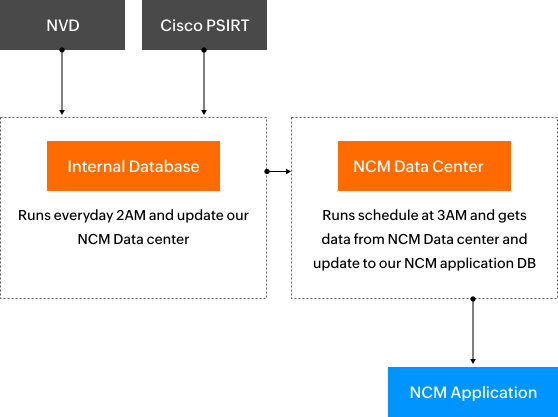
The firmware is a crucial component of networking devices, and when left unattended, it may expose vulnerabilities that could attract the attention of external threats. A breach, if it occurs, can have severe consequences, potentially impacting the entire network. To remain vigilant, NCM incorporates advanced firmware vulnerability management. This tool retrieves daily data from third-party sources such as NVD and Cisco PSIRT, ensuring the application stays up-to-date. Now, let's delve into the workflow of this process:
- Data from NVD and Cisco PSIRT is collected daily by the data collector (internal database) at 2 am IST. The raw data is then converted into the required format.
- Rigorous verification processes ensure the authenticity of the data.
- The verified data is transmitted to the NCM data center (https://ncm.nimbuspop.com/ ).
- NCM retrieves data from this data center daily, synchronizes it, and immediately alerts if any vulnerabilities are identified.
- Firmware Upgrade
- Access Control List (ACL)
- Enabling/Disabling SNMP
- Configuring Dynamic/Static NAT
- Configuring PAT
Streamline the management of Cisco device configurations with Network Configuration Manager
FAQs on Cisco device configuration management
1. How do I configure Cisco devices in NCM?
You can easily configure Cisco devices by following the steps given in the below pages.
2. Can we configure Cisco DHCP server?
3. How do I configure Cisco devices' interface speed and duplex?
Supported Cisco device models
- Cisco CIMC
- Cisco Email Security Appliance
- Cisco Prime
- Cisco WAE
- Cisco 300 Series Switch
- Cisco ACE Module
- Cisco ASA
- Cisco ASA MultiContext
- Cisco ASA WAN
- Cisco ASR Mobile Gateway
- Cisco PIX FWSM
- Cisco PIX FWSM 4.x
- Cisco PIX Firewall Version 6.x
- Cisco PIX Firewall Version 7.x
- Cisco VPN Concentrator
- Cisco Voice Gateway
- Cisco WAAS
- Cisco WLAN Controller
- Cisco IGS Router
- Cisco Modular Access Router
- Cisco Integrated Communication System
- Cisco Integrated Encryption Router
- Cisco ACS
- Cisco Firewall Services Module
- Cisco Communications Media Module
- Cisco Unified Computing System
- Cisco ISDN Access Routers
- Cisco Multiservice Access Concentrator
- Cisco Small Business Switch
- Cisco AGS Router

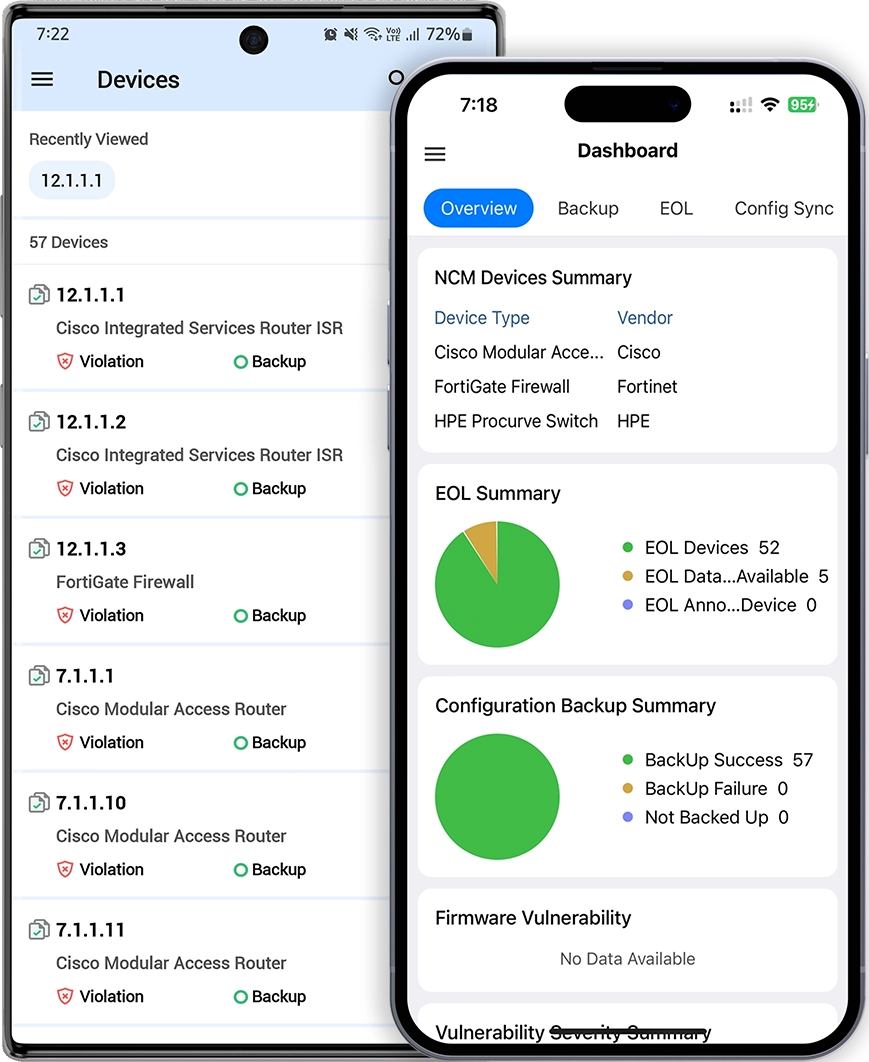
Manage Cisco devices conveniently using the NCM app from the palm of your hands