The solution to intricate network configurations
ManageEngine’s Network Configuration Manager offers a comprehensive solution that helps network administrators automate backups, monitor real-time changes, detect firmware vulnerabilities, and enforce compliance policies. It streamlines configuration management across multi-vendor environments, reduces downtime, and automates routine tasks, making network configuration management faster, safer, and more efficient.
How Network Configuration Manager helps streamline configuration management for network admins
- Prevent config errors
- Ensure compliance
- Track config changes
Configuration backup
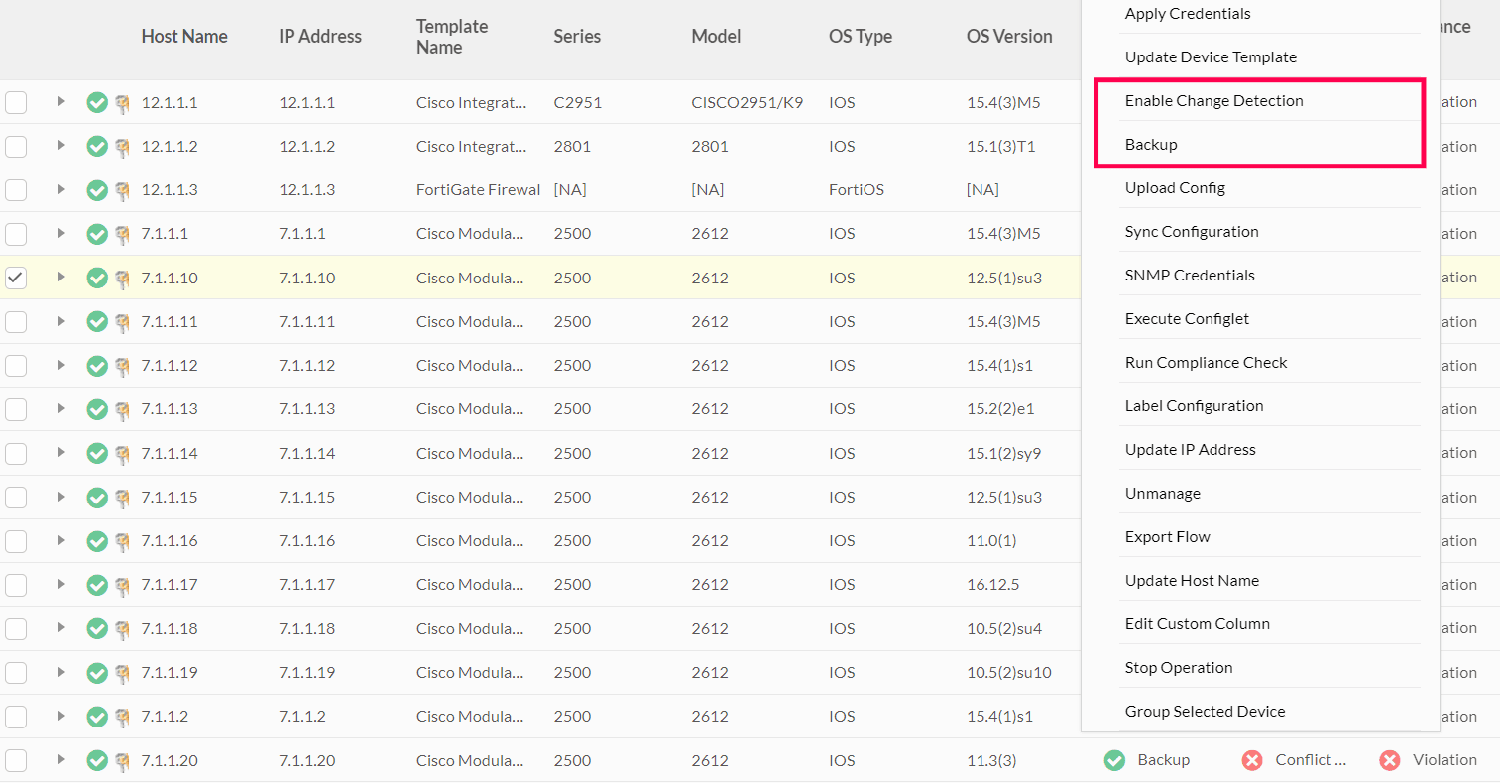
Network Configuration Manager provides three types of configuration backups to secure your network and prevent errors.
- Manual Backup lets admins create backups before making important changes, enabling swift restoration if issues arise.
- Real-Time Backup automatically saves configurations as changes happen, ensuring no essential updates are overlooked.
- Scheduled Backup automates routine backups, keeping configurations current and enabling rapid recovery in case of failures.
Rollback and versioning
Network Configuration Manager enhances control over configuration changes with its versioning and rollback features.
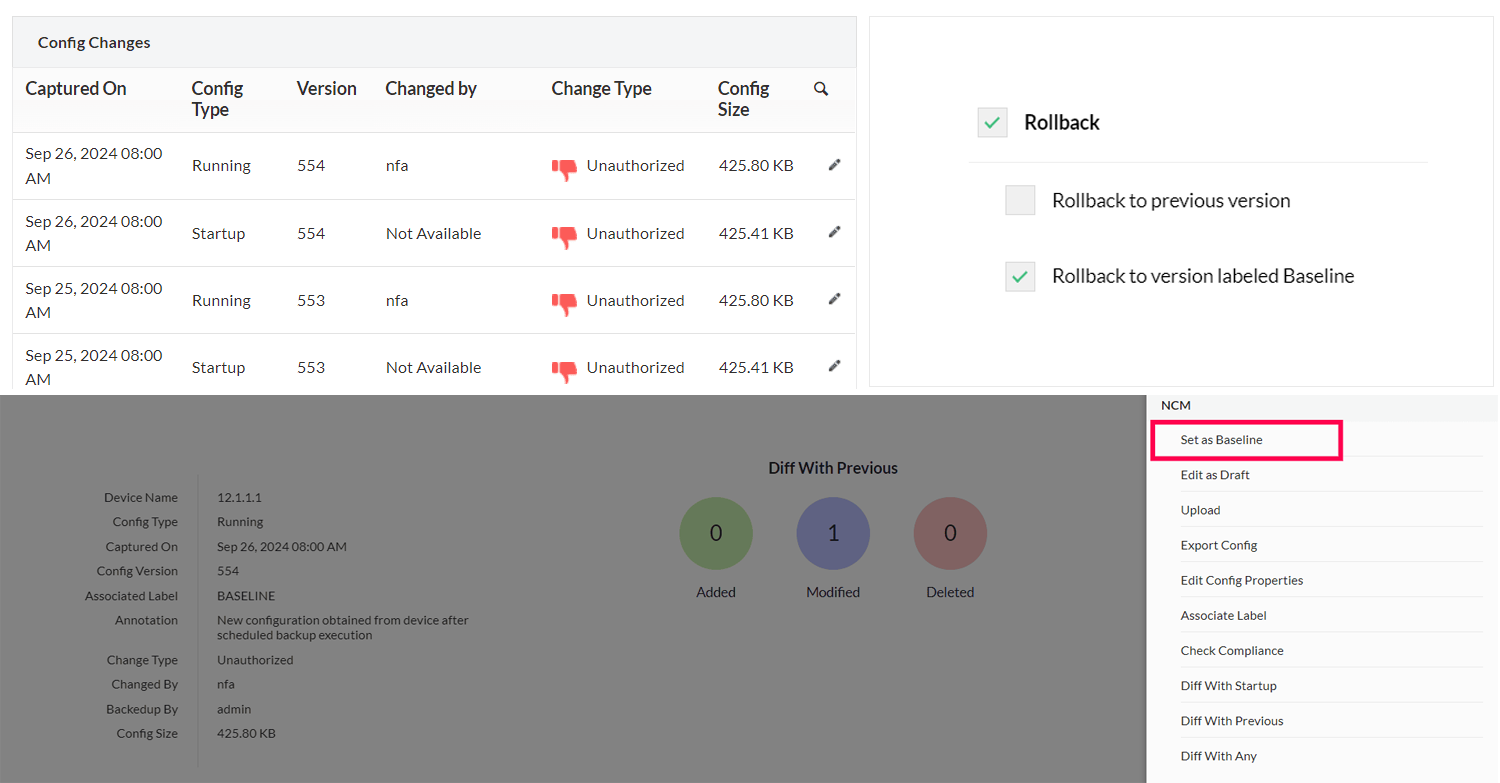
- NCM records every change with timestamps and user details, allowing admins to track, compare, and troubleshoot issues.
- Label Baselines let admins mark stable configurations as baselines, providing an easy fallback if future changes impact performance.
- The Rollback option allows quick reversion to previous versions or baselines, reducing downtime and preventing misconfigurations.
Role-based access control
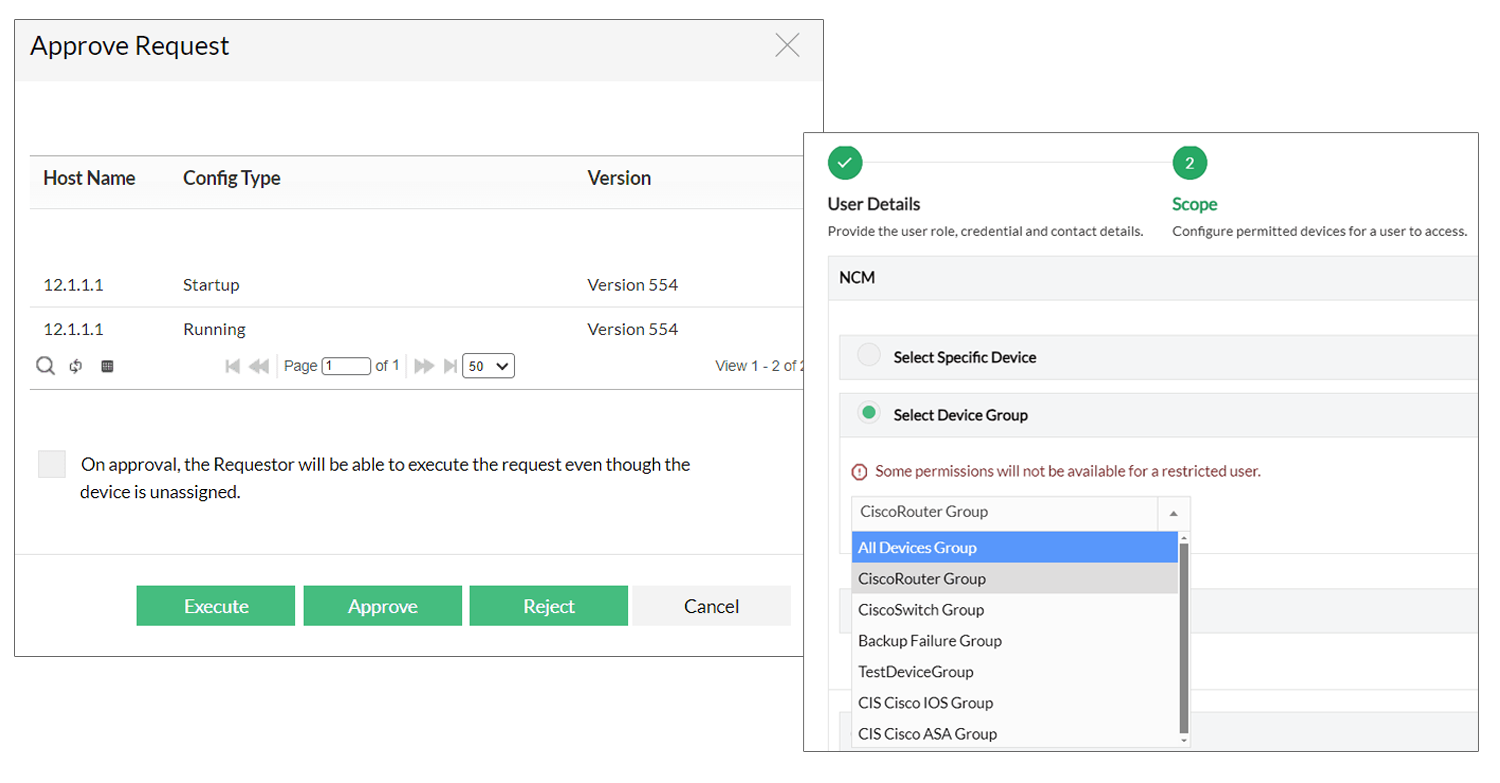
Network Configuration Manager employs role-based access control to ensure only authorized personnel can modify critical settings, reducing configuration errors.
- Admins can assign roles based on user responsibilities, preventing unauthorized changes.
- NCM helps restrict access to critical configurations, lowering the risk of unintended modifications.
- With NCM, you can also track and approve user changes, making it easy to trace and rectify configuration errors quickly.
Compliance audits
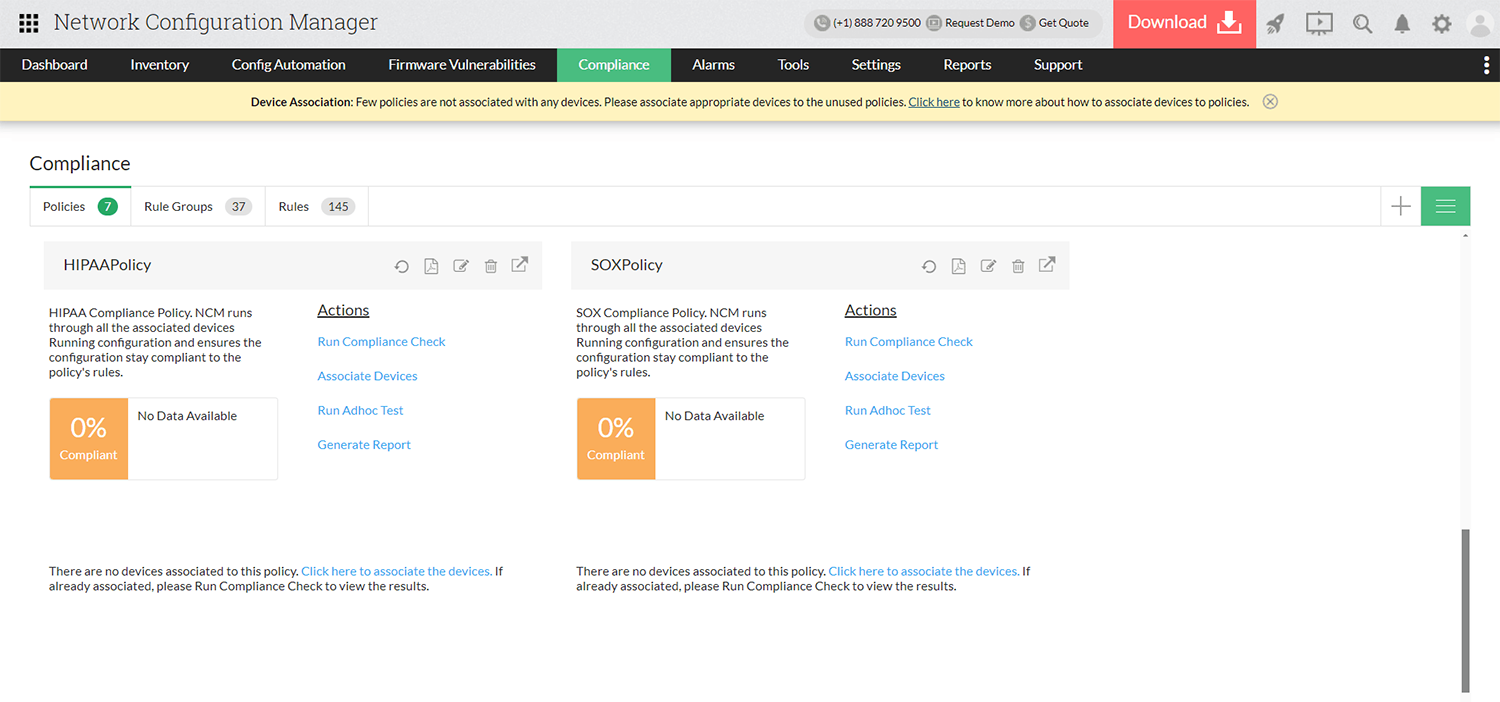
Network Configuration Manager automates compliance checks to ensure that industry policies like CIS, SOX, and HIPAA are consistently followed. Every time a backup occurs, NCM runs a compliance audit, generating alerts and reports for any violations.
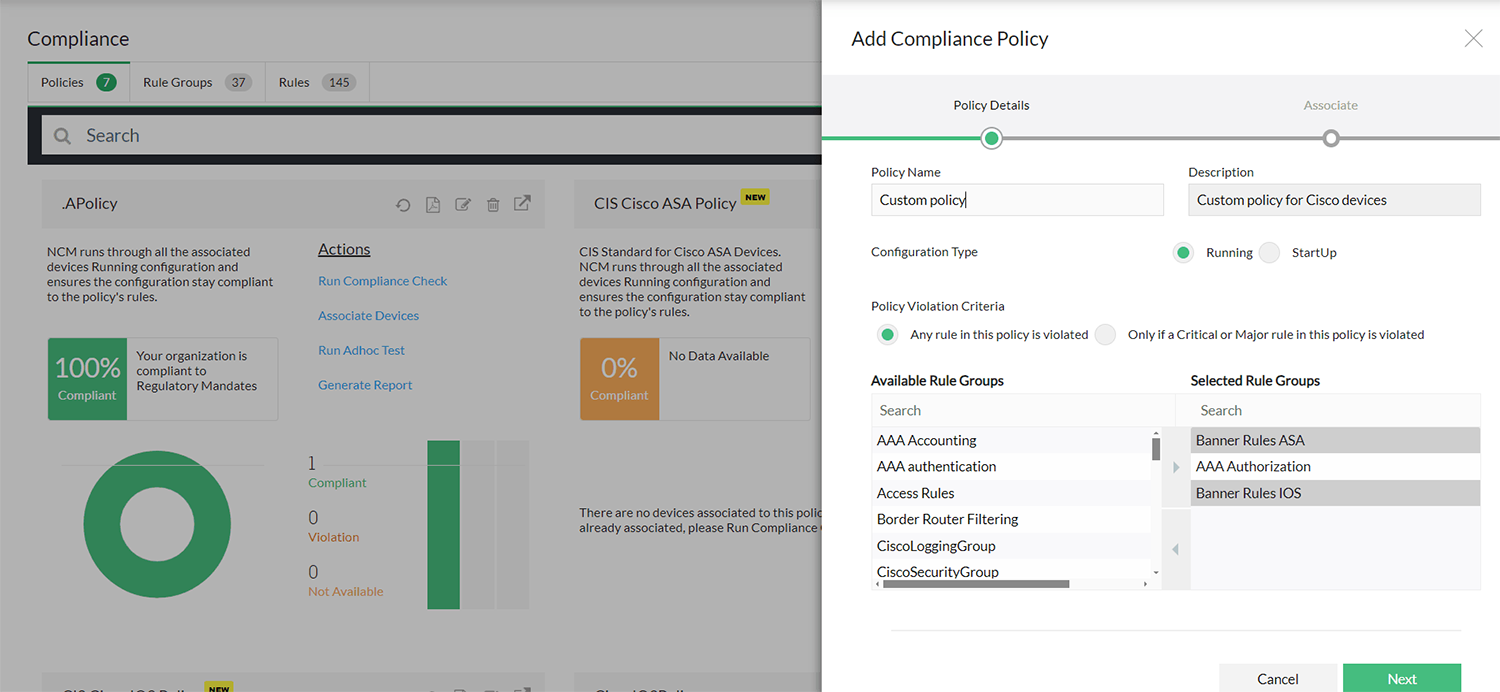
Custom policies
Network Configuration Manager allows you to create custom policies to specific organizational needs. You can define new rules, group them, and create policies that suit particular devices or compliance requirements.
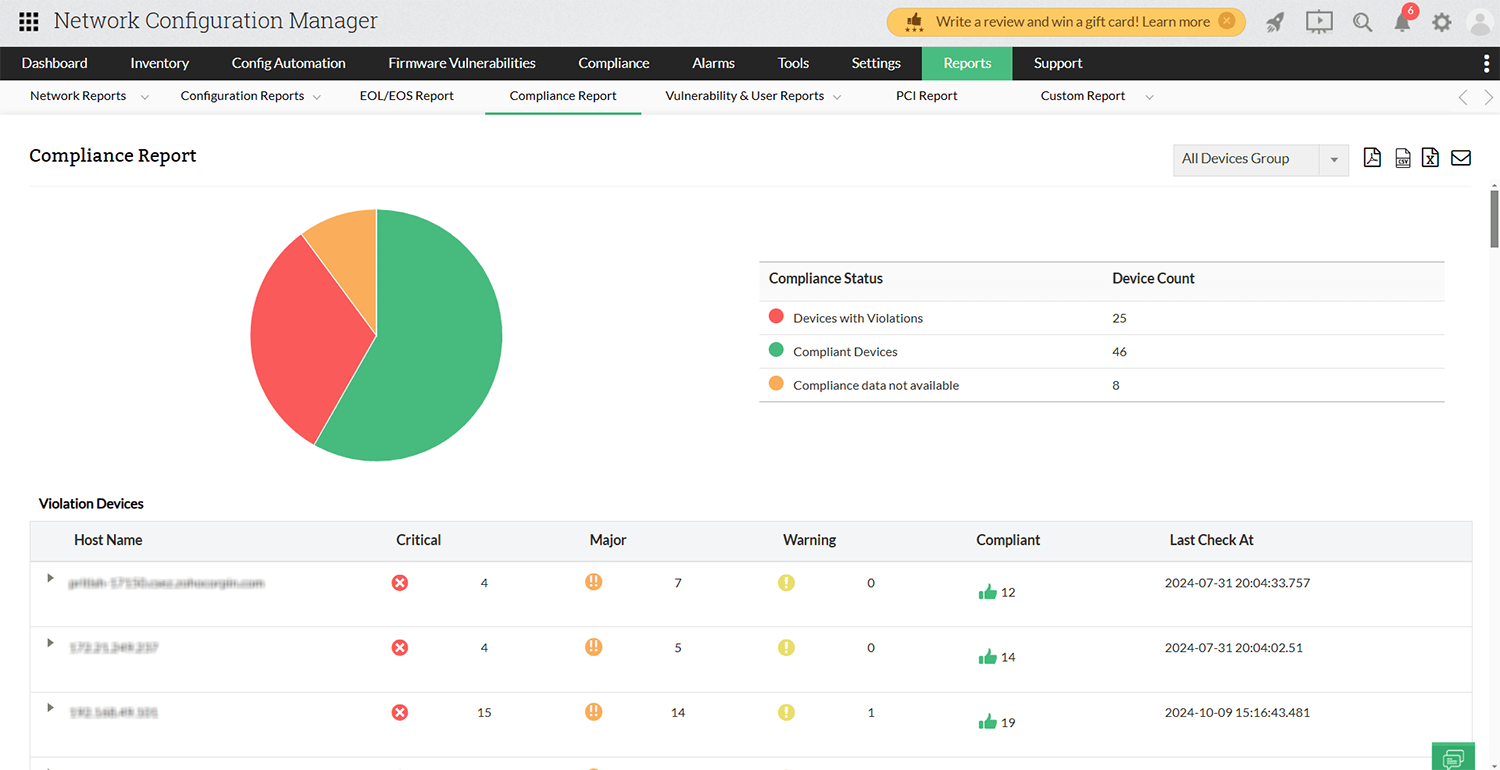
Track compliance status
Network Configuration Manager tracks compliance across all network devices, flagging violations based on severity—critical, major, or warning. If a violation occurs, network administrators can remotely fix it using pre-configured remediation templates created when setting up custom policies.
Change notifications
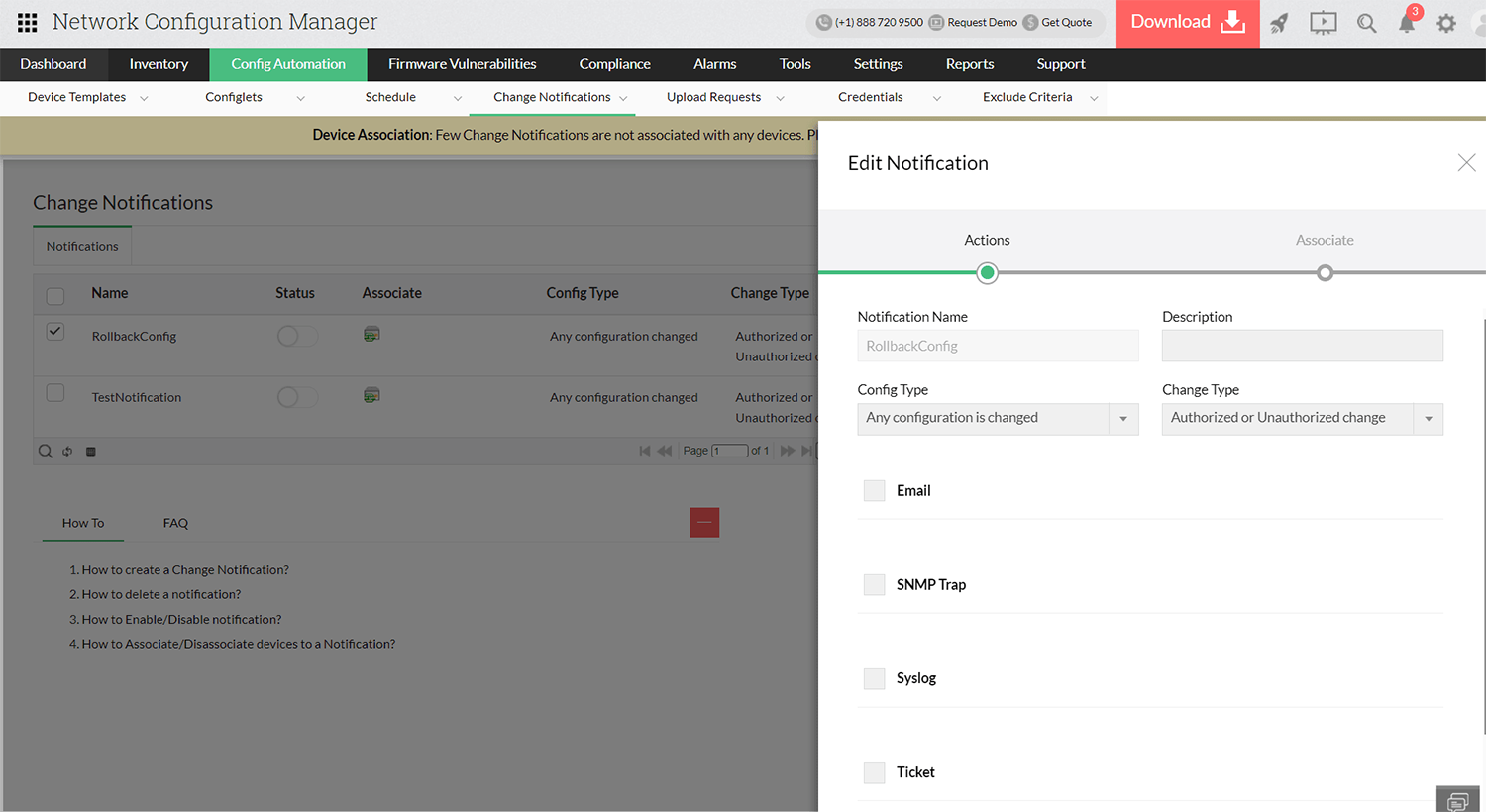
Get real-time change notifications via syslog, SNMP traps, email, or ticketing systems. This ensures any authorized or unauthorized configuration change is instantly reported, allowing admins to act quickly and maintain control over the network.
Config comparison
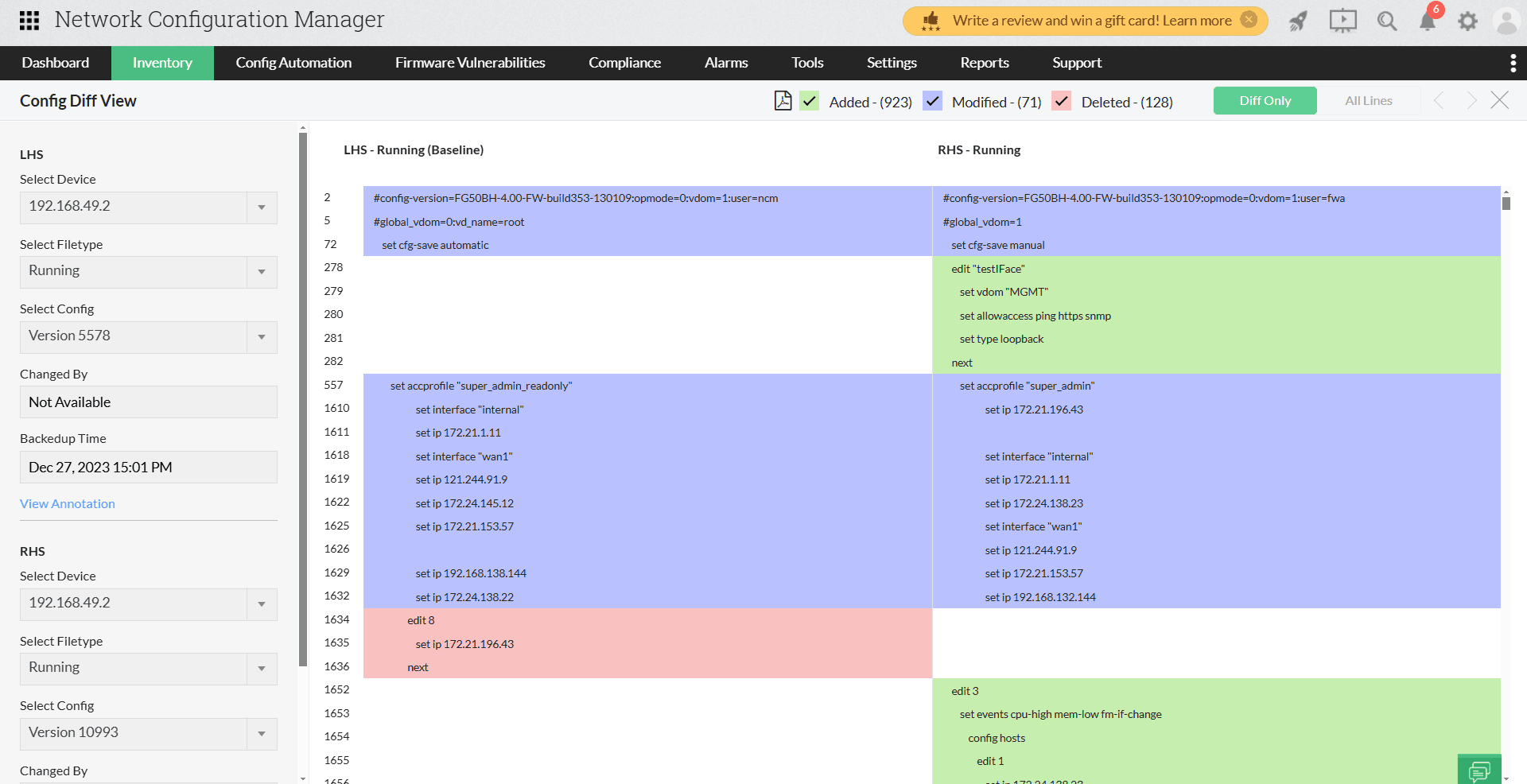
NCM’s config comparison feature lets admins easily compare current and past configurations, highlighting changes with distinct colors using Diff View. This helps quickly spot modifications, even in configurations that contain thousands of lines.
Reports
Detailed configuration reports help network admins monitor configuration changes over time.
- Change Detection Reports highlight authorized and unauthorized changes.
- Change Trend and Change Analysis Reports reveal patterns and frequencies of changes to spot unusual activity.
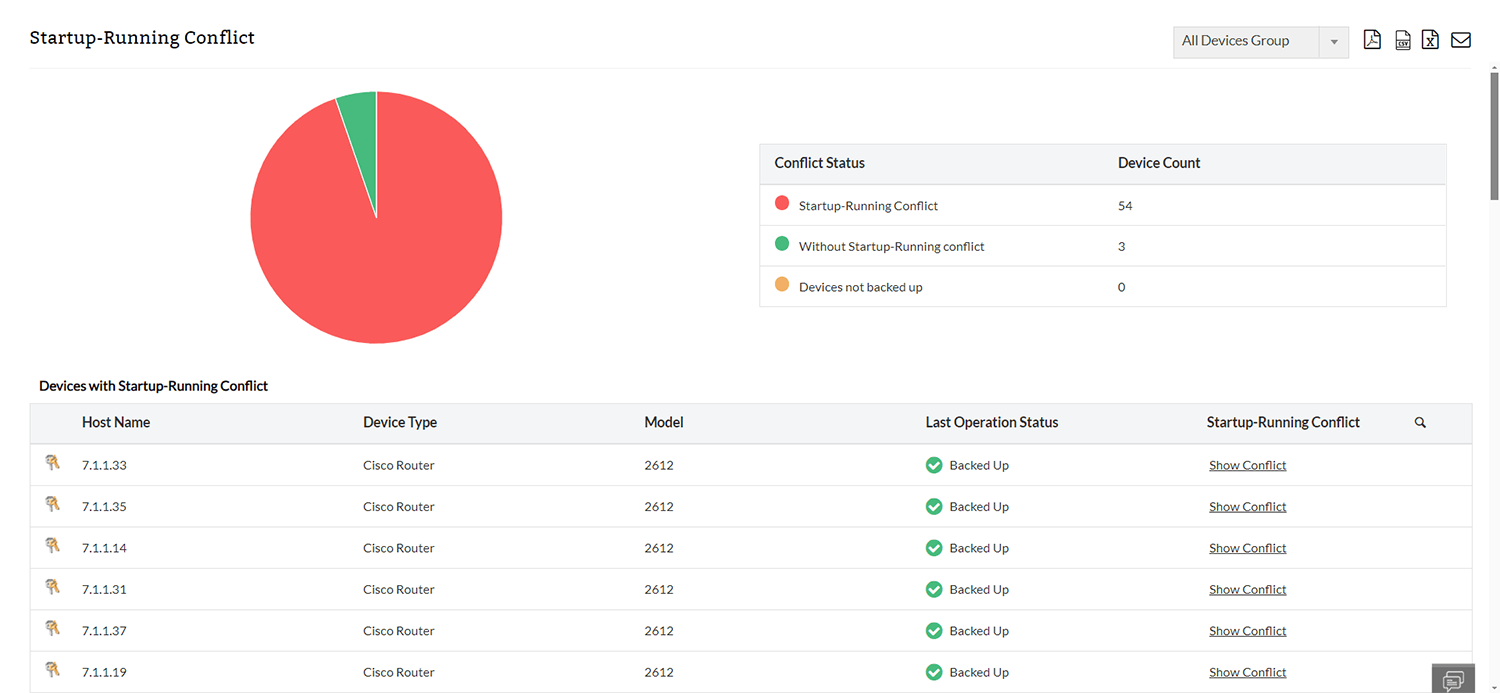
- Startup-Running Conflict Reports identify discrepancies between startup and running configurations.
Automate Routine Configuration Tasks
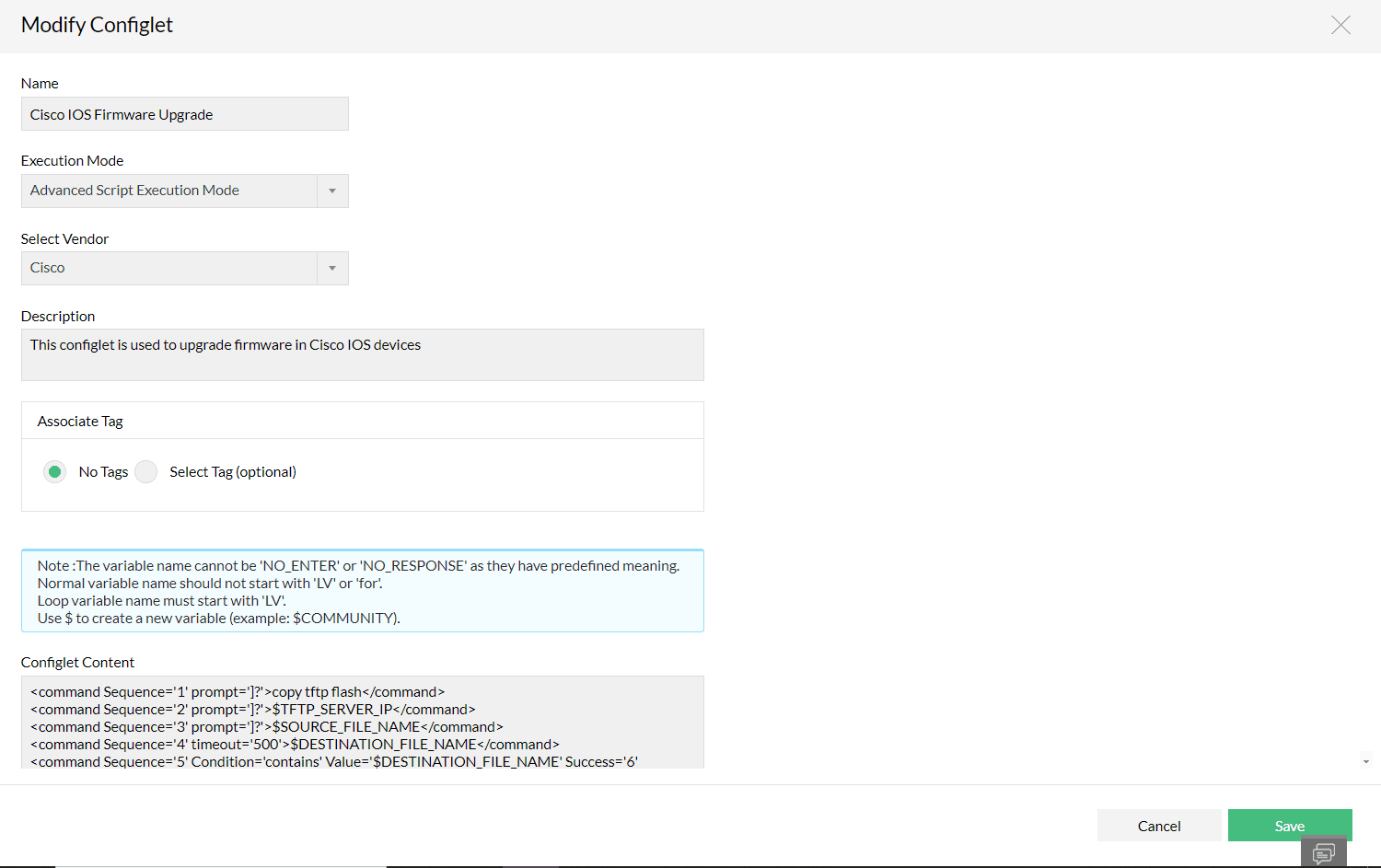
Simplify configuration management by automating repetitive and time-consuming tasks using configlets. Network admins can create CLI or REST-based configlets to perform tasks like enabling SNMP v1/v2 or applying bulk changes across multiple devices, reducing the need for manual intervention and minimizing the risk of configuration errors. These configlets can also be used to update firmware across network devices efficiently.
Manage configurations of devices in different locations from a centralized server
Reasons why ManageEngine Network Configuration Manager
is better than other tools:
Vendor-agnostic
Network Configuration Manager supports a wide range of devices from various vendors, providing flexibility in multi-vendor environments.
Wide selection of device templates
It offers an extensive library of device templates, enabling quick configuration and reducing the need for manual scripting.
Real-time reports
Network Configuration Manager provides real-time alerts and detailed reports on configuration changes, ensuring admins are always informed of critical network events.
Customizable dashboards and insights
The platform offers customizable dashboards that provide actionable insights, helping admins manage configurations, ensure compliance, and monitor firmware updates efficiently.

Manage crucial network configurations for your enterprise devices on the move
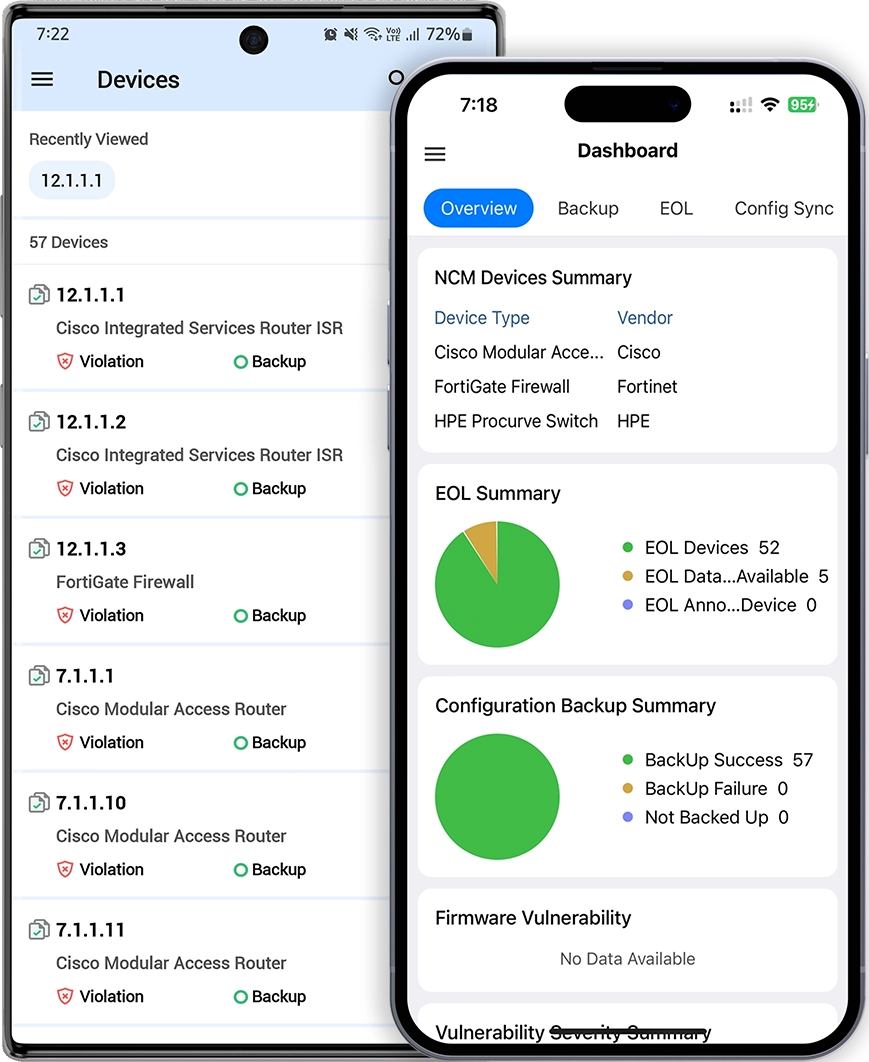
Access Network Configuration Manager on Android and iOS to easily manage, track, and back up network configurations from anywhere. Simplify your tasks and stay updated on configuration changes in real time.