Get OpManager MSP running in your local language and provide better support for non-English users too.
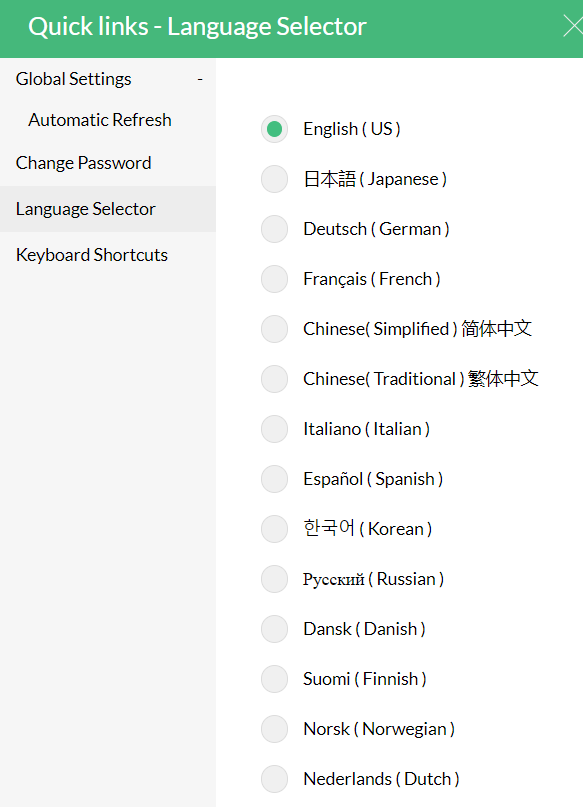
Our product is also available in the following languages:
- French
- German
- Italy
- Japanese
- Korean
- Russian
- Chinese (Simplified)
- Spanish
- Chinese (Taiwan)
- Dutch
- Norwegian
- Brazilian Portuguese
- Swedish
- Turkish
- Portuguese
- Danish
- Polish
- Finnish
How to get OpManager MSP working in your language?
- Open your OpManager MSP client.
- Click the gear icon on the top right corner of the window.

- Click on 'Language Selector'.
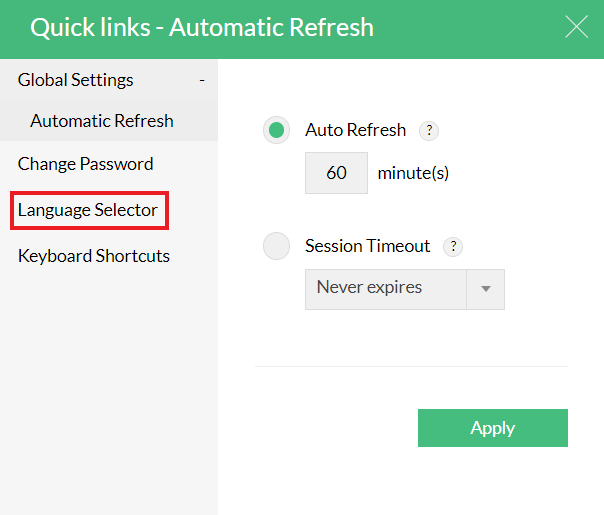
- Click on the desired option to set it as the default language.
Note:
- Russian and Chinese (Taiwan) are supported only from OpManager MSP 12.8.205.
- Language settings for the users must be configured in MSP Central. Changes made in MSP Central are pushed to the relevant probes as required. Language configuration cannot be done directly on the probe.