


Over 15,000 happy customers worldwide trust OpManager

Saint Gobian
NASA
Time Warner Cable
Lorean Paris
Siemens
DHL
Alcatel Lucent

Why choose OpManager as your Auvik alternative?

All-in-one IT management console

All-in-one IT management console

Auvik is an alerting tool that focuses on network devices. They support basic server monitoring without in-depth performance metrics. OpManager, on the other hand, offers in-depth visibility and monitoring for the network, servers, storage, and virtualized environments.

Pricing

Transparent prices, simple licensing, and predictable costs

Auvik uses a monthly subscription plan calculated based on billable devices. Users often get billed for more than what they're planning to manage. OpManager offers subscription and perpetual plans with a simple device-based licensing. What you see up-front is what you pay.

Full-stack

Full-stack IT observability console

OpManager's in-product add-ons help you control the capabilities of your tool without overpaying for features. With all add-ons enabled, you can monitor and manage your entire IT stack, including traffic, configurations, applications, databases, and digital experience.

Choose a reliable alternative to Auvik

Enjoy more functionalities at a fraction of the price

Auvik doesn't reveal their exact pricing structure in their webpages. They calculate an estimated annual cost of $2,100 (five billable devices in a small network), and $12,000 to $18,000 (100 billable devices in a large network)*. Network devices like routers, switches, and firewalls are listed as billable in Auvik. Calculating 10 end-point devices for each network devices, OpManager costs $645 per year for 50 devices (69% less) and $5,995 per year for 1000 devices (60% less).

Features OpManager OpManager Auvik
Price
$645
(Annual subscription)
$1,545
(One-time payment)
$2,100
(Estimated costs for one year)
Plans Subscription Perpetual Subscription
Number of monitored devices 50 (Network devices, servers, storage devices, VMs) 50 (Network devices, servers, storage devices, VMs) 5 (Network devices: Approximately 50 to 55 devices)
Network monitoring      
Auto-network discovery & mapping      
Server monitoring     Add-on with basic functionalities
Process monitoring      
Storage monitoring      
Application performance monitoring Add-on Add-on  
Database monitoring Add-on Add-on  
Digital experience monitoring Add-on Add-on  

Features that make OpManager a better alternative to Auvik

Unified IT Monitoring
Full-Stack Observability
Mapping and Visualization
AIOps and Automation

Network performance

Obtain comprehensive network performance insights across your entire infrastructure, from the LAN, WAN, and wireless networks to your storage and virtual environments. Monitor crucial metrics such as latency, jitter, and packet loss, while receiving alerts for downtime and Quality of Service (QoS) violations. Additionally, you can configure performance monitoring for key performance indicators (KPIs) like CPU, memory, and response time.

Network performance
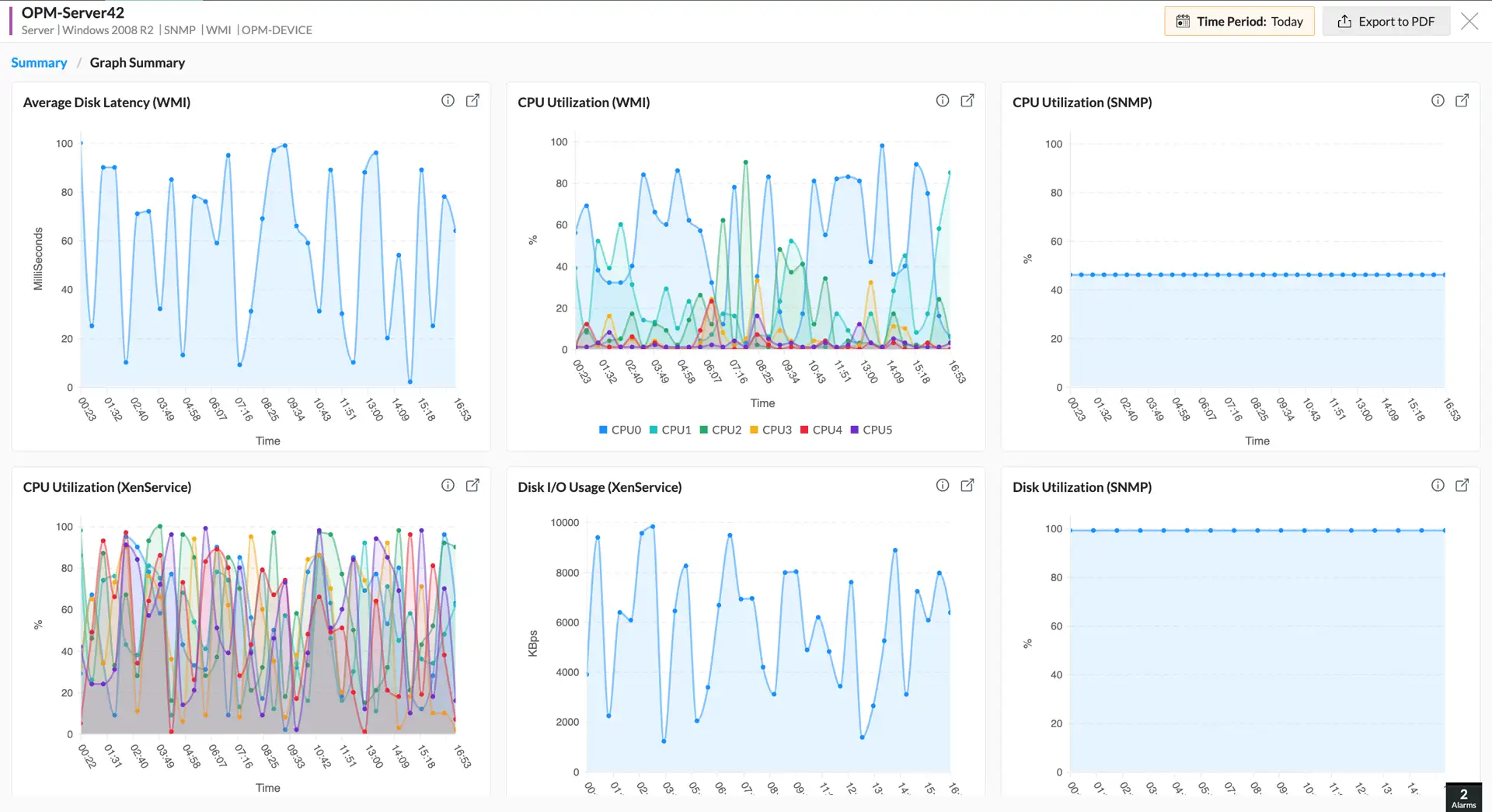
Server & virtualization

Server & virtualization

Monitor physical and virtual servers for both uptime and performance. Track key metrics like CPU, memory, disk space, and traffic usage, as well as hardware health. You can also monitor active processes and services, with the ability to remotely start, stop, or restart them to optimize performance.

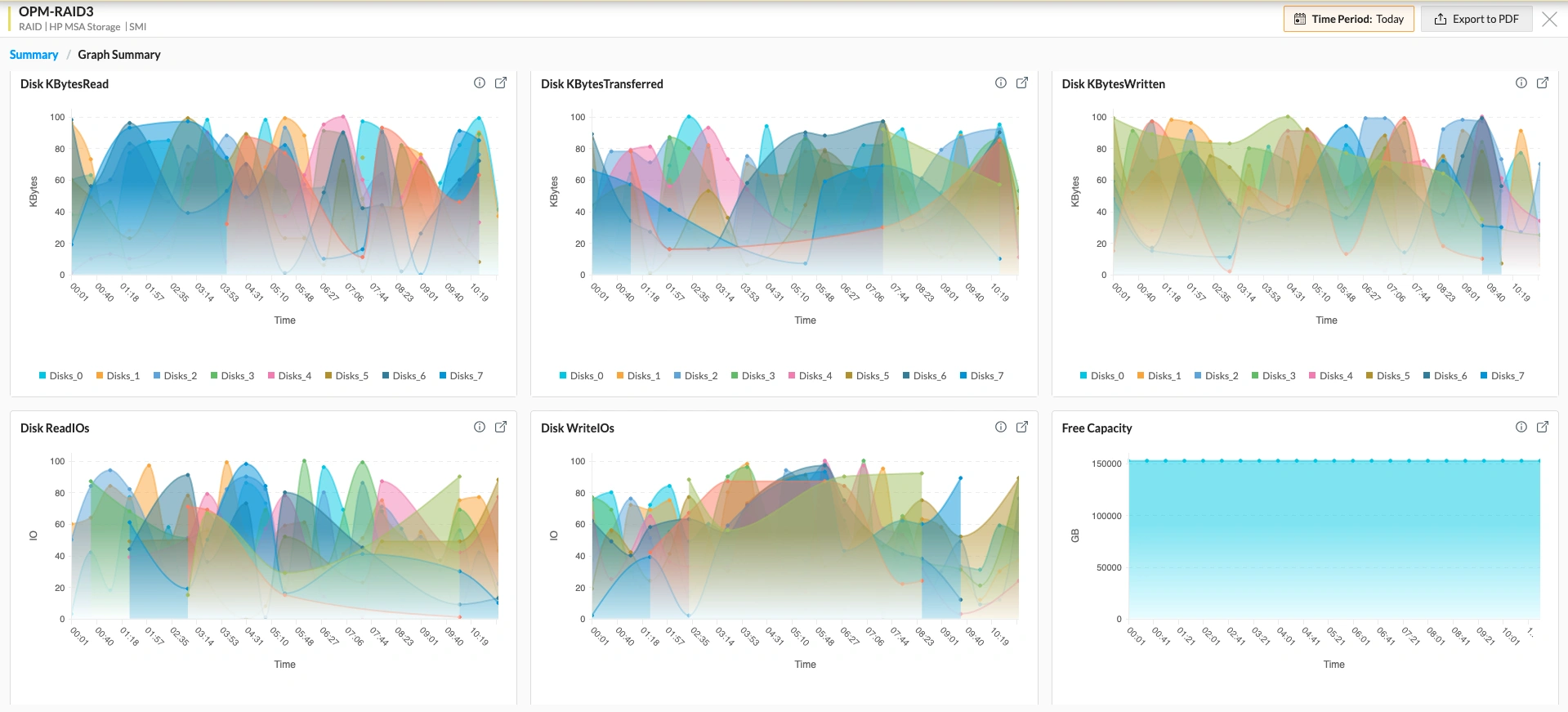
Storage devices & databases

Ensure optimal storage and database performance with dedicated metrics. When it comes to storage devices like RAIDs and tape libraries, you can monitor capacity, hardware health, and logical components like LUNs. For databases, you can monitor critical operations, IOPs, queries, and connections, and optimize performance by narrowing down slow-running queries, and so on.

Storage devices & databases

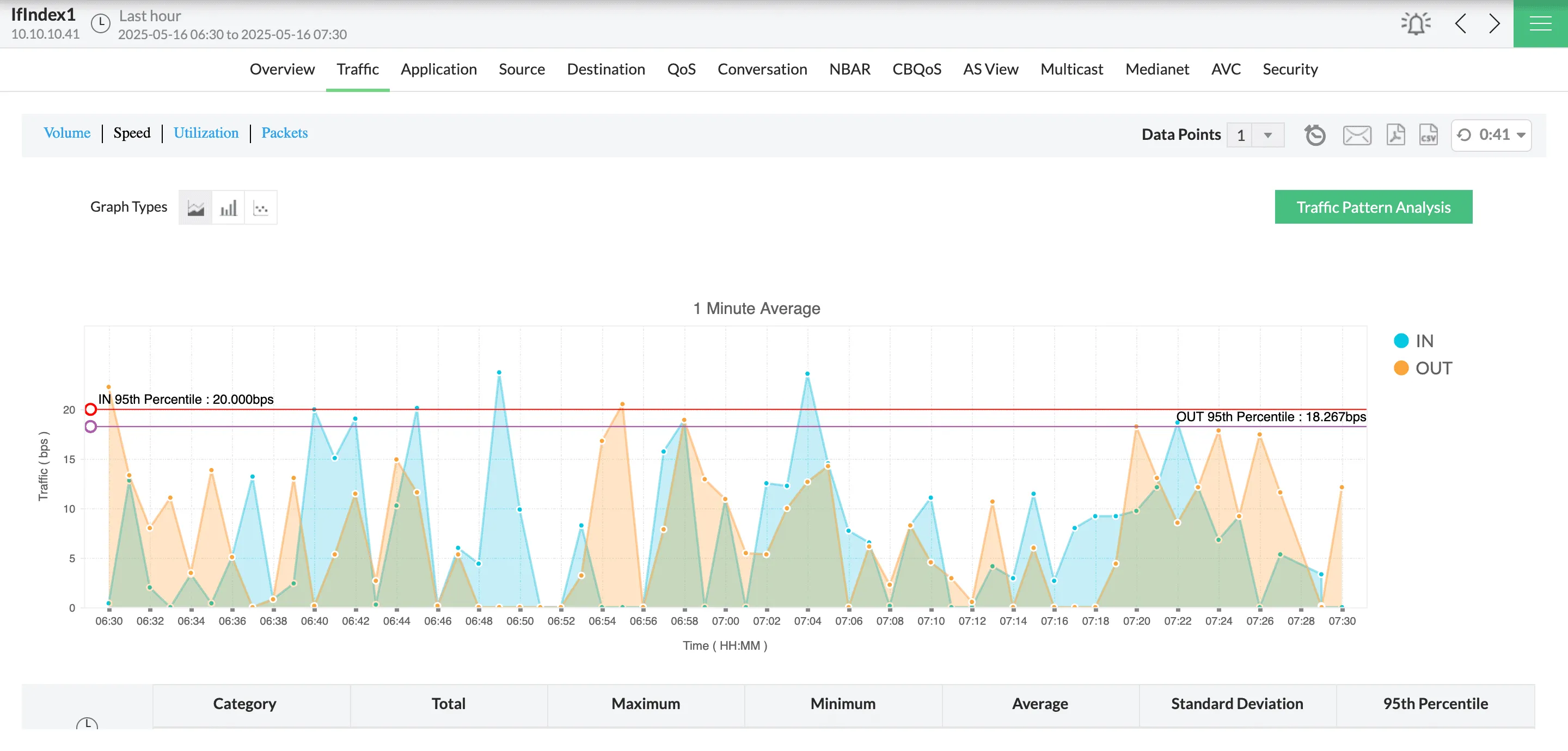
Traffic, configs, & compliance

Get insights into device-specific, application-specific, and interface-specific bandwidth usage. Perform network configuration lifecycle management, configuration audits, and comparisons. Set up compliance rules and policies and get alerted for compliance violations.

Traffic, configs, & compliance
Applications & digital experience

Applications & digital experience

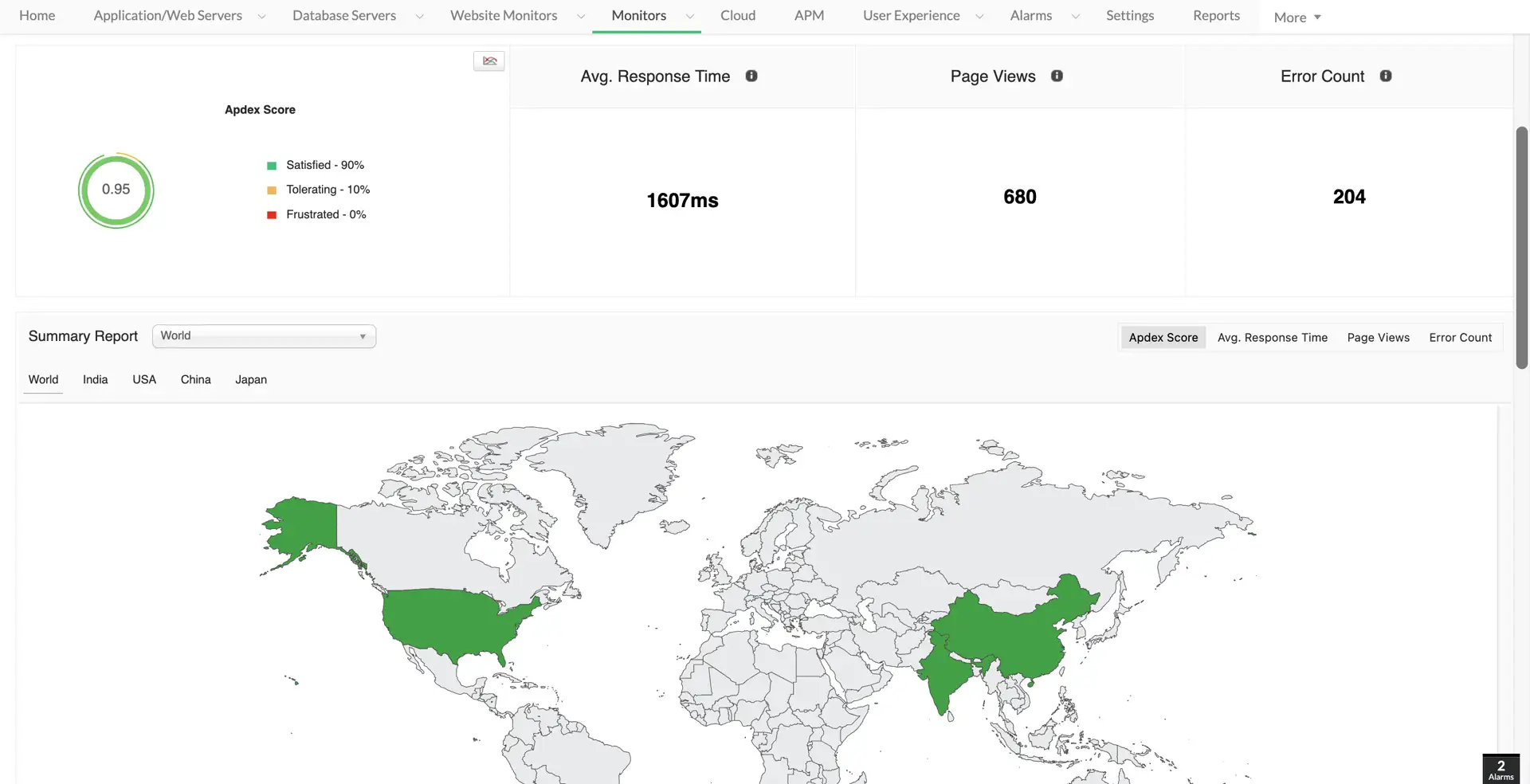
Monitor the top end of the IT stack with in-depth visibility. OpManager helps you monitor response time, quality scores, and errors across your user-facing services. You can get code-level insights and keep track of KPIs with regular monitoring. You can also monitor synthetic transactions, real-user experience, and website performance from multiple locations.

IPAM & firewall log optimization

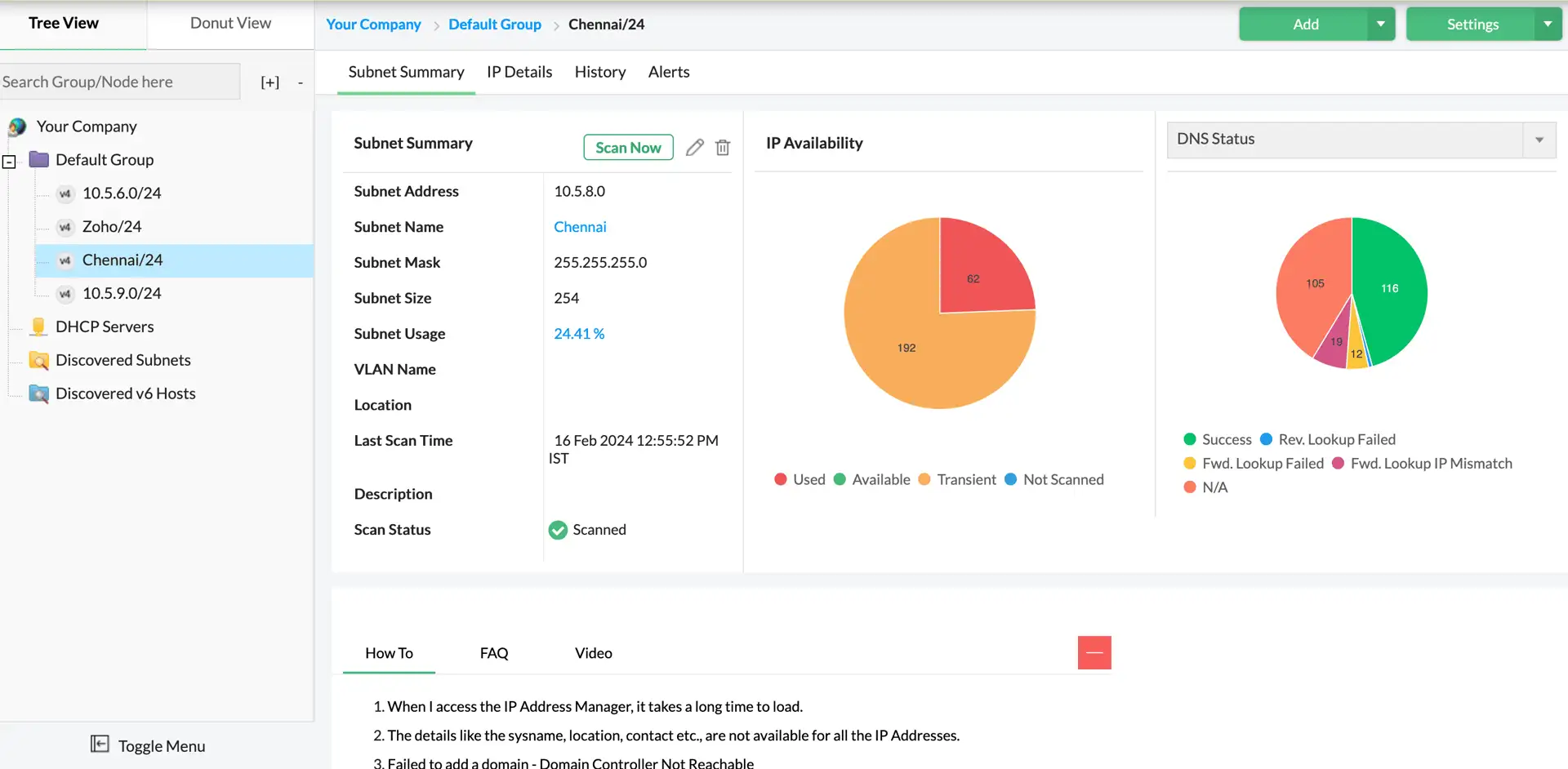
Manage IPv4 and IPv6 subnets and IP addresses across your IT infrastructure. You can assign and review IP addresses, get alerted for IP conflicts, and monitor your DHCP servers from OpManager's console. You can also analyze and optimize firewall policies and rules.

IPAM & firewall log optimization

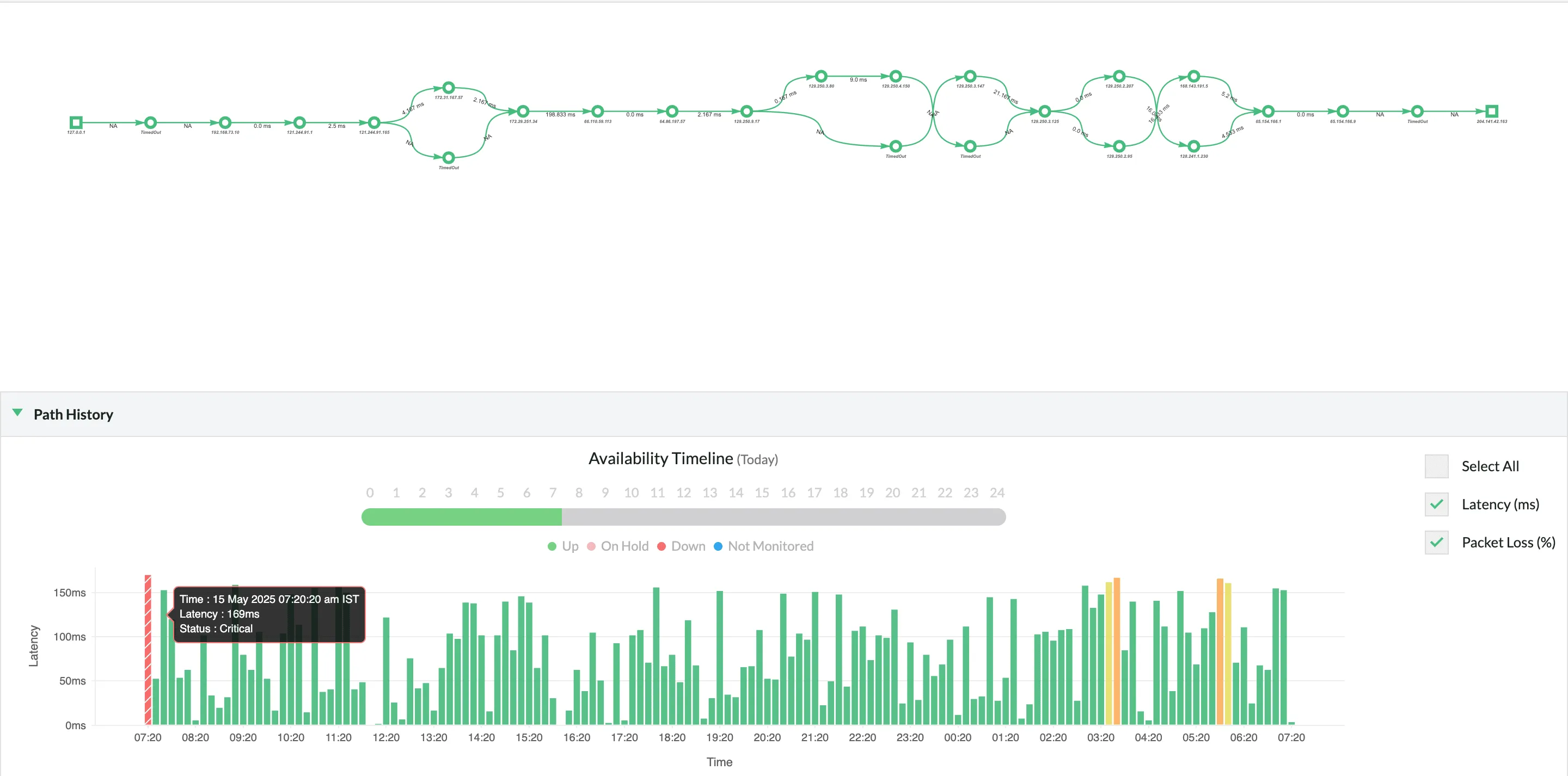
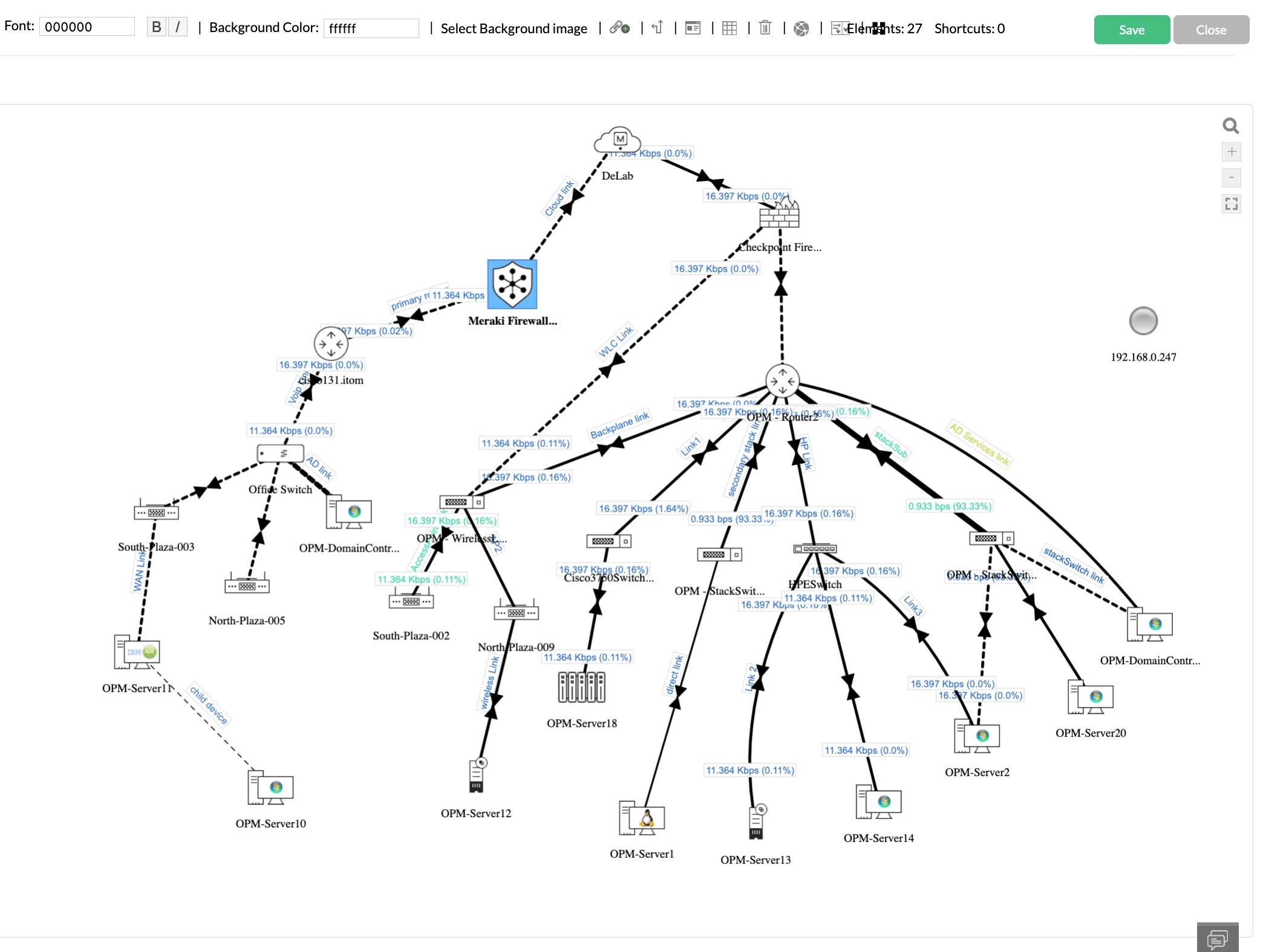
Topology mapping

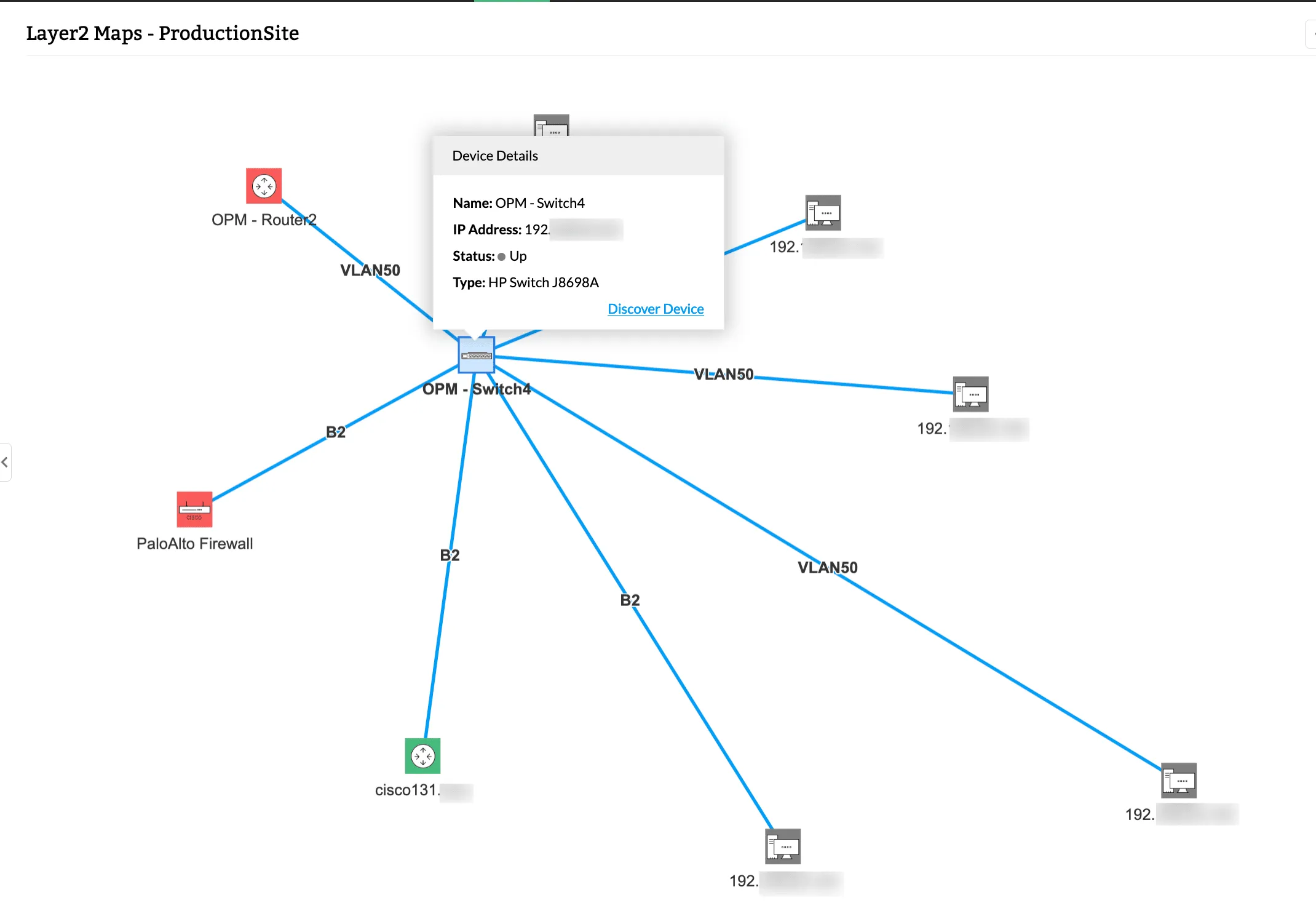
OpManager starts from your core devices and maps connected routers, switches, load balancers, and servers to represent segments of your layer 2 networks. You can set up rediscovery intervals to ensure that OpManager re-draws the map frequently to update any changes to the topology of the devices and the interfaces.

Topology mapping
Organization maps

Organization maps

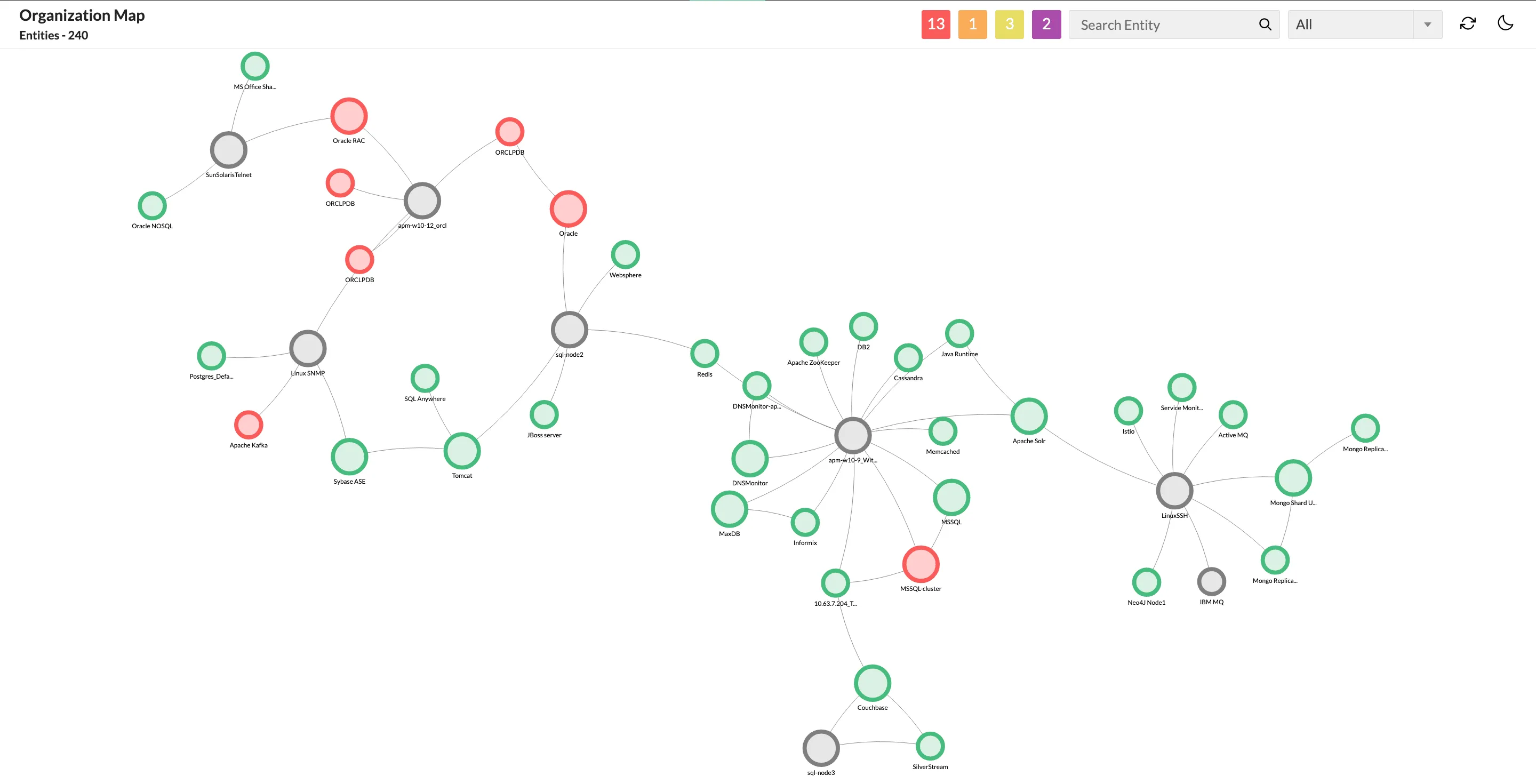
Map service delivery networks, starting from the layer 2, all the way to the application layer. OpManager discovers core devices, intermediary network nodes, servers, VMs, applications, and databases and maps them based on their relationships and dependencies. This helps you narrow down service outages to the underlying IT systems and perform impact analysis with ease.

Custom mapping

In addition to automated maps, you can also draw custom maps to represent your infrastructure. OpManager has dedicated mapping tools to visualize: Business views, datacenters, and distributed infrastructure. You can drag and drop devices and interfaces into: Custom backgrounds, datacenter racks, datacenter floors, and responsive world maps (With google maps or Zoho maps).

Custom mapping

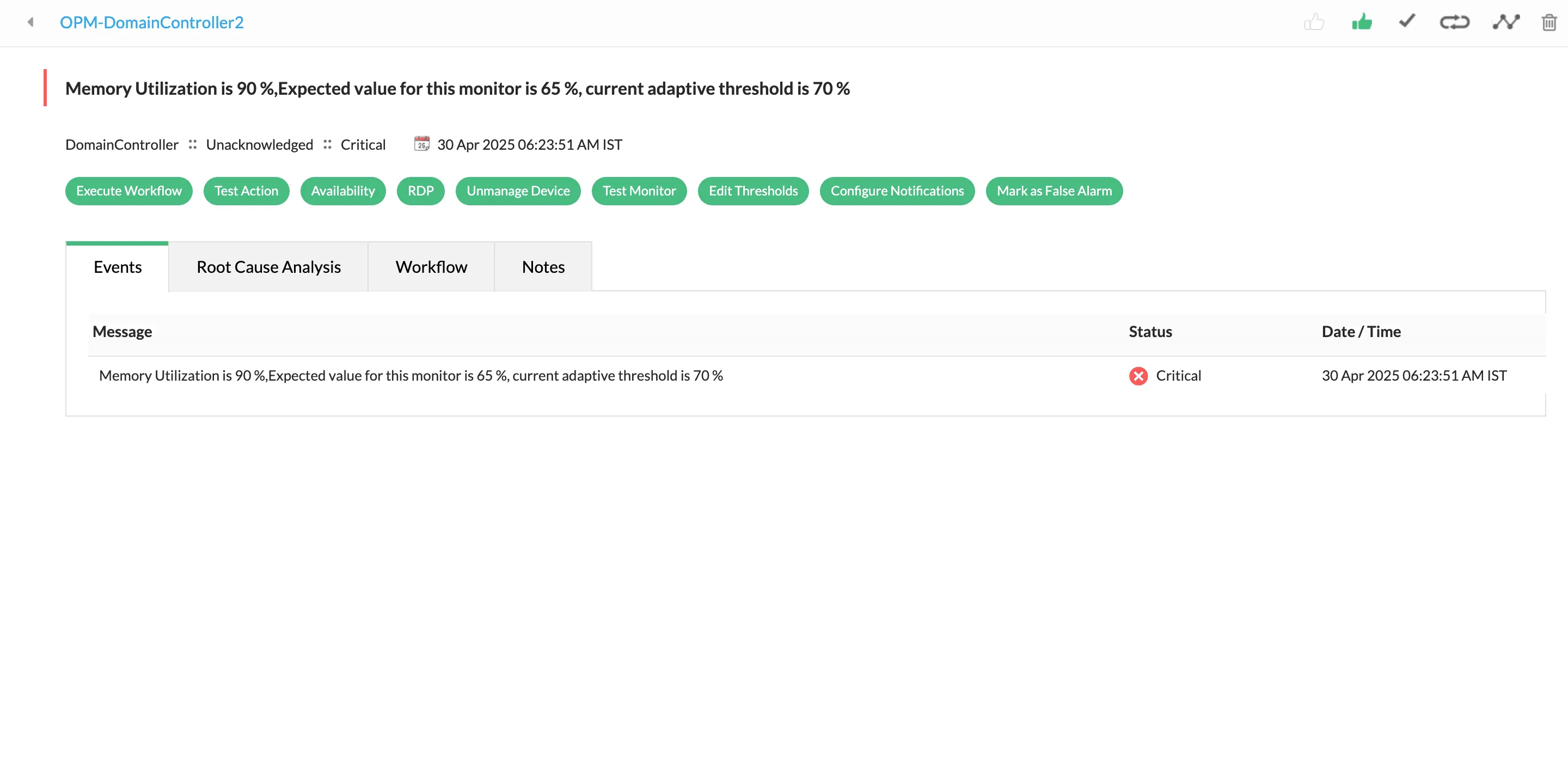
Adaptive thresholds

OpManager's ML-powered adaptive thresholds automatically adjust multi-level alarm thresholds each hour. This ensures improved alarm accuracy and minimal false positives. Adaptive thresholds also automate alarm threshold calculation and updates, reducing manual effort.

Adaptive thresholds
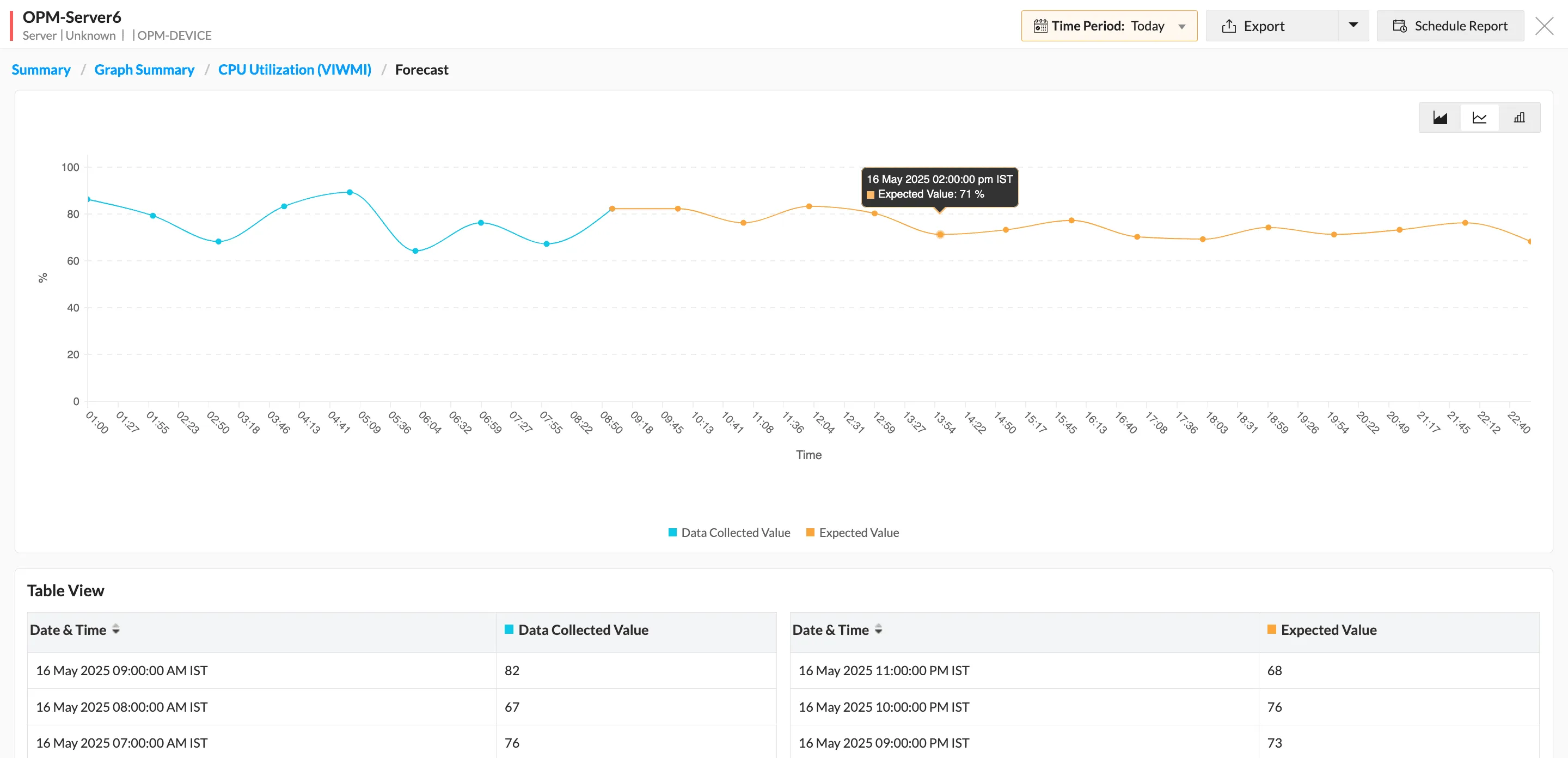
Forecasting performance trends

Forecasting performance trends

Track critical resources like CPU, memory, and disk space with ML-powered predictive forecasting. You can also set up alarms to notify you when your servers, storage devices, and databases are about to exhaust critical resources.

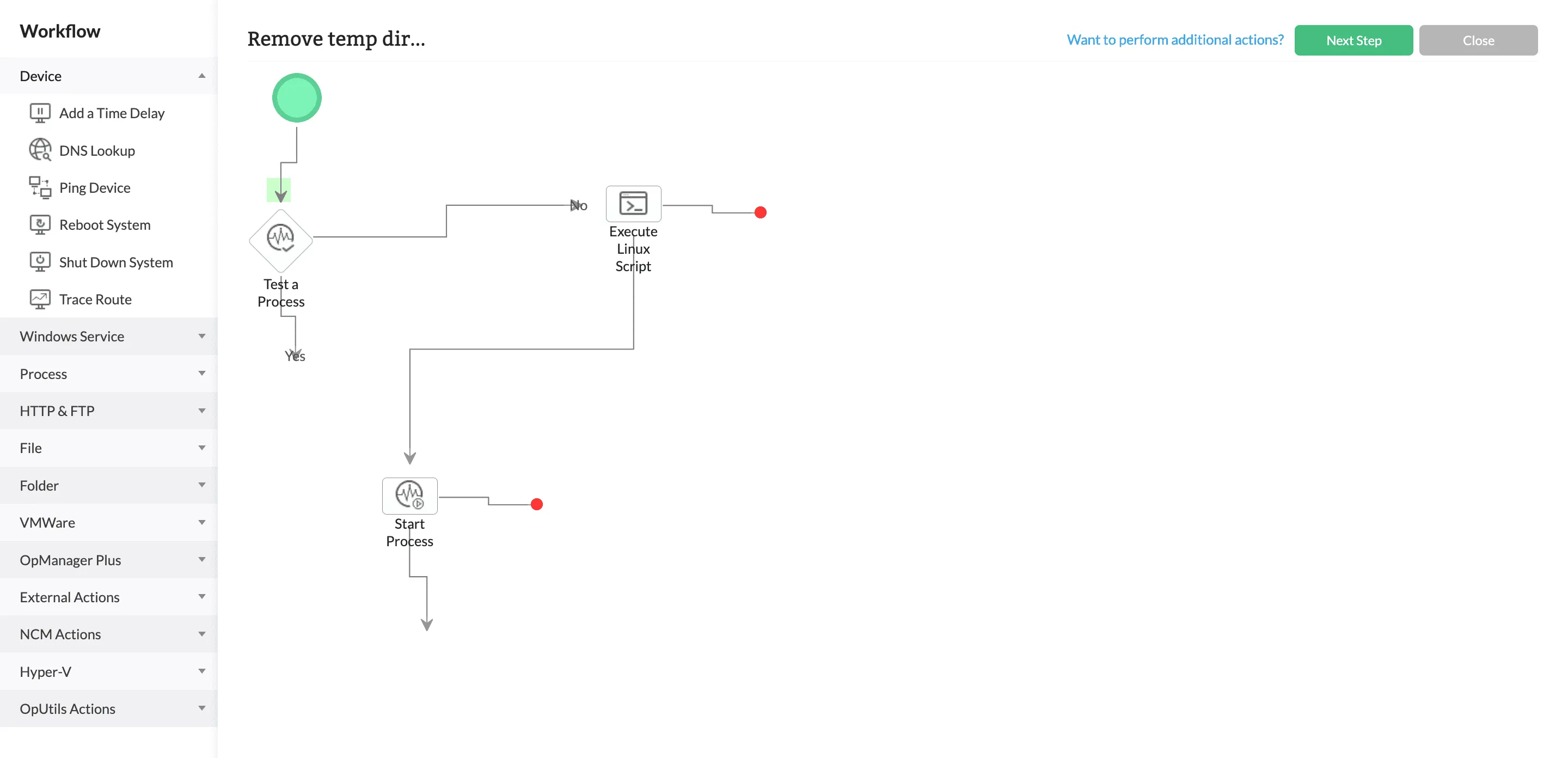
Workflow automation

OpManager's script-less drag-and-drop workflow automation builder features 70+ actions to help you execute complex outcome-based IT remediation workflows, troubleshooting steps, and network management tasks with ease.

Workflow automation

Switch from Auvik to OpManager with a guided evaluation!

If you're searching for alternatives to Auvik, you can try a free guided OpManager evaluation with ManageEngine's dedicated product experts. By registering for a free evaluation, you can use a fully functional and personalized OpManager installation for 30 days, get tailored custom quotes, and schedule one-to-one sessions with our team!

Get started with OpManager!

Register for a free product evaluation by filling this form

1

Evaluate

Start off with a fully functional product trial to evaluate OpManager

2

Calculate ROI

Get detailed pricing and licensing information for your requirements

3

Schedule a POC demo

Talk to our product experts one-on-one to choose the plan that suits you best!

Enter name Enter name
Enter a valid business email address Enter your business email address
Enter phone number Enter phone number name

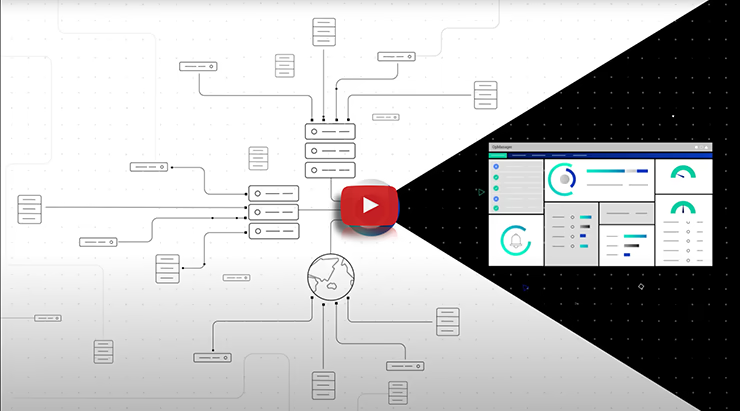
OpManager, in a minute-and-a-half

Eliminate network bottlenecks and minimize unplanned downtime with an all-in-one monitoring console. OpManager's historic, real-time, and predictive insights can help you improve performance across your network, server, and storage systems.

OpManager, in a minute-and-a-half

ManageEngine OpManager: Adored by customers and review platforms

Brian Law
 

OpManager is the eyes and the ears of our network. Not just during the day, but 24x7x365.

Brian Law

FP McCann, United Kingdom

Rohan Manuel
 

OpManager meant that my work-life balance was possible... I get real-time proactive data anytime, anywhere.

Rohan Manuel

Work Healthy Australia, Australia

Wayne Innis
 

OpManager is a single pane of glass to review, troubleshoot, and diagnose any problem.

Wayne Innis

Qarbon Aerospace, United States

I have been working with OpManager for a long, and I have also worked with other platforms like Datadog, so I came to the conclusion that its stability, reliability, simplicity, and scalability features set it apart from the competition. It's a game-changer, and I also adore it because it is suitable both for big and small firms.

Stephanie M

Finance, via Info-tech reviews

What I like most about ManageEngine is the customization capabilities... I like the way it integrates with other solutions and components.

Steven Soriano

Detroit Wayne Integrated Health Services, United States


  4.7/5
  4.5/5
  4.4/5
  9.1/10
  4.7/5
  4.6/5

Switch to the market's best-rated network monitoring tool!

Disclaimer:

* This pricing was calculated based on Auvik's estimates as given in their website: https://www.auvik.com/franklyit/blog/auvik-pricing-details/ Please refer to Auvik's website for more information.

This page highlights ManageEngine OpManager as an alternative to Auvik. This page is compiled from the information available on Auvik's website. We have made every attempt to ensure the accuracy and reliability of the information provided. However, the information is provided "as is" without warranty of any kind. ManageEngine is not liable for any inaccuracies in the page due to changes made on Auvik's website or any development made to Auvik's product subsequent to the date of publication of this page. Please refer to Auvik's website for more information.

 
 Pricing  Get Quote