Citrix Xen monitoring software
Monitor and optimize Citrix XenServer performance with ManageEngine OpManager
- Discover XenServers automatically
- Identify Xen issues proactively
- Prevent virtual sprawl & optimize resource use
Why is Citrix XenServer monitoring important?
Citrix XenServer environments demand continuous visibility into VM performance, host resource allocation, and storage health. Without dedicated xen monitoring tools, administrators face blind spots. CPU over-commitment goes undetected, storage latency spikes cause VM slowdowns, and capacity planning becomes guesswork. OpManager is a XenServer monitoring tool that tracks performance metrics across VMs, hosts, storage, and resource pools in real time.
Xen monitoring capabilities in OpManager
Automated Citrix hypervisor discovery and classification
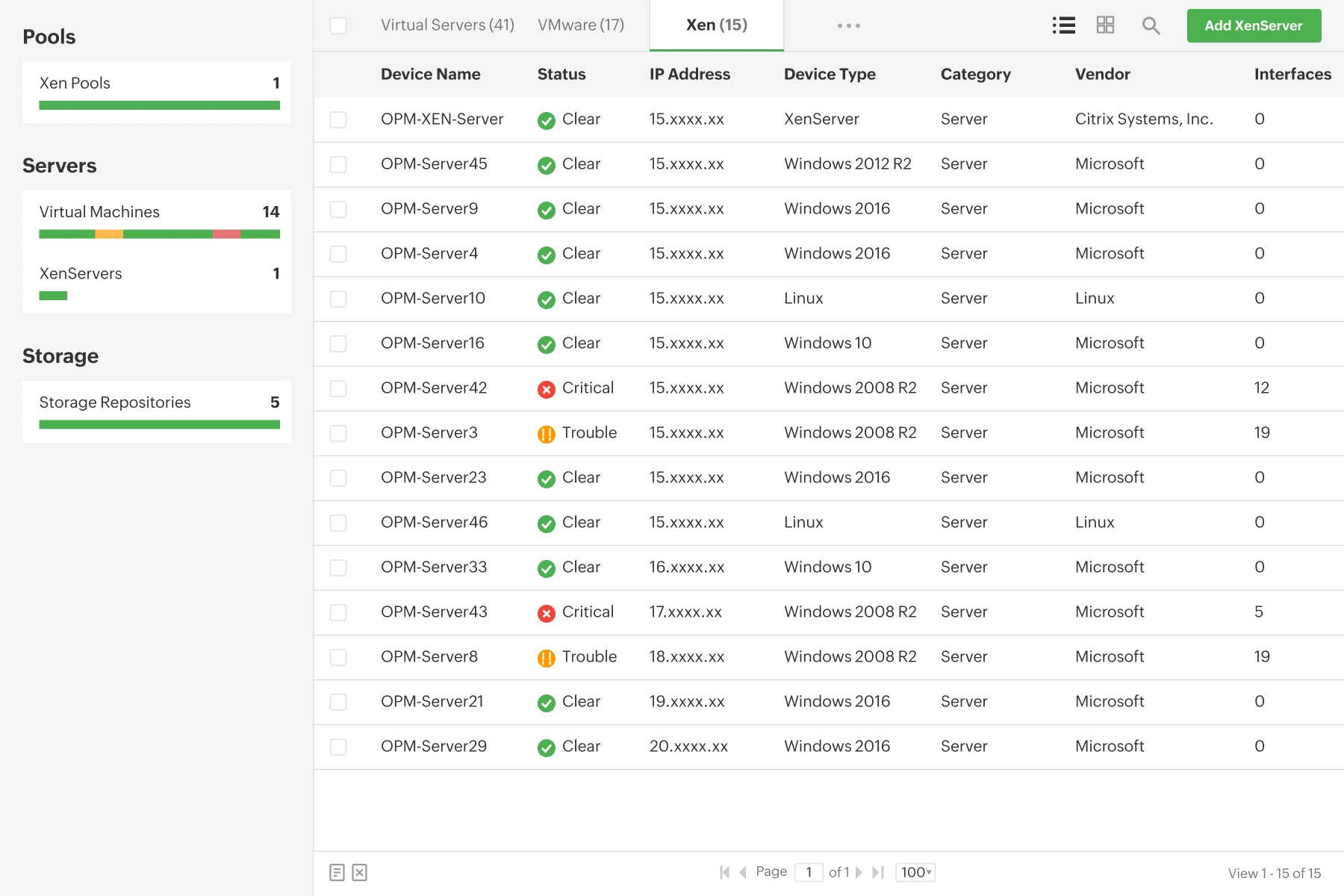
- OpManager discovers all your Citrix XenServer hypervisors and classifies them neatly along with their VMs, resource pools, and storage repositories.
- Get a summary of the performance of the virtual elements hosted within your XenServer. This includes metrics like IP address, power status, OS details, and memory usage.
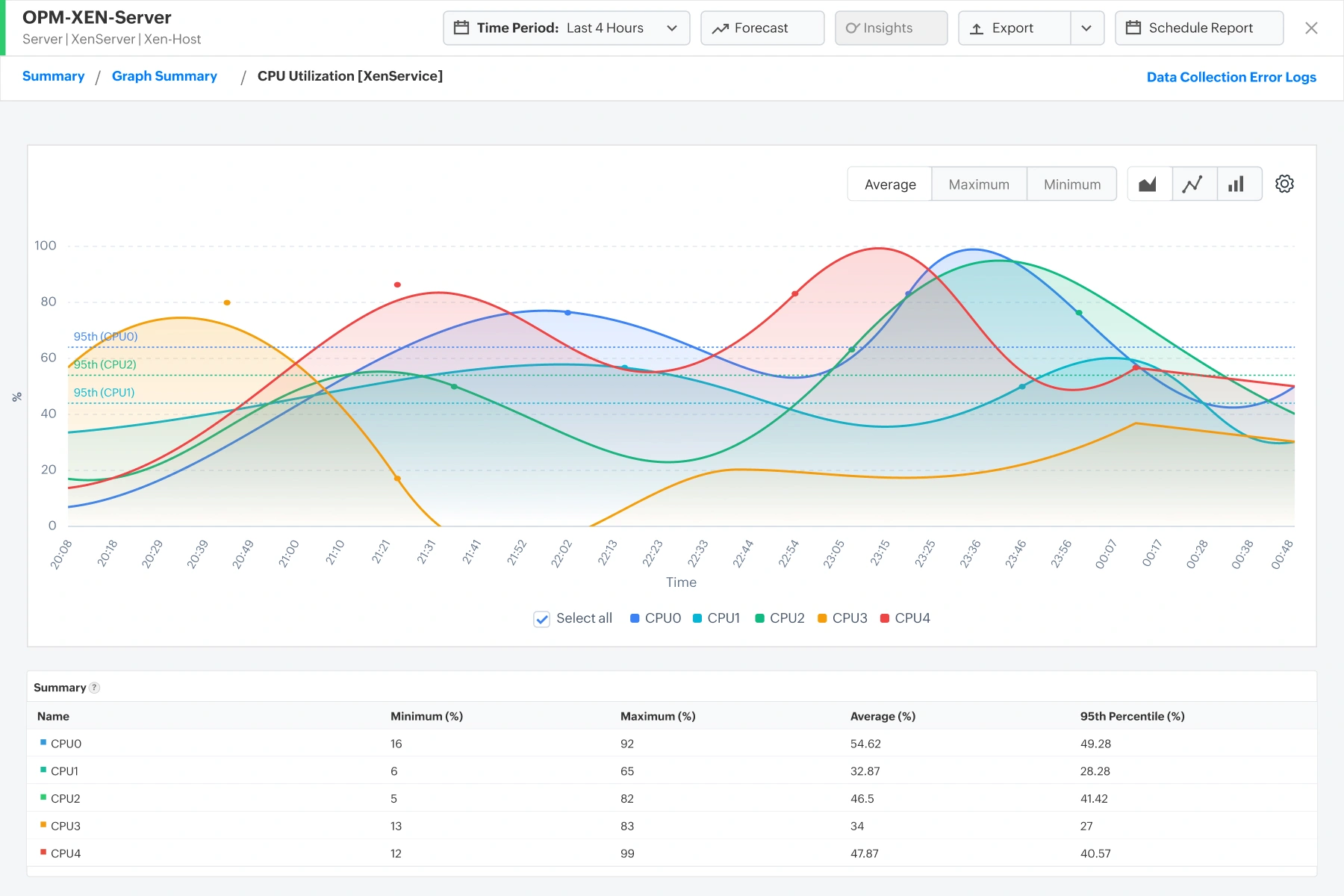
- OpManager also uses XAPI and XenService to monitor the performance of the XenServer. This includes metrics like CPU usage, Domain0 average load, memory, traffic, etc.
Xen VM performance monitoring
- OpManager leverages XAPI and XenService to gain in-depth visibility into your Xen VMs.
- You can monitor your VM's CPU utilization, memory usage, disk inputs/outputs, network usage, and VCPU statistics like concurrency and contention.
- Gain complete visibility into each server, whether they are Windows or Linux. With OpManager, you can monitor their processes, services, installed software, and applications.
Xen resource pool monitoring and optimization
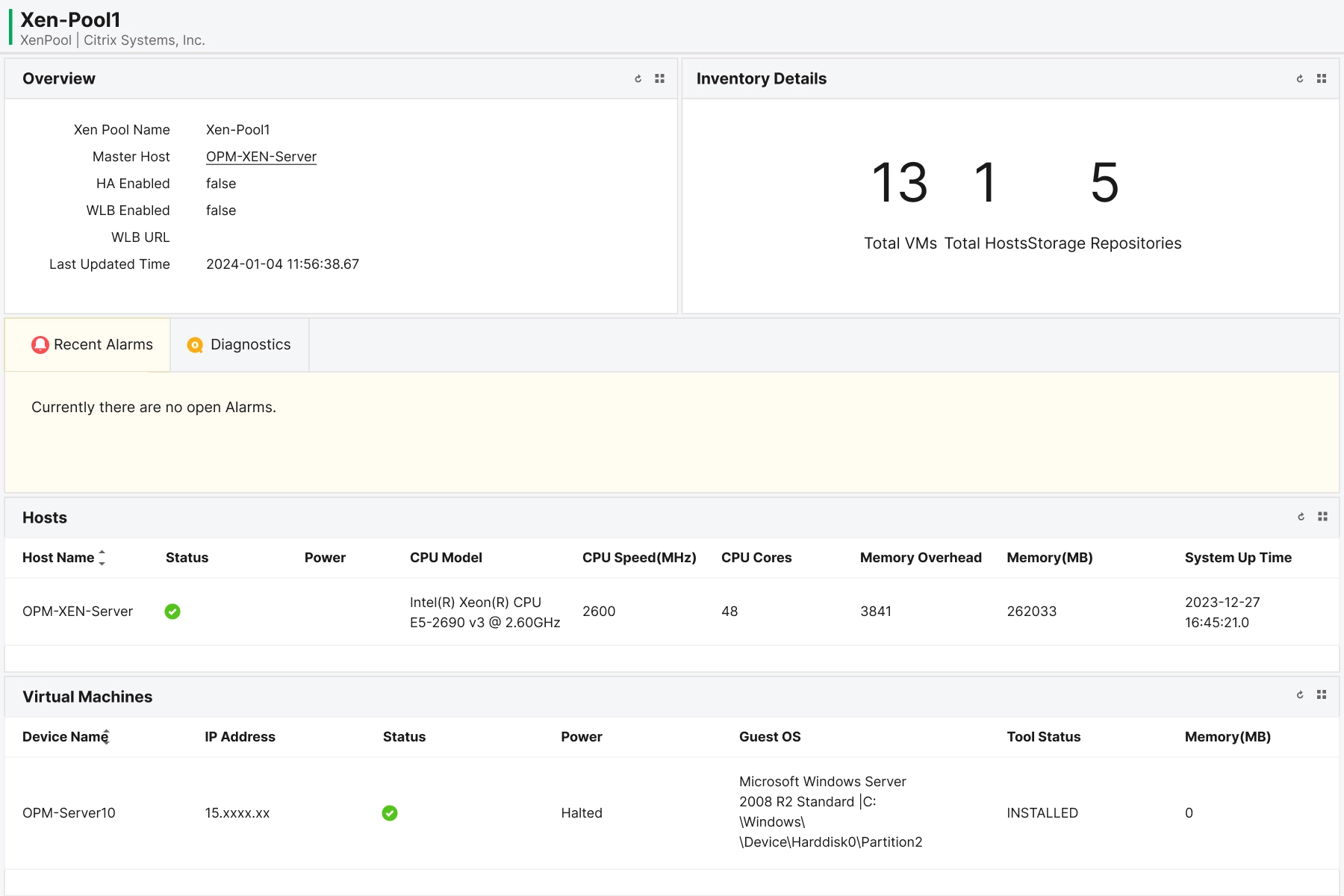
- OpManager helps you monitor shared Xen resource pools to ensure uninterrupted server performance.
- View the hosts, VMs, and storage repositories managed within a resource pool at a single glance.
- Drill down into each VM or storage repository to check their performance utilization. Detect over and under-utilized servers to optimize resource allocation.
Xen storage repository monitoring
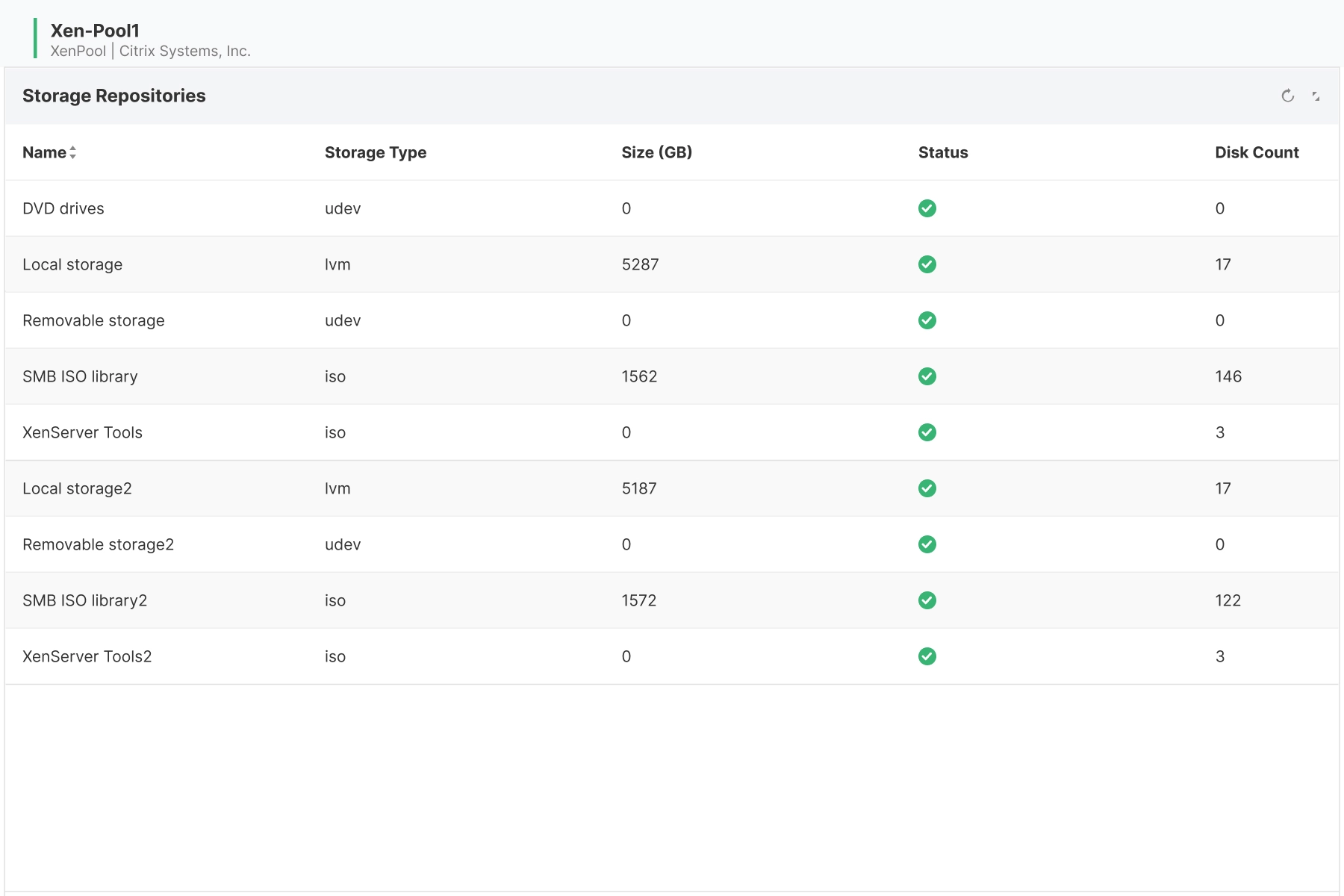
- OpManager helps you gain visibility into Xen storage repositories and track their uptime status at all times.
- Monitor the storage usage and disk count of storage repositories to detect performance issues proactively.
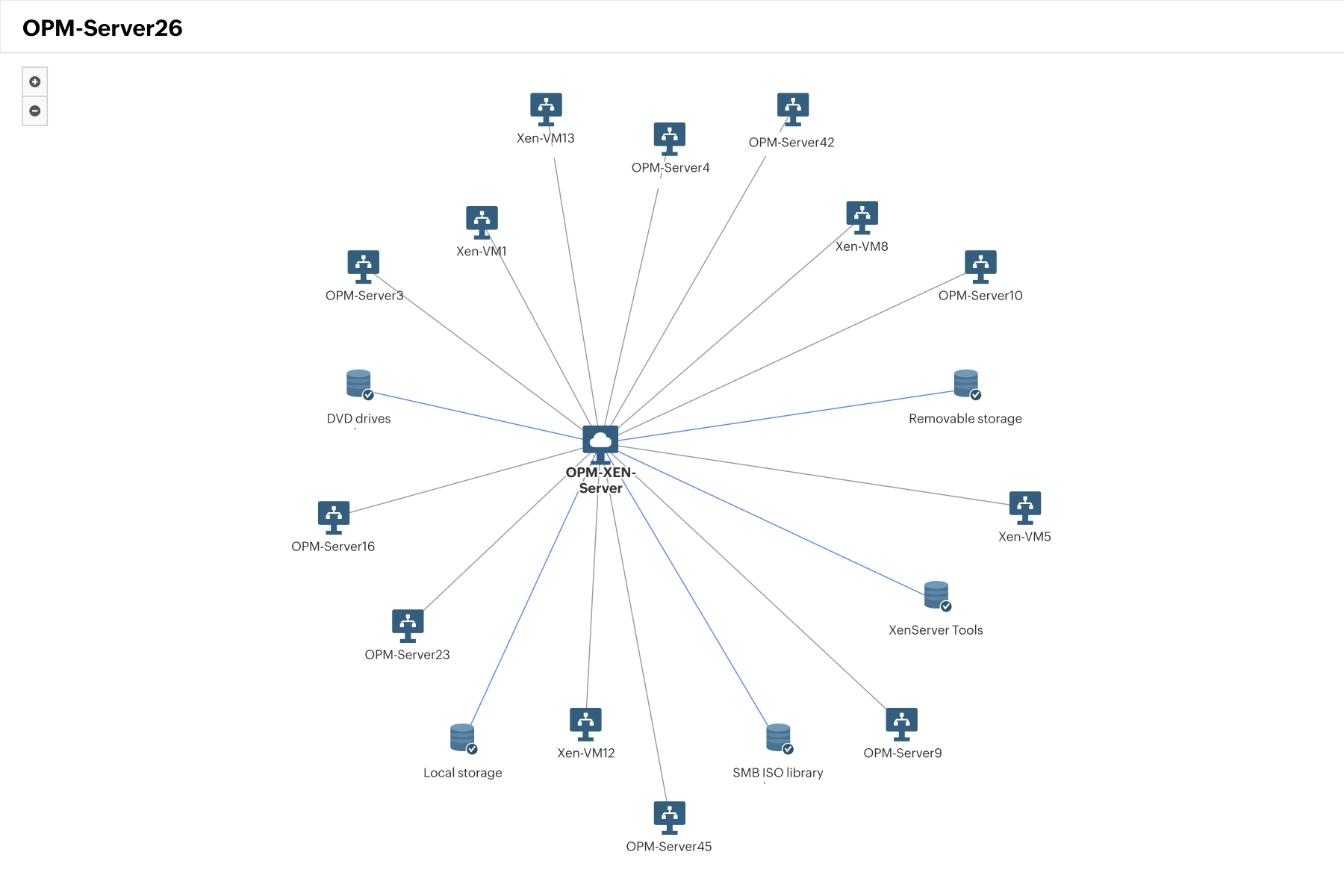
Xen virtual environment mapping
- OpManager automatically discovers, draws, and updates your Xen environments.
- Virtual maps track XenServer hypervisors, Xen VMs, and storage repositories.
- Track the virtual topology to understand the logical data flow between your Xen virtual components.
How OpManager helps resolve practical Citrix monitoring challenges
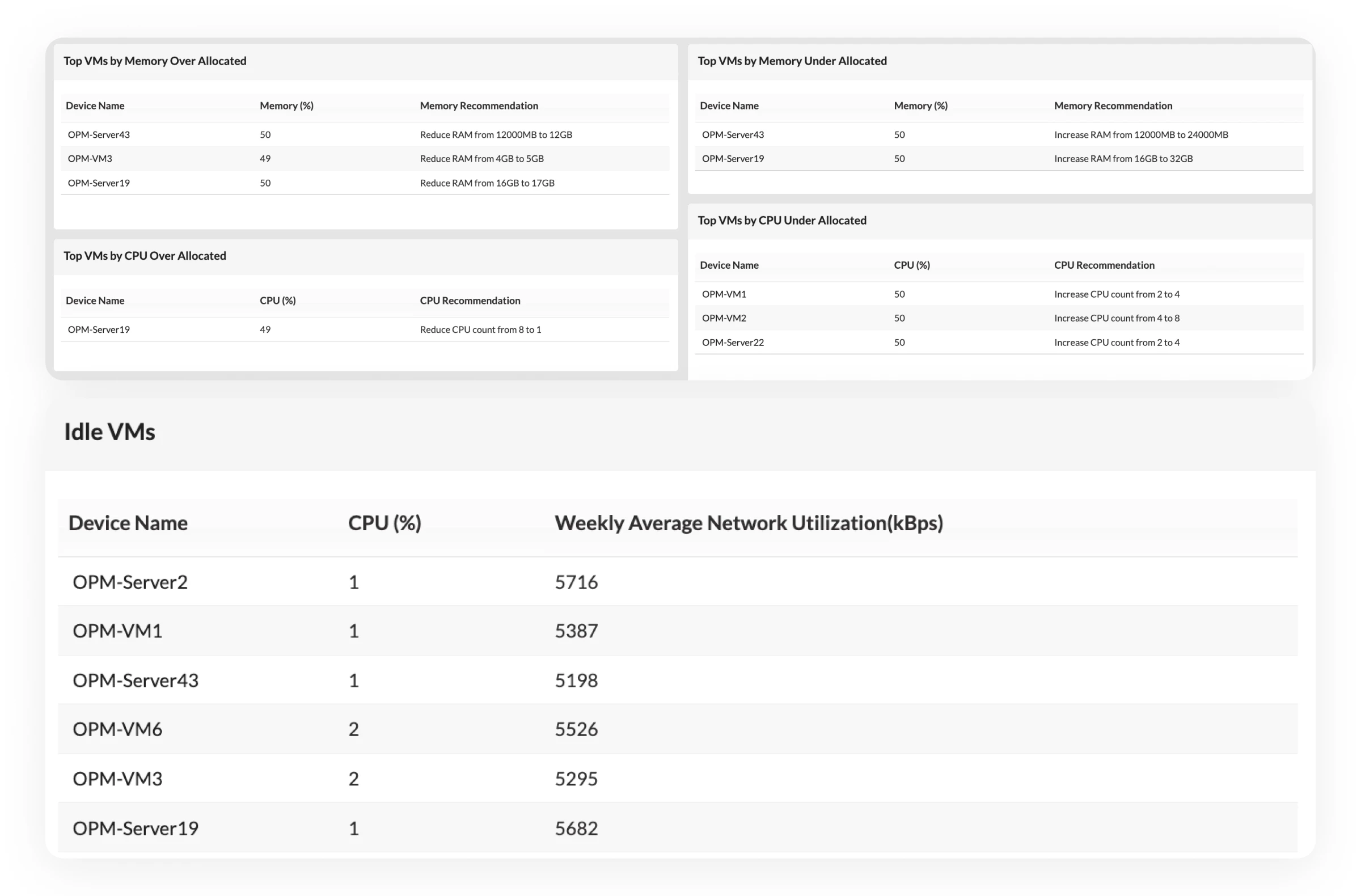
Finding over and under-utilized VMs
Optimizing resource allocation helps improve virtual performance.
- OpManager helps you review hosts and VMs with visibility into resources used by each.
- This helps you allocate VM resources to ensure the best performance and efficiency.
- You can find under-utilized VMs and reallocate them for other projects to boost productivity.
Stopping VM sprawl in XenServers
Virtual sprawl is a major challenge faced by IT teams monitoring XenServers.
- OpManager highlights VM resource usage with colour-coded capacity planning reports.
- You can easily find out over-utilized servers causing virtual sprawl with a quick glance.
- OpManager also has dedicated virtual sprawl reports to find virtual sprawl.
Performing capacity planning
OpManager helps simplify capacity planning with performance graphs and forecasting.
- KPI graphs keep track of Xen resources like CPU, memory, disk, and network usage.
- You can use ML-driven forecast reports to identify the number of days left till your resources run out.
- This helps you perform informed capacity planning and prevent unexpected outages.
Why choose OpManager over other Xen monitoring tools?
Multi-vendor support
OpManager unifies monitoring across Xen, VMware, Nutanix Hyper-V, and Proxmox from a single console.
In-built AIOps
OpManager's in-built AI engine Zia, MCP server, and Gen-AI integrations simplify Citrix XenServer monitoring.
Unified infrastructure visibility
OpManager unifies monitoring for Xen VMs with physical servers and network devices.
Capacity forecasting
OpManager's ML-forecasting helps you keep track of Xen resource usage and justify capacity planning projects.
FAQs about Citrix XenServer monitoring
XenServer is highly optimized for hosting Citrix Virtual Apps and Desktops environments, offering specialized features like direct GPU pass-through, enhanced security isolation, and deep integration with Citrix provisioning services.
XenService refers to the background services and guest agents installed inside the VM's guest OS. These enable features such as:
- Clean VM shutdowns and restarts from the management console.
- Accurate reporting of guest memory, network utilization, and IP addresses.
- Dynamic memory control and live snapshots.
- CPU and memory
- Domain 0 (Dom0) health
- Network traffic
- Storage IOPS and latency
Resources to dig deeper
The technical playbook for deploying agentic AI in production ITOps
From alerts to action: How agentic AI will change your ITOps
Download Whitepaper→