Free network monitoring software: Your entire network in one console
Install OpManager, and see every network device, link and alert in one console. Free to download and try.
Download OpManager Free
For Windows and Linux
- Monitor devices, interfaces, servers and services from one console
- Alerts, dashboards and maps ready from the first day
- Install in minutes on Windows or Linux
How the free edition works
30-day trial · every feature
Day 1
Download and install in minutes. Every feature is on, so try it on your real network.
Days 1 to 30
Discover your devices, set up alerts and build dashboards your team can use.
Free edition · 3 devices
Day 31
OpManager carries on as the free edition, with your first 3 devices still monitored.
Any time
Need more devices? Reach out to sales or support and apply a new license any time.
What you can do with OpManager
The monitoring, alerting and visibility your team uses every day, ready to try on your own network.
Watch every device and interface
Add a router, switch, firewall or server and OpManager starts measuring it at once. Availability, packet loss, response time and traffic sit on one device page.
Collect data with SNMP, WMI, WinRM or CLI, with no cap on interfaces, sensors or monitors.
- Availability and interface monitoring
- SNMP, WMI/WinRM and CLI monitoring
- Cisco ACI and Meraki monitoring
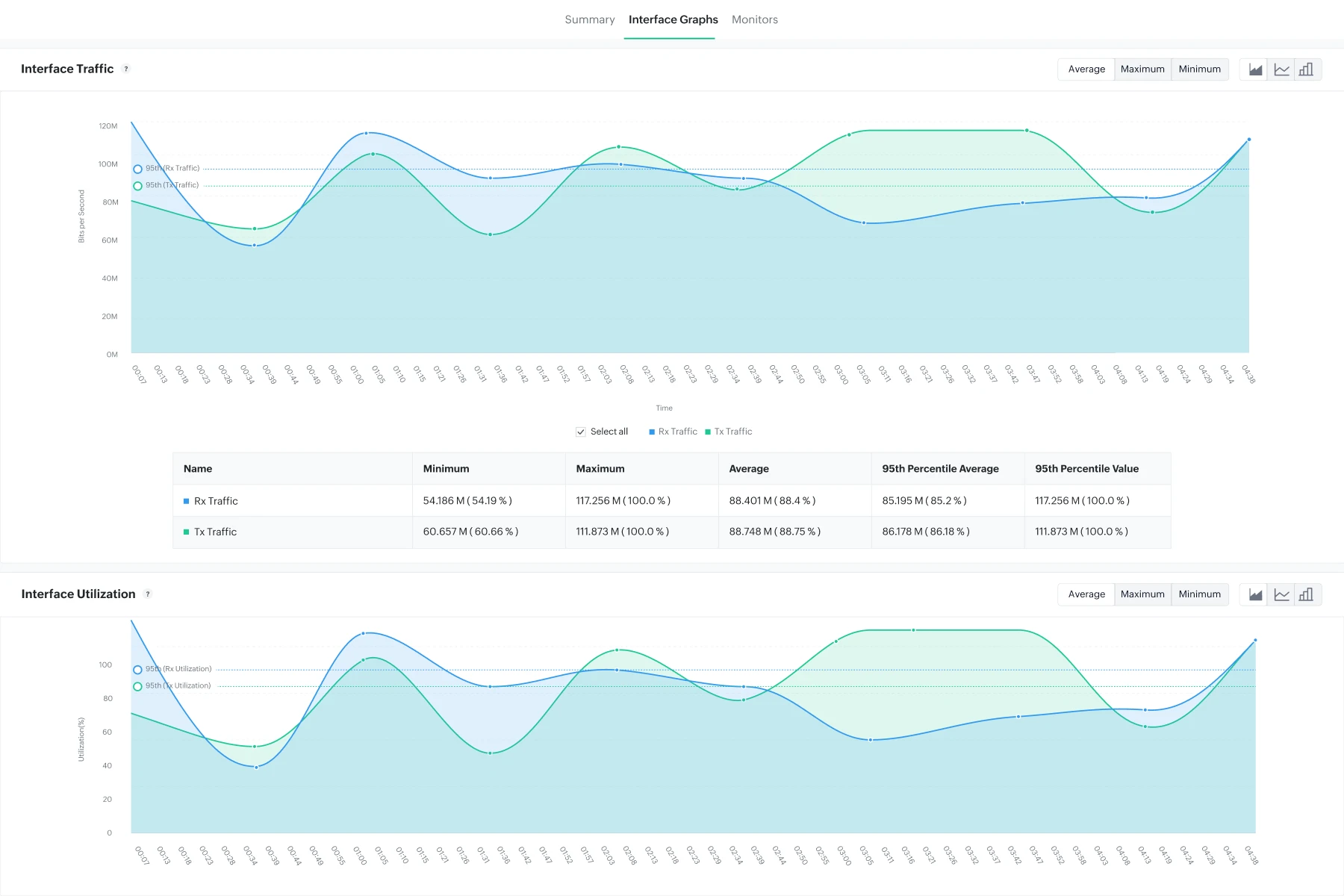
Keep servers and services healthy
See CPU and memory trends by the hour, day or month, and spot the server that is slowly running out of headroom long before it falls over and takes an app down.
Watch the processes, Windows services, ports, scripts and logs your business relies on.
- Process and Windows service monitoring
- TCP port service and script monitoring
- Event log, syslog and file/folder monitoring

Know when something breaks, early
Set thresholds once and OpManager raises an alarm the moment a device, link or service crosses them, grouped by severity so critical ones never get buried.
Send alerts by email or SMS, escalate when nobody responds, and pass them on to your helpdesk.
- Alarm monitoring and alarm escalation
- SNMP trap monitoring
- Notification profiles and third-party integration

See your network your way
Draw your network as a map with devices, links and live status, so anyone can see at a glance how things connect and exactly where a fault sits, in seconds.
Build dashboards with the widgets you care about and give each team member a view of their own.
- Business views
- Custom dashboards
- User-specific dashboards
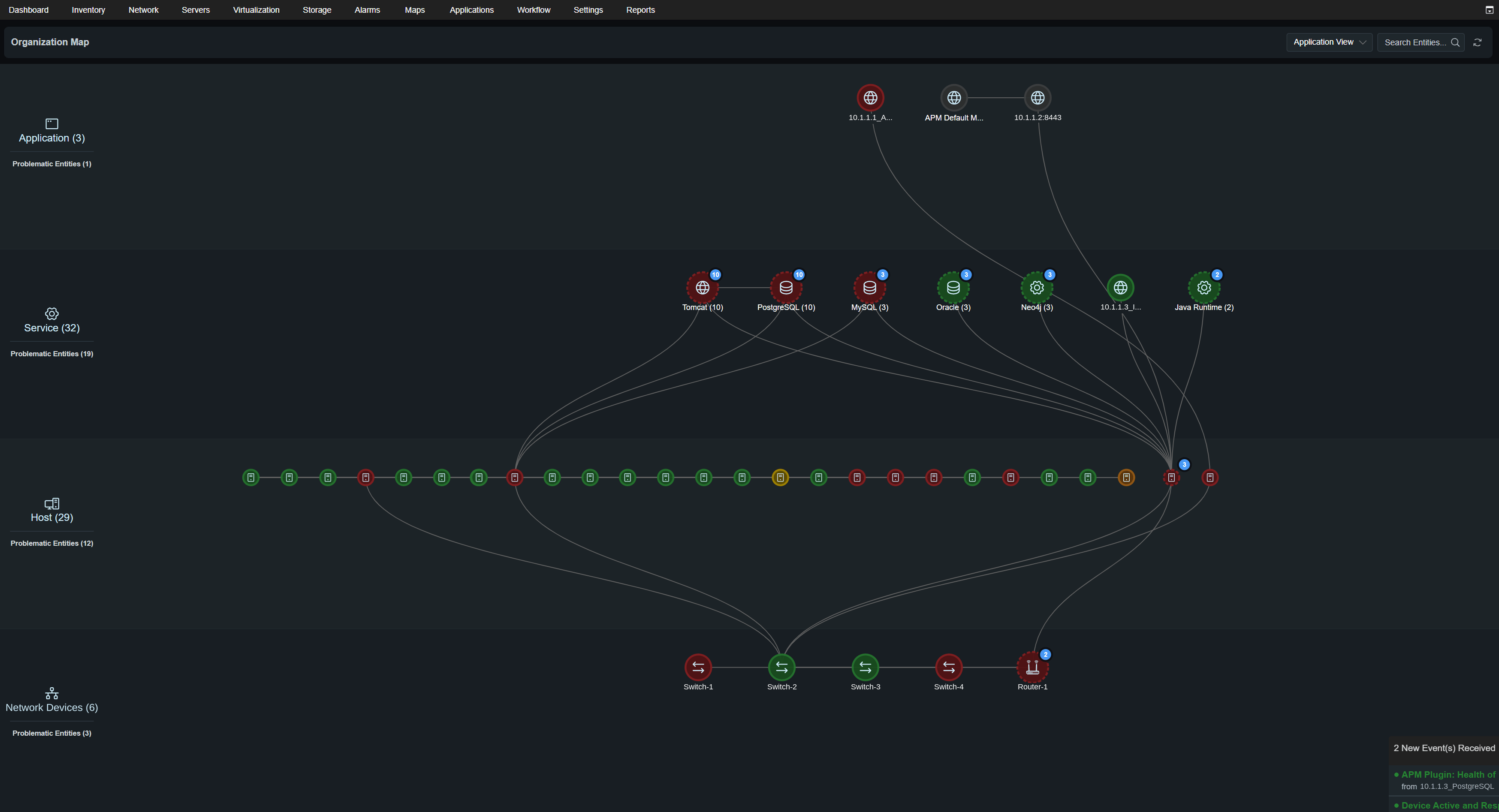
Discover your network in one go
Point OpManager at an IP range and it finds your devices. Import a CSV or add a single one.
- Network discovery
- CSV discovery
- Single node discovery
Stay in control from anywhere
Manage users in OpManager, check alarms in the mobile app and look back over 7 days of raw data.
- Local authentication
- Android and iOS mobile app
- 7 days of raw data
Common questions
What happens after day 30?
It carries on as the free edition. The first 3 devices stay monitored, the rest go Unmanaged, and you pick which 3.
What are the limits?
The free edition covers 3 devices, with no cap on the interfaces, sensors and monitors on each of them.
What do I get in 30 days?
Every OpManager feature, so you can see what it does on your real network before you decide anything.
Can I add more devices?
Yes, any time. Reach out to sales or support and apply a new license. Your setup stays as it is.
Which systems are supported?
Windows and Linux. Pick yours in the download form, and the right installer starts downloading.
Where do I get help?
The Installation Guide and Help Document cover setup step by step, or raise a support request.
Get OpManager Free Edition
Download, install and see your network in minutes.
OpManager supports: English, Spanish, Chinese Simplified and Traditional, Japanese, French, German and Italian languages.
Questions about OpManager? Raise a support request and we'll get back to you.